Stop using difficult formula-based Excel! This course allows you to utilize advanced Excel features with just a few clicks.
Effectively learn unfamiliar yet highly practical advanced Excel functions to master task automation, data preprocessing, data modeling, and advanced visualization skills all at once, and take your data analysis level to new heights!
It was a really useful training and I think it will be of great help in my career.
5.0
changwooer
100% enrolled
I was able to understand the essential concepts of Excel BI & Power BI. If a project-based in-depth course is released, I will take it.
5.0
hjiyoung9764
6% enrolled
Your review
I was not able to utilize the advanced functions of Excel, but this lecture helped me to utilize them 100%.
What you will gain after the course
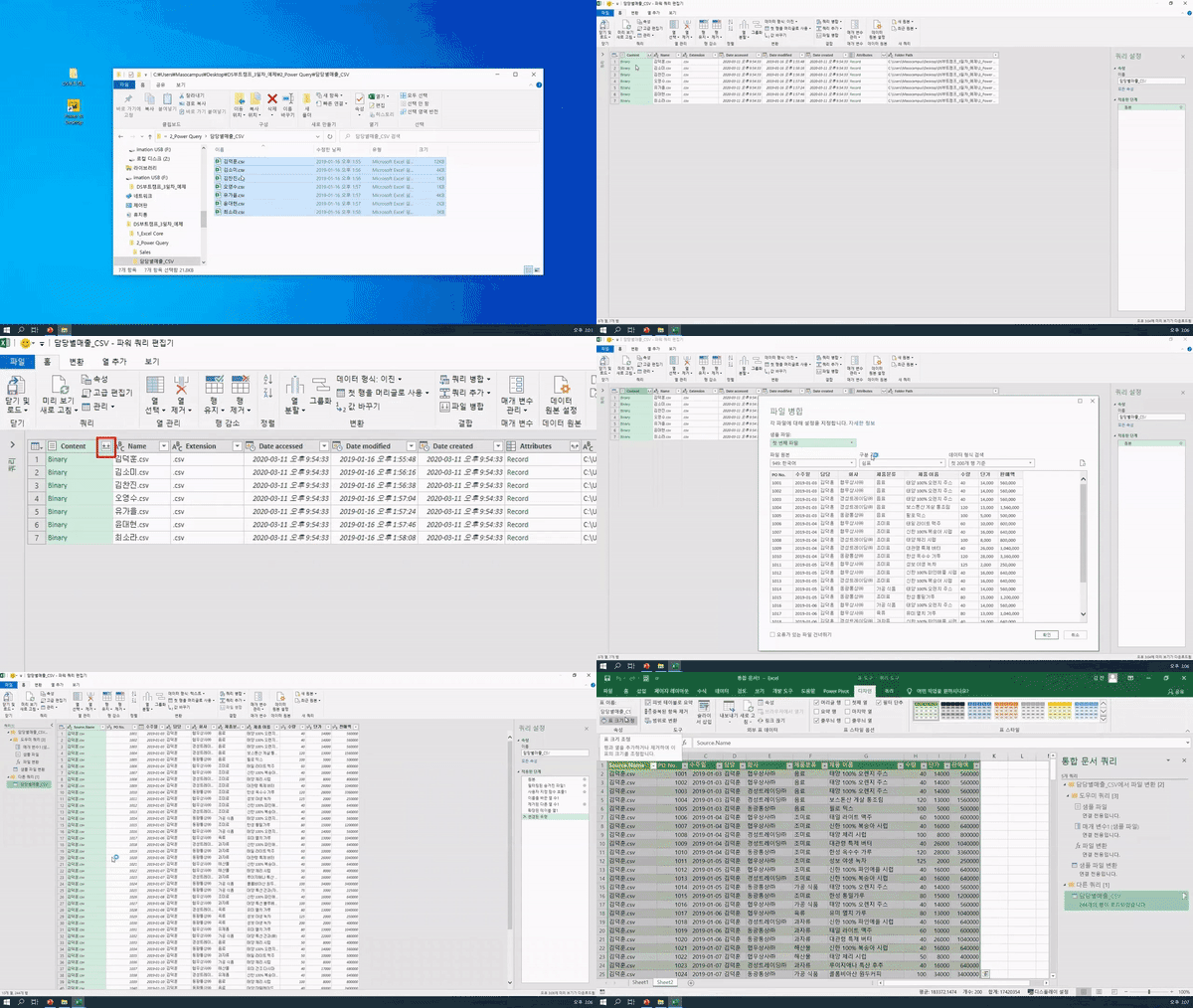
Data Preprocessing Practical Training (Power Query Basic, External Data Handling, Query Editor Organization)
Practical Knowledge of Excel Data Modeling and Analysis
Understanding Practical Cases of Data Preprocessing
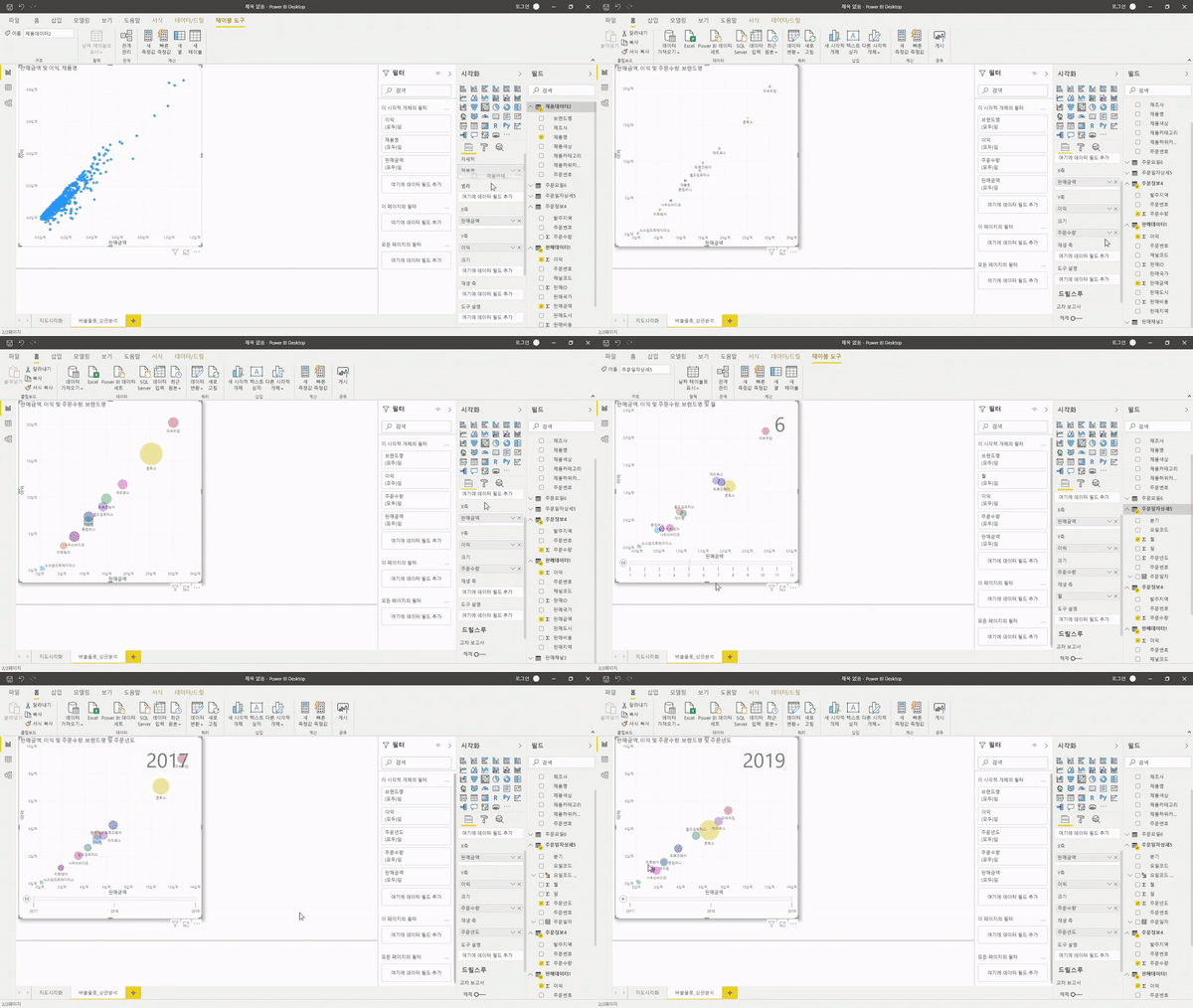
Data analysis and visualization skills using Power BI
You're saying you can derive insights with Excel? Now, let's become someone who is truly good at Excel!
🧩 Efficient Excel usage that reduces work time!
lWhy on earth do I start sighing the moment I receive an Excel task?
lThere are so many conditions to consider; is there a way to classify them all at once?
lWhen will I ever finish copy-pasting all this data??
lDo you really have to open every single scattered Excel file?
The answer to solving all these concerns at once lies in <Advanced Data Science for Practical Business Analysis>. If you want to reduce your work hours and get an immediate "OK" from your manager, utilizing Power Query and Power BI is essential. Therefore, we have prepared a lecture where anyone can easily perform data analysis using customer data analysis tools.
Instead of just teaching shortcuts and functions, I designed this curriculum by focusing on how to truly master Excel.
To improve work efficiency, we cover Power Query, Power BI, and insight derivation, which are hard to find in other courses.
After taking this course, you will be able to do more than just 'use' Excel; you will be able to perform data analysis and derive insights from it.
👍 Highly recommended for the following people:
- Those who want to perform accurate data-driven analysis rather than making decisions based on intuition without data
- Those who want to gain an understanding of data analysis using Excel before starting a job
- Those who are getting by on intuition but facing difficulties because they haven't learned it formally
- Those who want to know the functions and features frequently used in practice
- Those who want to save time spent searching for Excel functions and features and learn through a systematic curriculum
👀 강의 특징
From data analysis beginner to expert with just one course!
1. Complete Mastery of Data Analysis
In this course, you will master various analysis techniques using Excel in a short period, from big data aggregation to task automation and visualization, so that you can use Excel as a big data analysis tool and apply it immediately to your practical work. Students of this course will be able to create reporting materials for task automation, build automated dashboards, and derive insights from data
2. Utilizing Various Tools
You can learn everything from basic functions for managing data in Excel, to large-scale data management methods using Excel Data Models, and Power Pivot . In addition, you can acquire skills ranging from basic visualization using Pivot Tables, Pivot Charts, data aggregation, report generation, and task automation using Power Query, to advanced visualization capabilities using Power BI. You can learn various high-level functions through practical, hands-on examples that can be applied immediately in the field. Due to the nature of video lectures, you can very easily learn and utilize advanced functions that are highly useful but often difficult to apply because they are unfamiliar .
3. Perfectly applicable to real-world tasks
By following the provided learning steps, you will learn how to construct dynamic dashboards that can be used immediately in practice, how to create automated reports with various layouts, and how to extract desired data and perform advanced analysis. Through this process, you can apply Excel's specialized data management and analysis functions to your actual work.
🏆 After completing Data Science Practical Advanced Analytics
Maso Campus's<Advanced Data Science Practical Analysis> course allows you to, learn everything about data analysis that you can apply immediately.
-Data preprocessing skills to collect & organize scattered data
-Data processing skills to handle real-world data with ease
-Data visualization skills to make even complex data easy to read
-Data-driven decision-making skills that lead to clear results
With Data Science Practical Advanced Analysis alone, you will LEVEL UP into a data analysis expert in just 3 hours and 42 minutes! LEVEL UP!
📚 What you will learn
💬 Frequently Asked Questions Q&A
Q. Do I need prior knowledge of Excel or data analysis? A. <Data Science Practical Advanced Analytics> is an advanced Excel analysis course that requires a basic understanding and knowledge of Excel or data analysis. Therefore, if you wish to take <Data Science Practical Advanced Analytics>, we recommend that you take <Data Science Business Analytics> beforehand.
Q. Are there any requirements or prerequisites for taking the course? A. Since this is a practice-oriented course, it is recommended to prepare a dual monitor or an extra device to separate the lecture screen from the practice screen. Additionally, as the practice sessions are conducted based on Windows OS, we recommend taking the course in a Windows environment.
Q. I'm a complete beginner in data analysis and have never coded before, is it possible for me? A. Of course it is. Instead of using complex coding, this course helps you develop data analysis skills primarily using the commonly used Excel.
✒ Instructor Introduction
️
✔ Please check before taking the course !️
-Since this is a practice-oriented course, it is recommended to prepare a dual monitor or an extra device to separate the lecture screen from the practice screen. Also, as the practice is conducted based on Windows OS, we recommend taking the course in a Windows environment.
-The lecture notes and practice files are located in 00Section .
Recommended for these people
Who is this course right for?
Those who dream of entering or transitioning into a data analysis role
Those who want to acquire skills in task automation and visualization based on big data
Those who want to derive accurate and meaningful insights from data
Those who dream of "Entrepreneurship / Employment / Career Change / Reskilling / Talent Transformation"
Need to know before starting?
As this is a practice-oriented course, we recommend using dual monitors or an extra device to separate the lecture screen from your practice screen.
Since the practice sessions are based on Windows OS, we recommend taking the course in a Windows environment.
Advanced Data Science Practice is an advanced Excel analysis course that requires basic knowledge of Excel and data.
It was useful to learn about the concept of Excel BI. If you can utilize Power Query and Power Pivot well, it seems that you can sufficiently analyze data with Excel.

































![[Side Project After Work] Big Data Analysis Certification Practical Exam (Type 1, 2, 3)Course Thumbnail](https://cdn.inflearn.com/public/courses/329972/cover/dcfb28fd-48c1-4bb1-ab31-d59eac874194/329972-original.png?w=420)
![[Beginner/Introductory] Implementing Recommendation Systems through Various ExamplesCourse Thumbnail](https://cdn.inflearn.com/public/files/courses/337887/cover/01jyvdpxdgj736bzm3ek4mnk59?w=420)


![[Suminjeongeum] Basic Mathematics for AI - An Introduction to Mathematics Starting from ConceptsCourse Thumbnail](https://cdn.inflearn.com/public/files/courses/342179/cover/01krw77g9yv13wy852v9na3fq1?w=420)