강의

멘토링

커뮤니티

Design

/

3D Modeling

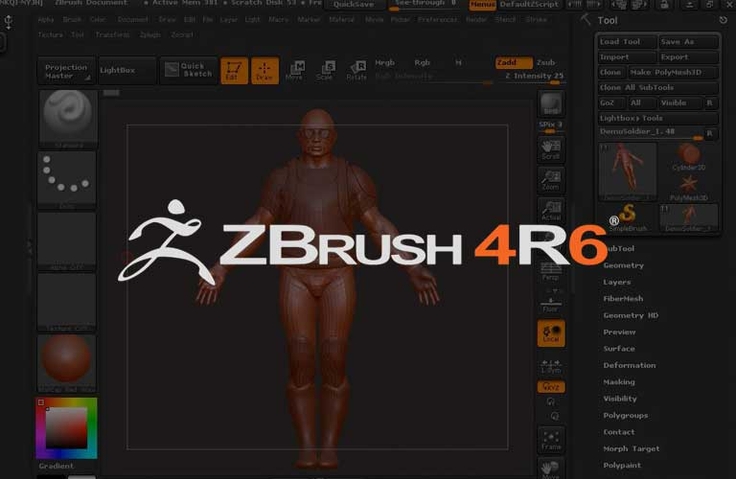
Zbrush 4R6 Everything about Zbrush 4R6 from beginner to master

Zbrush Master Course for users who are new to Zbrush 4R6!

(4.0) 5 reviews

244 learners

  • Sup Choi
ZBrush

Reviews from Early Learners

What you will gain after the course

  • Basic Operations of Zbrush 4R6

  • Comprehensive understanding of menus and functions

  • How to save a file

  • How to use advanced features (Dynamesh, ZRemesher, Fiber Mesh, etc.)

  • Custom brushes and various brush features

  • Applying Color Menu and Polypaint

  • Using the Document Menu

  • Manipulating 3D Sculpts and 2.5D Canvases via the Layer Menu

  • Lighting setup and rendering

  • Using and modifying materials

  • Turntable making

  • Customizing interface settings

  • Various rendering methods and settings

  • Using the stencil feature

  • Stroke Management and Modification

  • Using the Texture Menu and Spotlight Tool

  • Basic functions of the Transform menu

  • Various ways to use Zplugin

  • How to use Projection Master

  • Description and usage of various brushes

1. Course Introduction

This is an introductory course for ZBrush 4R6 , which is very popular for its powerful features and intuitive usage. Even if you are a beginner who has never used ZBrush 4R6 before, this course is recommended for anyone interested in 3D modeling using ZBrush, as it explains in detail and thoroughly from the basic menu. It helps even beginners master everything about ZBrush 4R6 by completing the course by thoroughly explaining the introduction and usage of each detailed menu from the basics. In addition, the course contains the know-how of Choi Seop, who is currently working as a 3D artist at a famous American game company, making it helpful not only for beginners, but also for anyone.
2. Helpful people

  • Anyone who wants to learn how to use Zbrush 4R6
  • Anyone who wants to learn 3D modeling
  • Anyone who wants to become a game developer
  • Anyone who wants to become a 3D game graphic designer

3. Course Features

  • Skills covered: ZBrush 4R6 usage, 3D modeling
  • What you need: ZBrush 4R6
  • Course Level: Beginner
  • 115 lectures, totaling 18 hours and 40 minutes

4. Introduction of knowledge sharers

Choi Seop

  • NC Soft (North America): Character Artist
  • EA Modeler
  • Current id Software 3D Artist
  • Recent work: Doom reboot
  • Introduction to Zbrush 4R6

Awards

  • 2011 Zbrush Contest Excellence Award
  • 3D Total Excellence Award
  • CG Arena Excellence Award
  • Game Artisans Top Row Award
  • Zbrush Central Turnable Gallery

Books

  • Modeling the Venom Character with Zbrush 4
  • Modeling a Nazi Female Warrior with Zbrush

5. Related Courses

Recommended for
these people

Who is this course right for?

  • 3D Modeling Beginner

  • People interested in digital sculpture

  • For those new to Zbrush

  • Anyone who wants to learn advanced Zbrush features

  • Aspiring 3D Artist in the Game and Film Industry

  • People interested in digital art and character design

Hello
This is

1,934

Learners

28

Reviews

2

Answers

4.6

Rating

4

Courses

Curriculum

All

115 lectures ∙ (18hr 31min)

Published: 
Last updated: 

Reviews

All

5 reviews

4.0

5 reviews

  • schauer9040188님의 프로필 이미지
    schauer9040188

    Reviews 1

    Average Rating 5.0

    5

    100% enrolled

    Literally everything about ZBrush 4R6 If you are unfamiliar with ZBrush, This is the best tool tutorial course without any unnecessary details. (It is mainly about functions and in many cases, simple application/use examples follow.) After a thorough training, if you are a beginner and cannot remember a specific function while working, it would be better to take it out and look at it. Thank you, Choi Seop^^

    • agagmn0611님의 프로필 이미지
      agagmn0611

      Reviews 1

      Average Rating 4.0

      4

      100% enrolled

      Cheers to me who listened hard~~~ There were many lectures that I took at 2x speed, and I was impressed by the way you taught me in detail ^^ It seems like a good basic lecture, and I think I paid well.

      • ggaburi731252님의 프로필 이미지
        ggaburi731252

        Reviews 1

        Average Rating 5.0

        5

        100% enrolled

        It's so great It's organized neatly and each section of the Han River is about 15 minutes long, so I think it's easy to listen to without feeling burdened!! I think it'd be really good for beginners to learn.

        • marswing5916님의 프로필 이미지
          marswing5916

          Reviews 1

          Average Rating 5.0

          5

          100% enrolled

          It was great to be able to learn about the various functions of Zbrush. I was able to learn that Zbrush has such a variety of functions by going through the entire menu. The course was long, but it was definitely a time to learn about Zbrush. Thank you.

          • aumasking0319님의 프로필 이미지
            aumasking0319

            Reviews 1

            Average Rating 1.0

            1

            38% enrolled

            If you think you can learn Zbrush with this course, please watch it. Without a single example, all 110 courses are just a list of menu descriptions, so it's very boring and inefficient. In addition, the sound is small and the speech is mumbled, so you can't understand what's being said. In addition, the instructor's voice tone is boring... It's a waste of time watching this course. I strongly recommend it to those who want to learn Zbrush. I recommend it to those who have insomnia.

            $42.90

            Sup Choi's other courses

            Check out other courses by the instructor!