inflearn logo

Real-Time MES Plating Furnace Monitoring with TypeScript and D3 — Read the Source Code and Adapt It to My Process

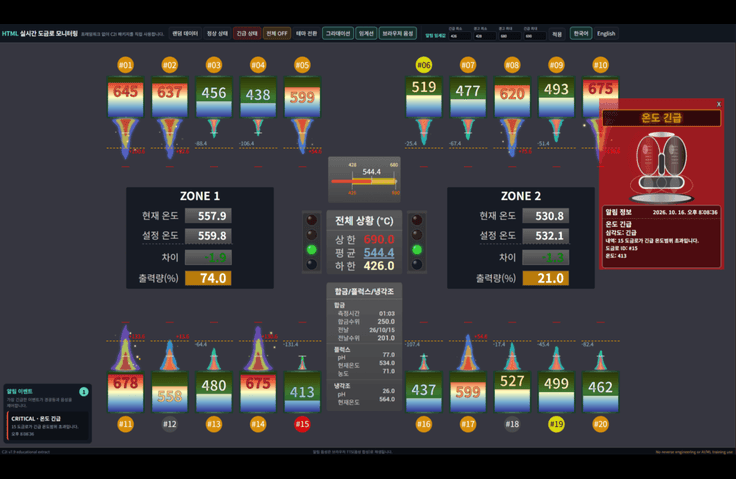
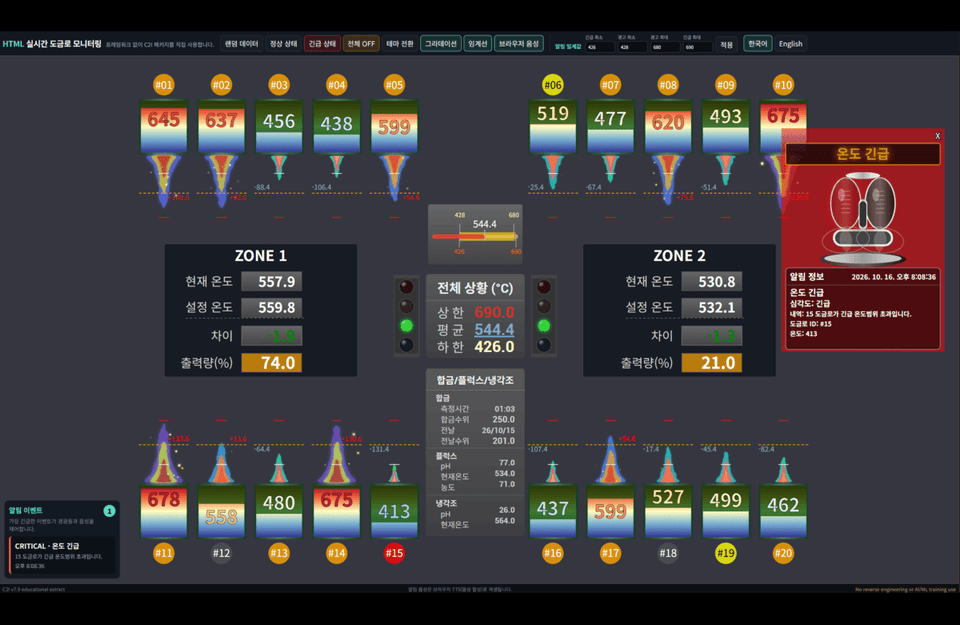
For those who felt overwhelmed about where to start when building an equipment data screen, this course explains the concepts by reading real product source code. You’ll learn everything in one project, from visualizing plating furnace temperatures and prioritizing alerts to switching between Korean and English. Learn how to read the C2I v7.9 practical source code line by line, build it, and adapt it for your own project.

3 learners are taking this course

Level Basic

Course period Unlimited

React
React
TypeScript
TypeScript
Svelte
Svelte
d3.js
d3.js
Vue 3
Vue 3
React
React
TypeScript
TypeScript
Svelte
Svelte
d3.js
d3.js
Vue 3
Vue 3

What you will gain after the course

  • How to Read and Design Type Contracts for Equipment Data (Plating Furnaces, Zones, and Alert Criteria) in TypeScript

  • The ability to trace in the source code the flow of creating SVGs with D3 and updating existing elements with setData

  • How to Verify Notification Rules and Priorities (Overall OFF, Emergency, Warning, Deviation) Through Code and Execution

  • A Structured Approach to Handling Korean-English Multilingual Support and Browser Voice Notifications

  • A development workflow for directly adding new scenarios and validating them through type checking, building, and execution

  • Creating components that can be used across React, Vue, Svelt, and HTML, and acquiring the necessary skills.

  • Separate the source code location (c2i_util_src) from the location where it is used (dist), then verify in the order of build → verify → screen check after making changes.

  • Create a data mapping to convert my equipment values into IDynamicData.

  • Understand the options and pitfalls that are actually read from the option map, and the limitations of the rendering structure.

  • Trace the `setData` update flow and the rules for notification evaluation, consolidation, and repeated dismissal in the code, then modify them.

  • Add new languages and voices using the translation dictionary structure.

  • Change the standards and colors for thermometers, traffic lights, and warning lights

  • Explain the boundary at which notifications leave the system and the server’s responsibilities (authorization, idempotency, and retries).

  • Add the library options directly and verify them through building, testing, and validation.

I received the plating furnace monitoring source code—where should I modify it to fit my process? 🤔

The answer lies in the order in which you read the source. From data coming in to the screen being rendered, and from alerts being determined to being output through warning lights and voice alerts—by following this path through the actual source code, you can see what changes when you modify each part.


  • This course uses C2I v7.9’s plating-furnace visualization component (c2i_util_src) along with HTML, React, Vue, and Svelte examples to read through the source by highlighting it line by line, build directly in the terminal, and verify how it works in the browser. Finally, you’ll add a new option directly to the library source and take it through the full process of building, testing, and validating everything.


  • Don’t just watch the instructor code—follow along yourself in the same order as the course. Fix things, break things, and check them again; it’s the fastest way to make the source code your own.


Recommended for the following people

Who should take this course (1)

Developers who want to take the C2I plating furnace component source code and adapt it to fit their own processes.

Who should take this course (2)

Developers who want to understand D3 through real-world, production-ready components rather than chart examples

Who should take this course (3)

Those who want to learn temperature thresholds, status notifications, and multilingual and voice guidance in a single project

After completing the course,

  • Distinguish between the source editing location (c2i_util_src) and the location where it is used (dist), then, after making changes, verify them in the order build → verify → check the screen.

  • Create a data mapping that converts my equipment values into IDynamicData.

  • Know which options are actually read in the option map and their pitfalls, and understand the limitations of the rendering structure.

  • Trace the setData update flow and notification determination, integration, and repeated-release logic in the code, then change the rules.

  • Add new languages and voices using the translation dictionary structure

  • Change the thresholds and colors of thermometers, traffic lights, and warning lights.

  • Explains the boundary where notifications go outside the system and the server’s responsibilities (authorization, idempotency, and retries).

  • Directly add library options and verify them through building, testing, and validation

Features of This Lecture

📌 The focus is on “what changes when you modify a particular part.” At the end of the lecture, the areas to change are summarized in a table or list.

📌 The code being explained is shown with the relevant lines of the actual source highlighted. Terminal commands and browser behavior are also demonstrated as they occur.

📌 Learn a workflow that distinguishes between where the source is modified (c2i_util_src) and the output (dist), then checks the result in the order of build → verification → screen review after making changes.

📌 We directly run and verify the areas that can cause problems when making changes, such as the option map, rendering structure, and notification rules. (For example, why emergency notifications do not appear when no option is specified, and why an error occurs when the number of plating furnaces is increased beyond ten.)

📌 Covers how Korean–English multilingual support and browser voice guidance work, including where to make changes when adding a new language.

📌 Explains the exact point (callback) where notifications leave the system and the separation of responsibilities that keeps sensitive information out of the browser.

💡 TypeScript + D3(SVG) + Vite + HTML/React/Vue/Svelte + Notification Engine + Multilingual/Voice + MES Integration Boundary

You’ll learn the following content.

Real-time data integration

Display data generated by PLCs and other sources in real time. Most companies, including smart factories, are welcome.

Notes Before Taking the Course

Practice Environment

  1. The explanation is based on Windows (11). Development was tested on both macOS and Windows 11.

  2. Cursor: 3.24.18 (most IDEs other than VS Code)


  3. D3.js v: v7.9.0

  4. Node.js: v22 or later, v24 recommended

Learning materials

  • Format of the provided learning materials (MD, text, source code, assets, programs, etc.)

  • Length and size, as well as other characteristics and notes regarding the learning materials.

Prerequisite Knowledge and Notes

  • Understanding JavaScript and TypeScript basic syntax and the DOM

  • Experience running `npm install` and `npm run build` (Node.js 20.19 or later, and a modern browser such as Chrome)

  • Knowing the basics of D3 (selections and data binding) will make things easier.

Recommended for
these people

Who is this course right for?

  • A developer who wants to take the C2I plating furnace component source, modify it to fit their process, and use it.

  • A developer who wants to understand D3 as a real-world production component rather than a chart example

  • A frontend developer integrating with manufacturing/MES screen development for the first time

  • For those who want to learn temperature thresholds, status notifications, and multilingual and voice guidance in a single project

Need to know before starting?

  • It would be even better if you acquire skills in frameworks such as HTML, CSS, and React.

  • Experience running `npm install` and `npm run build` (Node.js 20.19 or later, a modern browser such as Chrome)

  • It will be easier if you know the basics of D3 (selections and data binding).

Hello
This is GregHan

Career Verified

Having spent a long time adapting to technological changes, I now hope to share my skills and experience with beginners and intermediate developers, however modestly, and help them grow quickly.

Tech Stack

-.Mono-Repo (Turbo: "^2.3.4"), FCM(Firebase Cloud Message), WebHook, Redis, MQTT

-. MUI-X, Material-UI, and other UI libraries in the Next & React ecosystem

-. OCR (Naver), RIMS, Popbill, SNS Login (Google, Naver, Kakao)

-.Js, Vue/Nuxt (VueX, Pinia), AngularJS, React/Next (Redux,Zustand,Recoil), Svelt,

D3, Three (WebGL), C2i: BI charts delivered to the Blue House, echarts, Vuetify, Quasar, Telerick(Progress)

IndexedDB & SqlLite, css, scss, sass, Tailwind, Bootstrap...

-.Leaflet.js, Cesium.js, Daum & Naver Maps

-.WebRTC & WebSocket, MQTT, Silverlight(C#) & ASP.Net

-.Node, Nest, Spring Boot, Docker, Git, pm2

-.AWS, Azure, nCloud(Naver)

-.Oracle, PostgreSQL, MySQL, MariaDB, MS-SQL, MongoDB(mongoose), InfluxDB, Supabase

-.Python, Numpy/Scipy, Jupyter, Django(DRF: Django Rest Framework)/Flask,

-.TensorFlow, Keras, ScikitRun, LangChain

Solutions

  • IAM-Guardian – SGC + ML + AI + Graph Platform

  • IAM-MES – A full-stack integrated platform for discrete, batch, and continuous manufacturing across industries

  • IAM-ERP – AI accounting ERP · automatic journal entries from supporting documents · locked ledger

  • IAM-FREE-BI – Free browser BI for shopping malls and small and medium-sized enterprises

  • IAM-SPC – Metadata-based General-Purpose SPC · Edge + Central · IATF 16949

  • IAM-VeloMap – AI-based Lidar post-processing automation solution (+Guardian integration)

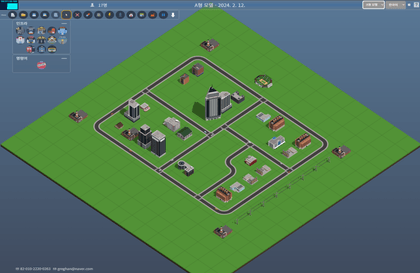
-.City-Wow: 3D simulation for land, defense, public sector, hospitals, and manufacturing companies, etc.

Real-time monitoring service ('23.10 ~ present; Three, Vanila.js)

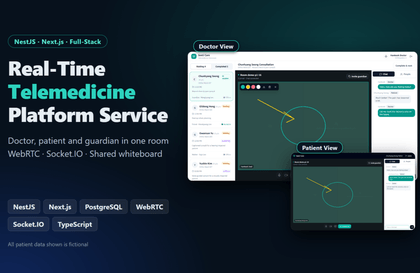
-.SeeU (SeeU): Industry-specific video chat service (hospitals, manufacturing, etc.) (Google Meet + chroma key, STT & TTS Chatting)

('23.02 ~ 23.10; WebRTC, WebSocket, Vue3 & Pinia, Quasar, Node, MySQL)
-.Survey-Wow: Simply analyze survey results from Google Forms, MS Forms, and Naver Forms, and

Shared data analysis web service ('22.03 ~ 23.01; Vue2 & VueX, Quasar, Node, MySQL)

-.Data-Wow: Automated analysis and visualization of public data, including xls, json, csv, and API integrations

('22.01 ~ 22.12; Vue2 & VueX, Vuetify, Node, MongoDB) - Ministry of the Interior and Safety Public Data Award
-.DDMV(Data-Dam Multi-Dimensional Vis-): Data-Dam multidimensional exploratory visualization analysis service

('20.01 ~ 20.08; Vue2 & VueX, Vuetify, Node, MongoDB) - Incheon City Public Data Award
-.C2i (C2i: Chart Inteiiligence Insights) chart component: Chart gallery menu

BI-based charts (with D3.js): '15.04 ~ present; A BI-pattern chart solution based on D3.js (v3.3 ~ v7.9)

(Supplied a job dashboard to the Moon Jae-in administration’s Blue House and delivered a Mongolian national fiscal management project. Multilingual support.


Various technology stacks, including Data Mart & Warehouse, ROLAP, BI, visualization, cloud infrastructure, and

Possesses specialized knowledge and experience in business analysis and Oracle (v6.3 ~ ) modeling & tuning.


-.CTO at Casual-Insights Co., Ltd. (Casual-Insights)

- Former KISTI Researcher

-. Former LG-CNS Oracle Modeler, DBA & Senior Researcher

- Former employee in the IT Department of Far East (Hyundai) Oil Refinery

**. Data Dam Multidimensional Visualization -. Comprehensive Introduction (Required): https://youtu.be/noZ9H7wftsI

-.Consumer/Commercial Districts-I (Required: Department store POS data - General manufacturing and distribution companies): https://youtu.be/ArL-Pv3U-40 -.Consumer/Commercial Districts-II (Korean KDX, data provided by Siksin): https://youtu.be/Wcpu29gI53Y

-. Health and Medical Care (Korea KDX, data provided by Onnuri H&C): https://youtu.be/I8WBqAFp9L4-

.Public Data (public data provided by Hwaseong City Hall, Gyeonggi Province): https://youtu.be/2QCw_6aeRVE

*.D3 & ThreeJS Chart Gallery: https://gregory-han.github.io/chart/

* Awards

1999.08 Hankyoreh Newspaper & UTC Venture 21 Grand Prize awarded. (Prize money: 50 million won)
2000.10 SoftDime Co., Ltd. received the Presidential Award (PowerSi OLAP)
November 2002: Received the Minister of Commerce, Industry and Energy Award at the Korea e-Business Awards
2020.08 Incheon City Public Data Award
2022.12 Ministry of the Interior and Safety Public Data Award

More

Curriculum

All

13 lectures ∙ (2hr 6min)

Course Materials:

Lecture resources
Published: 
Last updated: 

Reviews

Not enough reviews.
Please write a valuable review that helps everyone!

GregHan's other courses

Check out other courses by the instructor!

Similar courses

Explore other courses in the same field!

Limited time deal

$42.90

49%

$84.70