

inflearn logo

Utilizing Gemini 200% for Work - Practical Workshop - Deep Research · NotebookLM · Canvas · Sheets · Gems

Summarizing meeting minutes, writing reports, and gathering data. Are you losing time to these repetitive weekly tasks? This course does not simply list how to use Gemini. Instead, we will work through a single practical project—"introducing a new AI tool to our team"—from start to finish. You will follow the entire process: researching with Deep Research → understanding with NotebookLM → sharing via Canvas → managing with Sheets → automating with Workspace Studio → and turning decision-making criteria into assets with Gems. This is a workshop, not just a lecture. You must pause the video and follow along manually. By the time you finish, you will have gone beyond learning how to use tools; you will have mastered a new way of working where AI creates the drafts and you make the decisions.

34 learners are taking this course

Level Beginner

Course period 1 months

Business Productivity
Google Sheets
Google Sheets
gemini
gemini
AI
AI
prompt engineering
prompt engineering
Business Productivity
Google Sheets
Google Sheets
gemini
gemini
AI
AI
prompt engineering
prompt engineering
Thumbnail

What you will gain after the course

  • Receive a 3-hour internal research task as a sourced report in just 20 minutes with Deep Research.

  • Data organization methods for NotebookLM to combine external and internal materials and generate only evidence-based answers

  • Create a meeting dashboard from what you've understood with Canvas and share it with a single link

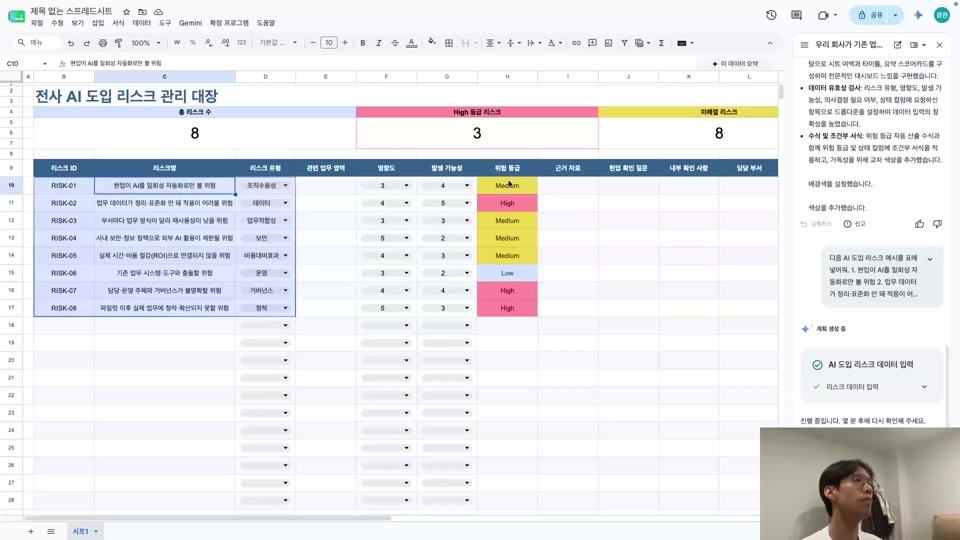
  • Using Sheets as a lightweight database to manage risks and issues by status

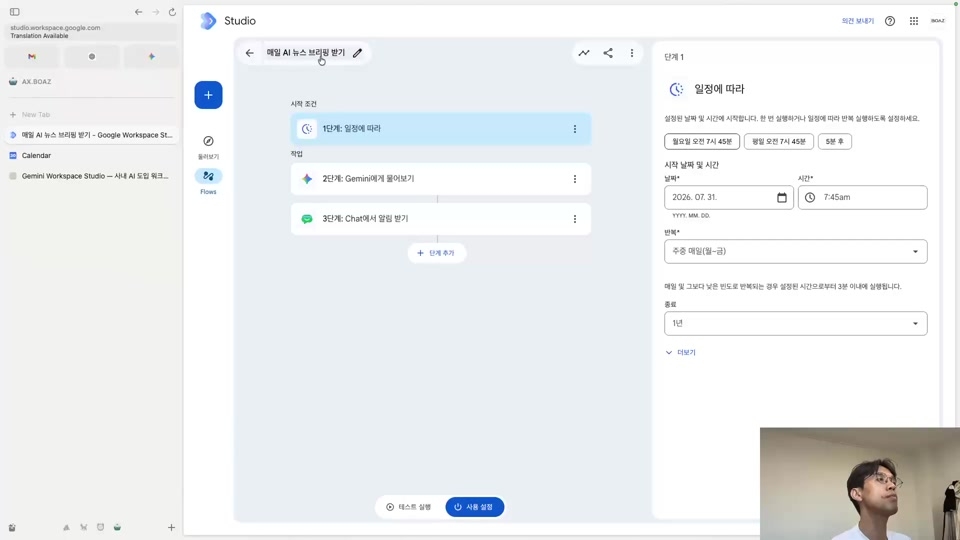
  • Creating a Meeting Follow-up Automation Flow Connecting Calendar, Docs, and Gmail with Workspace Studio

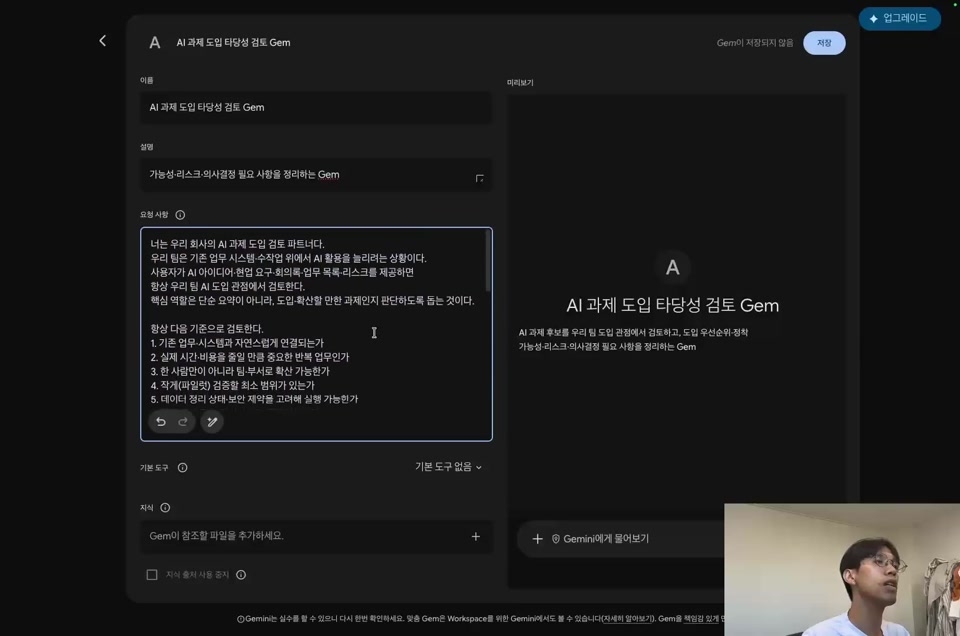
  • Packaging repetitive instructions into Gems to turn them into assets for team-wide decision-making criteria.

Canvas

Gemini in Sheets

From research to automation
Experience the practical workflow using Gemini firsthand

Understand the principles by following along with AI applications so they can be applied to your own work.


Turn weekly repetitive research and organization into evidence-based results.
Gather and share data while connecting it to follow-up tasks and decision-making criteria.


The Gemini Practical Workshop
follows the process of working with AI and allows you to experience it firsthand.

Quickly understand work content with NotebookLM

Learn how to utilize AI in your workflow through the process of research, understanding, and sharing by connecting Deep Research, NotebookLM, Canvas, and Sheets.
Design everything from automation to decision-making criteria using Workspace Studio and Gems.


Visualizing presentation materials for meetings with Canvas

Take the introduction of AI within the company as a practical task and create a series of automation processes, ranging from research reports and document reviews to meeting dashboards, risk management tables, and post-meeting workflows.
Organize repetitive instructions into GEMS to turn them into team assets, letting AI handle the drafts while you take charge of the decision-making.


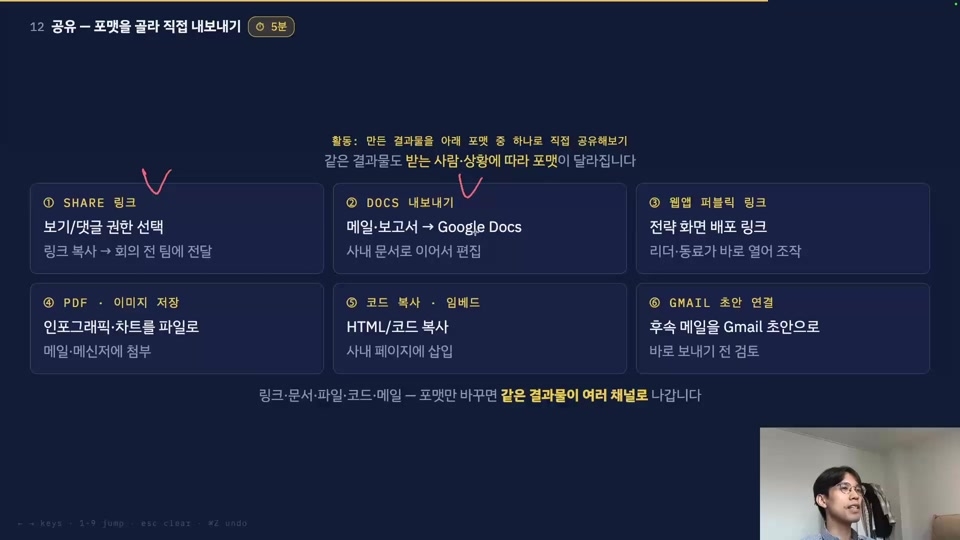
Hands-on practice with various sharing methods

Share the completed results via document and dashboard links, and directly create a workflow that connects Sheets, Gmail, and Calendar.
Experience the operational methods to be actually deployed to the team in advance, while checking permissions, approvals, and security standards.

Experience the workflow firsthand, from research, understanding, and organizing to sharing and automation

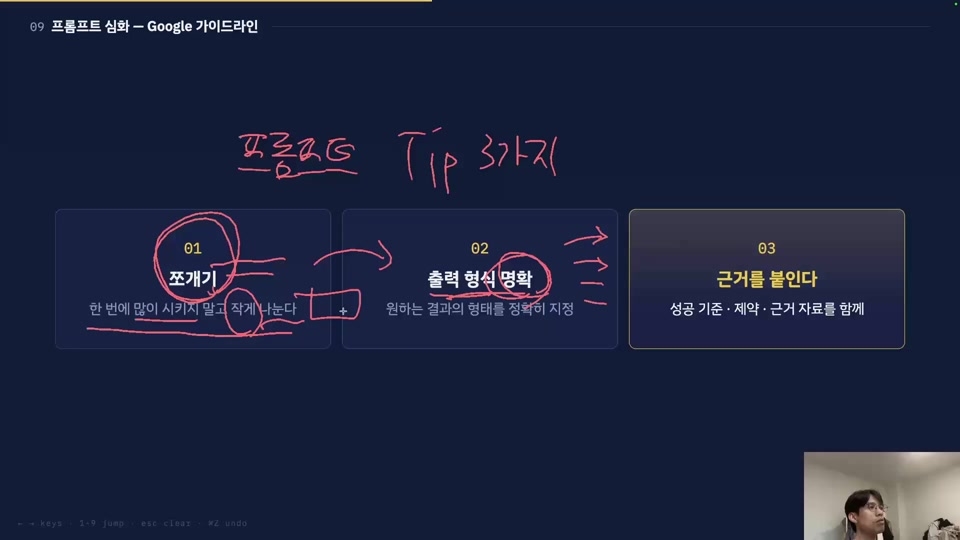
Explanation of the "Entrust, Naturalize, Break down" (Mat-Dang-Jjo) mindset

Section 1 - Gemini and the Transformation of Work Methods

Understand generative AI not just as a simple tool, but as a shift in how work is performed, and learn the fundamental attitude of utilizing Gemini from the perspectives of "Delegating," "Taking for Granted," and "Breaking Down." Learn the components of prompts and principles for improvement while directly writing practical, task-oriented instructions.

Designing the Workflow

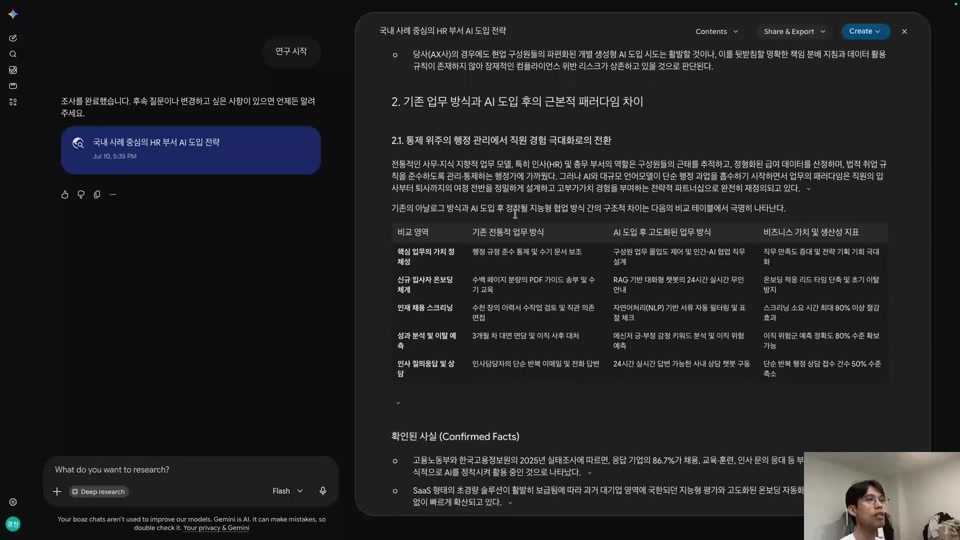
Section 2 - Creating Evidence-Based Research Reports with Deep Research

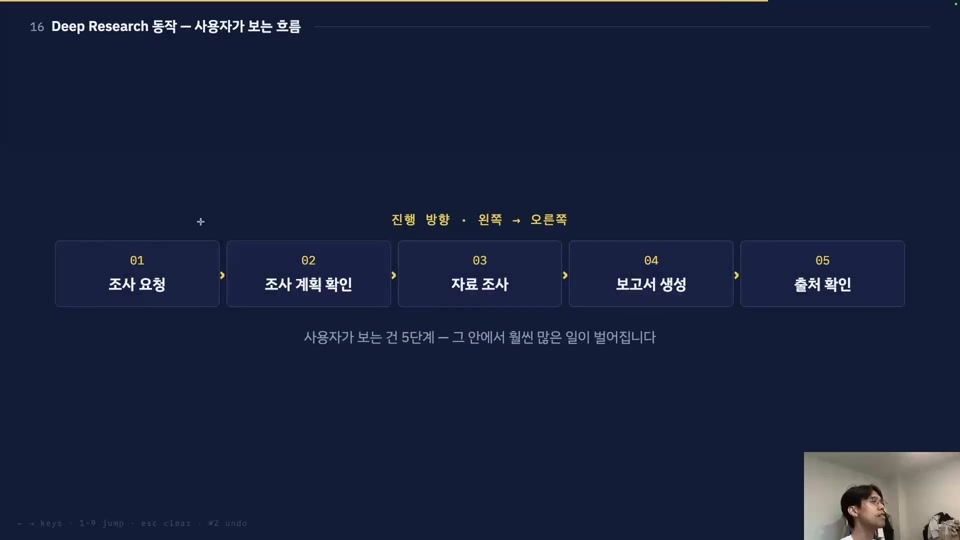
From a researcher's perspective, you will learn how Deep Research works and the criteria for reviewing results, and complete a research report with sources by designing research plans and prompts. You will also understand the significance of AI-driven research tasks through the differences from general search, methods for business application, and the concepts of agents and skills.

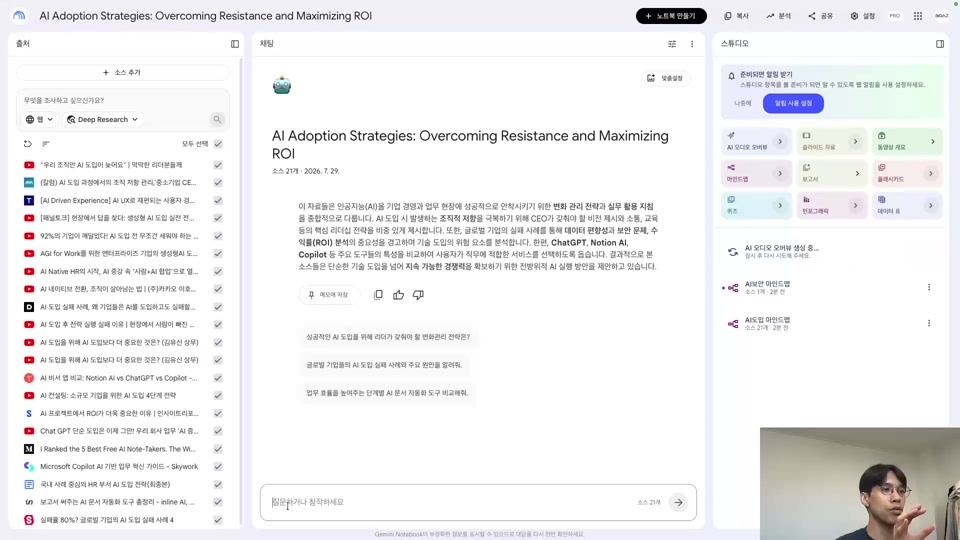
Utilizing NotebookLM within the workflow

Section 3 - Connecting and Understanding Materials with NotebookLM

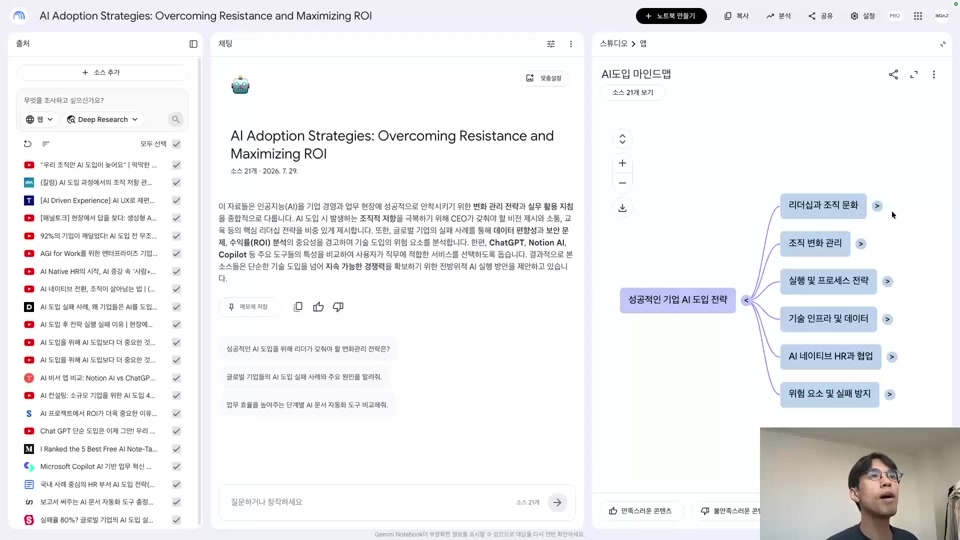
Connect search materials, deep research results, videos, internal documents, and voice recordings to NotebookLM to build a highly reliable knowledge base. Perform tasks ranging from classifying reliability by source and exploring missing information to generating mind maps, audio overviews, visual materials, and notes, as well as synthesizing the final results.

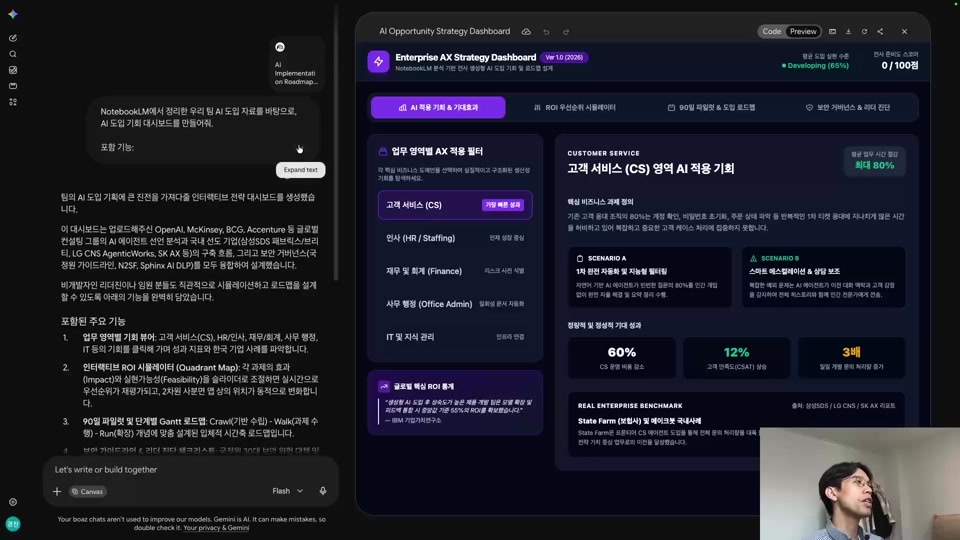
Creating shareable drafts with Canvas

Section 4 - Creating Shareable Work Deliverables with Canvas

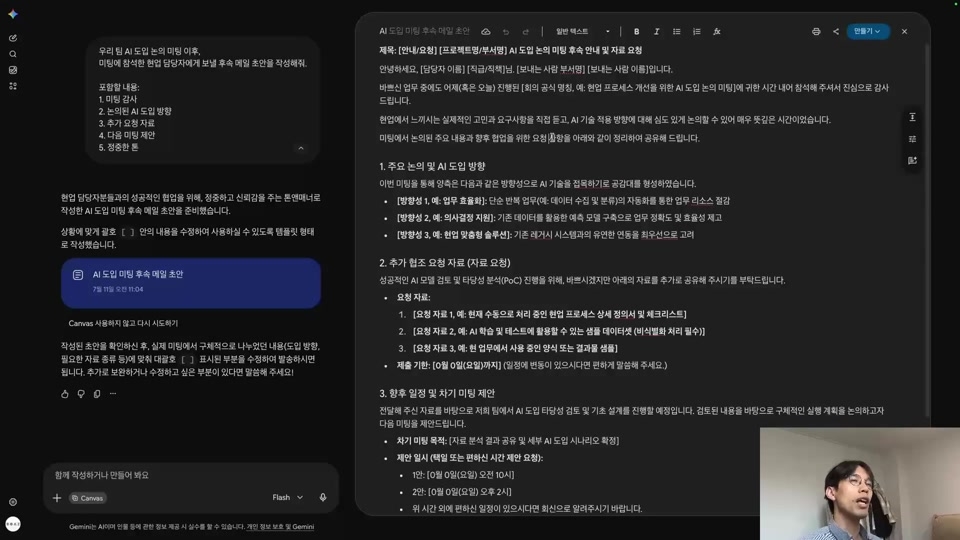
Understand the purpose of Canvas and its differences from the standard Gemini, and create documents and meeting dashboards based on email drafts or NotebookLM materials. Learn how to improve documents by functional units, adjust the output format for different audiences, distribute them via shared links, and understand operational limitations.

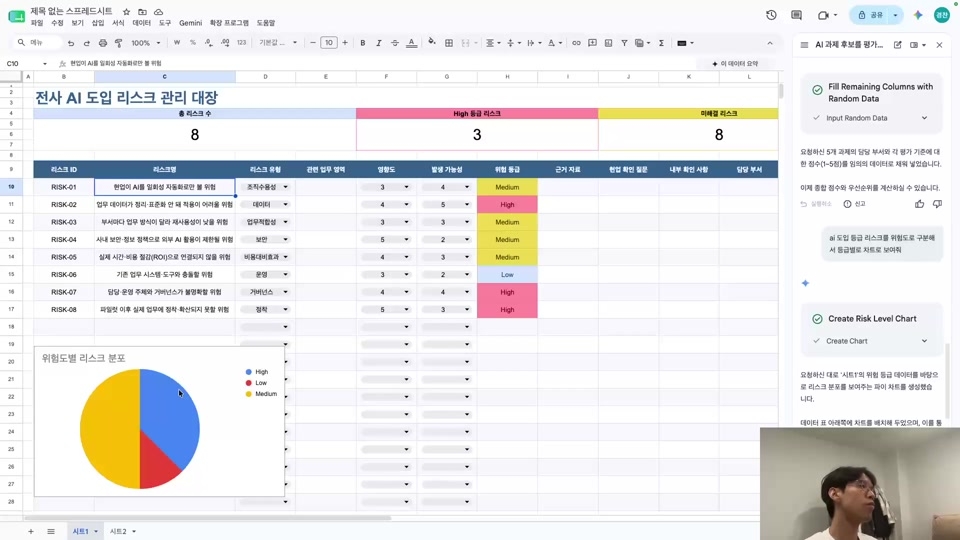
Solve Sheets formulas with Gemini as well

Section 5 - Building a Database to Manage Risks and Tasks with Sheets

Utilize Google Sheets as a lightweight database to structure AI adoption risks and challenges, and refine and manage data according to specific criteria. You will practice using AI task decision-making models, data querying methods, and chart/visualization interfaces to learn how to provide evidence-based answers to leadership inquiries.

An automation tool like n8n, dedicated to Google services

Section 6 - Automating Workflows with Workspace Studio

Understand the concepts of integrated automation and workflows, and design automated flows for AI news briefings and post-meeting follow-up tasks. Practice summarizing meeting minutes, drafting emails, and using conditional branching and testing to build secure, draft-centered automation in accordance with approval, permission, and security principles.

Creating your own Gems

Section 7 - Turning Judgment Criteria into Team Assets with Gems

Understand Gems as reusable packages of repeated instructions and as organizational judgment standards, and design their components and appropriate application units. Complete customized Gems that individuals and teams can use together through the process of writing names, descriptions, and criteria formats, documenting knowledge, and performing testing and saving.

Are you tired of spending your work hours buried in meeting minutes and reports
and want to make a change?
This course was created specifically for people like you.


✔️ Office workers who want to connect Gemini to their work

  • Those who have tried Gemini but found the results different from their expectations

  • Those who spend their work hours on repetitive research and organizing data

  • Those who want to master the entire workflow from deep research to sheet management.

✔️ Leaders looking to introduce AI to their team

  • Those who want to organize situations where team members are using AI in different ways

  • Those who want to turn meeting follow-up tasks and news summaries into an automated workflow

  • Those who want to turn the team's decision-making criteria into shareable business assets using Gems.

✔️ Professionals who want to create evidence-based results

  • Those who want to gather internal and external data in NotebookLM to verify the basis for their answers

  • Those who want to create a meeting dashboard using Canvas and share the content with a single link

  • Those who want to create a system for managing tasks and risks by status using Sheets


Don't stop at just learning the tools.
You can build a workflow where Google AI services create the drafts
and you make the final decisions.

Recommended for
these people

Who is this course right for?

  • Office workers who tried using AI but stopped at "it wasn't as impressive as I thought"

  • Working-level staff who lose time every week to summarizing meeting minutes, writing reports, and collecting data

  • A leader who needs to introduce AI to their team but feels overwhelmed and doesn't know where to start.

  • Office workers who use Google Workspace every day but use AI separately

  • Those who are familiar with ChatGPT but are new to the Gemini ecosystem

Need to know before starting?

  • A Google account is required. (Starting with a free account is fine, but a paid one is better for smooth practice.)

  • A Google Workspace account is required for the Workspace Studio lab. (1-month free trial available)

  • Some features, such as Deep Research and Audio Overview, have usage limits for free accounts.

Hello
This is Boaz

Career Verified

423

Learners

27

Reviews

19

Answers

4.8

Rating

3

Courses

Hello. I am Boaz.
Having experienced various startups through a total of four career moves, and based on my experience working at LINE,
I am currently running a B2B AX company.

I explain the background of technology's emergence and its operating principles in an easy-to-understand way.
Beyond just giving you the fish, I want to teach you how to fish.
So that you can freely navigate the vast ocean of AI.

I am currently running two YouTube channels.

I look forward to working with you 🤗


More

Curriculum

All

44 lectures ∙ (3hr 5min)

Published: 
Last updated: 

Reviews

Not enough reviews.
Please write a valuable review that helps everyone!

Similar courses

Explore other courses in the same field!

Free