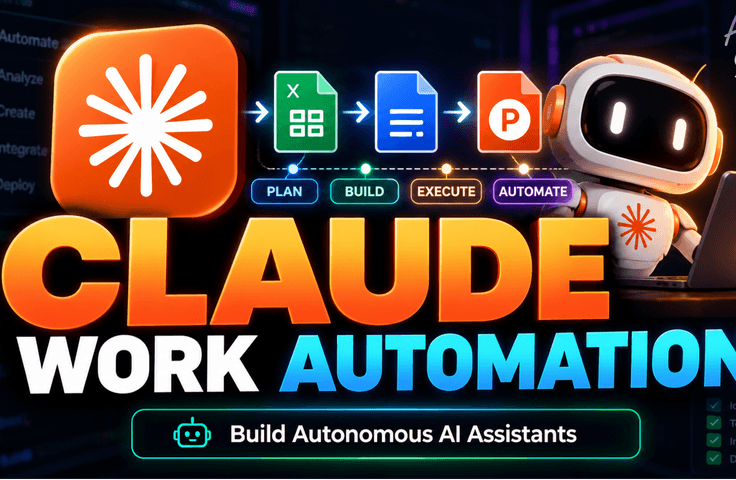
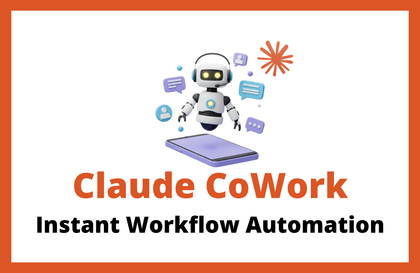
Practical Workflow Automation Completed with Claude: From Excel, Documents, and PPT to Skills and Obsidian

Don’t just ask Claude questions—put it to work on real tasks. Learn how to automate repetitive tasks such as Excel spreadsheets, documents, meeting minutes, reports, and PPT presentations, then reuse them in ways tailored to your work. This practical, project-based course is designed so you can follow along even without coding knowledge.

(4.7) 15 reviews

101 learners

Level Beginner

Course period 7 months

data-analysis
data-analysis
data-processing
data-processing
n8n
n8n
prompt engineering
prompt engineering
claude
claude
data-analysis
data-analysis
data-processing
data-processing
n8n
n8n
prompt engineering
prompt engineering
claude
claude

Reviews from Early Learners

4.7

5.0

HellSage

100% enrolled

I powered through it over the weekend and finished the entire course. The course is listed as being 3 hours and 9 minutes long, but once you start following along with all the different steps, the time flies. As mentioned in the course introduction, one of its strengths is that it explains the installation and setup process simply and concisely for beginners from non-technical backgrounds, then jumps straight into the main topic: work automation. Looking through the examples, you can really see the thought that went into choosing ones that would actually be helpful. I also got the feeling of, “Surely there’s at least one among these short automation examples that you’ll want to use, right?” I’ve watched several Claude courses recently, but this course definitely has its advantages for those who are just getting started. I recommend it to those people.

5.0

보물섬

24% enrolled

I haven’t finished the course yet, but looking at the table of contents, it covers exactly what I need. I’ve only listened to the beginning, but so far the material seems to be coming across clearly without any difficulty. I hope the latter part is just as good.

5.0

Soon ho Jeong

31% enrolled

I'm still a beginner and not used to it yet, but your easy explanation makes it understandable.

What you will gain after the course

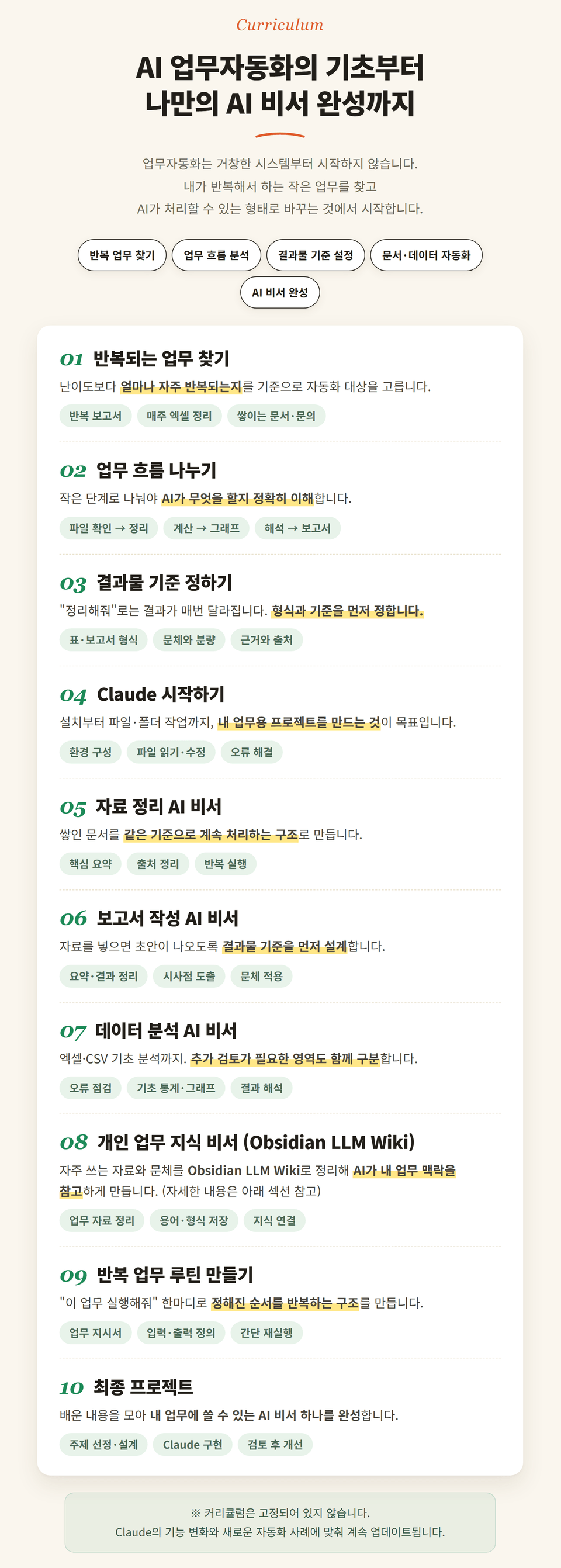
  • Designing Advanced Data Analysis and Processing Automation Workflows Using Claude

  • AI automation system design and problem-solving skills based on exploration-planning-implementation-verification.

  • Applied over 10 practical automation use cases, including meeting minutes, reports, Excel, and PPT.

  • Applying AI automation to various practical scenarios (data analysis, reports, n8n integration, etc.)


If you take this course

AI fundamentals theory course for free! 🎥


[Free Benefit] Condensed expertise from 10 years
AI theory video course (worth 70,000 won)


[安心して受講] 気軽に始めてみましょう。

If you are not satisfied, 100% refundwill be provided.


[Continuous updates] Once you purchase, you’ll also get newly added lectures.

at no additional cost.

※ The course is continuously updated,
and the price may be adjusted as the content expands.


Here’s what you can gain after taking the course

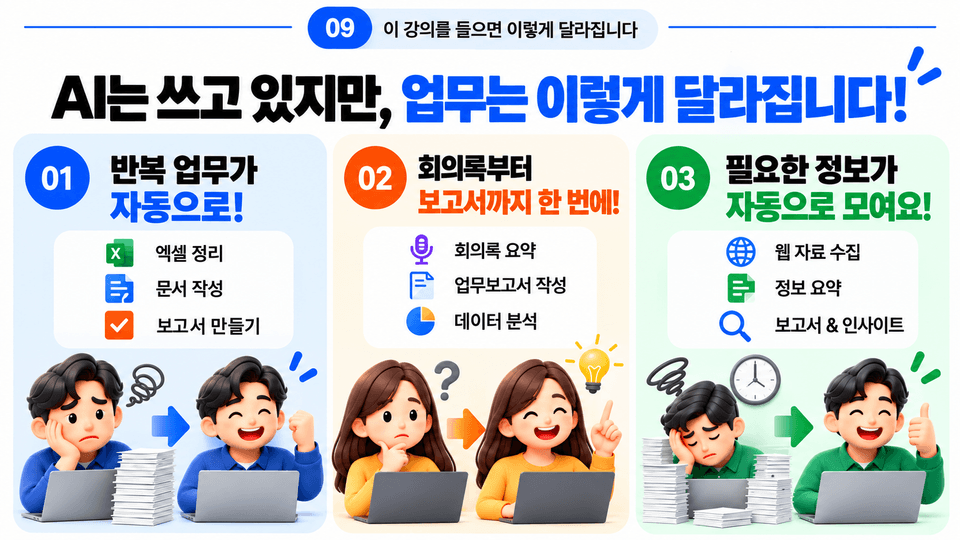
✅ You can have Claude handle real-world tasks and create the deliverables yourself.

✅ Reduce repetitive tasks so you don't have to do the same work over and over again.

✅ You can adapt the examples you learn to fit your work and use them as your own automations.

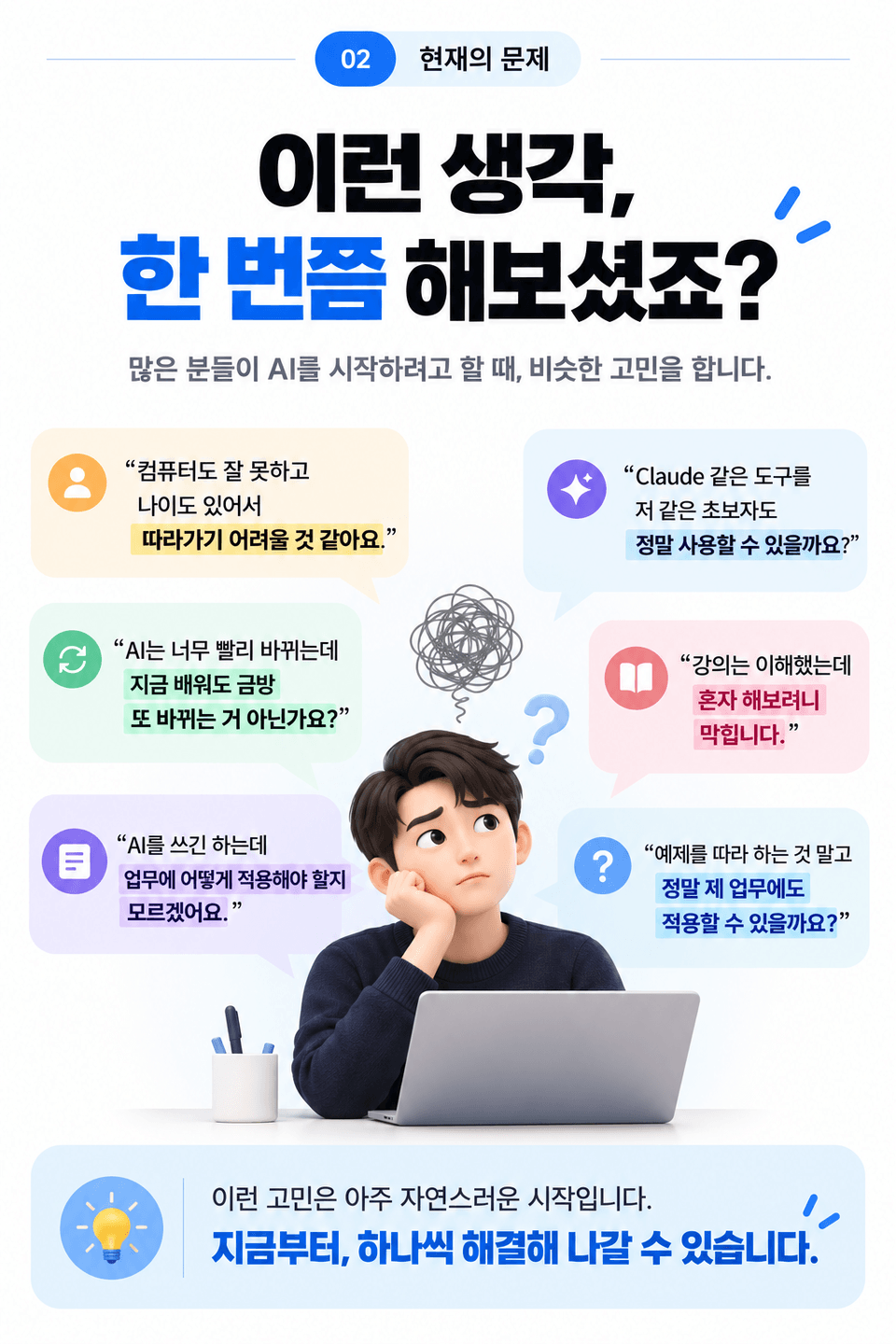
💬 This is the most common concern among those who are just getting started.


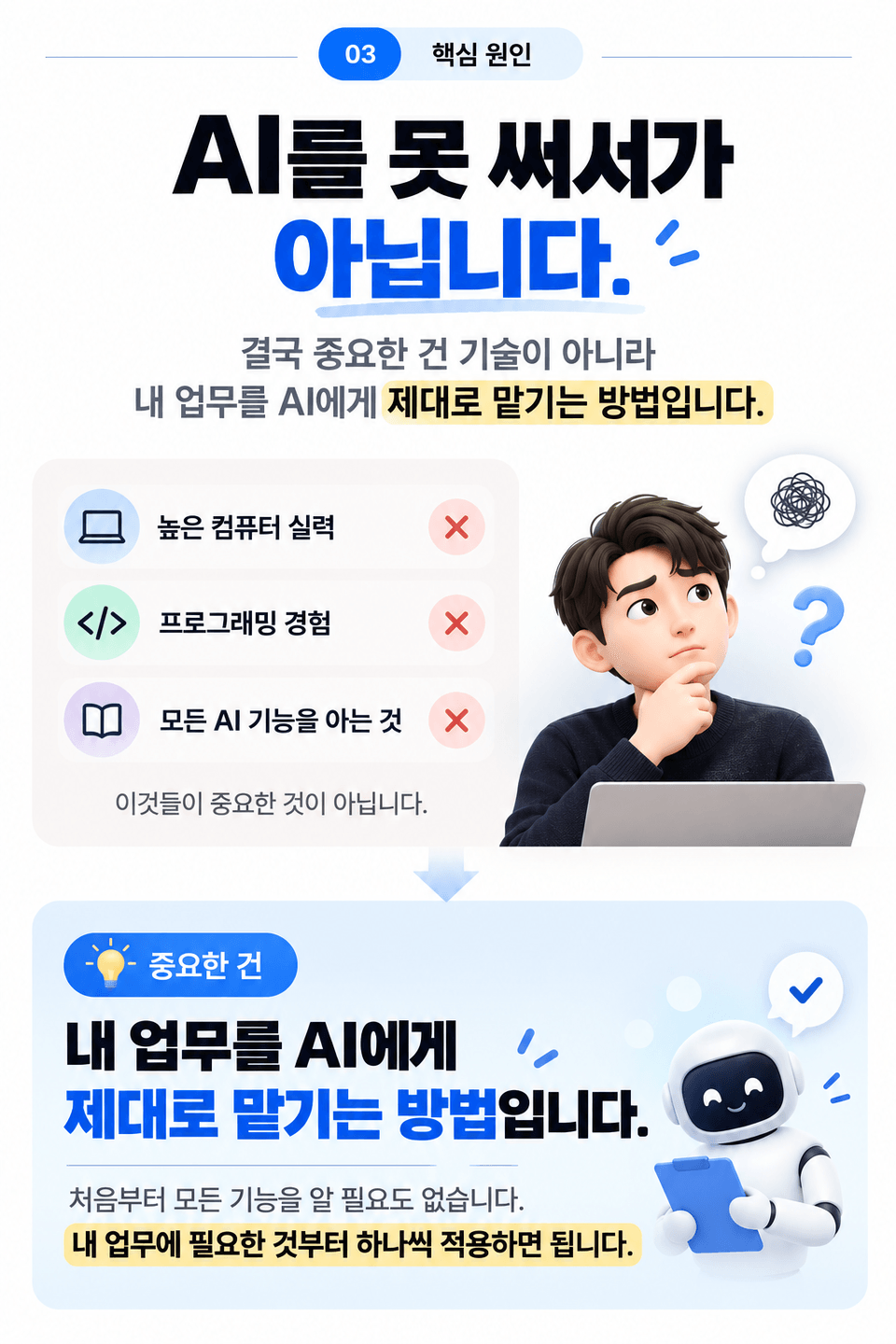
However, what you need for AI work automation is
neither advanced computer skills nor programming experience.

🔎 The important thing isn’t knowing a lot about AI;
it’s knowing how to properly delegate my work to AI.

✨ You don't need to know all the features from the start.
Just apply them one by one, starting with what you need for your work.

I use ChatGPT and Claude well, but

Why are your work hours still the same?


AI is now quite good at
asking questions, summarizing, and writing.

However, real-world workflow automation is a little different.


Simply asking questions and receiving answers
does not automatically reduce the tasks you repeat every day.

  • Excel/CSV organization and data analysis

  • Summarizing and organizing multiple documents

  • Repetitive report writing

  • Web research and organization

  • Report-based PPT creation


If you ultimately find yourself doing these tasks manually again,
your work hours will not decrease significantly even when using AI.

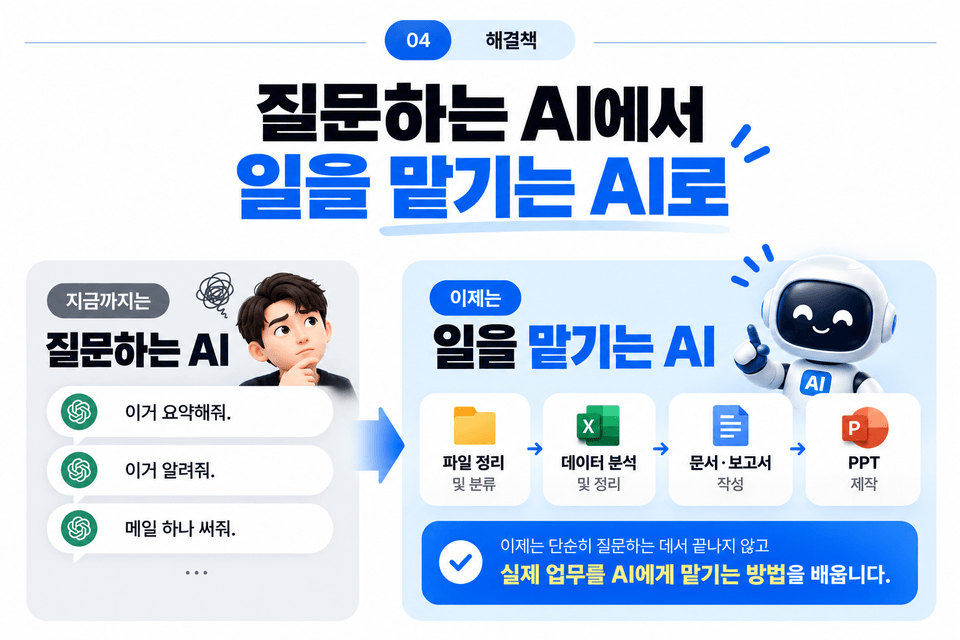
The problem isn’t that you don’t know how to use AI.

You only learned “how to ask AI questions,”

because you never learned ‘how to delegate tasks’


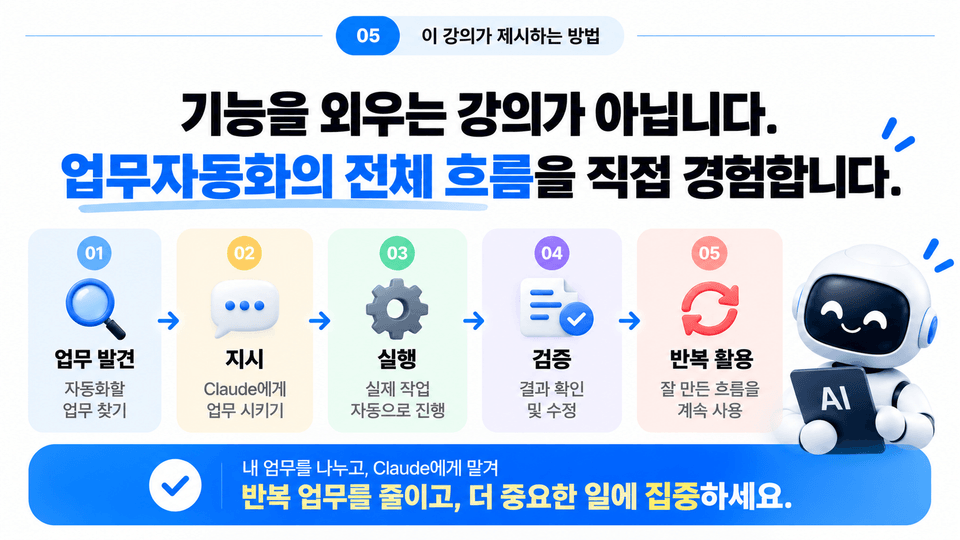
🎯 This course focuses on actual workflow automation rather than feature explanations.

💻 This is not a course about memorizing code.

🔁 The workflow of breaking down tasks → assigning them to AI → executing them → checking the results

🚀 By following this process yourself, you will learn how to apply it to your own work.

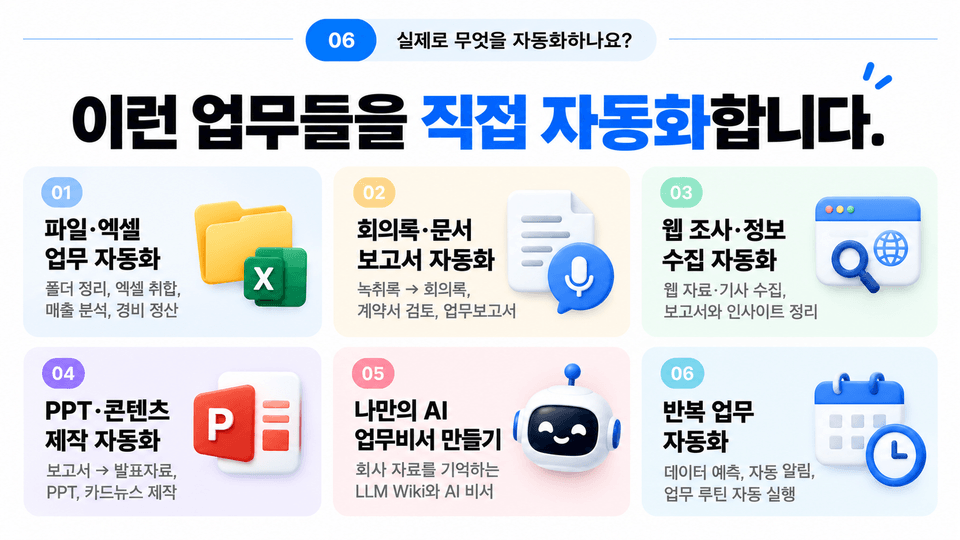
🎯 In the course, you will automate tasks like these yourself.


📁 File and Excel Task Automation

From organizing folders and consolidating multiple Excel files to analyzing and verifying sales figures and reconciling expenses, you’ll do it all yourself.


📝 Meeting Minutes, Documents, and Reports Automation

Turn transcripts into meeting minutes, connecting everything from contract review to business report writing.


🌐 Web Research and Information Gathering Automation

It collects web materials and articles, organizes only the necessary information, and turns it into reports and insight emails.


📊 PPT and Content Creation Automation

Transform reports into presentation materials and create PowerPoint presentations and card-style news posts in your preferred design.


🤖 Build Your Own AI Work Assistant

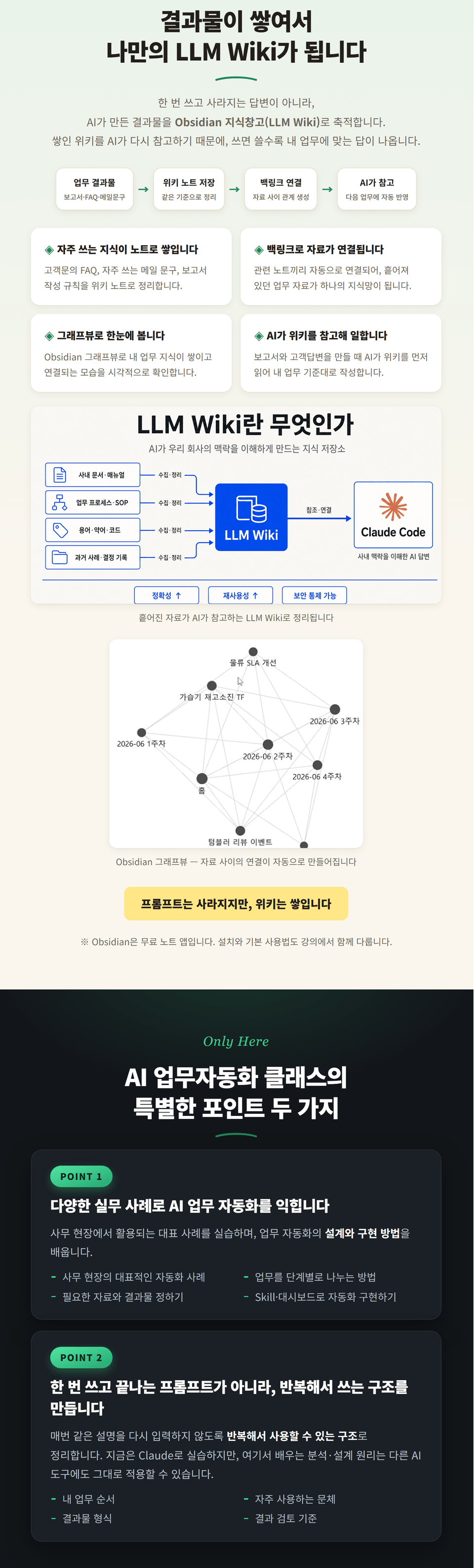
Build an LLM Wiki and AI work assistant that remembers company materials and work knowledge and answers questions.


⚙️ Repetitive Tasks · Data Automation

Automate everything from sales data forecasting and backtesting to notifications that run at set times and daily work routines.


If you are repeating these tasks every week

In this course, try automating it yourself.


Learn how to delegate your work to Claude,
and stop starting over on tasks you do repeatedly.


Why is this course practice-oriented?

I teach AI at companies and universities,
and as I conduct training for corporate executives and practitioners and work on AI projects,
I’ve continued to hear similar questions from people in the field.


“So how do I apply it to my work?”
“I understood the lecture, but I get stuck when I try to do it alon
e.”
“Can I use it for actual company work, not just the examples?”


That’s why this course doesn’t simply introduce Claude’s features.

We have structured tasks frequently needed in real-world settings as projects,
and included how to adapt what you learn for use in your own workas well.

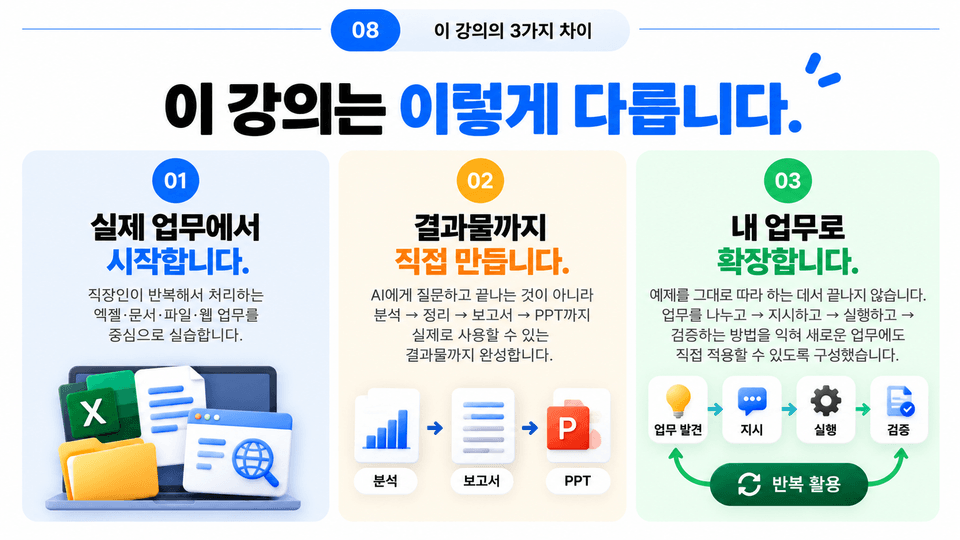
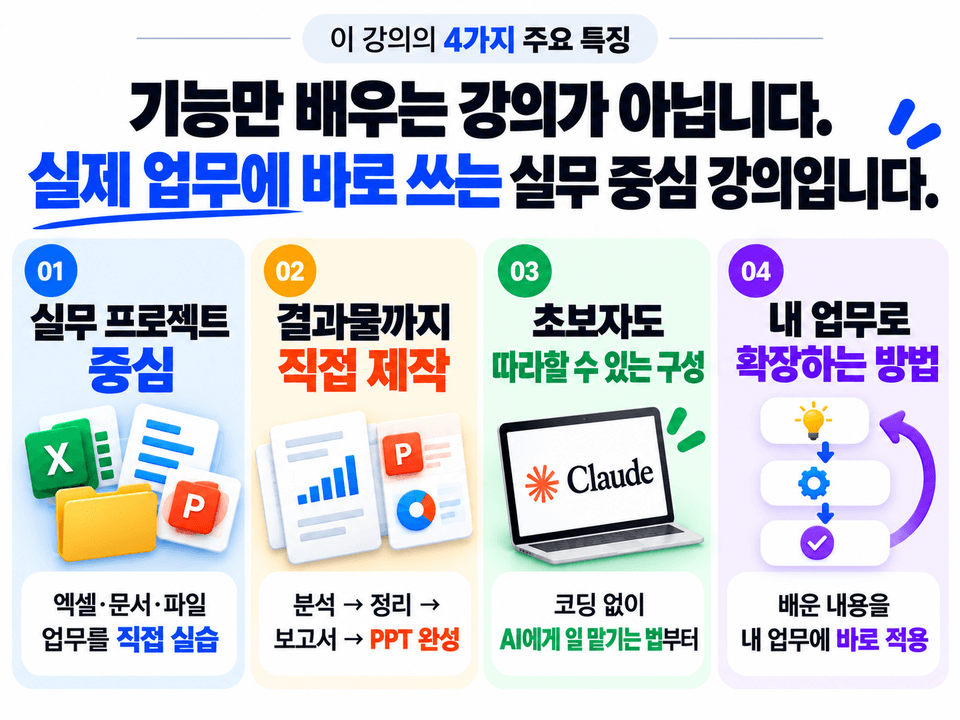
3 Distinctive Features of This Course


1️⃣ We start with real-world tasks

We practice tasks involving Excel, documents, files, and the web
that office workers frequently repeat.


2️⃣ You create the final deliverables yourself

Rather than simply asking AI a question and stopping there,
you will complete everything from analysis → organization → report → PPT.


3️⃣ Expand it to fit your work

Rather than stopping at simply following the examples,
you will learn how to break down tasks → give instructions → execute them → verify the results.

Create an AI that handles your work directly with Claude Code

1. Various hands-on work automation projects

Designed around tasks that office workers commonly perform, such as working with Excel, documents, files, and the web. Rather than simple examples, you will follow along with projects that you can apply directly to your work.

2.From the start of a task to the final deliverable with Claude alone

From reading files and analyzing data to researching information and creating reports and PPT presentations, you will learn how to delegate multi-step tasks to Claude.

3. True automation must be adaptable to your work

It does not end with simply following the examples. This course is designed to help you learn the process of breaking down tasks, instructing AI, and verifying the results so that you can apply automation to new tasks on your own.

✔️

The key to automating work with Claude

Mastering Practical Task Automation with Claude

This course provides detailed guidance on automating repetitive work tasks using Claude through a systematic four-step process (exploration–planning–implementation–verification). You will develop the ability to directly design and implement automation workflows that can be immediately applied to real-world tasks, without coding.

Various real-world work automation examples

You can directly experience more than 10 practical automation projects—such as summarizing meeting minutes and writing reports, organizing Excel data, processing receipt expenses, and preparing web research reports—using Claude’s four work modes, and apply them to your work immediately.

Building Automated Workflows and AI Assistants

From organizing messy folders to building a personalized AI work assistant, this course covers in detail how to design automated workflows using Claude and create your own LLM-based AI assistant. You can learn through hands-on practice using all the examples and code provided in the course.

Notes Before Enrolling


Practice Environment

  • The course uses the Claude app and

    Practice using Claude AI extension plugins for VS Code.


Prerequisites and Important Notes

  • Office workers and professionals interested in automating repetitive tasks

  • If you have practical experience with Excel, report writing, and similar tasks, you will benefit even more.

  • It's okay if you have no prior experience using AI. We start from the basics.

Learning Materials

  • We provide examples of using Claude that are needed for the exercises.

  • You can design your own automation routines based on the course content.


Notes Before Taking the Course

Practice Environment

  • Practice using the Claude app and VS Code.

  • Both Windows and Mac are supported.

Prerequisite Knowledge

  • No coding experience is required.

  • If you have basic work experience with Excel, documents, reports, and so on, you’ll be able to make better use of it more easily.

Learning Materials

  • We provide example files and materials needed for the hands-on exercises.

  • Based on what you learn, you can create automation workflows tailored to your work yourself.

The course will be continuously updated.

We plan to add one or two automation examples each month that reflect real-world work needs.

As the content expands, the price may increase incrementally.

If you enroll now, you can continue accessing future updated content at the current price.


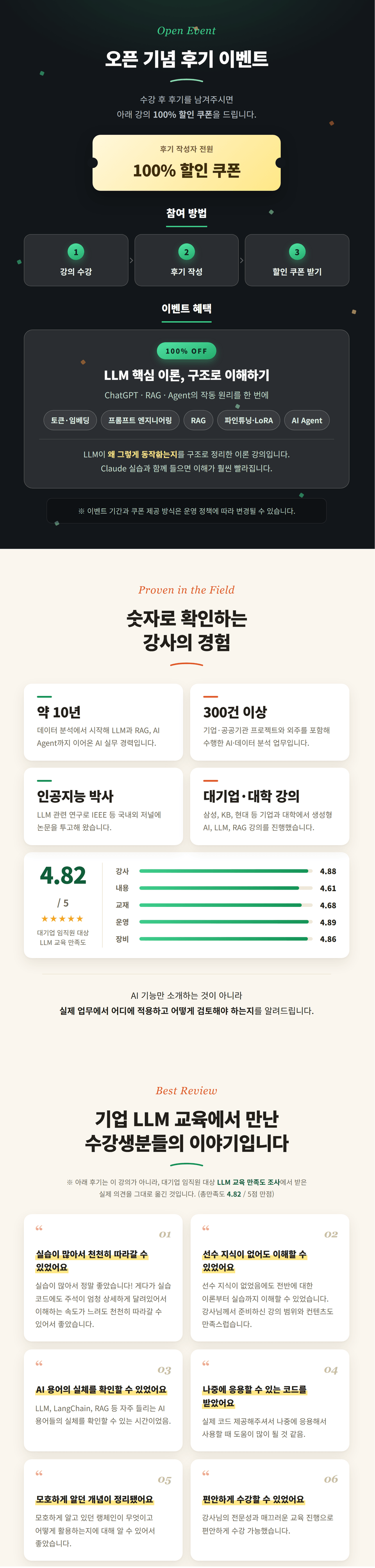
🎁 Enrollment Event

If you leave a course review in September, you will receive the AI fundamentals theory course for free.

Note: https://inf.run/F2Vci

Recommended for
these people

Who is this course right for?

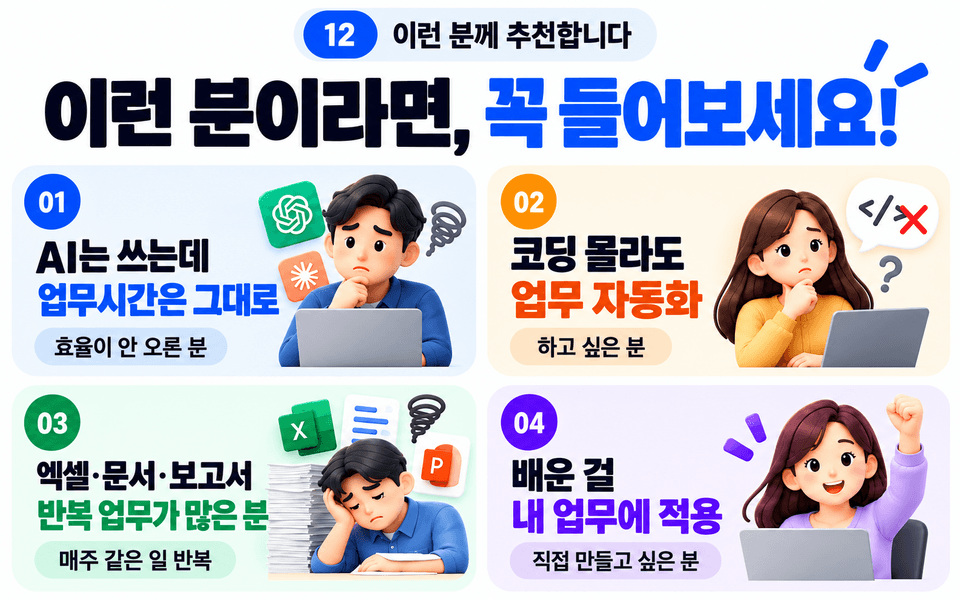
  • Office workers who handle a lot of repetitive paperwork and report writing

  • Professionals seeking to enhance complex tasks such as data analysis, processing, and report writing with AI

  • Professionals who have used AI for work but feel it is inefficient to repeat the same explanations every time

  • Freelancers and solo business owners who handle various tasks on their own, such as organizing Excel data and writing meeting minutes

  • Planners and developers who want to go beyond simple repetitive automation and develop the ability to solve practical problems and build systems using AI

Need to know before starting?

  • Experience using generative AI tools such as ChatGPT at least once

  • Basic proficiency in office programs such as Excel, Word, and PowerPoint

  • A clear understanding of and hands-on experience with the repetitive tasks you want to automate

Hello
This is HappyAI

5,560

Learners

335

Reviews

54

Answers

4.5

Rating

12

Courses

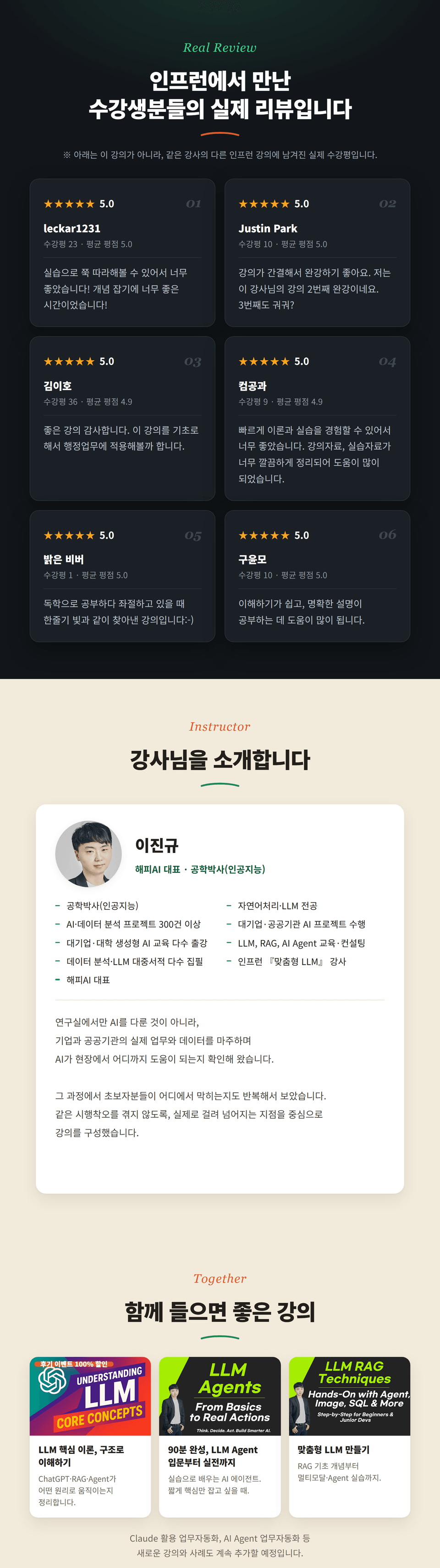
Lee JinKyu | Lee JinKyu

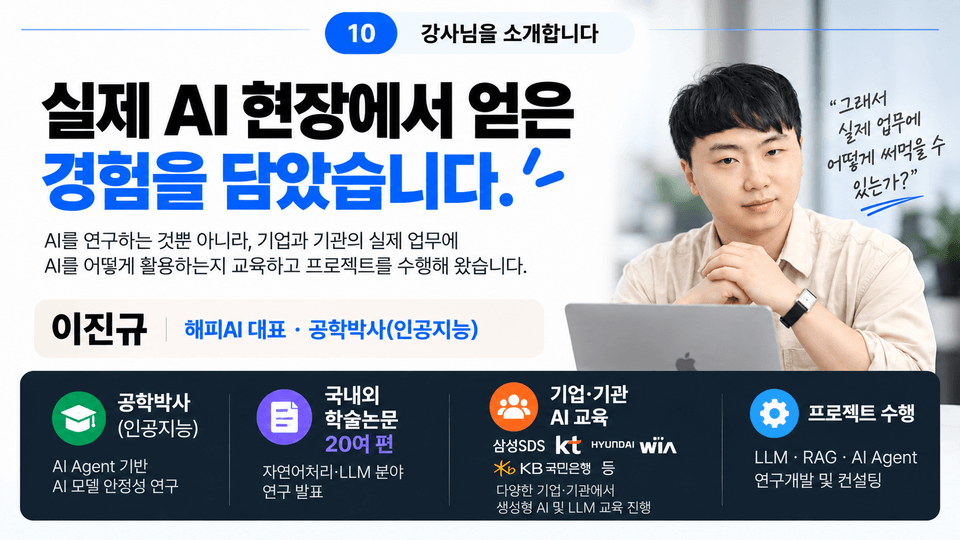
Ph.D. in AI Engineering · Adjunct Professor in the Department of AI Software · CEO of Happy AI

Hello.
I am Lee JinKyu, and I research, develop, and teach AI, focusing on natural language processing (NLP) and large language models (LLMs).

I earned a Ph.D. in Engineering specializing in Artificial Intelligence and have conducted research primarily in natural language processing and LLMs.

I am currently an adjunct professor in the Department of AI Software, teaching AI-related courses such as natural language processing and computer vision, and I run HappyAI, a generative AI company.

After working as a natural language processing and big data analysis researcher at a government-funded research institute, and then as a developer at an AI-specialized company, I currently carry out AI projects and training for businesses and public institutions.

At various companies and institutions, including Samsung SDS, KT, Hyundai Wia, and the Seoul Digital Foundation, I have conducted training and projects related to generative AI, LLMs, RAG, AI agents, and fine-tuning.

Additionally, I have conducted natural language processing and text mining research on various types of unstructured data, including documents, surveys, reviews, news media, policy, and academic data, and have experience with research and analysis projects across fields such as healthcare, policy, the environment, law, economics, and education.


Key Career History

  • Adjunct Professor in the Department of AI Software

    • Natural Language Processing

    • Computer Vision

    • Generative AI

    • Data Mining

  • Ph.D. in Engineering (Artificial Intelligence)


    • Large Language Model (LLM) and Agent Research

  • CEO of Happy AI

    • Generative AI, LLM, RAG, and AI Agent R&D and education

  • Researcher at a government-funded research institute

    • Natural Language Processing · Big Data Analytics

  • Developer at an AI and Big Data Specialist Company

  • AI Columnist

    • Articles on generative AI, LLMs, RAG, and AI technologies


Key Areas of Expertise

  • Generative AI and large language models (LLMs)

  • RAG · Private LLM

  • AI Agent · Agentic AI

  • AI applications based on LangChain and LangGraph

  • LLM fine-tuning based on LoRA·QLoRA

  • Natural Language Processing (NLP) · Text Mining

  • AI-based data analysis and work automation


Training for Major Companies and Institutions

  • Samsung SDS – LangChain·RAG-based LLM programming

  • KT – LLM/sLLM application development

  • Seoul Digital Foundation – LLM theory and RAG chatbot development

  • Hyundai Wia – Generative AI·AX training

  • Seoul National University of Science and Technology – Python-based text analysis

  • Kyonggi University – Python Using ChatGPT

  • Dankook University – Big Data Expert Program


Key AI Projects

  • Private LLM-based RAG document search and chatbot development

  • Development of Private LLM solutions in an internal network environment

  • LLM Fine-Tuning and Instruction Tuning

  • AI Agent-based business process design

  • Natural language processing and text mining–based research and analysis

  • AI analysis of survey, review, media, policy, and academic data


Research and Publications

  • Conducted domestic and international academic research on natural language processing and LLMs

  • Research on measuring and mitigating LLM bias

  • Numerous papers in the fields of NLP and text mining

  • Experience in AI-related patents and software research and development

  • Book: “Stock Data Analysis with ChatGPT”


What I Consider Most Important in My Lectures

AI technology is changing rapidly, but if you understand the core principles, you can learn new technologies much faster.

In the lectures, rather than simply following features or code,

“what it is → why it is needed → how it works → where it is used in practice”

I consider it most important to explain things clearly so that you can understand them.

Rather than explaining complex AI technologies in a difficult way,
I will explain them so that even beginners can understand the overall structure and apply them to real-world work and projects.


Inquiries about lectures and projects

Email
leejinkyu0612@naver.com

Homepage
https://happyaidata.kr

YouTube
https://www.youtube.com/@HappyAI_0612

GitHub
https://github.com/leejin-kyu

※ Kmong Prime Expert


Detailed profile
https://bit.ly/jinkyu-profile

More

Curriculum

All

40 lectures ∙ (3hr 48min)

Course Materials:

Lecture resources
Published: 
Last updated: 

Reviews

All

15 reviews

4.7

15 reviews

  • hellsage77님의 프로필 이미지
    hellsage77

    Reviews 8

    ∙

    Average Rating 5.0

    5

    100% enrolled

    I powered through it over the weekend and finished the entire course. The course is listed as being 3 hours and 9 minutes long, but once you start following along with all the different steps, the time flies. As mentioned in the course introduction, one of its strengths is that it explains the installation and setup process simply and concisely for beginners from non-technical backgrounds, then jumps straight into the main topic: work automation. Looking through the examples, you can really see the thought that went into choosing ones that would actually be helpful. I also got the feeling of, “Surely there’s at least one among these short automation examples that you’ll want to use, right?” I’ve watched several Claude courses recently, but this course definitely has its advantages for those who are just getting started. I recommend it to those people.

    • leejinkyu0612
      Instructor

      Thank you for leaving such a valuable course review! 😊 To verify your participation in the course review event, please send your Inflearn nickname, registered email address, and a screenshot of your course review to leejinkyu0612@naver.com. Once confirmed, we will grant you access to the LLM Theory course. Thank you!

  • felix509819948님의 프로필 이미지
    felix509819948

    Reviews 1

    ∙

    Average Rating 5.0

    5

    10% enrolled

    Where can I find the materials related to the Lesson 4 VS Code class?

    • leejinkyu0612
      Instructor

      Hello! 😊 The practical exercise in Lecture 4, “Organizing Folders,” does not use separate example materials. Instead, you can simply select any folder on your PC that you would like to organize and practice with it. And thank you very much for leaving such a thoughtful course review! 😊 To verify your participation in the course review event, please send the following three items to [leejinkyu0612@naver.com](mailto:leejinkyu0612@naver.com). Once we confirm them, we will open the LLM theory lectures for you. * Your Inflearn nickname * The email address you used to sign up for Inflearn * A screenshot of the course review you wrote Thank you!

    • I sent the email ^*^

  • bravetop734702님의 프로필 이미지
    bravetop734702

    Reviews 1

    ∙

    Average Rating 5.0

    5

    31% enrolled

    It is easy to understand and the content is excellent.

    • leejinkyu0612
      Instructor

      Thank you for leaving such a precious review! 😊 I am truly glad to hear that the content was easy to understand. I will continue to repay your support with great lectures that are helpful in practice! To confirm your participation in the review event, please send your Inflearn nickname, registered email address, and a screenshot of your review to leejinkyu0612@naver.com. Once verified, I will open the LLM theory lecture for you. Thank you!

  • treasureisland님의 프로필 이미지
    treasureisland

    Reviews 2

    ∙

    Average Rating 5.0

    5

    24% enrolled

    I haven’t finished the course yet, but looking at the table of contents, it covers exactly what I need. I’ve only listened to the beginning, but so far the material seems to be coming across clearly without any difficulty. I hope the latter part is just as good.

    • leejinkyu0612
      Instructor

      Thank you for leaving such a valuable review! 😊 To confirm your participation in the course review event, please send your Inflearn nickname, registered email address, and a screenshot of your review to leejinkyu0612@naver.com. After verification, we will grant you access to the LLM theory course. Thank you!

  • shjeong1932님의 프로필 이미지
    shjeong1932

    Reviews 4

    ∙

    Average Rating 5.0

    5

    31% enrolled

    I'm still a beginner and not used to it yet, but your easy explanation makes it understandable.

    • leejinkyu0612
      Instructor

      Thank you for leaving such a valuable course review! 😊 To confirm your participation in the course review event, please send your Inflearn nickname, registered email address, and a screenshot of your course review to leejinkyu0612@naver.com. After verification, we will grant you access to the LLM theory course. Thank you!

HappyAI's other courses

Check out other courses by the instructor!

Similar courses

Explore other courses in the same field!