
inflearn logo

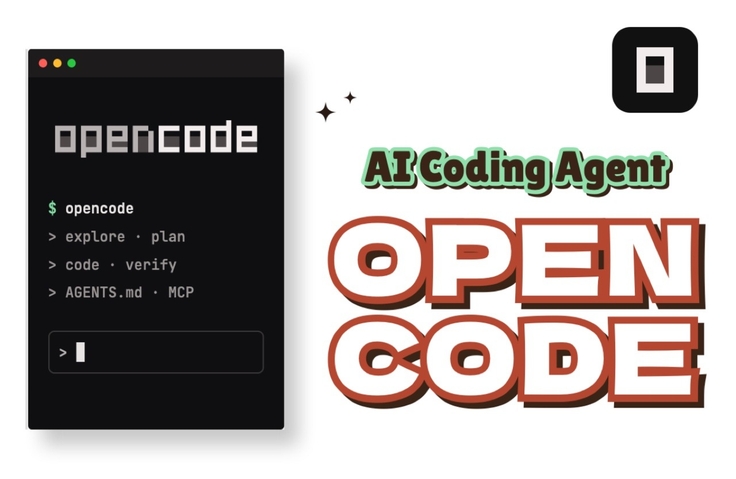
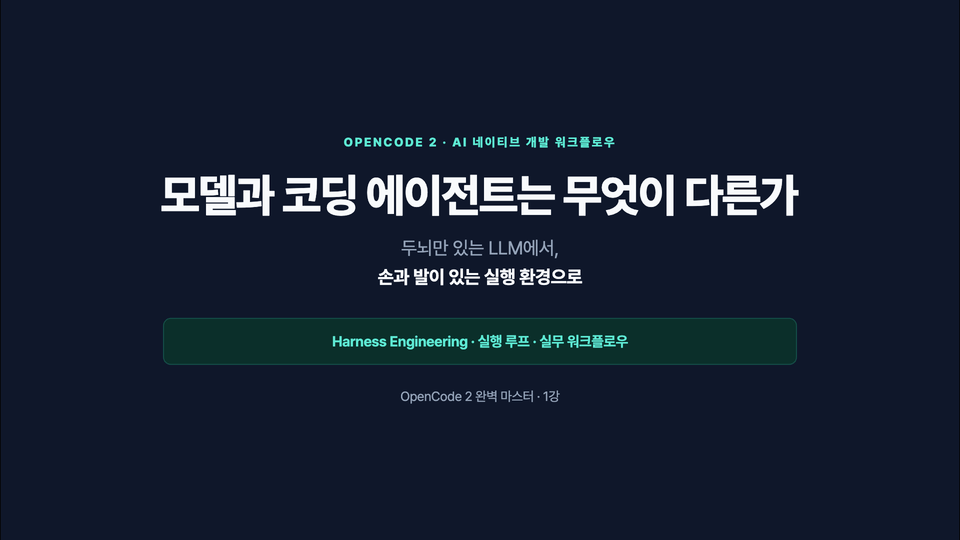
Mastering OpenCode 2: The Ultimate AI Coding Workflow

Learn OpenCode 2 in 50 lessons, from installation to permissions, MCP, skills, and plugins. Follow the Explore→Plan→Code→Verify workflow loop—usable with any repository—through real screens and configuration files.

1 learners are taking this course

Level Basic

Course period Unlimited

AI Agent
AI Agent
prompt engineering
prompt engineering
AI Agent
AI Agent
prompt engineering
prompt engineering

What you will gain after the course

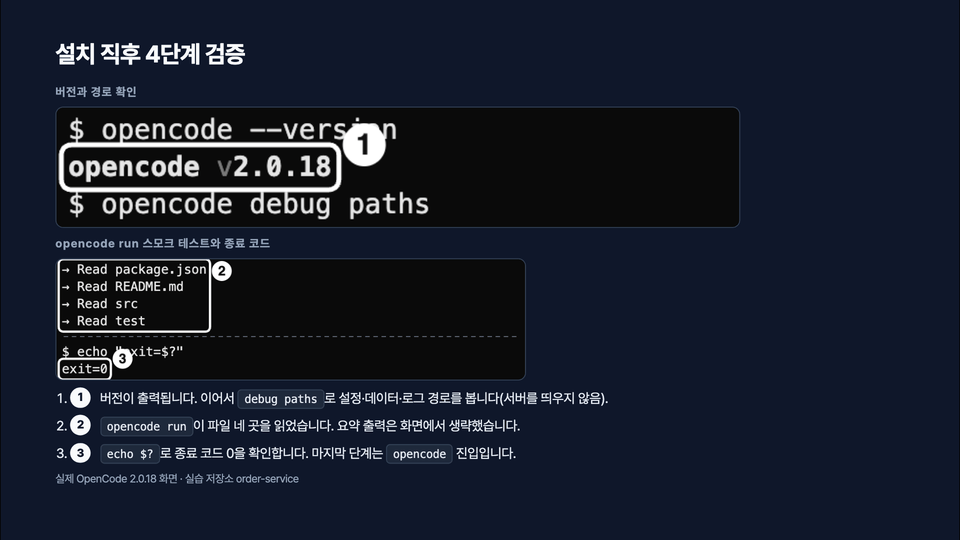
  • Install OpenCode 2 and run it using the TUI, Desktop, and Web interfaces to verify the environment.

  • Use the Explore→Plan→Code→Verify loop to keep diffs small and verify changes end to end.

  • Design project rules and context with opencode.json and AGENTS.md

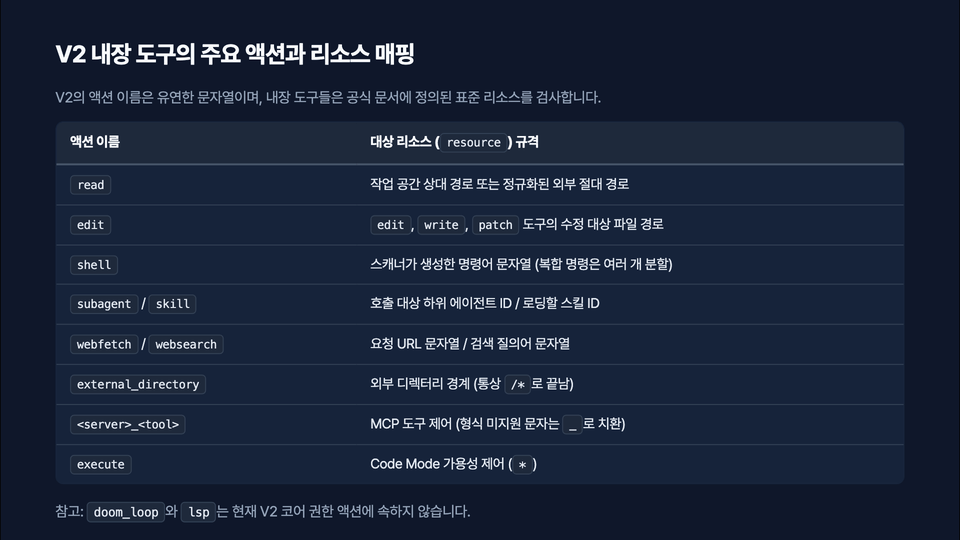
  • Limit the agent’s scope of action through permissions and policies.

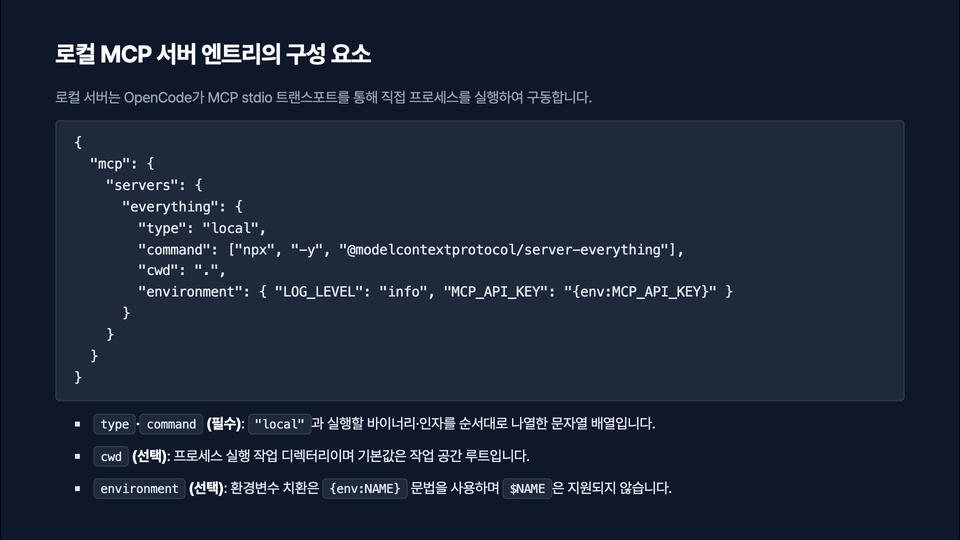
  • Register MCP servers and perform status validation, troubleshooting, and least-privilege operations.

  • Automate repetitive tasks with custom commands, non-interactive CLIs, skills, and plugins

This course teaches OpenCode 2 not as a "feature list" but as a "way of working." Each lesson takes one practical task from understanding through execution and verification.

We proceed in the following order
- Sections 1–3 (Lessons 1–12): validating the execution environment, connecting costs and models, sessions and context, and the /undo and /redo safety net
- Section 4 (Lessons 13–17): the Explore → Plan → Code → Verify loop and a hands-on loop that fixes a bug from start to finish
- Sections 5–6 (Lessons 18–26): opencode.json, AGENTS.md, permission models and shell permission patterns, and protecting sensitive files
- Sections 7–8 (Lessons 27–36): slash commands, non-interactive CLI, interface selection, MCP integration, and least-privilege operations
- Sections 9–11 (Lessons 37–50): failure recovery, tracking test failures, pre-commit reviews, team sharing, V1-to-V2 migration, skills, plugins, and policies

Course features
- Rather than focusing on a specific framework, this course covers only workflows that can be applied to any repository you have.
- Every lesson includes actual OpenCode 2 screens, configuration files, commands, failure cases, and verification methods.
- Each lesson is about 8–10 minutes long, so you only need to follow one task at a time.

Before enrolling
- OpenCode 2 is required for the exercises. Because V1 and V2 use the same opencode command, Lesson 2 first covers how to check the installed version.
- Model pricing and available models may change over time, so the course focuses on selection criteria.

Why this course is necessary
AI coding agents quickly produce “plausible answers.” The problem arises when you have no criteria for knowing when to trust the result and when to question it. This course focuses on building the habit of completing work using verifiable evidence such as diffs, test output, and exit codes. Instead of memorizing settings, it explains “why they are configured this way” from the perspectives of permissions, context, and cost.

What this course does not cover
- How to use specific web frameworks or programming languages
- Detailed comparisons of agent tools other than OpenCode
- Memorizing model benchmark rankings (we only cover selection criteria and allocation strategies)

What you can do after completing the course
After completing the course, you can introduce OpenCode into your own repository and share AGENTS.md, opencode.json, and permission rules with your team members. You can also immediately apply the process for recovering when work goes in the wrong direction and running a review loop before committing.

Recommended for
these people

Who is this course right for?

  • Developers who have tried AI coding agents but have no standard for how much they should trust the results

  • A developer looking to introduce OpenCode settings and rules into a team repository in a shareable format

  • A developer looking to put together a guide on migrating from OpenCode 1 to 2

Need to know before starting?

  • Familiarity with using the terminal and basic Git commands (status, diff, commit) is sufficient. No knowledge of any specific framework is required.

Hello
This is devbull

Career Verified

170

Learners

15

Reviews

3

Answers

4.3

Rating

5

Courses

Rustacean & Pythonista

Curriculum

All

50 lectures ∙ (7hr 57min)

Published: 
Last updated: 

Reviews

Not enough reviews.
Please write a valuable review that helps everyone!

devbull's other courses

Check out other courses by the instructor!

Similar courses

Explore other courses in the same field!

25% off for new members

$45.00

25%

$55.00