
inflearn logo

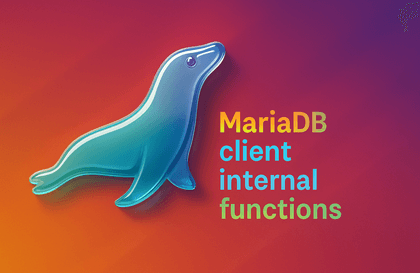
MariaDB client development, HeidiSQL

Learn how to write SQL queries and work with databases using the MariaDB client development tool HeidiSQL.

(4.9) 31 reviews

1,157 learners

Level Intermediate

Course period Unlimited

SQL
SQL
MariaDB
MariaDB
HeidiSQL
HeidiSQL
DBMS/RDBMS
DBMS/RDBMS
Data Engineering
Data Engineering
SQL
SQL
MariaDB
MariaDB
HeidiSQL
HeidiSQL
DBMS/RDBMS
DBMS/RDBMS
Data Engineering
Data Engineering

Reviews from Early Learners

4.9

5.0

Jang Jaehoon

30% enrolled

Thank you for the great lecture!

5.0

ericserra

100% enrolled

Thank you for your detailed explanation. If possible, please open a new lecture on configuring load balancer, auto scaling, CDN, and DNS as 3Tier (WEB-WAS-DB) with Naver Cloud.

5.0

everick9

10% enrolled

Thank you~!

What you will gain after the course

  • We will take a detailed look at the overall usage of MariaDB client development tool, HeidiSQL.

  • MariaDB's host, schema, user structure, etc.

Learn about HeidiSQL , a MariaDB client development tool.
Take your database design & management to the next level! 🏃

HeidiSQL ,
For what purpose
Would it be good to learn it?

1 When you want to develop tables, views, functions, and SQL queries through MariaDB or MySQL database.
2. For those who want to use free development tools as well as paid development tools.
3 If you want to learn SQL and DATABASE in some way, but are worried because you don't know which one is good
4 App developers who need to handle databases as quickly as possible with as little effort and time as possible.

Please read!

  • All videos of this course can be viewed for free on the YouTube channel ("SQL Bank"). (Study materials not provided)

  • If you watch on Inflearn, you will receive an ad-free environment + a lecture file with available resources . Please keep this in mind when purchasing a course.

Learn more about:

  • (1) Creating a connection session and table - Creating a connection session - Creating a table - Entering data
  • (2) Query window and result tab - Executing a query in the query window - Examining the result tab (grid row) function
  • (3) Export grid rows (result sets) - Export grid rows (result sets) in various formats - to clipboard and file
  • (4) Export database to SQL - Export database to SQL - Create backup and recovery scripts, create by file/compress and directory units, etc.
  • (5) Import CSV file - Import a text file containing comma-separated data into a table.
  • (6) Copy/Copy selected rows in the result window, SQL reconstruction, Log window - Copy in the result window, Copy selected rows function - Organize SQL neatly - SQL log window and setting functions
  • (7) Find text string (query window, result window, server) - Find string in SQL query window - Find string in grid result window - Find text in server
  • (8) How to use the Data tab - Input/edit/delete in the Data tab - Sorting in ascending/descending order through column header values - Adding a WHERE clause through a filter - Paging function for records viewed in the Data tab
  • (9) Snippets and SQL functions, SQL keywords, etc. - Table columns, SQL functions, SQL keywords - Snippets, query history
  • (10) Query Profile, Parameter Linking - Query Profile, Parameter Linking

Recommended for
these people

Who is this course right for?

  • If you are a member of the crew who wants to learn SQL and DATABASE in some way but is worried about what would be best, here is the answer!

  • Mr. Kim, who is in charge of app development among the S/W, always has to keep in mind the entire process from apps to web servers, middleware, and databases!

  • Park, the manager, is not familiar with the new database that was urgently changed according to the requirements, but he has to design and provide a guide right away!

Need to know before starting?

  • database

  • SQL

Hello
This is swa

2,653

Learners

74

Reviews

28

Answers

4.8

Rating

10

Courses

Hello, this is Software Notice. I have accumulated experience in database and middleware application development and various application fields, and I am creating tutorials utilizing SQL based on MySQL and MariaDB. I am running the YouTube channel "SQL BANK".

Hello, this is "SQL BANK". I have accumulated experience in developing database and middleware applications and in various application fields. I create tutorials utilizing SQL based on MySQL and MariaDB. I also run a YouTube channel called "SQL BANK".

More

Reviews

All

31 reviews

4.9

31 reviews

  • everick93569님의 프로필 이미지
    everick93569

    Reviews 319

    ∙

    Average Rating 4.9

    5

    10% enrolled

    Thank you~!

    • jjhgwx님의 프로필 이미지
      jjhgwx

      Reviews 1,220

      ∙

      Average Rating 4.9

      5

      30% enrolled

      Thank you for the great lecture!

      • swa
        Instructor

        I'm glad to hear that you were satisfied with the lecture. Thank you so much for leaving a review.

    • parkchanwoo73617님의 프로필 이미지
      parkchanwoo73617

      Reviews 50

      ∙

      Average Rating 4.8

      5

      100% enrolled

      Thank you for the great lecture :)

      • hwangsangjin님의 프로필 이미지
        hwangsangjin

        Reviews 9

        ∙

        Average Rating 5.0

        5

        30% enrolled

        Thank you for the great lecture!

        • ericserra4918님의 프로필 이미지
          ericserra4918

          Reviews 102

          ∙

          Average Rating 4.9

          5

          100% enrolled

          Thank you for your detailed explanation. If possible, please open a new lecture on configuring load balancer, auto scaling, CDN, and DNS as 3Tier (WEB-WAS-DB) with Naver Cloud.

          • swa
            Instructor

            Thank you for your kind words and evaluation. Unfortunately, the courses and content you suggested are far from my area of expertise, so it seems difficult for me.

        swa's other courses

        Check out other courses by the instructor!

        Similar courses

        Explore other courses in the same field!

        25% off for new members

        $8.80

        25%

        $8.80