
inflearn logo

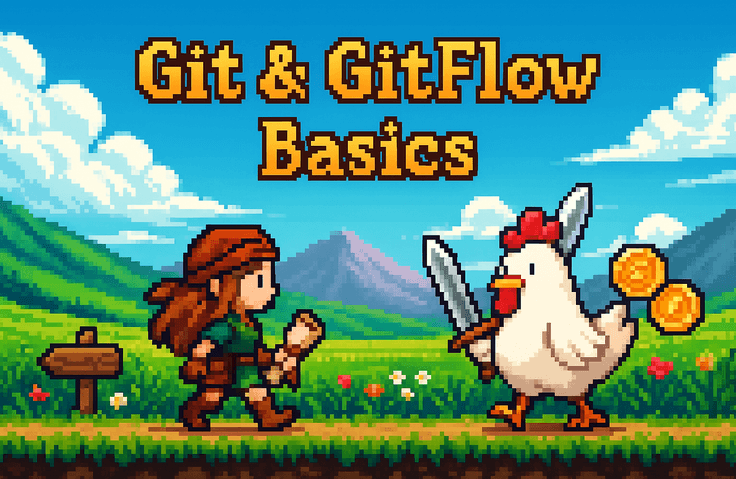
Introduction to Git & GitFlow for the Price of Chicken

This introductory course is designed to help even those new to Git safely record file changes and understand collaboration workflows through GitHub. Rather than simply memorizing commands, the focus is on developing the intuition to read the current state using status, diff, and log, and to choose the appropriate action among add, commit, restore, reset, and revert based on the situation. The course begins by explaining why Git is necessary and the difference between simple file saving and version control. Afterward, you will practice creating a repository, committing a README.txt file, and observing how Git tracks changes. You will also learn the basics of backing up and sharing personal projects online by creating GitHub remote repositories and mastering the push and clone workflow. The intermediate section covers branches, merge, conflict, pull/push, PR, rebase, and stash. You will learn how to divide work into branches, merge changes, and read and resolve files when conflicts occur. Additionally, you will build the ability to handle common Git complications in professional settings by understanding PR-centered collaboration workflows and the differences between reset and revert. The final section covers GitHub Flow and operational branching strategies. It explains the process where feature branches are merged into the development branch and promoted to the production environment through QA, centered on the dev → stg → prd workflow. By covering hotfixes, release branches, tags, partial deployments, emergency fixes, and rollback decisions, this course is structured to help you understand how Git is operated in actual team development.

1 learners are taking this course

Level Beginner

Course period Unlimited

Git
Git
GitHub
GitHub
Business Productivity
Version Control System
Git
Git
GitHub
GitHub
Business Productivity
Version Control System

What you will gain after the course

  • Even those new to Git can understand the basic workflow of safely recording file changes and reverting to previous states.

  • Even if you are not a developer, you can learn how to manage versions of work that are constantly being modified, such as documents, lecture materials, planning papers, and configuration files.

  • When using AI coding tools like Claude Code, OpenAI Codex, and Cursor, you can develop a habit of safely saving and comparing generated code or modifications using Git.

  • You can directly check what has changed through git status, git diff, and git log, and revert any unwanted changes.

  • By creating a remote repository on GitHub and understanding the push, clone, and Pull Request workflow, you can manage individual and collaborative work more systematically.

  • By practicing core collaborative Git concepts such as branches, merge, conflict, rebase, and stash, you can more securely manage team projects or Vibe Coding outputs.

  • Through the dev, stg, and prd branch flow, you can understand how code is reviewed, tested, and deployed in actual service development.

Recommended for
these people

Who is this course right for?

  • Those who have heard a lot about needing to use Git, but don't know why add, commit, and push are each necessary, so they search for the commands every time.

  • Those who are using AI coding tools like Claude Code, OpenAI Codex, and Cursor to generate code, but feel anxious about how to save or revert modified files.

  • Those who frequently find themselves in a situation where they think, "I want to go back to a previous version," while modifying a project.

  • Those who need to upload code to GitHub but are stuck because terms like repository, remote, push, and clone feel unfamiliar.

  • Beginner developers or non-majors who just follow along without understanding the flow whenever branches, merges, conflicts, or PRs come up.

  • Those who are not developers but want to safely manage frequently changing work—such as lecture materials, documents, proposals, and configuration files—by version.

  • Those who are avoiding Git because they are afraid of collaborating or making mistakes due to pull, push, conflict, and PR in team projects.

Hello
This is potatosam

Career Verified

123

Learners

3

Reviews

2

Answers

5.0

Rating

7

Courses

Hello, I'm Potato-ssam, a frontend developer with 4 years of experience.

Currently, I am developing a global mobility service. I have gained practical experience by building multilingual services and am also a global Top 30 contributor to the open-source library react-hook-form, which is used by developers worldwide.

But I wasn't always like this from the start.

When I first learned JS, I felt like I understood everything while following along with YouTube tutorials, but I countless times experienced my mind going blank the moment I opened an empty editor. At first, I was just busy copying and pasting code I found through Googling, and when an error occurred, I didn't know where to start, leading to many frustrated nights spent staying up for days.

I struggled a lot during that process. I wrote code without even knowing what the DOM was, and I wasted hours not understanding why an event was firing twice. What I needed most back then wasn't memorizing vast amounts of grammar. It was someone who could explain "why this code actually works."

I created this course by organizing everything I've built up over four years of practical experience, along with the areas where I struggled the most as a beginner. You don't have to take the long way around like I did. I've already been through it for you.

More

Curriculum

All

31 lectures

Course Materials:

Published: 
Last updated: 

Reviews

Not enough reviews.
Please write a valuable review that helps everyone!

potatosam's other courses

Check out other courses by the instructor!

Similar courses

Explore other courses in the same field!

Limited time deal

$15,400.00

30%

$17.60