
inflearn logo

Claude Cowork: An Introduction to Work Automation—11 Practical Use Cases for Non-Developer Professionals (From Meeting Minutes to Proposals, Excel, and FAQs)

If you’ve been leaving work late because you had to handle everything alone—from organizing meeting minutes, announcements, proposals, presentation materials, and Excel files to customer inquiries—now leave it to Claude. I’ll show you how to complete 11 practical tasks one by one, save them as skills, and automate your daily work, using the exact way I use it myself as a non-developer.

2 learners are taking this course

Level Beginner

Course period Unlimited

claude
claude
AI
AI
Business Productivity
AX(Agent Experience)
AI Agent
AI Agent
claude
claude
AI
AI
Business Productivity
AX(Agent Experience)
AI Agent
AI Agent

What you will gain after the course

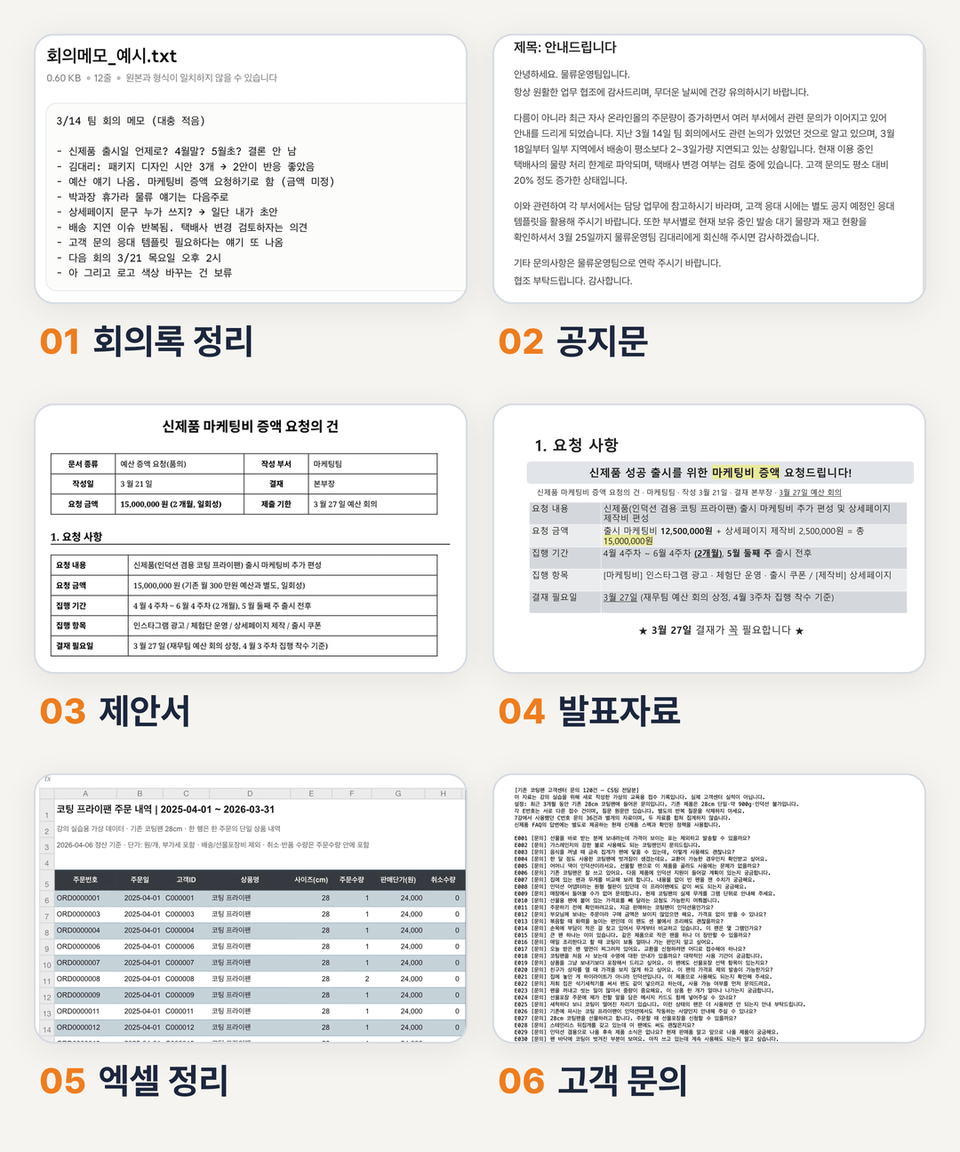
  • How to Request Work from Claude Cowork by Providing Files and Receiving the Results, and How to Save and Run the Results as a Skill

  • A skill that wraps up all your post-meeting documentation at once—from organizing meeting notes and creating to-do lists to drafting internal announcements.

  • How to Complete an Evidence-Based Proposal (Word Document) and Presentation Materials

  • Marketing practice: Extracting personas and slogans from customer reviews and creating a product detail page wireframe

  • Data operations work involving calculating order quantities in Excel based on a year’s worth of orders and creating an FAQ from customer inquiries

  • Work automation that connects email, messenger, and calendar to automatically create morning briefings and end-of-day reports

Does your entire day go by on repetitive tasks
and do you only start the truly important work
after work
hours?

Organizing meeting minutes, notices, proposals, presentation materials, Excel spreadsheets, and a flood of customer inquiries.

Each task is easy on its own, but since everything has to go through me, I’m working late again today.

Put Claude (claude) to work like an AI agent, entrusting it with Excel organization, MS Office document tasks, and even organizing your email, messenger, and calendar.
This introductory course helps boost your work productivity through AX (agent experience)—delegating tasks to artificial intelligence (AI).

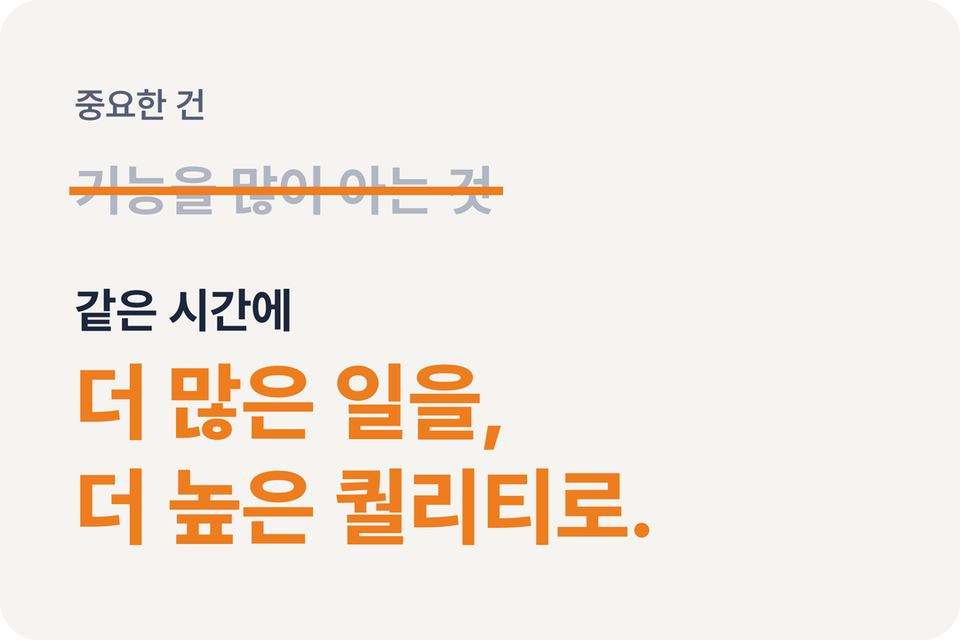
This course is not about teaching you a lot of Claude’s features.

We will show you how to work efficiently with Claude within a limited amount of time and complete more work at a higher quality in the same amount of time.

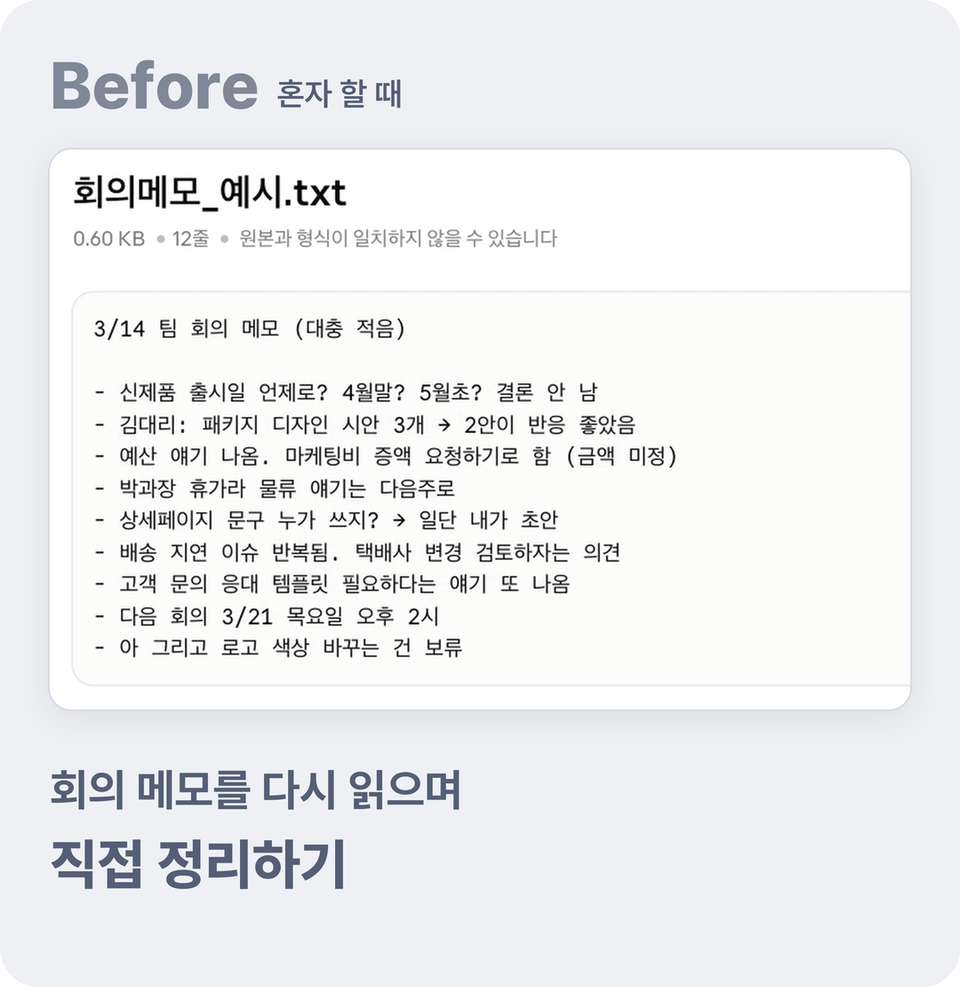
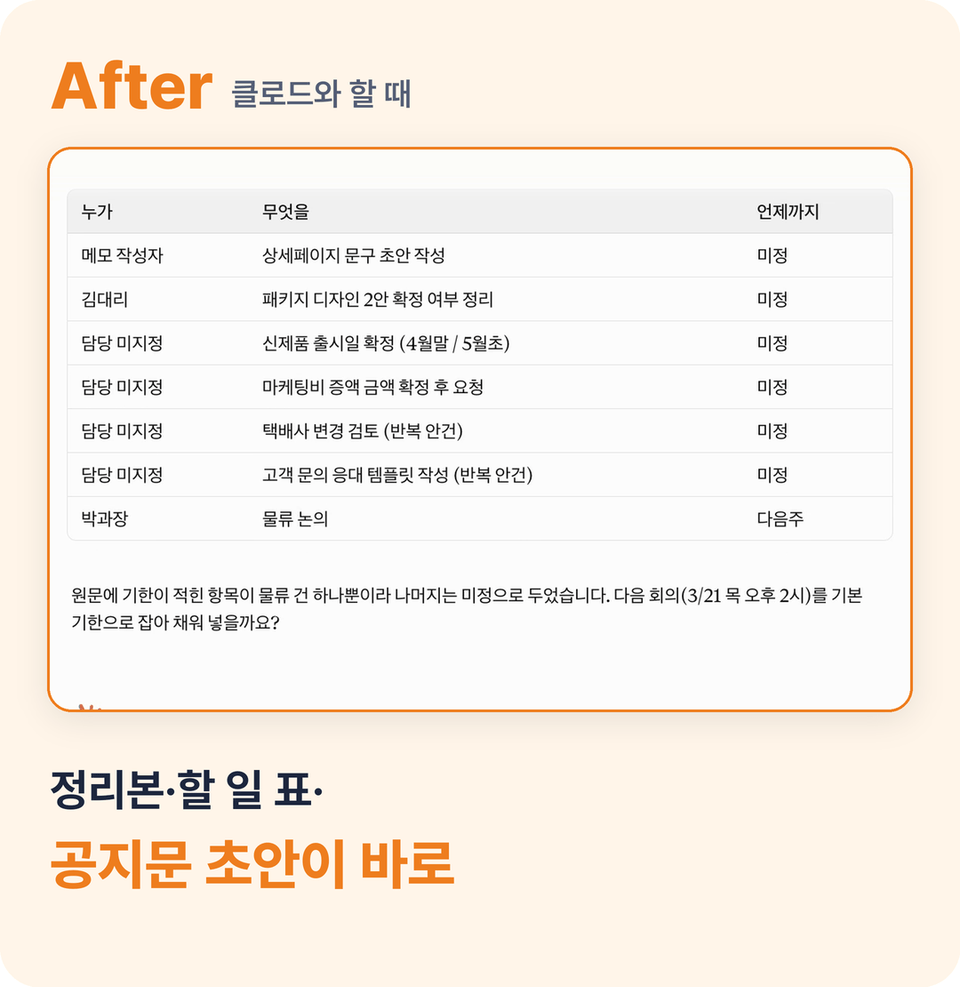
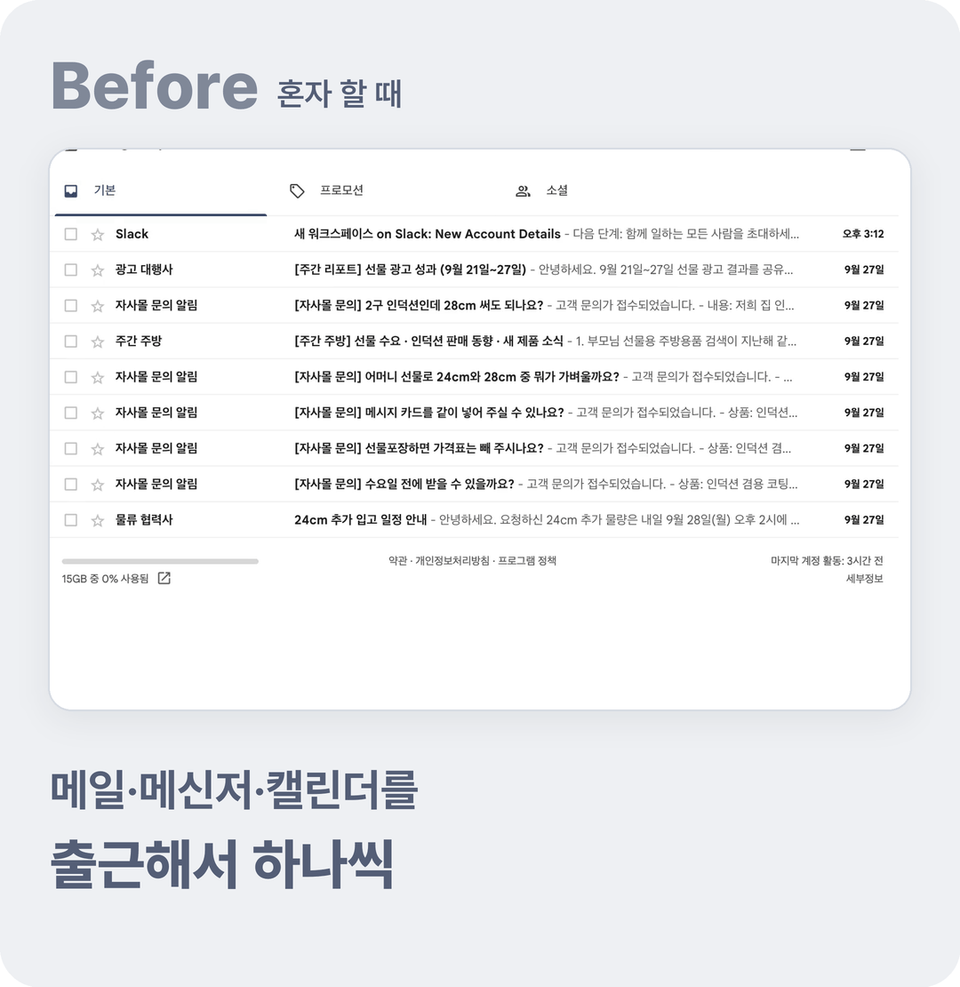
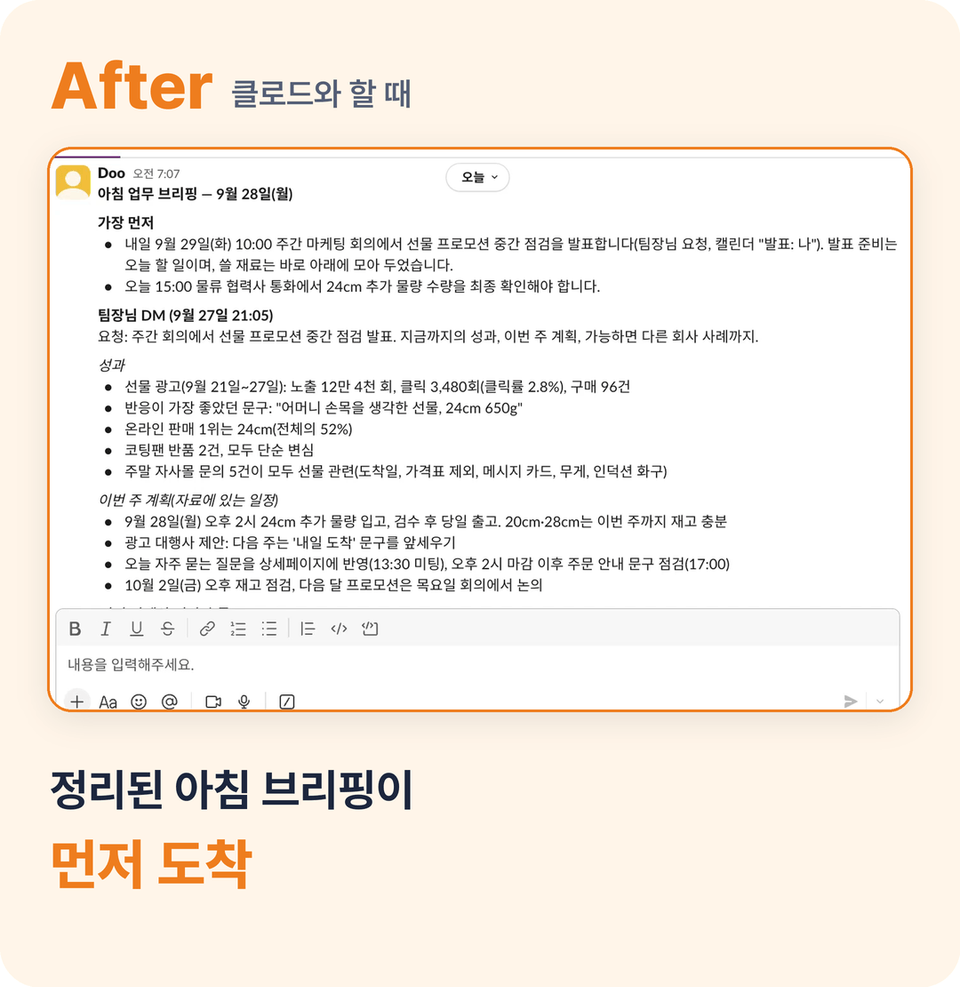
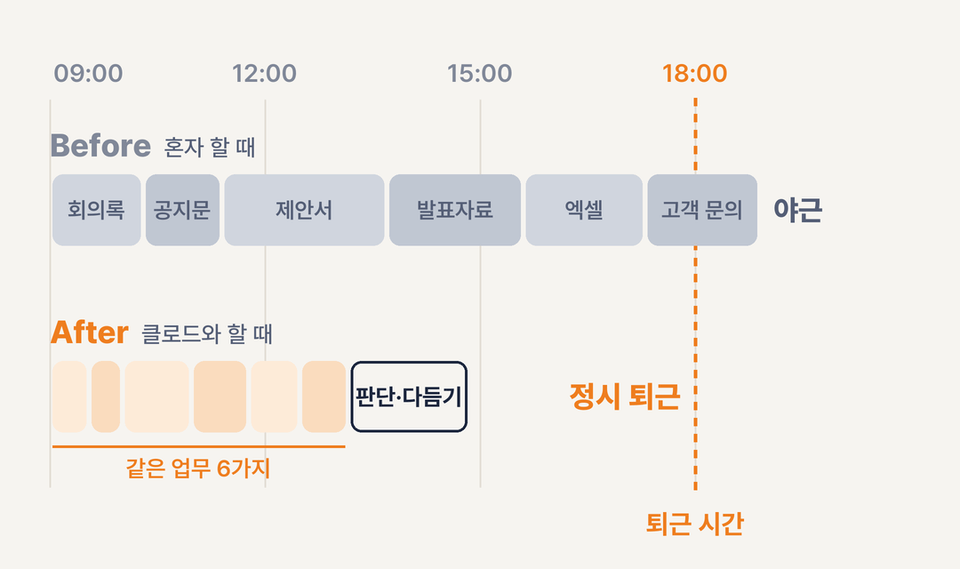
BEFORE → AFTER

When working alone and when working with Claude

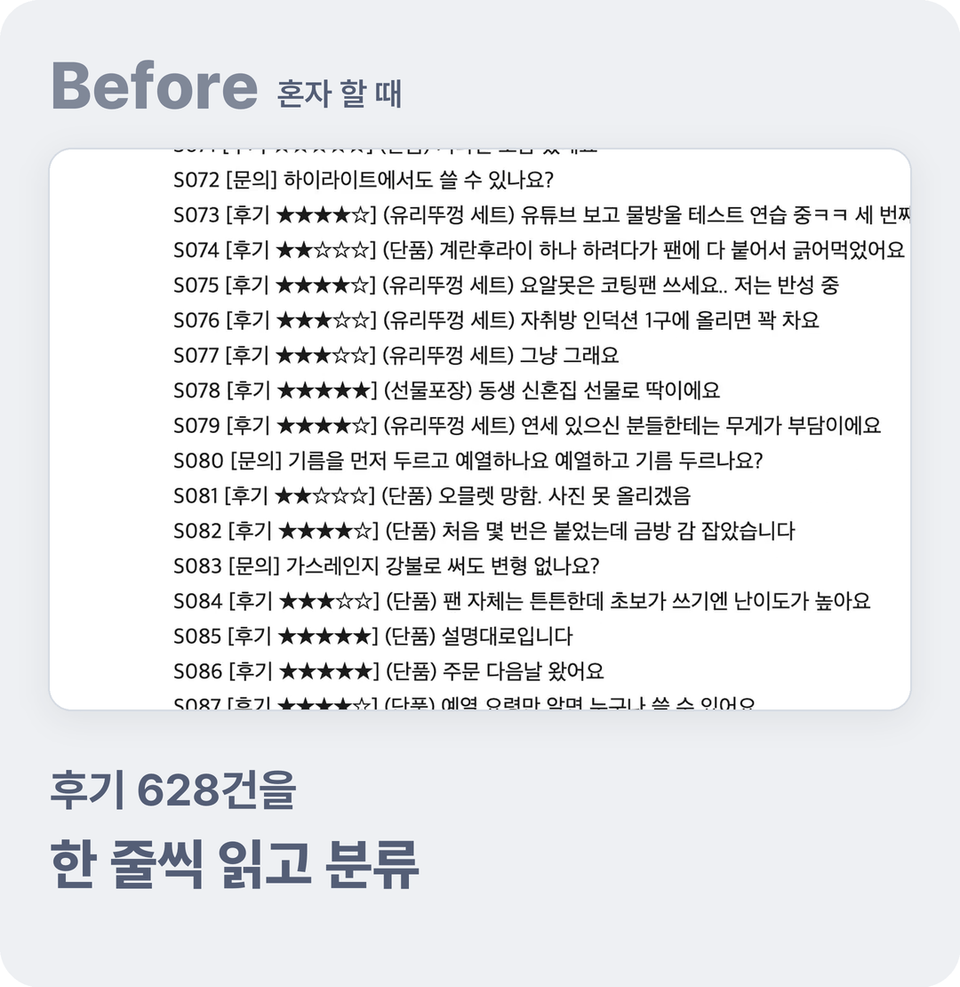
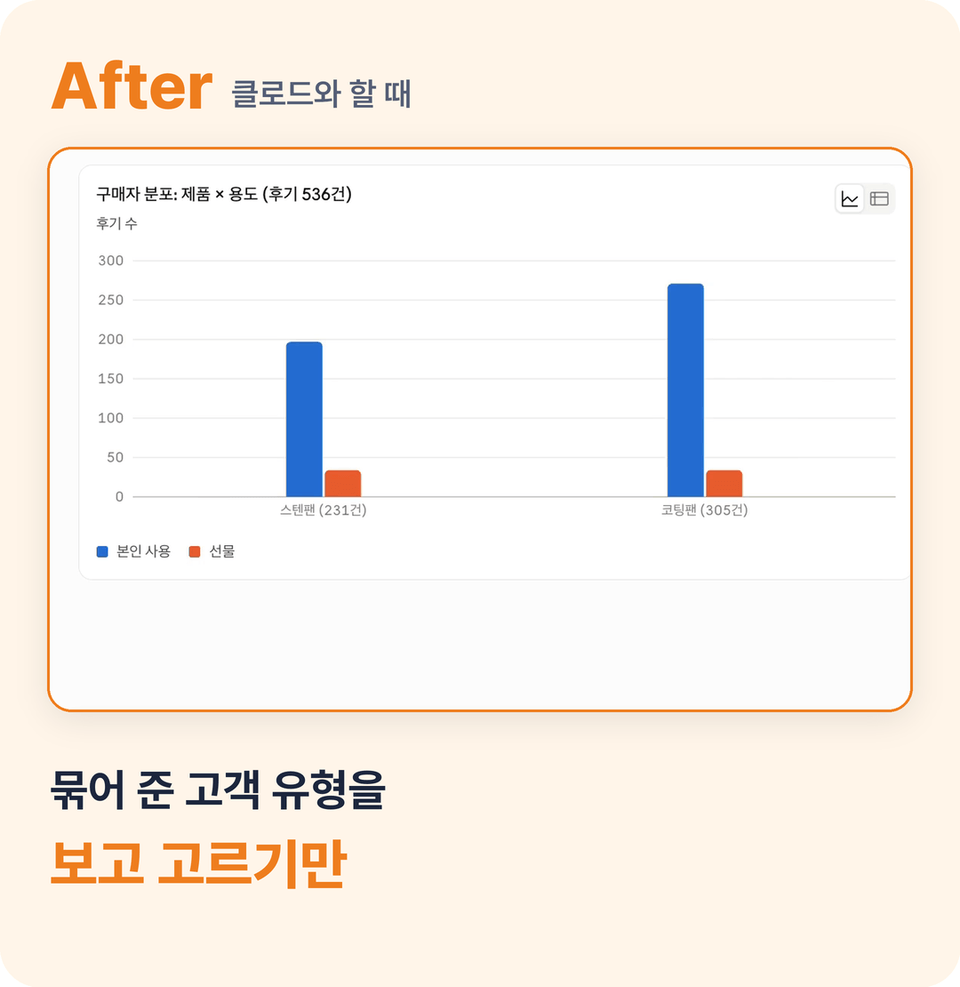
01 Customer Analysis

Instead of reading all 628 customer reviews one by one, review and select the customer segments Claude grouped for you.

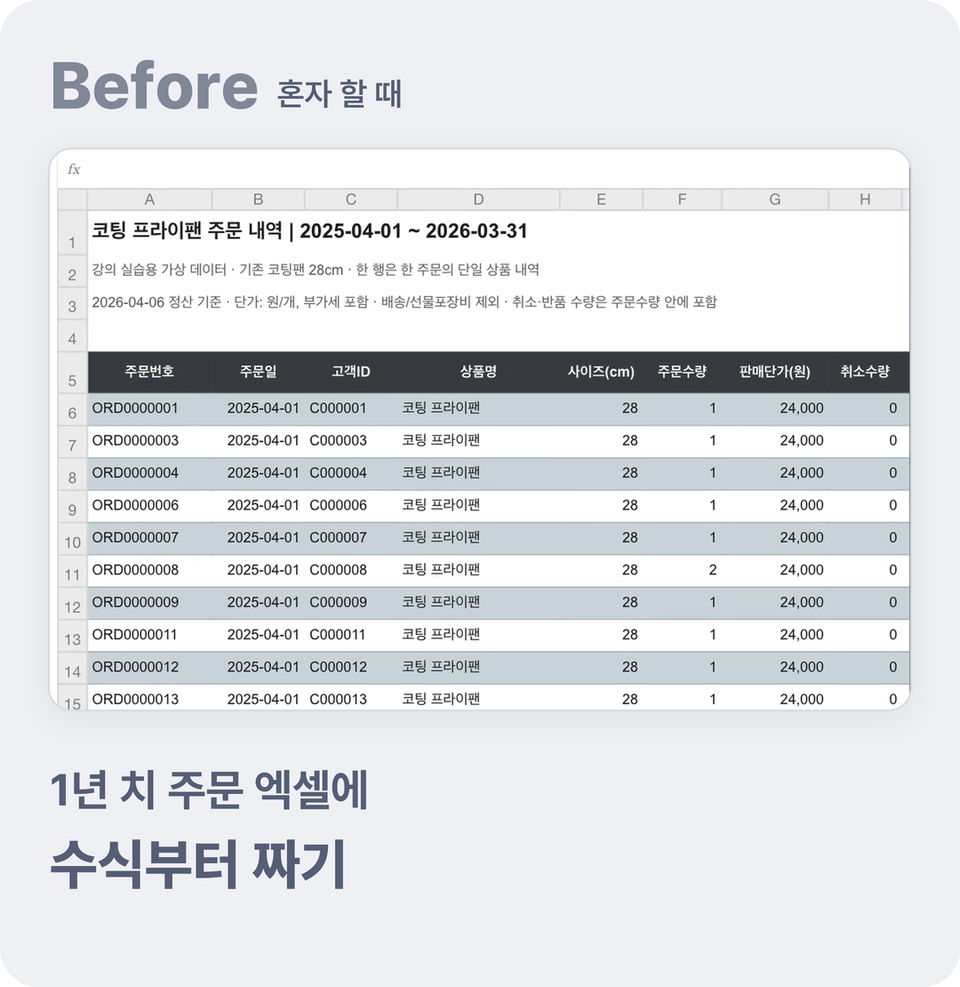
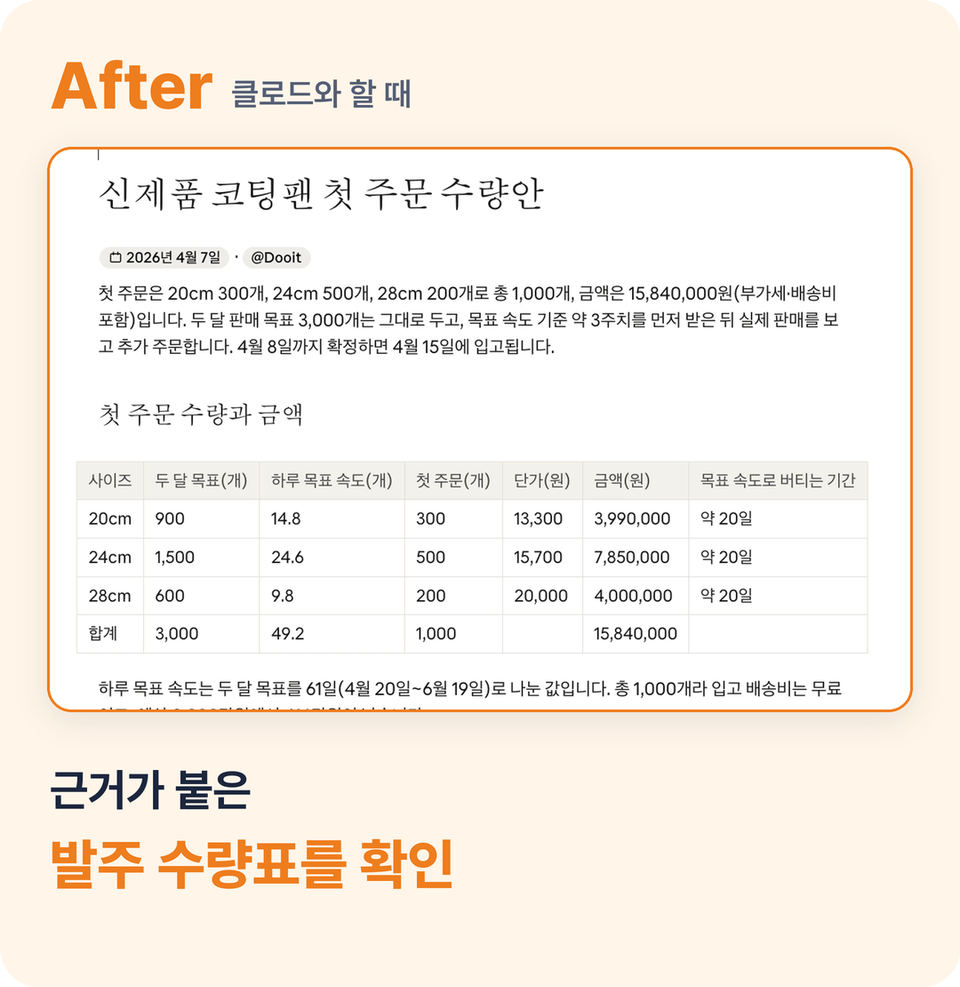
02 Order quantities

Instead of writing formulas in an Excel spreadsheet containing a year’s worth of orders, review an order quantity table with the calculation rationale included.

03 Post-meeting documents

When the meeting ends, a summary, an action-item list, and a draft announcement are ready immediately.

04 Morning Work Check

The morning routine of checking emails, messages, and your calendar after arriving at work is already waiting for you in the morning briefing.

I spend time judging and refining
.

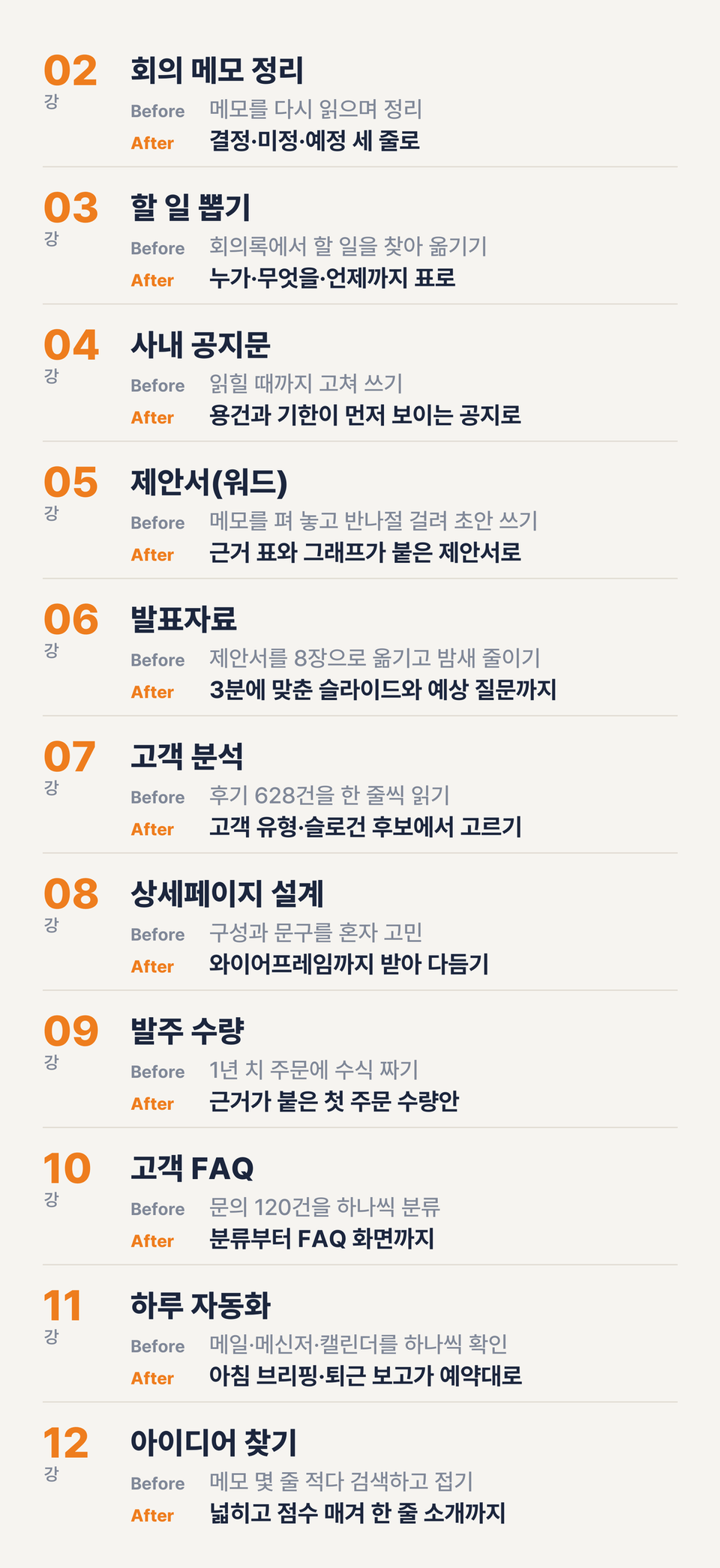
11 TASKS · BEFORE → AFTER

One per lesson,
before you know it, eleven

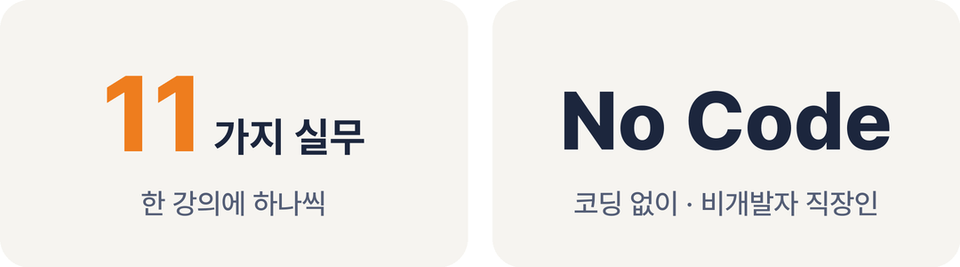
With each lesson, you choose one real task and learn one technique for using AI.

Meeting summaries and announcements, proposals and presentation materials, customer analysis and product detail pages, Excel calculations and customer FAQs, all the way to automating morning briefings and end-of-day reports.

As you follow along one course at a time, before you know it, you’ll find that you’ve mastered 11 ways to automate your work with AI.

Leaving work on time, and then

Finishing work quickly is not the end goal.

You can take on bigger projects with higher productivity than others, or use the time you save to study and grow.

I went from being dragged around by repetitive tasks to becoming a more proactive version of myself who takes control of my time.

I'm not a developer either. I worked this way, left work on time, and used the evenings I gained to create and launch an app service as a personal project.

In the final lecture, we’ll explore what you can do with your spare time, including finding an idea for your own service.

Things to know before taking the course

  • Practice files are not provided separately. You can follow along using your own work files or ask Claude to create practice files for you.

  • Starting from Lesson 2, you’ll need Claude’s paid plan (Pro or higher). You can follow along with Lesson 1 using the free plan.

  • The screen was recorded on a Mac, but you can follow the same method on Windows.

From that one task that made you work late today,
try handing it over to Claude.

Recommended for
these people

Who is this course right for?

  • An office worker who wants to automate their administrative tasks

  • An office worker who takes on everything alone after a meeting ends—from organizing notes and sharing action items to writing announcements.

  • A small-company professional who has to create everything alone—from proposals and presentation materials to detailed-page copy—without anyone to delegate it to.

  • The person in charge who keeps making decisions based on intuition because they never have time to organize the backlog of order spreadsheets and customer inquiries

  • A non-developer who has only used ChatGPT or Claude for questions and answers, and feels at a loss because they don’t know how to delegate actual work to them.

  • Office workers who have trouble leaving work on time because they spend every morning checking emails, messengers, and calendars, then writing reports before heading home.

Need to know before starting?

  • No coding knowledge is required. Basic computer skills, such as opening and saving files, are sufficient.

  • The class will be conducted using Claude’s paid plans (Pro or higher). Features such as Cowork and Research are only available on paid plans.

Hello
This is Doo it

209

Learners

11

Reviews

10

Answers

4.9

Rating

2

Courses

Nice to meet you! I’m your mentor, Doo it.

A designer who has spent 17 years in the UX/UI design industry—long enough for the landscape to change dramatically—has special know-how. I have gained extensive experience in some of the most complex and challenging industries to design for, including ERP, travel, portals, and e-commerce. I would like to share this experience and know-how with you.


The best applicants

I will give my full support to help you achieve your dreams in design and grow into a top professional. Join me in creating an experience where we learn and grow together with joy!


Key Career History

(Current) Product Designer for a major e-commerce service

(Former) Startup CDO, Large Enterprise Product Designer

More

Reviews

Not enough reviews.
Please write a valuable review that helps everyone!

Similar courses

Explore other courses in the same field!

Limited time deal

$28.60

49%

$56.10