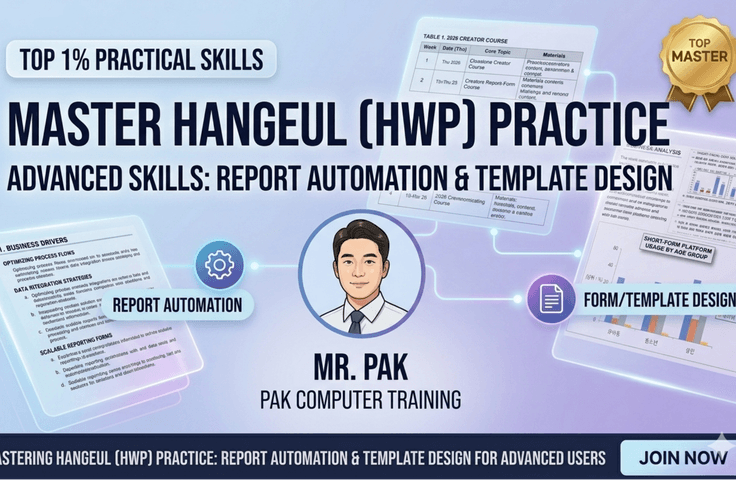


Intermediate Hangul (HWP) Master for the Top 1%: Complex Report Automation and Template Design

Are you struggling with complex, large-scale documents and broken formatting? With 25 years of practical know-how, I will personally teach you sophisticated automation and design techniques tailored for intermediate users.

2 learners are taking this course

Level Beginner

Course period Unlimited

browser-automation
browser-automation
nvda
nvda
microsoft-office
microsoft-office
email-marketing
email-marketing
Hancom
Hancom
browser-automation
browser-automation
nvda
nvda
microsoft-office
microsoft-office
email-marketing
email-marketing
Hancom
Hancom

What you will gain after the course

  • Perfect design and management capabilities for style and outline numbering systems

  • Building high-level document automation processes using macros and scripts

  • Structural editing techniques for large-scale reports and thesis-level documents spanning hundreds of pages

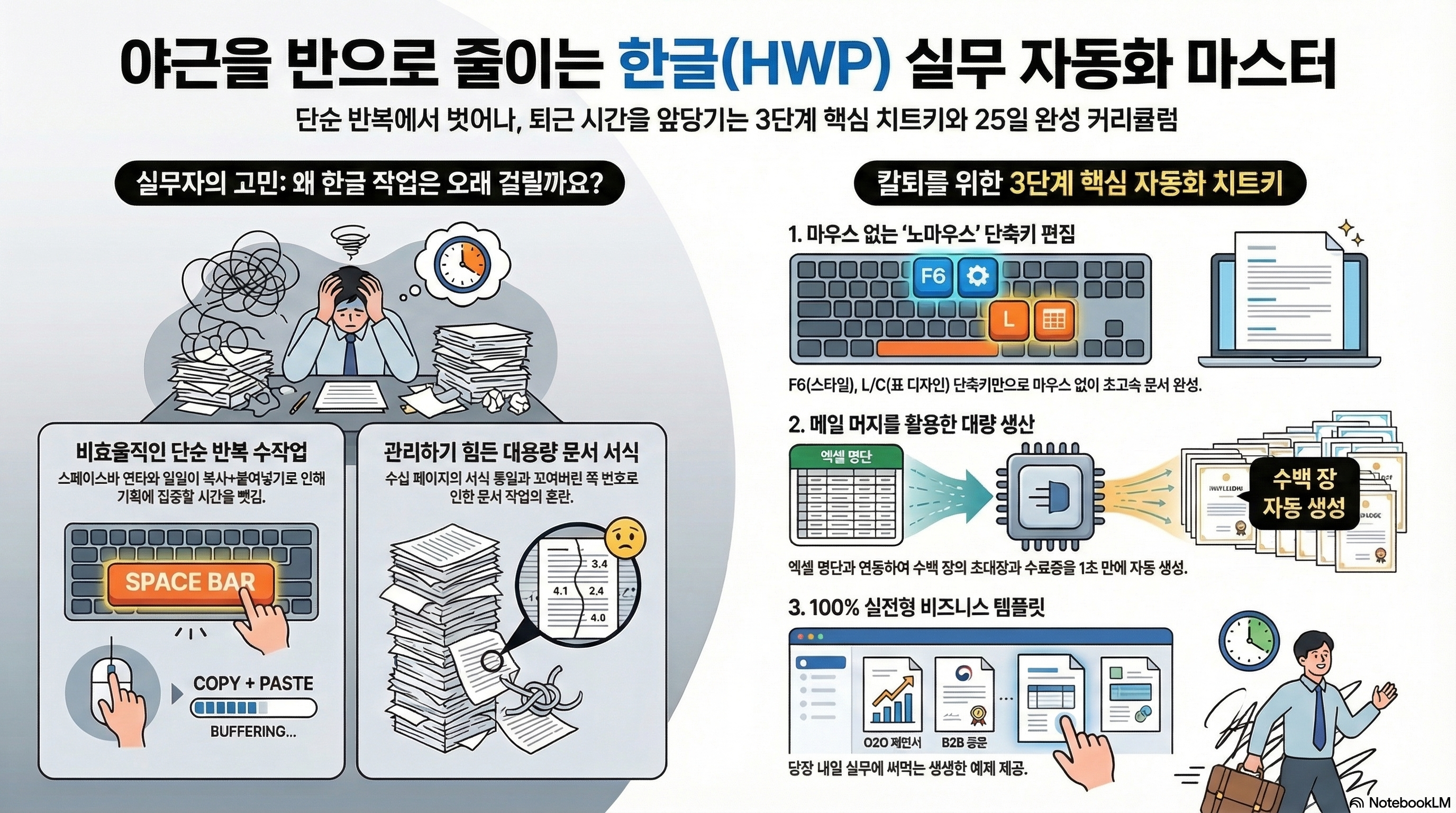
"Stop hammering the spacebar! Practical HWP cheat keys used by the top 1% of high performers"

😭 Is this perhaps what you're doing at work?

  • I have experienced a mental breakdown from the stress of trying to align table lines and adjust their widths.

  • The layout completely fell apart after inserting photos or maps into a document I had worked so hard to write.

  • You are manually typing out every single dotted line (......) for the table of contents in a 50-page report.

  • I have been scolded by my boss because the quality of a chart dropped and became blurry when I imported it from Excel into Hangul (HWP).

If even one of these applies to you, this course will cut your work hours in half!


💡 Key Course Points (What will you learn?)

This is not just a stiff explanation of functions found in a textbook. You will learn by directly creating practical reports, proposals, and official document templates that you can use immediately when you go to work tomorrow.

1. Master 'No-Mouse' Shortcuts to Eliminate the Need for a Mouse Stop wandering around trying to find hidden menus. From building the framework to applying formatting, we will teach you shortcut combinations that allow you to take your hands off the mouse and increase your work speed by more than three times.

2. Writing Perfect Reports in Large Corporate/Public Institution Style From multi-column editing that maximizes readability and sophisticated pastel-toned table designs to data chart visualization completed directly within Hancom Office! Complete professional document forms that boost credibility just by looking at them.

3. 'The Miracle of Automation' 1-Second Automatic Table of Contents & Mail Merge Say a complete goodbye to manual work. Experience the magic of generating a perfectly aligned table of contents with a single click using styles and footnotes, and mass-producing hundreds of invitations in just one second by linking with Excel lists.

4. Perfect Harmony of Text and Images (Object Control) Create proposals where text and images blend cleanly through detailed placement techniques such as 'Treat as Text', 'Wrap Text', and 'Transparent Background' so that images don't drift out of the document.


👨‍🏫 Real-world practical know-how from 'Park Ssaem,' an IT expert instructor with 25 years of experience

Hello! I am Park Ssaem, an instructor who has been teaching computer and smartphone usage for 25 years and has solved the concerns of countless professionals through the YouTube channel 'Park Ssaem'.

I have gathered only the core essentials of "real-world practical work" that office workers commonly find difficult or confusing and compressed them into 25 intensive sessions. If you simply follow along with the practice files with me, you will soon hear people in your department saying, "OOO is the best at document editing!"

Now is the time to make peace with the frustrating Hancom Word (HWP) and get ready to leave work on time. Enroll now!

Recommended for
these people

Who is this course right for?

  • Practitioners who can use basic Hangul (Hwp) but feel limited when it comes to complex document formatting and design.

  • Middle managers who need to systematically manage large-scale project reports or manuals

  • Power users who want to go beyond the introductory level and perfectly control all the features of Hancom Office Hangul.

Need to know before starting?

  • Experience with basic execution of the Hangul (HWP) program and document saving

  • Basic computer operation skills, such as keyboard typing and mouse clicking

  • Understanding the necessity of drafting business documents (reports, official letters, etc.)

Hello
This is ds8828455

651

Learners

40

Reviews

8

Answers

4.8

Rating

15

Courses

With 25 years of experience in both online and offline teaching, I am a computer instructor who constantly strives to help students achieve maximum results with minimum cost.

Awarded a Commendation from the Korea Association of Hakwons Instructor at International Computer Academy

Green Computer Academy Instructor (Information Processing, Computer Literacy, MOS)

The Joeun Computer Academy (C Language, Information Processing, MOS)

Dongduk Women's University MOS Lecture

International Business Education (C/C++ Lectures)

Edupen Video Lectures (Information Processing, Computer Literacy)

Gilbut Publishing (Information Processing Online Lectures)
Baeulhak (Computer Literacy Online Lectures)

Certifications
Computer Literacy Level 1, Engineer Information Processing, Word Processor Level 1, Craftsman Information Equipment Operation, Craftsman Computer, Computerized Accounting Certification

More

Curriculum

All

26 lectures ∙ (6hr 46min)

Course Materials:

Lecture resources
Published: 
Last updated: 

Reviews

Not enough reviews.
Please write a valuable review that helps everyone!

ds8828455's other courses

Check out other courses by the instructor!

Similar courses

Explore other courses in the same field!

Limited time deal

$4,840.00

60%

$9.90