강의

멘토링

커뮤니티

BEST
Programming

/

Programming Tool/Software

Git & GitHub, Step by Step from the Fundamentals - Essential Git [Complete Edition]

Learn step-by-step from the principles and solve all errors yourself.

(5.0) 80 reviews

689 learners

  • geek
깃헙
Git
GitHub

Reviews from Early Learners

What you will gain after the course

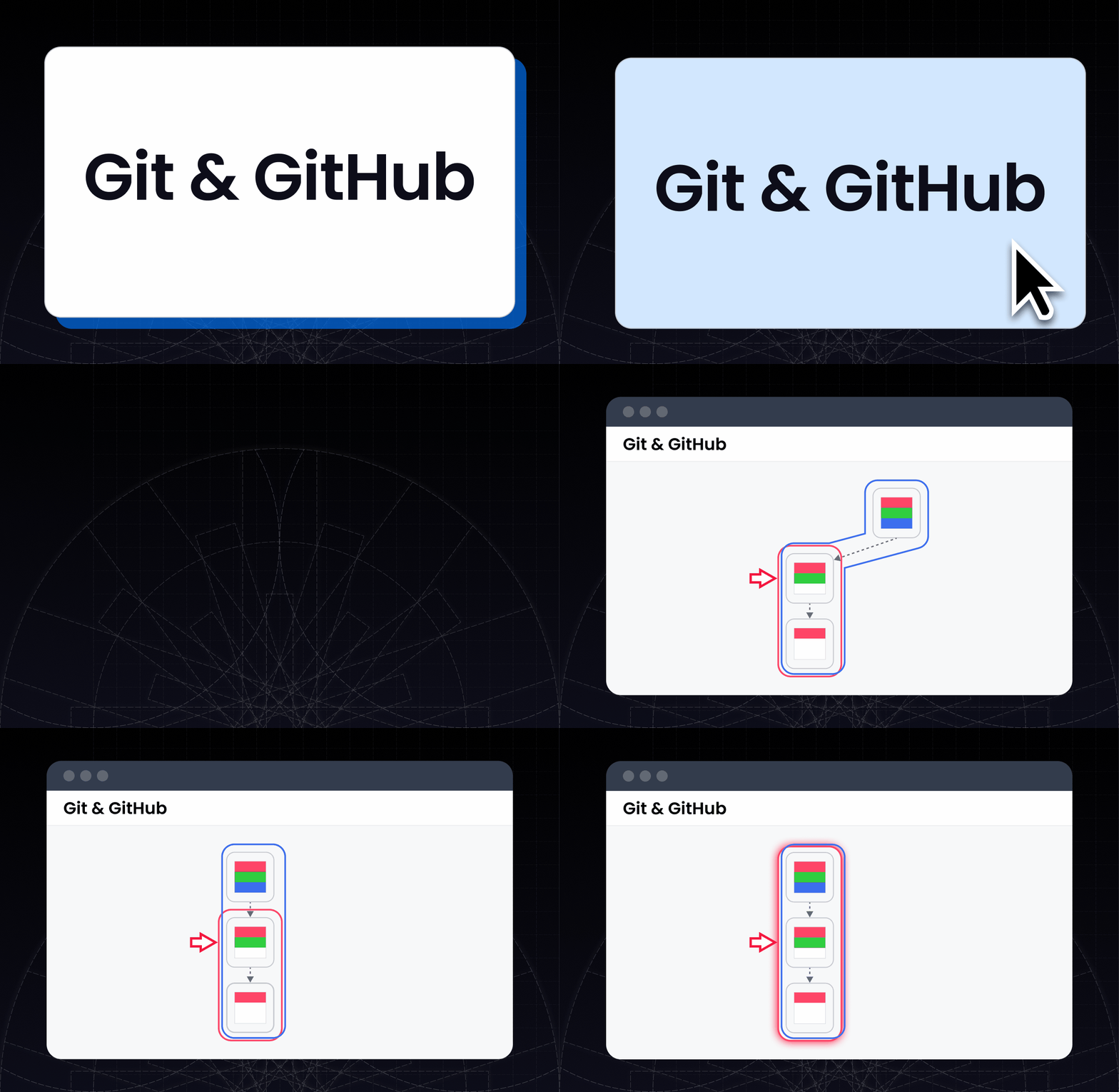
  • Learn Git's basic commands and working principles with pictures.

  • Learn the principles of how Conflict arises, and easily resolve all Conflicts.

  • Learn perfect real-world responses.

  • Learn how to skillfully collaborate with colleagues using GitHub.

  • Learn thoroughly not only how to collaborate with Git flow, but also its necessity.

Step by step from the fundamentals


From basics to principles, all at once.

Git vs GitHub❓

💻 Git

Git is a program that manages code versions. Just like creating SAVE points in a game, Git allows you to create SAVE points for your code and revert to any desired point in time. Not only that, but it also helps multiple colleagues work simultaneously on a single project by utilizing a powerful feature called 'branches'.

🌐 GitHub

First, we need to clarify that Git and GitHub are completely different concepts. Just like baseball and soccer are different, Git and GitHub are also different from each other. Git is a tool for version control, while GitHub is a space where you can store those versions. That's why GitHub is often compared to Google Drive or Dropbox.

Git & GitHub, learn it properly all at once.

Everyone can relate to the importance of Git. No matter what we build, we always end up using Git. Therefore, we must properly understand Git. If you simply memorize commands like a machine, you'll end up wandering around blogs searching for solutions.Learn properly from the basics to the principles all at once. I guarantee that after taking 'Fundamental Git', you'll be able to solve 99% of errors on your own.

Course Structure

📌 Section 1: Understanding the Basics of Git and GitHub
Learn the fundamental concepts of Git and GitHub thoroughly, and discover how Git manages versions.


💻 Section 2: Git Installation and Configuration
Learn how to install Git and set up the basic environment to complete preparations for using Git.


📝 Section 3: Basic Commands and State Management
Learn the main commands for creating versions and gain a deep understanding of what happens inside Git.


📂 Section 4: Repository Status
Git manages versions through three types of repositories. Let's learn the commands to check the status of each repository and how they work.


🎯 Section 5: HEAD
Learn the concept of HEAD that allows you to revert code to a desired point in time, and master HEAD's relative positioning and how to handle it.


🌿 Section 6: Branches
Learn how to collaborate with colleagues using branches and master how to handle them skillfully by understanding the internal structure of branches.


🔗 Section 7: Merge
Learn how to merge work from other branches into your branch and how to resolve conflict errors that may occur during the merge process.


Section 8: Precautions When Working with Branches
Branches are a powerful feature, but they can be tricky. Let's learn how to prevent mistakes and use them effectively when working with branches.


🔄 Section 9: Rebase
Learn the essential rebase functionality for advanced developers to organize branches and resolve conflict errors.


Section 10: Reverting to Previous State (Reset vs Revert)
Learn the differences and usage of reset and revert commands that restore code to a desired point in time, and understand the operating principles of each command in detail so you can choose appropriately for each situation.


📤 Section 11: Uploading and Downloading Code (GitHub)
Learn how to upload and download code to remote servers, understand the principles behind these processes, and gain a deep understanding of the interaction between GitHub and Git.


🤝 Section 12: Collaboration (Git Flow)
Learn how to collaborate effectively with colleagues through the essential Git Flow strategy in collaboration. This section focuses intensively on the core elements of collaboration.


🚀 Section 13: Advanced Remote
Learn in detail about remote-related features and principles for advanced developers, and study advanced remote management methods needed in practice.


📂 Section 14: File Management
Learn how files are managed through versions when deleting or renaming them. Also, learn how to exclude specific files from version control using gitignore files and understand the underlying principles, so you can skillfully handle various error situations.


📝 Section 15: Changing Commit History
Learn how to modify commit history to organize your project's version history in a clean and presentable way. Beyond simple methodologies, we'll dive deep into the underlying principles through easy analogies.


Target Audience

I already know Git.

Git lectures have been taken at least once, but

I'm still confused.

Git beginner.

Learn it right the first time,

Wandering through YouTube and blogs

I don't want to waste time.

With Git tutorials overflowing everywhere, why was 근본깃 created?

While working as a programming instructor, I realized one thing. The fact that many students only memorize Git commands without properly understanding how they work. As a result, they couldn't use Git efficiently and often encountered situations where they couldn't even solve simple errors. It was heartbreaking to see students wandering through blogs for over an hour on problems that could be solved with just 10 minutes of proper study.


At that moment, I made up my mind.

"I need to properly teach students how Git works!"


After six months of research, I developed a diagram that makes it easy to understand how Git works in just 10 minutes and turned it into lecture materials.


"Will this diagram be really easy to understand?"
"Will I be able to explain all the cases sufficiently?"
"Will I be able to solve the errors that students face?"


By answering these questions myself, I revised and re-revised the diagrams. After drawing countless diagrams to the point where my iPad note-taking app became sluggish, I was finally able to complete a clear and easy-to-understand final diagram.


After that, when I taught Git using that diagram, the students' reactions were truly amazing.


💬 "I've taken Git courses multiple times, but I learned the most in this one hour!"
💬 "This is the most understandable Git explanation I've ever heard. Really."
💬 "Ah, now I get it!"


Seeing students become proficient with Git in just one hour gave me great satisfaction as well.


Have you taken Git lectures but still find it confusing?
Do you feel frustrated because troubleshooting errors is difficult?
Are you wasting time searching for solutions on blogs?


Then you've come to the right place. 👏


After taking this course, your worries about Git will completely disappear. I am 100% confident. If you don't see the expected results, I will provide a full refund.

The Distinctive Features of Fundamental Git

🚀 Fundamental Git is not just a lecture that organizes concepts!

  • Fundamental Git is a lecture that explains all cases that occur in git with one principle in 20 minutes.
    By quickly learning the core of Git, you can solve 99% of errors. Actually, you won't even have the chance to encounter errors.


📚 End your Git worries with just this one course!

  • Fundamental Git is really all you need. From simple commands to collaborating with colleagues, master everything in one course.

🖼 Easy-to-Follow Hands-on Practice

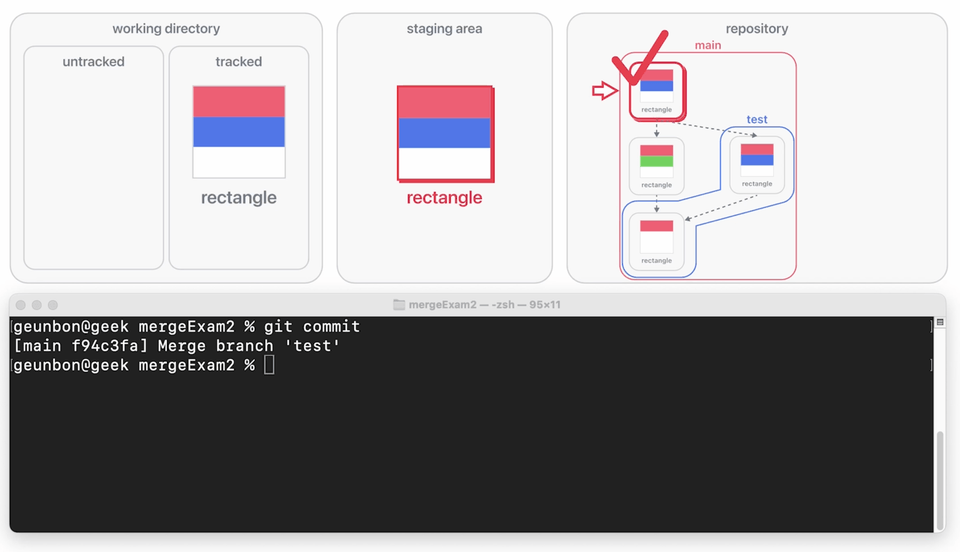
  • The command execution results are shown in pictures, making it much easier to follow along!


👁 Easy and intuitive learning

  • 75% of our brain is specialized for processing visual information. 90% of Geunmongit's lecture materials are composed of diagrams, making them even easier to understand!


📖 Comprehensive course materials worth 1700 pages provided

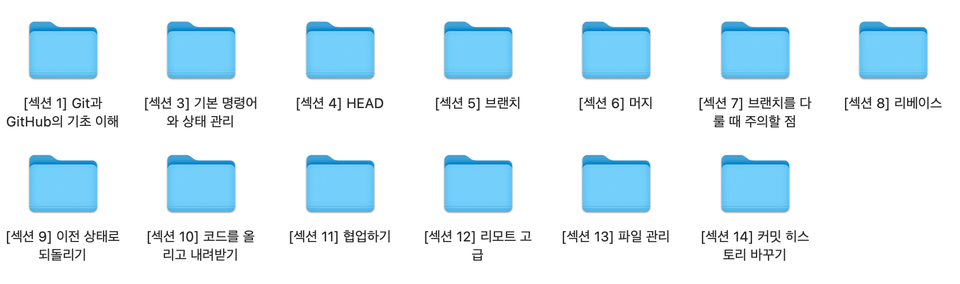
  • It includes 1700 pages of lecture materials that explain Git's operating principles step by step in detail. It's designed so you can understand each page in just 5 seconds, and 90% consists of diagrams, making it easy and quick to grasp even complex concepts. Additionally, we've organized it by sessions so you can quickly find the content you want!


💬 Active Community Management

  • Do you have any Git-related questions? Don't wait, ask your question right away and get an answer!

After taking the course

You can resolve 99% of Git errors on your own.
💪You'll be able to use Git as skillfully as your team leader.

Pre-enrollment Reference Information

  • The course materials are provided in PDF format.

  • The classes are conducted based on Mac, but Windows users can also follow along without any issues.

  • The course is conducted based on CLI(Command Line Interface).

  • No prior knowledge is required.

  • The course content was reviewed and updated to match the latest versions of Git and GitHub on January 10, 2025.


Recommended for
these people

Who is this course right for?

  • For those who learned git but are still confused.

  • A git beginner who wants to learn git properly the first time and doesn't want to waste time wandering through YouTube or blogs.

Need to know before starting?

  • No prior knowledge is required.

Hello
This is

1,375

Learners

139

Reviews

50

Answers

4.9

Rating

2

Courses

저는 대학생시절 친구와 함께 창업하는 과정에서, 개발에 처음 입문하였습니다.

그때는 프로그래밍을 혼자서 공부하다보니, 어려움을 많이겪었습니다.
어디서부터 공부해야 할지 몰랐고,
어느 정도로 깊게 공부해야 할지도 몰랐습니다.
그래도 맨땅에 해딩하듯(?), 4년간은 개발에만 몰두했네요.

돌이켜보면,
의미있는 시간이기도 했지만 아쉬움도 많이 남습니다.
누군가 옆에서 공부하는 방법을 제대로 알려주었다면,
시간을 훨씬 더 효율적으로 쓸 수 있겠다는 아쉬움말입니다.

개인적인 의견으로는,
개발을 처음 시작할 때는 여러 분야를 얕게 공부하는게 중요하다고 봅니다.
한 번 경험해보는거죠.

그 이후라면 깊게 공부해야 합니다.
다시 말해, 원리를 제대로 알아야 한다는 내용입니다.
원리를 모르면, 다양한 사례에 대응하기 힘들기 때문이에요.

하지만 원리는 어려워요.
원리를 공부한다고 생각하면 시작부터 부담스럽습니다.

그러나 저와 함께라면 그런 걱정은 하지 않으셔도 됩니다.
과거의 저에게 알려준다는 마음으로 강의를 준비했습니다.
모든 원리를 그림으로 쉽게 표현했고.
빠른 시간 안에 제대로 배우실 수 있도록 수업을 만들었습니다.

여러분의 시간이 소중한 만큼, 강의 하나 하나에 정성을 다했습니다.
강의 자료의 그림이 이해하기 쉬운가.
원리를 설명하는 그림이 모든 사례를 대변하는가.
이 내용이 더 나은 개발자로 성장하는데 꼭 필요한 내용인가를 고민하며,
엑기스를 짜내듯 강의를 만들었습니다.

여러분의 성장을 응원하며,
저의 작은 손길 하나가 여러분께 도움이 되었으면 합니다.

감사합니다.

Curriculum

All

48 lectures ∙ (8hr 9min)

Course Materials:

Lecture resources
Published: 
Last updated: 

Reviews

All

80 reviews

5.0

80 reviews

  • juhylee님의 프로필 이미지
    juhylee

    Reviews 1

    Average Rating 5.0

    5

    98% enrolled

    It's crazy. It's awesome. It couldn't be clearer.

    • geubon
      Instructor

      Hello, juhylee :) Thank you so much for your review. Thanks to your words, juhylee, I feel like all the hard work I put into making the lecture has been rewarded. Thank you so much. I will always try to make good lectures!

  • shinyeoneui3715님의 프로필 이미지
    shinyeoneui3715

    Reviews 2

    Average Rating 5.0

    5

    35% enrolled

    I purchased and took several lectures on Git from Inflearn, but as the lectures progressed, I couldn't understand them, so I purchased this lecture again. I'm embarrassed to say that until now, I've been mechanically typing git add and git commit without knowing why those processes are necessary. However, through this lecture, I was able to understand the principles of Git. It was very helpful. Thank you.
    • geubon
      Instructor

      Hello, shinyeoneui! I'm so happy that my lecture was helpful 😊😊 Thank you so much for your kind words. If you have any questions about Git in the future, please feel free to contact me! 🥰

  • ksg님의 프로필 이미지
    ksg

    Reviews 2

    Average Rating 5.0

    5

    100% enrolled

    This is a really essential class before you start working. It covers everything that will be helpful in the workplace. I signed up for the class because of the intuitive illustrations, but the most helpful thing was the core and basic content that is often not covered well, but is essential to understanding the subject.

    • geubon
      Instructor

      Wow.. a must-take class before getting a job..! Thank you for the great advice!! (Actually.. I think so too 😊😊) Always rooting for you, Seunggu Kang! Fighting!

  • dengo님의 프로필 이미지
    dengo

    Reviews 13

    Average Rating 4.5

    5

    85% enrolled

    This is the first lecture I've ever thought of leaving a review for. I ended up using Git in my work, and it was difficult to study alone, so I chose this lecture. It's a really, really satisfying lecture, with pictures explaining the internal structure. If the instructor's other lectures come out, I think I'll choose them without hesitation and take them. Thank you for creating such a great lecture.

    • geubon
      Instructor

      Hello, 별다방님 :) Thank you so much for your kind words. 🥺 I'm so happy to be able to help you in your work, and more than anything, it's a great reward. I'm a very small part of 별다방님's developer journey, but I'll do my best to be of help. (It's just a lecture...) Because of my persistence in creating a work of art.. It took me quite a long time to create this short, 8-hour lecture. In the future, even if it takes a little more time, I'll make it properly with this mindset. Lastly, Thank you so much for taking the fundamental Git class, and I sincerely congratulate you on completing it. 🎉

  • dev8653님의 프로필 이미지
    dev8653

    Reviews 2

    Average Rating 4.0

    5

    79% enrolled

    The best lecture I've ever heard

    • geubon
      Instructor

      Hello, dev :) Wow.. high praise.. thank you! I will always try to make good lectures. Have a happy new year 🥰

$42.90

geek's other courses

Check out other courses by the instructor!

Similar courses

Explore other courses in the same field!