


inflearn logo
inflearn logo

@Sico - Learn Git Properly (Beginner-Intermediate)

This is a Git course designed to help you become a top-tier web developer through in-depth lessons. By the time you complete the course, you will have a deep understanding of the essence of Git, allowing you to master this essential developer skill and use it with proficiency.

70 learners are taking this course

Level Basic

Course period Unlimited

Git
Git
GitHub
GitHub
github-actions
github-actions
Git
Git
GitHub
GitHub
github-actions
github-actions
날개 달린 동전

Recommend Course to grow and earn commission!

날개 달린 동전

Marketing Partners

Recommend Course to grow and earn commission!

What you will gain after the course

  • A complete understanding of Git's core principles and advanced commands frequently used in practice.

  • Practical Application of Collaboration-Focused Git Branching Strategies (revert, stash, rebase, etc.)

  • The standard for resolving conflicts, rewriting commits, and managing history in practice.

  • Git Mastery Strategies for Open Source Contribution and Large-Scale Projects

From basics to advanced

Git: Piercing Through the Essence

🧐What is different?

This course is a systematically structured curriculum designed to help you master Git not just as a "tool for saving and pushing," but as a powerful version control and collaboration tool in practice!

Internalize branch strategies, conflict resolution, and commit history management—which are easy to get stuck on when studying alone—through clear theory and hands-on practice.

This will be an opportunity to master practical Git, GitHub, and GitHub Actions skills online, using the exact same methods proven in real-world offline corporate training.

✍ What will you learn?

Refining Git Core Concepts

You will gain a deep understanding of the fundamental operating principles of Git, including commits, branches, merges, and rebases.

Rather than simply memorizing commands, you will come to understand how Git works internally.

This is a practice-oriented course that focuses on solving real-world collaboration problems using Git.

Git Practical Collaboration Strategy

It covers practical Git collaboration strategies, such as branch strategies and conflict resolution methods during collaboration.

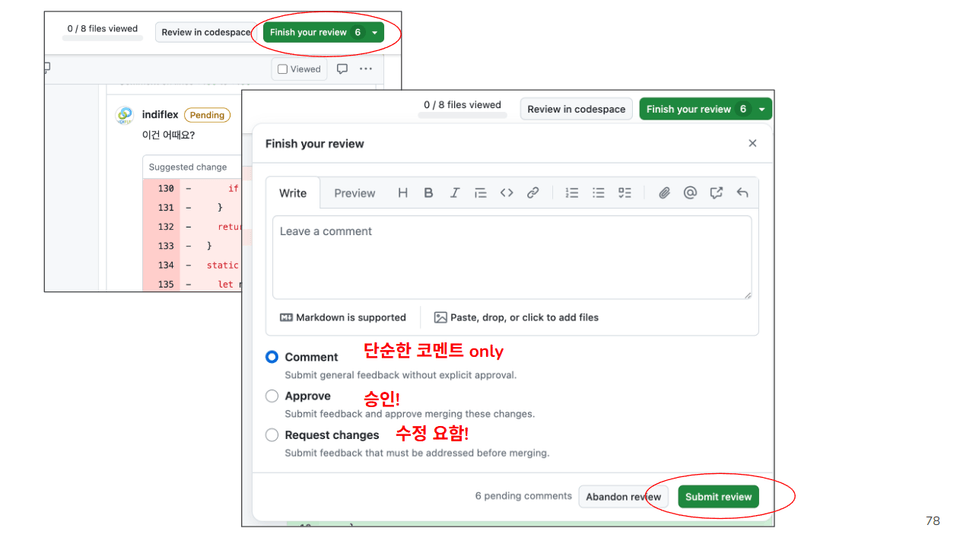
You will learn the actual workflow of pull request-based collaboration and review strategies exactly as they are used in the field.

Advanced Git Usage

Master advanced Git features such as rebase, squash, and revert to design and maintain commit histories.

Git Branching for Real-World Practice

You will learn branch strategies and workflow designs frequently used in actual team collaboration, such as feature development, bug fixes, and code reviews.

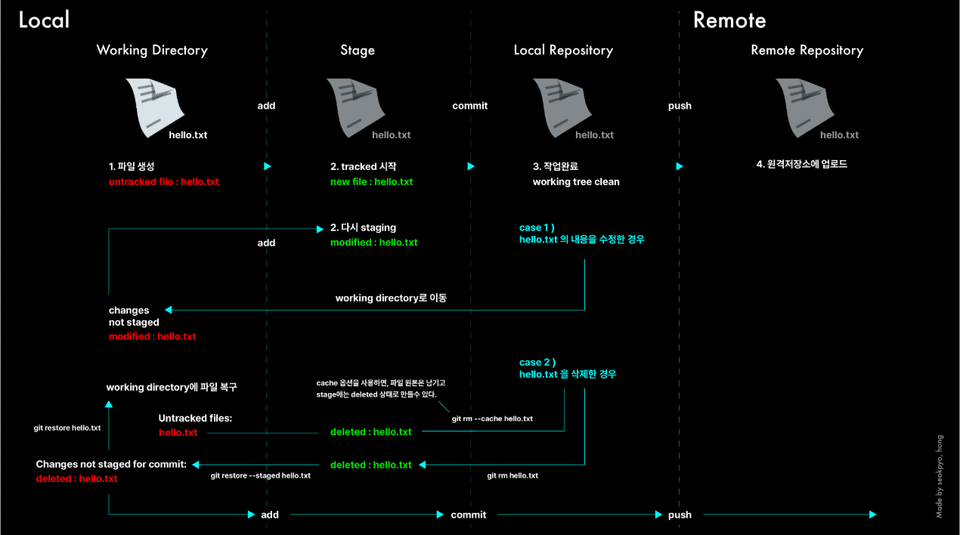
About Git restore...

🤔 How does it work?

We provide slide-based Git textbooks containing core concepts along with hands-on practice materials.

Instead of simply typing in commands, we explain the internal structure and operating principles of Git by drawing them out.

We simulate real-world scenarios encountered in practice (conflicts, rebasing, collaborative branching strategies, etc.) and practice the problem-solving process together to master in-depth usage.

📖Course Curriculum

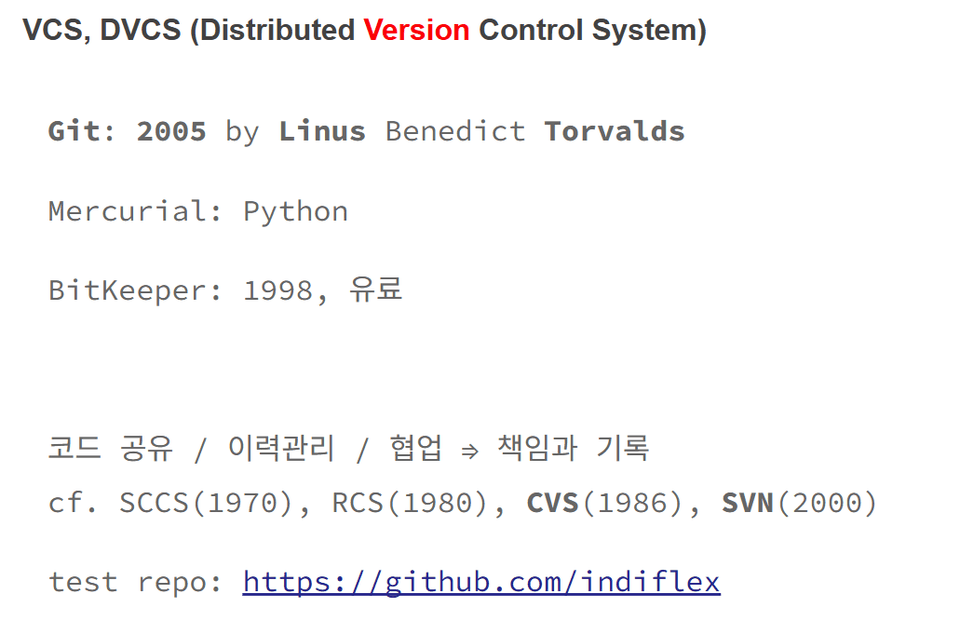
The background of Git's creation and the philosophy of distributed version control

It's not just about learning a tool,

It starts with understanding the essence of Git.

The internal structure of Git and

core concepts such as commits, branches, and rebasing

By visualizing and experimenting directly

Learn by doing.

Through hands-on exercises
that are actually used in practice

Learn in a practical way

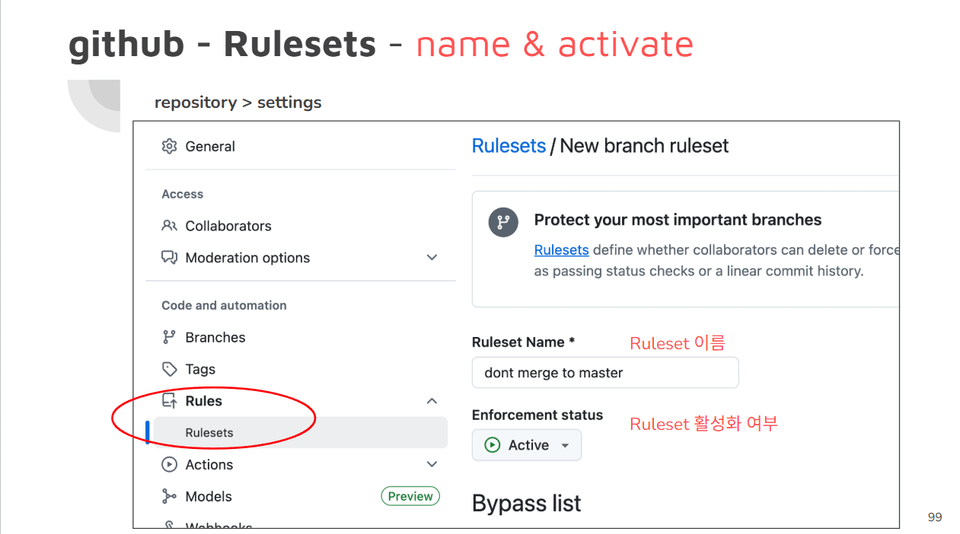
Even how to utilize GitHub
From developing alone to creating with a team

Grow as a developer

📚Curriculum

  1. Basic concepts and applications of Git

  2. Git status and location

  3. git push & pull (feat. linux commands)

  4. Learning Git Command Basics (rm, restore)

  5. git rm , restore

  6. git restore

  7. git branch

  8. git branch practice problem solutions

  9. git remote prune origin

  10. git stash

  11. git merge & clean

  12. git rebase (feat. squash)

  13. git reset

  14. git revert & tag

  15. git flow & github action

  16. git PR and Contributor Guide

  17. git PR & Practice

  18. Git Final Summary

  19. Best Practice in a Project

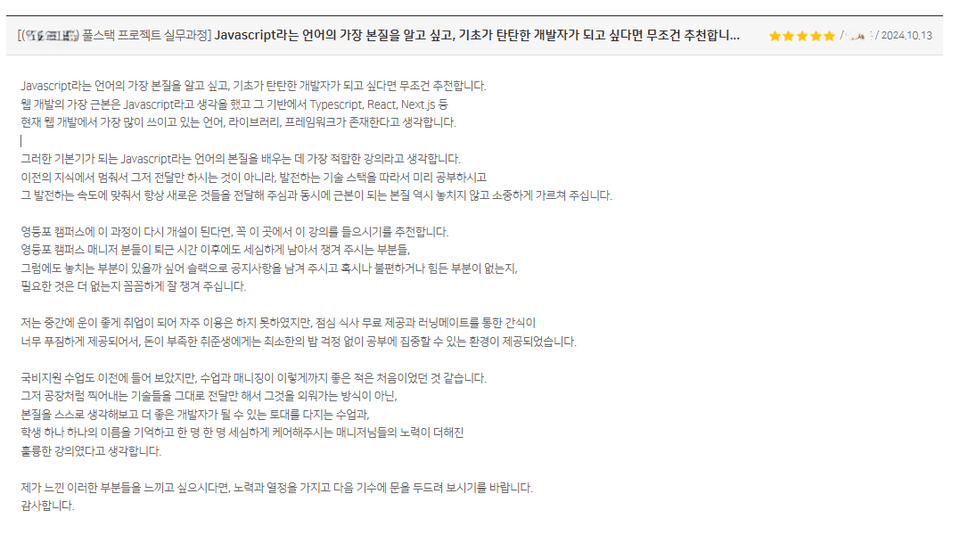
😊 Actual reviews from offline classes

Just typing in code

what programming is, rather than just

feel what it is

Time available

Thanks to this, I am currently employed

Even at the company, the teacher

The knowledge you shared

using it usefully

There is

A heartfelt review from a student

Recommended for
these people

Who is this course right for?

  • Developers who have learned Git multiple times but are still afraid of it and avoid the terminal

  • Practitioners who use Git but frequently get stuck on merge conflicts and branch strategies during collaboration.

  • Those who know the names of things like rebase and stash but don't know how to use them accurately.

  • Those who dream of becoming a top 1% developer who knows how to design development history beyond just version control.

Need to know before starting?

  • Experience using basic Git concepts (commit, push, pull, etc.) at least once or twice.

  • Basic experience using Git-based tools such as GitHub or GitLab

  • Basic experience using CLI (Command Line Interface)

Hello
This is seniorcoding

3,572

Learners

120

Reviews

23

Answers

4.8

Rating

6

Courses

- Daum Kakao Development Team Lead (8 years)

- IT corporate development and startups (14 years)

- He runs the YouTube channel 'Senior Coding,' where he provides development-related technology lectures, and currently has approximately 17,000 subscribers.

https://www.youtube.com/c/SeniorCoding 

More

Reviews

Not enough reviews.
Please write a valuable review that helps everyone!

seniorcoding's other courses

Check out other courses by the instructor!

Similar courses

Explore other courses in the same field!

$26.40