
inflearn logo

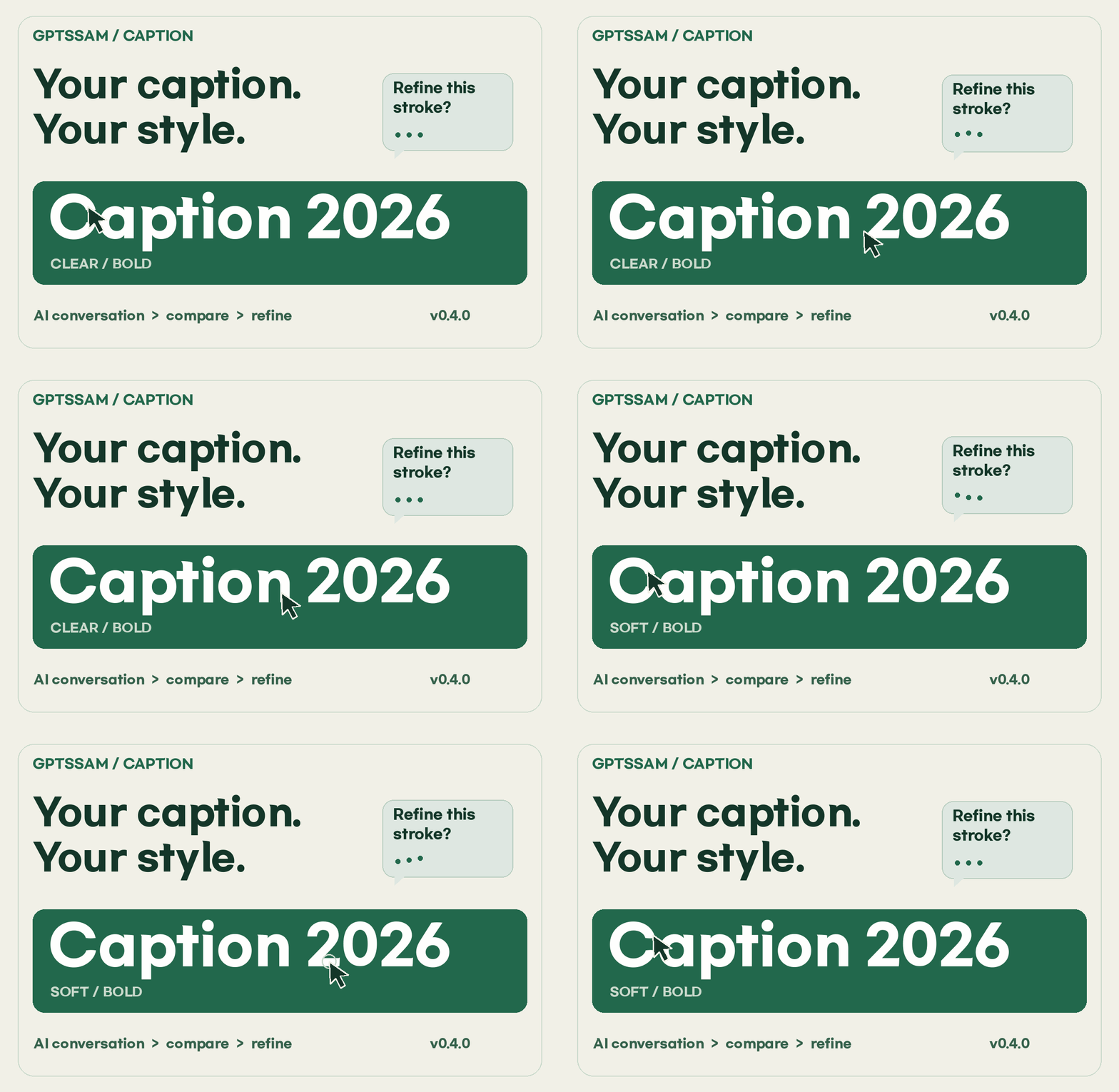
Create my channel’s subtitle font by talking with AI

After narrowing down revision requests through actual conversations and trial and error, I use the provided production kit to create and inspect TTFs derived from four-character Korean, English, and numeric sets. I compare them using the same sentence and follow an actual CapCut application example to complete my subtitle project.

1 learners are taking this course

Level Beginner

Course period Unlimited

Content Creation
Content Creation
AI
AI
prompt engineering
prompt engineering
Content Creation
Content Creation
AI
AI
prompt engineering
prompt engineering

What you will gain after the course

  • Write an AI prompt that separates the structure to retain, the strokes to change, and the verification conditions.

  • Using the provided Python creation kit, expand the scope from four characters to Korean vowels, representative English letters, and numbers.

  • Checks the width, mapping, license, and file verification values, and records the reasons for exceptions and holds.

  • Compare the size and outline of the same text and apply the selected TTF to the editor.

  • Preserve the original and official v0.4.0, and complete your project’s reproducibility, deployment, and recovery bundle.

Recommended for
these people

Who is this course right for?

  • A video creator who wants to add personality to their channel’s subtitles

  • For those unsure how to request revisions to the first result generated by AI

  • Those who want to compare fonts using the same sentences and conditions and leave the reasons for their choices

Need to know before starting?

  • Basic comparison: desktop browser and decompression, three sentences to compare. A paid AI subscription is not required.

  • Production after Lesson 4: An environment where Python installation and terminal command execution are possible. Instructions and AI prompts are provided. Verified on macOS/Python3.14.4; Windows commands are for guidance only. Application in Lesson 9: A video editor that supports custom fonts. The actual demonstration uses CapCut on macOS and does not cover every video editor.

Hello
This is gptssam

72

Learners

3

Reviews

3.7

Rating

7

Courses

I’m GPT Teacher, researching and building AI agent workflows and content automation systems.

After implementing and validating trending global AI technologies and workflows firsthand, I teach them so that even non-developers can reproduce the same setup on their own computers in just 10 minutes by sharing the execution logs, prompt specifications, and open-source starter kits as complete files. Instead of making exaggerated promises about views or revenue, I show you with data and code what actually worked and how it was validated.

[Key Research and Course Areas]

  • Building AI Agents & a Second Brain: Knowledge compilation and workflow automation based on Claude Code · Google Antigravity · Karpathy LLM Wiki

  • AI video and content production systems: Fact-checking and automated rendering pipelines combining Google Flow (Veo), TTS, and agents

  • Integrity verification automation: A lint pipeline that comprehensively checks broken links and factual accuracy across scripts, wikis, and data

[Official Channels and Open-Source Practice Lab]

More

Reviews

Not enough reviews.
Please write a valuable review that helps everyone!

gptssam's other courses

Check out other courses by the instructor!

Similar courses

Explore other courses in the same field!

Limited time deal

$77.00

24%

$102.30