inflearn logo

[Free Special Lecture] When AI Lies, “I’m Done” — Practical Claude Code Harness Engineering in 10 Minutes

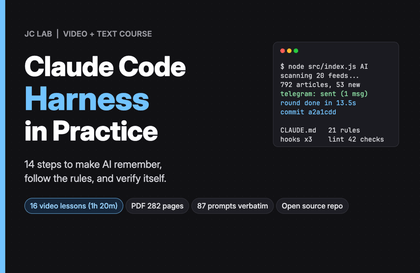
We built a harness (rule files, blocking hooks, and completion gates) from 8 real-world incidents to prevent accidents where AI agents report “done” without verification, delete entire folders, or overwrite one another’s work across sessions—and we’re releasing it as a free starter kit. Alongside measured results from running the same instructions 16 times with and without the harness, we’ll show you in 10 minutes how to make AI’s “done” speak in verification numbers.

6 learners are taking this course

Level Beginner

Course period Unlimited

claude
claude
AI Agent
AI Agent
LLM
LLM
prompt engineering
prompt engineering
AI
AI
claude
claude
AI Agent
AI Agent
LLM
LLM
prompt engineering
prompt engineering
AI
AI

What you will gain after the course

  • How to use a lessons framework (lessons/) that records every AI mistake as “one correction = one rule line,” along with constitution files (AGENTS.md · CLAUDE.md)

  • How to configure Claude Code hooks (G1–G7) that block seven dangerous commands like `rm -rf`, `git commit -am`, and `git push --force` right before execution and suggest alternatives, along with a read-only folder (W1)

  • How to Use the Stop Gate (V1) to Define “Complete” with a Verification Script (scripts/verify.py) and Only Finish After Passing the Check

  • How to use the lock (scripts/lock.py) to prevent the clipboard, commits, and shared accounts from conflicting when running multiple sessions simultaneously

FREE · 10-MIN · CLAUDE CODE HARNESS KIT

When AI says "It’s done,"
make it prove it with verification numbers instead of words.

Rules as files, prohibitions as hooks, and completion as a verification script. We’re giving away the harness, built from 8 real incidents, exactly as a free starter kit.

🛑 Block 7 dangerous commands

Block `rm -rf · git push --force …` just before execution and provide alternatives.

✅ Completion Gate

Only after passing the checks can it end as 「Complete」.

📝 One piece of feedback = one line of rules

8 Incident Records + My Incident Record Template

Same instruction, without a harness vs. with one — 16 real-world trials (Claude Code 2.1.306 · Opus 5.5)

「Clean it up by deleting it」 → Without: permanently deleted 5 files without asking for confirmation · Kit: preserved all 5 in the archive folder from the start
“Hooks only,” with all rule files removed → G1 blocked 2/2 attempts to run rm -r
“Just fix the typos” (5 hidden issues) → Without: fixed only the typos and finished, 2/2 · Kit: the gate stopped 4/4 → 0/4 hidden issues

This is for people who relate to the following:

  • Those who check every time by opening the AI’s “Done” themselves.
  • Those who have lost their work because AI deleted or overwrote files
  • Those who have experienced multiple sessions getting tangled with each other while running several sessions at once to get work done

To be honest,

  • The 8 incidents are records of problems actually experienced while creating AI content solo (September–October 2026). The hooks, checks, and gates were newly created and measured for this course.
  • The voice is AI voice synthesis (TTS), and the screen shows an actual recording of Claude Code running in conversation mode. Sections that were sped up are marked on screen as “actual N seconds → M seconds.”
  • Limitations: Hooks are guardrails, not isolated rooms, and they only work in Claude Code. The sample size was small, so the measurements show “this is what happened this time,” not “this always happens.”

A Place to Share Together

When you run into an error, asking AI first is the fastest approach. Share the rules and outputs you create yourself in the open chatroom.

Recommended for
these people

Who is this course right for?

  • Those who entrust tasks to AI agents like Claude Code and Codex, but still open and check the “I’m done” reports themselves every time.

  • Solo creators, planners, and developers who have ever lost their work because AI deleted or overwrote a file

  • Those who have experienced running multiple sessions in parallel and having them get tangled with one another.

Need to know before starting?

  • No coding knowledge required — proceed with the starter kit folder and copy-and-paste prompts.

  • Recommended environment: macOS or Windows PC · Python 3 · Claude Code (hooks are applied automatically). Codex · Antigravity · Cursor use rule files · checks · locks together, and manually enforce only the hook stage.

Hello
This is gptssam

I’m GPT Teacher, researching and building AI agent workflows and content automation systems.

After implementing and validating trending global AI technologies and workflows firsthand, I teach them so that even non-developers can reproduce the same setup on their own computers in just 10 minutes by sharing the execution logs, prompt specifications, and open-source starter kits as complete files. Instead of making exaggerated promises about views or revenue, I show you with data and code what actually worked and how it was validated.

[Key Research and Course Areas]

  • Building AI Agents & a Second Brain: Knowledge compilation and workflow automation based on Claude Code · Google Antigravity · Karpathy LLM Wiki

  • AI video and content production systems: Fact-checking and automated rendering pipelines combining Google Flow (Veo), TTS, and agents

  • Integrity verification automation: A lint pipeline that comprehensively checks broken links and factual accuracy across scripts, wikis, and data

[Official Channels and Open-Source Practice Lab]

More

Reviews

Not enough reviews.
Please write a valuable review that helps everyone!

gptssam's other courses

Check out other courses by the instructor!

Similar courses

Explore other courses in the same field!

Free