inflearn logo

Create a Complete Brand Design Kit for Your Store with AI: From Product Pages and Thumbnails to Social Media with Canva AI and Claude (2026 Revised Edition)

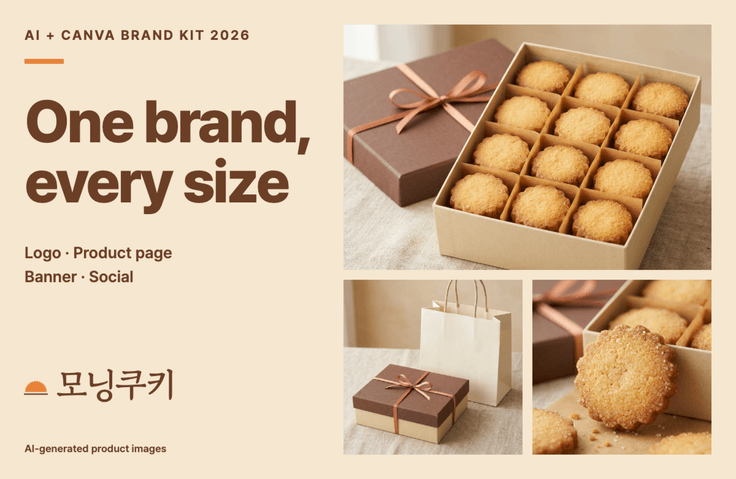
AI creates the first draft; I choose and refine. I shape my shop’s story with Canva AI and Claude, then bring the logo, colors, and fonts together in one brand kit to create product pages, thumbnails, banners, and social media cards with a consistent look.

2 learners are taking this course

Level Beginner

Course period Unlimited

canva
canva
product details webpage
SmartStore
SmartStore
claude
claude
AI
AI
canva
canva
product details webpage
SmartStore
SmartStore
claude
claude
AI
AI

What you will gain after the course

  • Use Claude to organize your store’s story, tone of voice, and customers into a “One-Page Brand Summary.”

  • Use Canva AI to generate and refine logo concepts, then add three colors, two fonts, and your brand voice to a single brand kit.

  • Clean up product photos by removing backgrounds and adjusting brightness, and generate images with AI when photos aren’t available (including checks for commercial use and copyright).

  • Generate a draft of a product detail page with AI, adapt it to your brand kit, review it on your phone, and export it in Smart Store format.

  • Resize thumbnails, banners, social media cards, and carousel posts while keeping the same look, then check them against a pre-publication checklist.

Recommended for
these people

Who is this course right for?

  • Owners running a Smart Store, online shop, or small business without a designer.

  • For those who have product photos but want to try creating their own product detail pages and thumbnails.

  • For those who have tried Canva but struggle with their designs looking different every time they create one

  • For anyone who wants to choose a logo, colors, and fonts once and use them consistently across multiple designs.

Need to know before starting?

  • No prior knowledge is needed, and you don’t need any design experience. We’ll create a Canva account together in 0-2.

  • You’ll need a computer (Mac or Windows) and a browser. I’ll provide shortcuts for both.

  • You’ll need Canva Pro (₩9,900/month) to follow along with the brand kit, background removal, and resizing. You can get started with a free Claude account.

Hello
This is codingai

641

Learners

61

Reviews

30

Answers

4.3

Rating

11

Courses

Hello! I'm Ake, a planner with 20 years of experience and an expert in AI coding and Figma.

I have been planning web and app services and working as a PM for 20 years. I am also an expert in AI-assisted coding and UI/UX planning using Figma.

Introducing AI tools like Claude and ChatGPT into the planning process has innovated the way I work. Target analysis and persona creation, which used to take days, have been shortened to just a few hours, and by combining Figma with AI, anyone can now create professional-level planning documents.

I have accumulated know-how in utilizing AI throughout the entire process from planning to development, and I have personally experienced how it enables faster and more efficient service development.

Now, I want to share with you the planning expertise and AI proficiency I have accumulated over the past 20 years. Let’s take the first steps toward a new way of service development—from planning to execution—together with AI.

Service planning and development used to be complex and difficult, but now anyone can do it with AI!

More

Curriculum

All

26 lectures ∙ (2hr 24min)

Course Materials:

Lecture resources
Published: 
Last updated: 

Reviews

Not enough reviews.
Please write a valuable review that helps everyone!

codingai's other courses

Check out other courses by the instructor!

Similar courses

Explore other courses in the same field!

Limited time deal

$433,619.00

68%

$51.70