

inflearn logo

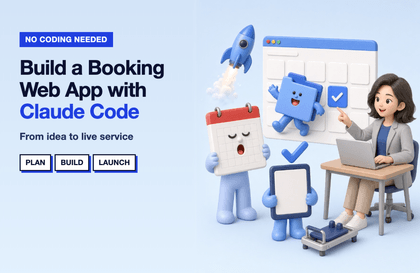
Three Hours Without Coding Knowledge or Installation: Your First Step into Vibe Coding—Build It with Words and Publish It at a Real URL

Without any installation or code, we’ll create everything in just 3 hours by telling Claude what to do: from a store introduction page → an order calculator → a store website with a real address → a site that accepts order requests.

1 learners are taking this course

Level Beginner

Course period Unlimited

GitHub
GitHub
No-code
No-code
vercel
vercel
supabase
supabase
prompt engineering
prompt engineering
GitHub
GitHub
No-code
No-code
vercel
vercel
supabase
supabase
prompt engineering
prompt engineering

What you will gain after the course

  • Write the five elements of instructions that make Claude do exactly what you want.

  • Create pages and small tools within the chat and share them via links.

  • Before creating it, decide on a one-page plan and a list of screens together with Claude.

  • Create a website with Claude Code Web and publish it at a real Vercel URL.

  • Connect the application form to the business owner list screen, and handle secrets and errors calmly.

Recommended for
these people

Who is this course right for?

  • Those curious about “vibe coding” but intimidated by terminal and installation screens

  • Anyone who wants to build a small website themselves for their store, group, or work

  • Those who want to have a finished result in hand today instead of taking a long course

Need to know before starting?

  • No prior knowledge is required. You don’t need to know coding or development terminology. Whenever a term appears for the first time, it will be explained in one line.

  • All you need is a computer (works on both Mac and Windows) and an internet browser. There’s no software to install.

  • Claude (claude.ai) account — Sections 1~3 can be started with the free plan, while Claude Code web in Sections 4~6 requires a paid plan (Pro or higher) (as of October 2026).

  • GitHub, Vercel, and Supabase accounts — the free plans are sufficient for all of them (we’ll sign up together during the course).

Hello
This is codingai

768

Learners

90

Reviews

30

Answers

4.3

Rating

9

Courses

Hello! I'm Ake, a planner with 20 years of experience and an expert in AI coding and Figma.

I have been planning web and app services and working as a PM for 20 years. I am also an expert in AI-assisted coding and UI/UX planning using Figma.

Introducing AI tools like Claude and ChatGPT into the planning process has innovated the way I work. Target analysis and persona creation, which used to take days, have been shortened to just a few hours, and by combining Figma with AI, anyone can now create professional-level planning documents.

I have accumulated know-how in utilizing AI throughout the entire process from planning to development, and I have personally experienced how it enables faster and more efficient service development.

Now, I want to share with you the planning expertise and AI proficiency I have accumulated over the past 20 years. Let’s take the first steps toward a new way of service development—from planning to execution—together with AI.

Service planning and development used to be complex and difficult, but now anyone can do it with AI!

More

Curriculum

All

25 lectures ∙ (3hr 12min)

Course Materials:

Lecture resources
Published: 
Last updated: 

Reviews

Not enough reviews.
Please write a valuable review that helps everyone!

codingai's other courses

Check out other courses by the instructor!

Similar courses

Explore other courses in the same field!

Limited time deal

$13,200.00

70%

$34.10