Learn Spring Boot Actuator faster than anyone else
Neo
Learn Spring Boot Actuator faster than anyone else Learn about Spring Boot Actuator and monitoring

Beginner
Java, Spring, Spring Boot
Building a TodoList with Claude + IntelliJ - Complete MCP Mastery Master the workings of MCP by creating a TodoList with Claude and IntelliJ!
723 learners
Level Beginner
Course period Unlimited
Reviews from Early Learners
5.0
디지털노마드
I highly recommend this for development beginners who want to quickly experience MCP. I recommend this for anyone who wants to take a quick look. You must watch it. One slightly disappointing aspect is that it might be a bit challenging for complete beginners who don't know anything about coding to follow along. If the initial environment setup section could be updated with more detailed content than it currently has, I think beginners would be able to follow along well too. Anyway, it was a good experience.
5.0
마로 이
This is a really great guide for someone using mcp for the first time.
5.0
tjqwns9282
This looks like a great introductory course for coding with Claude Code vibe through MCP servers~
MCP
Claude
IntelliJ
"Creating a TodoList without writing a single line of code??"
Now it's possible. In this course, we'll use MCP (Model Context Protocol) technology to integrate Claude with IntelliJ and create a TodoList together that completes everything from server to front-end with just text to Claude, without writing a single line of code.
MCP, Spring Boot, Kotlin, Clone Coding, IntelliJ IDEA
No Coding! Development with Prompts Only
Project structure automatically generated in IntelliJ using Claude
From backend server to frontend UI full development With Claude
Even non-developers can do it! AI development practice that anyone can follow
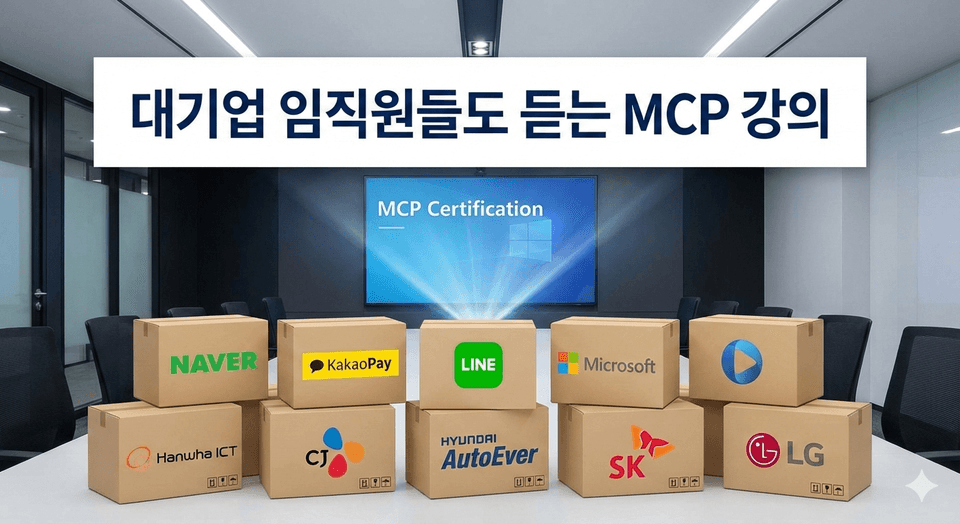
MCP course taken by employees of major corporations! (Based on student management information)
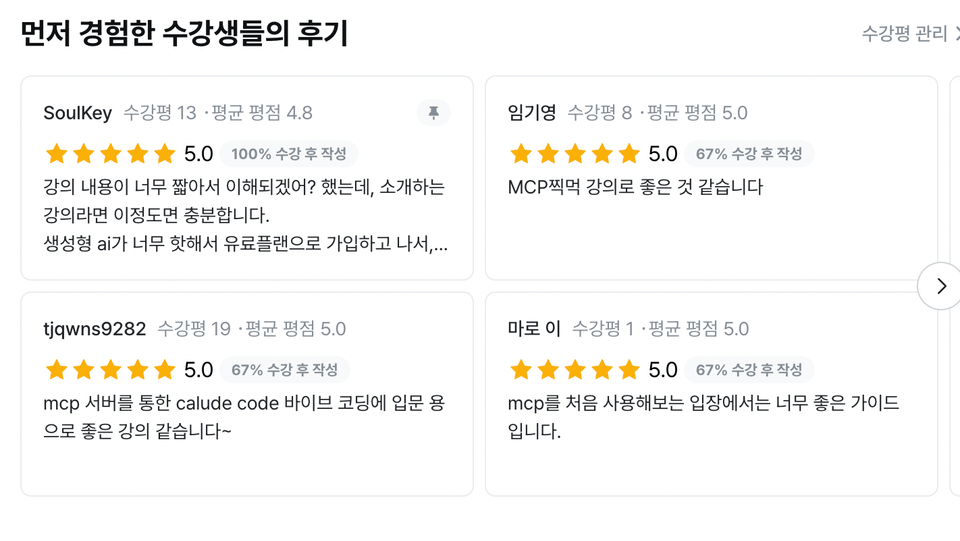
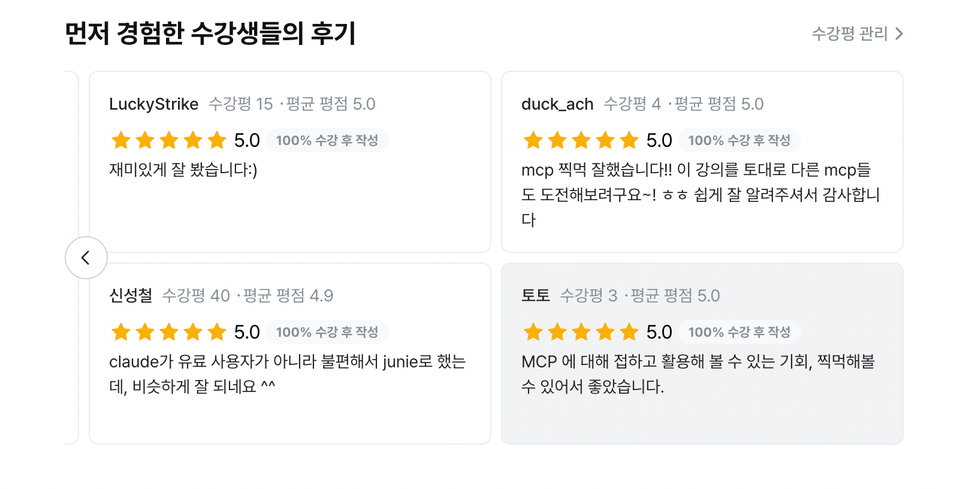
🥰 Reviews from grateful students 🥰
A completed TodoList web application
Claude + IntelliJ based MCP automation development template
The ability to confidently utilize AI in your development
The ability to quickly ask AI questions and receive answers
Through copy and paste with simply structured prompts
Quick and easy CRUD server development
(without writing a single line of code)
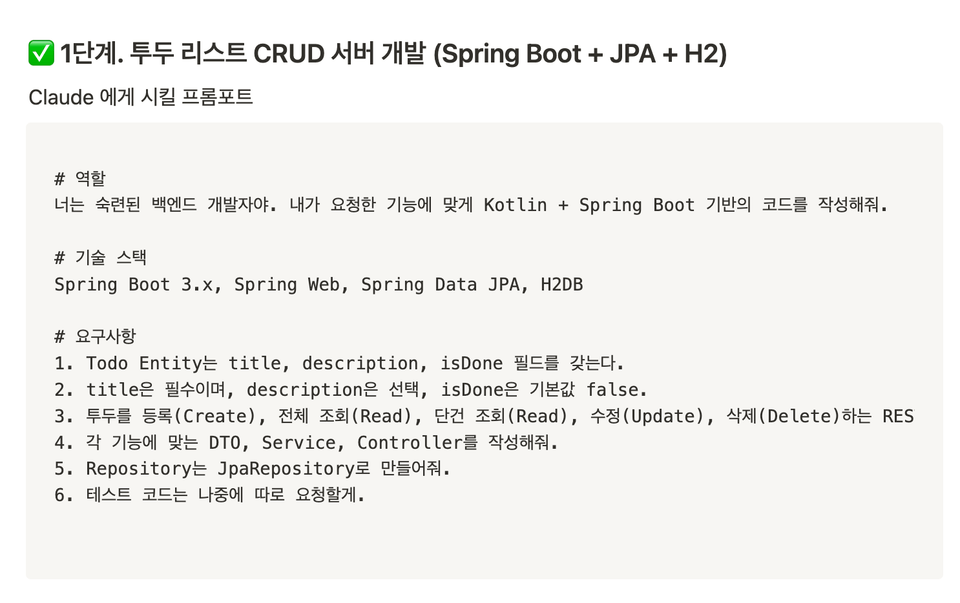
Server Development Prompt
Through simple copy and paste using prompts
Fast and convenient frontend development
(without writing a single line of code)
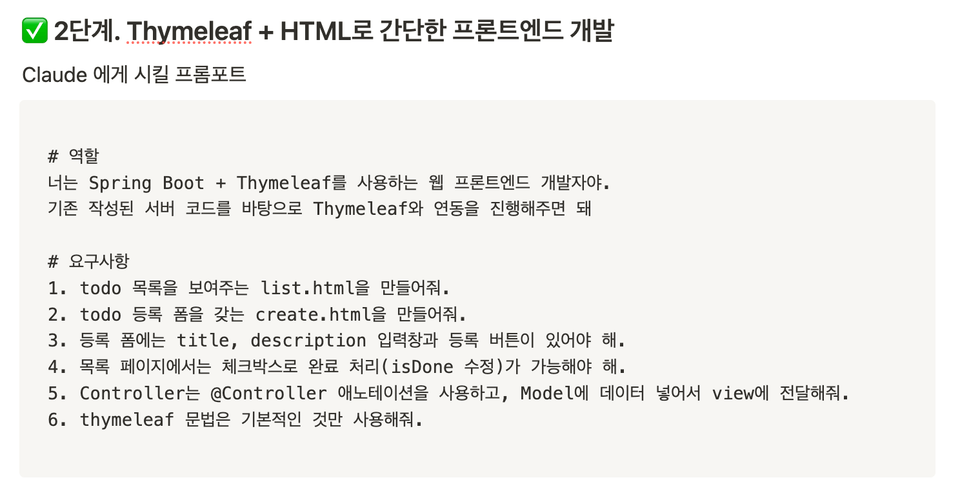
Frontend development prompt
As a server developer who primarily works with Kotlin, I create various development courses covering server development, deployment, Spring AI, and more.
I conduct lectures with simple and straightforward short sessions, focusing more on practical application rather than theory.
This is a site I made by applying what I learned from the lectures. Take a look!
Then check it out here!!!
(For other questions, please use the Q&A board! 🥰)
Q. Do I really not have to write any code at all?
Yes, it's real. In this course, you'll spend more time talking to Claude than using your keyboard.
With just natural language prompts like "Create an API to add a todo item," the backend gets built and the frontend gets set up. Of course, you can jump in and touch the code directly whenever you want, but AI writes the basic structure for you.
It's a new approach where you design with your mind and direct with prompts, rather than coding by hand.
Q. Doesn't Claude only understand English?
Great question! While Claude understands Korean quite well, in a development context, writing prompts in English is much more natural and produces better results.
However, the course provides Korean prompts for your easier understanding. It's literally like "giving you a prompt dictionary" as well.
Q. I'm already using IntelliJ. Why would I need this course?
That's exactly why you should take this course!
People use IntelliJ, but almost no one connects it with Claude.
In this course, I'll show you how to integrate IntelliJ's plugins with MCP features to transform your existing IDE into an AI development station.
The core of this course is about unlocking features you already have the tools for but have never properly used.
Claude (free version), IntelliJ (Ultimate but Community is also fine), MacOS
Notion link provided
It would be good if you have some experience working with AI.
It would be even better if you have experience with server development.
It would be even better if you know the theory about MCP.
Who is this course right for?
For those who want to try using MCP
For those who want to experience coding using AI
Need to know before starting?
Basic Setup Knowledge

Career Verified
4,170
Learners
457
Reviews
65
Answers
4.7
Rating
35
Courses
Hello! I am Neo, an instructor here at Inflearn.
My goal is to make various development technologies that are not commonly encountered accessible to many people.
Therefore, I aim to design a curriculum focused on practical application rather than a simple list of theories, providing hands-on lectures that allow for learning without troubleshooting hurdles.
I am structuring the content with a light and friendly approach so that even beginners can follow along without burden, focusing particularly on lowering the barrier to entry for knowledge.
Sometimes, I also work on lectures together with like-minded people!
For collaboration and other business inquiries, please contact yeseong0412@gmail.com!
All
8 lectures ∙ (55min)
5. What is MCP?
08:01
All
93 reviews
4.5
93 reviews

Reviews 13
∙
Average Rating 4.8
5
Will I understand it? I thought the lecture content was too short, but for an introductory lecture, this is sufficient. After subscribing to a paid plan because generative AI is so hot, I thought Claude was useless compared to ChatGPT, but it turned out Claude had one more strength. I hope you create another course with content that goes beyond the introductory level.

Reviews 6
∙
Average Rating 4.7
5
This is a lecture where you can learn the concepts of MCP!
Thank you, JINNY, for taking my other courses and leaving a review! Have a great day!

Reviews 4
∙
Average Rating 5.0
5
Oh, is that really necessary?
Thank you for taking the course! Your straightforward review brought a smile to my face on my way to work. haha

Reviews 11
∙
Average Rating 4.8
5
I had only heard about MCP, but using it by connecting to Claude this time allowed me to learn a lot. However, I struggled with the initial setup because some parts of the MCP Server connection process have changed, and the path IntelliJ reads was different. Once I resolved those issues and finished the lecture, I found it very helpful. Thank you for the great lecture.
Thank you for listening to the lecture!! I think I'll need to work on the settings part a bit more..ㅠㅠ Thank you!
Reviews 21
∙
Average Rating 5.0
Check out other courses by the instructor!
Explore other courses in the same field!









![[VLM101] Building a Multimodal Chatbot with Fine-tuning (feat.MCP / RunPod)Course Thumbnail](https://cdn.inflearn.com/public/files/courses/337551/cover/01jzjdkw9evbt245h3w2mdfs2r?w=420)
![[CLI, MCP] An Idle Unity Game Made with AICourse Thumbnail](https://cdn.inflearn.com/public/files/courses/343716/cover/01kzre6epavjnb1gk13svtewvq?w=420)