
inflearn logo

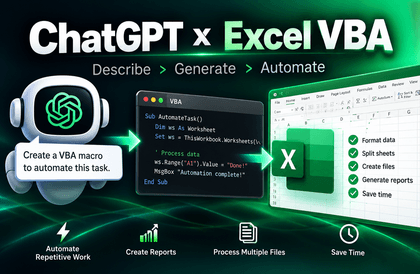
ChatGPT × Excel Practical Applications: Business Automation for Everyone to Start Easily

This covers how to properly use the new game-changer "ChatGPT" for "Excel utilization." You can learn how to create Excel formulas needed for practical work, easily understand Excel functions, and even write macros and VBA coding using ChatGPT.

(5.0) 12 reviews

60 learners

Level Basic

Course period 12 months

Excel
Excel
VBA
VBA
ChatGPT
ChatGPT
Excel
Excel
VBA
VBA
ChatGPT
ChatGPT

What you will gain after the course

  • Intermediate-level users who have some knowledge of Excel functions but struggle with writing formulas.

  • Practitioners who want to create and utilize macros and VBA code for their work using ChatGPT

Mastering ChatGPT & Excel Advanced Techniques

Through this course, you can learn advanced techniques that can be immediately applied to practical work, ranging from Excel functions and formulas to VBA automation using ChatGPT.

  • You can maximize efficiency in complex data processing, report writing, and automating repetitive tasks.

  • It can be applied immediately in various fields such as office administration, data analysis, management support, accounting, and education.

Course Overview

ChatGPT meets Excel, changing the game of work!

This course is designed to help you master ChatGPT's generative AI technology for Excel functions, formulas, and even VBA automation all at once. Beyond simply learning the fragmented features of Excel or ChatGPT, you will acquire practical skills to solve complex tasks quickly and accurately alongside ChatGPT.

  • You know many Excel functions, but have you found it difficult to write formulas that combine multiple functions?

  • Have you wanted to try VBA automation but felt too intimidated to start?

  • Have you been wondering how to utilize ChatGPT for your Excel tasks?

This single course is all you need.

Learning Objectives

  • Develop the ability to generate and modify Excel functions, formulas, and VBA codes required for work using ChatGPT.

  • Learn practical skills to increase work speed and efficiency by automating repetitive tasks.

  • Take a step further as an Excel expert by practically integrating AI into your work.

  • Develop AI-based problem-solving skills to independently resolve and improve issues with functions, formulas, and automation.

5 Features of This Course

  1. Thoroughly practical! — Composed only of examples that can be used immediately in the field.

  2. Practical Application Using ChatGPT — We provide more than just simple explanations or theories; we guide you through the actual prompts to enter into ChatGPT.

  3. Unconditionally easy! — Solve nested functions, conditional calculations, advanced lookups, and more simply with AI.

  4. Mastering VBA automation Achieve work automation by learning step-by-step from macros to practical business examples.

  5. A two-in-one course to master both Excel and AI—A practical combination course covering advanced Excel features and ChatGPT.

Key Course Content

Section 1:

  • Summary of key concepts you must know when using Generative AI

  • How to effectively request Excel formulas from ChatGPT

  • How to create Excel formulas even when you don't know exactly what to do

Section 2:

  • Practical examples of creating complex multi-condition formulas with ChatGPT

  • How to write and improve advanced lookup functions

  • The principles of how Excel processes data and report-writing know-how

Section 3:

  • Understanding the basic structure and concepts of Macros and VBA


  • How to request and modify VBA code from ChatGPT

  • Practical Excel VBA automation examples applicable immediately to real-world tasks

The person who created this course

  • Name: Kwon Hyun-wook (Exceller)

  • CEO of iExceller.com, Microsoft Excel MVP (Most Valuable Professional), Excel Programmer, Author

  • He has served as the Head of Group Strategy and Head of Innovation at Amorepacific, CFO of SKINFOOD, and a professor at Korea National Open University (teaching VBA for four years in the Department of Industrial Engineering at Prime College).

  • He has been involved in various Excel & VBA activities, including winning the Microsoft Excel Template Contest, receiving the Microsoft Community Star Award, and being selected as a Microsoft MVP.

  • I have been operating "iExceller.com" for 25 years and also provide online lectures through the YouTube channel "Exceller TV."

  • I have authored over 10 books, including <The Standard of ChatGPT + Excel Business Automation>, <The Standard of Copilot + Excel Business Automation>, <The Standard of Excel>, and <The Standard of Excel VBA Power Coding>, and have contributed to various media outlets, including the computer magazine <Monthly PC Sarang>.

Do you have any questions?

Are you still hesitating to take the course? Check out the following questions and answers to help you decide!

Q1. I'm an Excel beginner; will I be able to follow along?

Does even hearing the names of functions give you a headache? Don't worry! This course starts with 'how to ask ChatGPT smartly.' Even if you don't know Excel well, I will guide you step-by-step on how to work like an expert using the power of AI (of course, the more you know about Excel, the better you can use ChatGPT).

Q2. I have already taken many Excel courses and use it well; do I still need to take this course?

The more of an expert you are, the faster you'll realize it ('Wait, I could get ChatGPT to do this in 10 seconds...'). If you want to save time, write cleaner formulas, and easily learn VBA automation, it is absolutely worth taking.

Q3. To what extent can I learn about ChatGPT prompts?

Just giving a few simple prompt examples and calling it a day? No! We will clearly show you everything from how to "ask" to how to "utilize" them so you can apply them to your actual work.

Q4. Can I apply this to my work immediately?

Yes, this course is packed with "examples that can be copied and pasted directly into practice." It was created with the goal of being a course where you can "learn and apply immediately" to tasks such as report automation, conditional calculations, advanced functions, and repetitive task processing.

Things to note before taking the course

Learning Materials

  • Practice examples for hands-on learning while watching the lectures are included for each video.

  • Due to the nature of certain lectures, some may not include example files.

Prerequisites and Important Notes

  • This course is intended for beginner and intermediate Excel users who want to perform tasks efficiently using ChatGPT.

  • This course assumes that you have already signed up for a ChatGPT account. Although you can still follow the lectures without an account, it is recommended that you sign up by referring to online resources for a more convenient experience.

  • The screen layout or interface of ChatGPT may change without prior notice due to OpenAI's internal circumstances. You can easily follow along by focusing on the prompt window and the response window.

  • Due to the nature of generative AI, ChatGPT's results may vary every time, even when using similar or even identical prompts.

Recommended for
these people

Who is this course right for?

  • Those who want to properly utilize ChatGPT in their practical work

  • People who want to create various solutions for work using ChatGPT

Hello
This is iexceller

Career Verified

151

Learners

28

Reviews

2

Answers

4.6

Rating

3

Courses

Nice to meet you. I am Kwon Hyun-wook (Exceler).

I will become a solution provider for everyone who seeks to improve work efficiency.


  • Current: CEO of iExceller.com

  • Current: Excel Programmer Solution Provider Author

  • Current: YouTube Creator Channel Name: Exceller TV

  • Current: Microsoft Excel MVP

  • Previous: Amorepacific Group Strategy Team Leader, Innovation Team Leader, Planning Team Manager

  • Former: Skinfood Chief Financial Officer (CFO, Managing Director), Director of Management Support

  • Former: Professor at Korea National Open University | Department of Industrial Engineering, Prime College

  • Former: Samsung SDS Multicampus Tutor

  • Former: Tutor and Inspection Committee Member at 'Baeumnara', Korea Agency for Digital Opportunity and Promotion

More
Published: 
Last updated: 

Reviews

All

12 reviews

5.0

12 reviews

  • jmjung2771님의 프로필 이미지
    jmjung2771

    Reviews 4

    Average Rating 5.0

    5

    33% enrolled

    It was great being able to create Excel functions using ChatGPT.

    • iexceller
      Instructor

      I'm glad I could help. Thank you.

  • cysim1849님의 프로필 이미지
    cysim1849

    Reviews 4

    Average Rating 5.0

    5

    100% enrolled

    It was great because it was explained well in a step-by-step manner that was easy to understand.

    • ruie119님의 프로필 이미지
      ruie119

      Reviews 9

      Average Rating 4.8

      5

      100% enrolled

      • ljinsoolee님의 프로필 이미지
        ljinsoolee

        Reviews 5

        Average Rating 5.0

        5

        100% enrolled

        • jirisil님의 프로필 이미지
          jirisil

          Reviews 1

          Average Rating 5.0

          5

          33% enrolled

          iexceller's other courses

          Check out other courses by the instructor!

          Similar courses

          Explore other courses in the same field!

          25% off for new members

          $43.80

          25%

          $63.80