
CCS Hands-on Course (TI MCU, CCSv20) (Added SysConfig and AI assistant usage)

We will show you how to use Code Composer Studio (CCS), the dedicated development tool for TI MCUs. Through the instructor's demonstration, we will go through everything step-by-step, from CCS installation to program loading, execution, and debugging features. <The 3rd follow-up part was uploaded on 2026.07.02.> We will explore the CCS menus and learn how to use SysConfig, which simplifies the register initialization process, as well as how to use the AI assistant to help with code editing, program execution, and report generation.

(4.7) 6 reviews

67 learners

Level Beginner

Course period Unlimited

Embedded
Embedded
Embedded
Embedded
Thumbnail

What you will gain after the course

  • You can set up the development environment for TI's C2000 processor MCU.

  • You can load and execute programs on the C2000 processor.

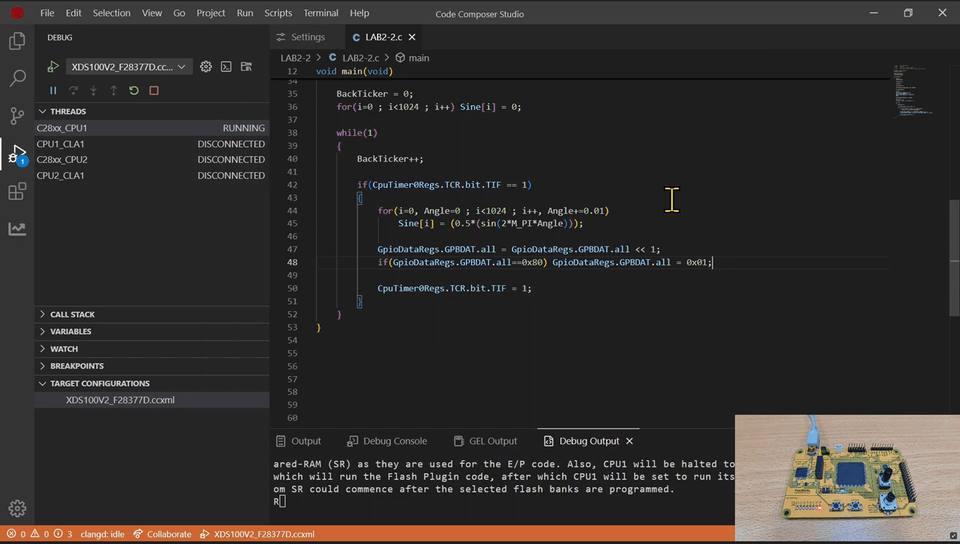
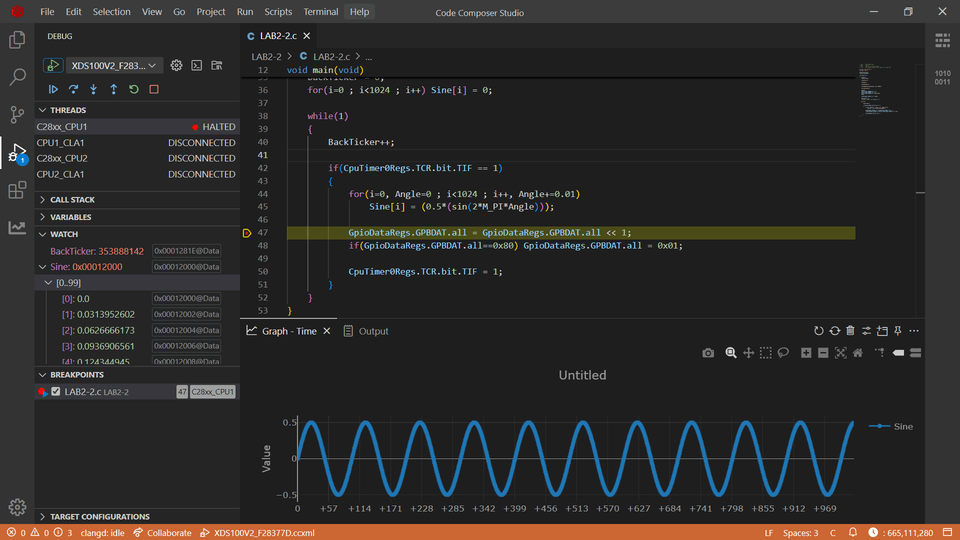
  • You can use the debugging features provided by CCS. (Breakpoints, Graph, etc.)

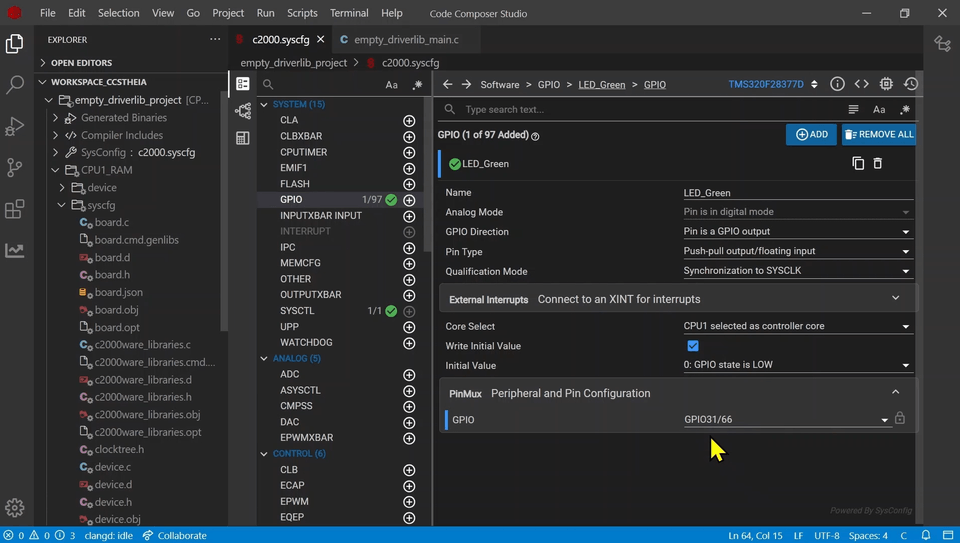
  • You can use the SysConfig GUI to automatically generate code for peripheral circuit settings such as GPIO and CPU Timers.

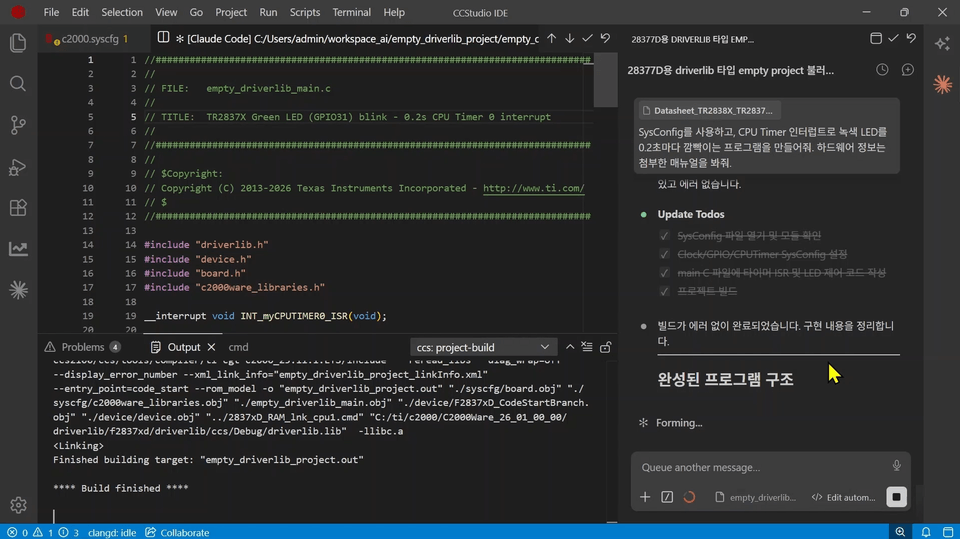
  • You can learn how to integrate Claude Code with CCS to delegate project creation, SysConfig settings, and code writing to the AI assistant and then review the results.

<2026.07.02 The last three sessions have been added. >

Exploring the Menu / SysConfig / How to Use AI


This is a
CCS (Code Composer Studio) hands-on course for those who are new to TI MCUs.


We have included the entire process, from having nothing prepared to directly running and debugging a program.

Due to the nature of embedded systems, setting up the development environment itself is a hurdle.
You may feel frustrated about which tools to use, how to connect the board to your PC, and how to upload your code.

Through this course, I will help you overcome that first hurdle.

Here is what you will learn.


1⃣ Preparing the Development Environment

Software preparation involves downloading and installing CCS and C2000Ware from the TI website.

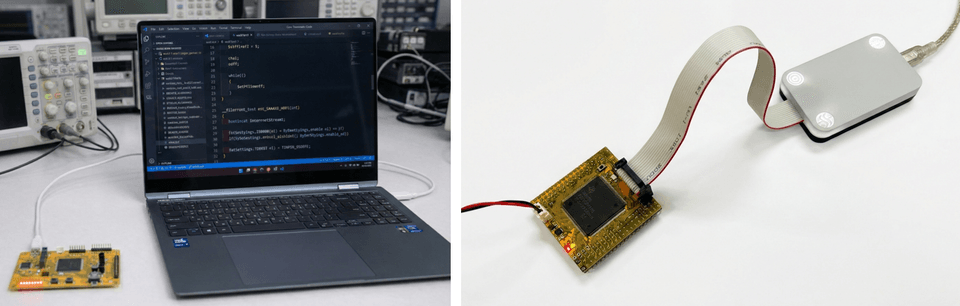
For the hardware, you will need the target board for development and a JTAG emulator for debugging. The target processor used in this course is the TMS320F28377D, a high-speed MCU from TI, and the board used for the practice sessions is our SyncWorks TR2837xD product. It is equipped with an XDS100v2 JTAG emulator and the F28377D processor.


2⃣ Target Configuration, Program Loading, and Execution

In CCS, specify which hardware to use through the Target Configuration file.

Enter debug mode with those settings and connect to the target.

Then, load and run an example program that blinks LEDs one by one using a CPU timer into the F28377D memory.


3⃣ Program Debugging Features

Try using the following features provided by CCS one by one.

Breakpoints / Step Over / Clock / Graph / Watch / Memory / Memory Allocation / Disassembly / Register / Search


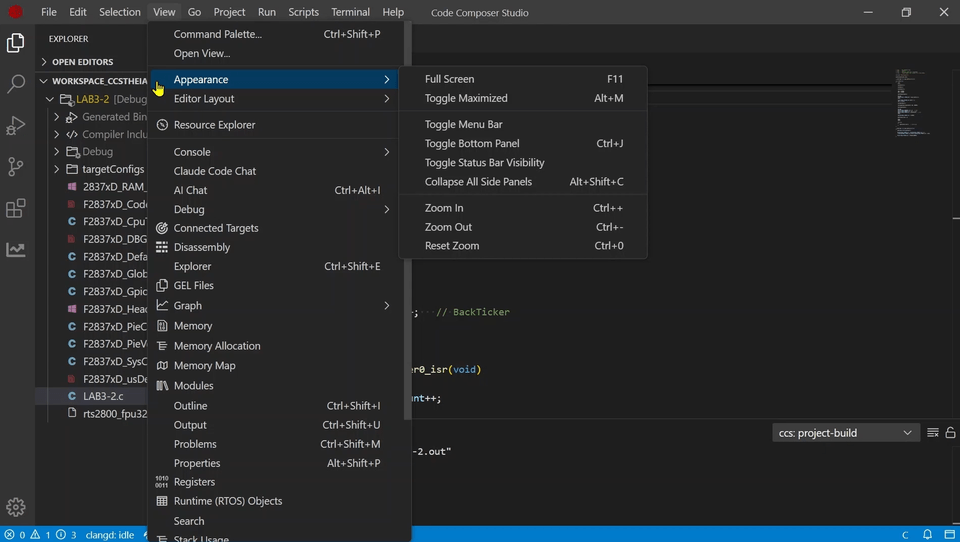
4️⃣ Exploring the CCS Theia Top Menu

Starting with CCS v20, the platform has changed from Eclipse to Theia, resulting in significant changes to the menu structure.

We will go through the 10 top menus—File, Edit, Selection, View, Go, Project, Run, Scripts, Terminal, and Help—one by one to check frequently used functions and shortcuts.


5️⃣ Configuring Peripherals with SysConfig

First, we will examine the differences between the method of directly handling registers and the driverlib method, which manipulates registers through function-based APIs.

Next, we will practice using the SysConfig GUI provided by TI to configure peripheral circuits such as GPIO and CPU Timers, and follow the process where these settings are automatically converted into code to make an LED blink.


6️⃣ Integrating AI Coding Assistant

Learn how to integrate Claude Code with CCS.

After completing the settings with the AI Assistant Configurator, you will leave everything from project creation to SysConfig setup, code writing, program execution, and report generation to the AI, and then personally review the results.


Notes before taking the course

Hands-on Environment

  • A basic specification PC with internet access

  • Target board equipped with C2000 MCU

  • JTAG Emulator

Prerequisites and Notices

  • Prior knowledge of how to use CCS is not required.

  • However, having a basic understanding of MCUs may make the explanations of CCS features more beneficial.


Recommended for
these people

Who is this course right for?

  • Those who are using TI MCUs for the first time and feel overwhelmed about where to start

  • Those who will soon need to use CCSv20, which has a completely different look and feel from previous versions.

  • Those who are familiar with register-level coding but want to transition to the driverlib/SysConfig method

  • Those who want to increase development speed by adding an AI coding assistant to CCS

Hello
This is c2000mcu

67

Learners

6

Reviews

4.7

Rating

1

Course

We specialize in Texas Instruments' C2000 MCUs(DSP / C28X, C29X) and provide related development environments, evaluation products, and offline lectures.

Curriculum

All

11 lectures ∙ (2hr 51min)

Course Materials:

Lecture resources
Published: 
Last updated: 

Reviews

All

6 reviews

4.7

6 reviews

  • jjhgwx님의 프로필 이미지
    jjhgwx

    Reviews 1,052

    Average Rating 4.9

    5

    100% enrolled

    Thank you for the great lecture!

    • c2000mcu
      Instructor

      Thank you. If you have any video topics or opinions you'd like to see, please feel free to let me know anytime.

  • inverterjang5967님의 프로필 이미지
    inverterjang5967

    Reviews 2

    Average Rating 4.5

    4

    36% enrolled

    • scopepow9451님의 프로필 이미지
      scopepow9451

      Reviews 1

      Average Rating 5.0

      5

      100% enrolled

      • steven77님의 프로필 이미지
        steven77

        Reviews 1

        Average Rating 5.0

        5

        36% enrolled

        • blueginkgo님의 프로필 이미지
          blueginkgo

          Reviews 37

          Average Rating 5.0

          5

          100% enrolled

          Similar courses

          Explore other courses in the same field!

          Free