inflearn logo

[Basic Part 2.5] OpenClaw.AI Master Class: Fundamentals of Multi-Agent Team Design and Role Separation

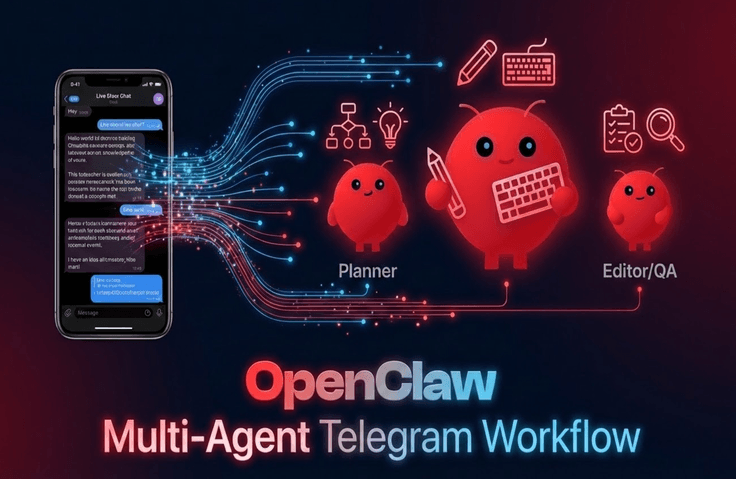
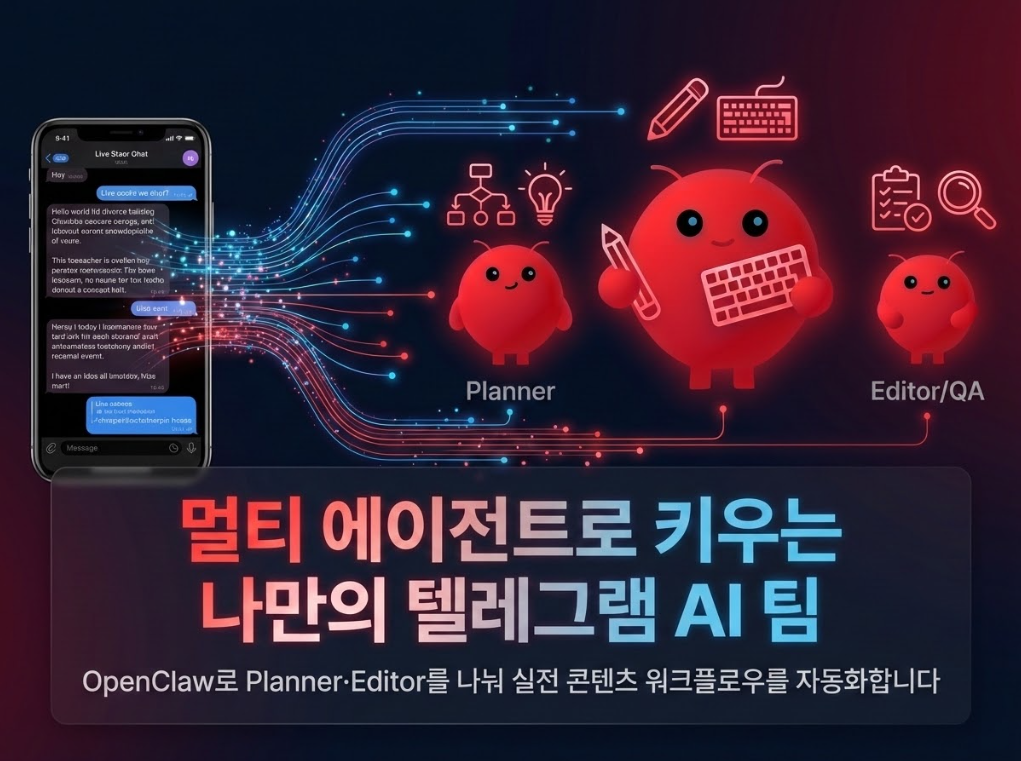
If you follow OpenClaw Parts 1 and 2, you eventually end up making a single agent do everything. As you do this, there comes a moment when prompts get tangled, memory gets mixed up, folders get messy, and you feel stuck, not knowing how to organize things anymore. This lecture is the "Introduction to Multi-Agents (Part 2.5)," designed to help you move one step further from that point. While maintaining a single bot, we will separate roles into two agents—planner and editor—and connect each agent to different workspaces and Telegram forum topics. You will personally build a structure where "different agents respond depending on which room you speak in." By following the hands-on practice, you will have the following in your environment: - A configuration file defining two agents: `content_planner` and `content_editor`, - A content folder structure where planning and drafting are separated, - A Telegram group chat where different agents are attached to specific forum topics, - And one actual draft of an Inflearn course introduction created through the collaboration of the two agents. In short, this is a practical class that helps you design the first step of upgrading your Telegram bot from a "single AI assistant" into a "small AI team with divided roles."

4 learners are taking this course

Level Basic

Course period Unlimited

Business Productivity
orchestration
orchestration
multi-agent
multi-agent
AI Agent
AI Agent
openclaw
openclaw
Business Productivity
orchestration
orchestration
multi-agent
multi-agent
AI Agent
AI Agent
openclaw
openclaw

What you will gain after the course

  • Learn how to form a multi-agent team using a single Telegram bot.

  • You can design a content creation workflow with separated roles.

  • Complete a "Telegram group chat where different agents respond based on forum topics."

  • You will walk away with one practical result created through the collaboration of two agents.

If you follow along through parts 1 and 2 of the OpenClaw basics, you will eventually end up asking a single agent to do this and that.

It’s convenient at first, but as soon as the task becomes even slightly complex, the limitations quickly become apparent.

Planning and editing get mixed up, prompts become tangled, and workspace folders start to get cluttered.

“I feel like I need to start dividing roles now, but multi-agents seem too difficult and complex” is the point where many people get stuck.

This lecture is OpenClaw Basics Part 2.5, created specifically to address that point.

While maintaining a single Telegram bot, by using forum groups + topic-based routing

By separating the two agents, content_planner and content_editor, by their roles and connecting different workspaces to each agent, you will directly complete a “structure where different agents respond depending on which topic you are speaking in.”.


In other words, this course is not simply about adding more AI, but rather about the first step in upgrading a single AI assistant into a small AI team.


In particular, before moving on to the automated collaboration pipeline covered in Part 3, in this Part 2.5, you will first experience semi-manual collaboration, where a human coordinates the process through copying and pasting.


Thanks to this, you won't just hear about "why multi-agents are necessary" as a concept, but you will actually experience the workflow where a planner plans and an editor refines, firsthand.

🔥The core differentiator of this lecture: Create an AI team with a single bot.

thoughtful This Basic Part 2.5 course is a hands-on, follow-along lecture that focuses on "how to grow a single Telegram bot into a small AI team divided into a planner and an editor."

  • A stepping-stone lecture for moving up to multi-agents while avoiding "installation hell"


    • Students of Parts 1 and 2 can jump straight into the practice after a quick 5-minute checklist,

      It is designed so that new students can join through a minimum setup onboarding route.


    • This is a rare introductory-level course where you can experience multi-agents without the need for complex frameworks.

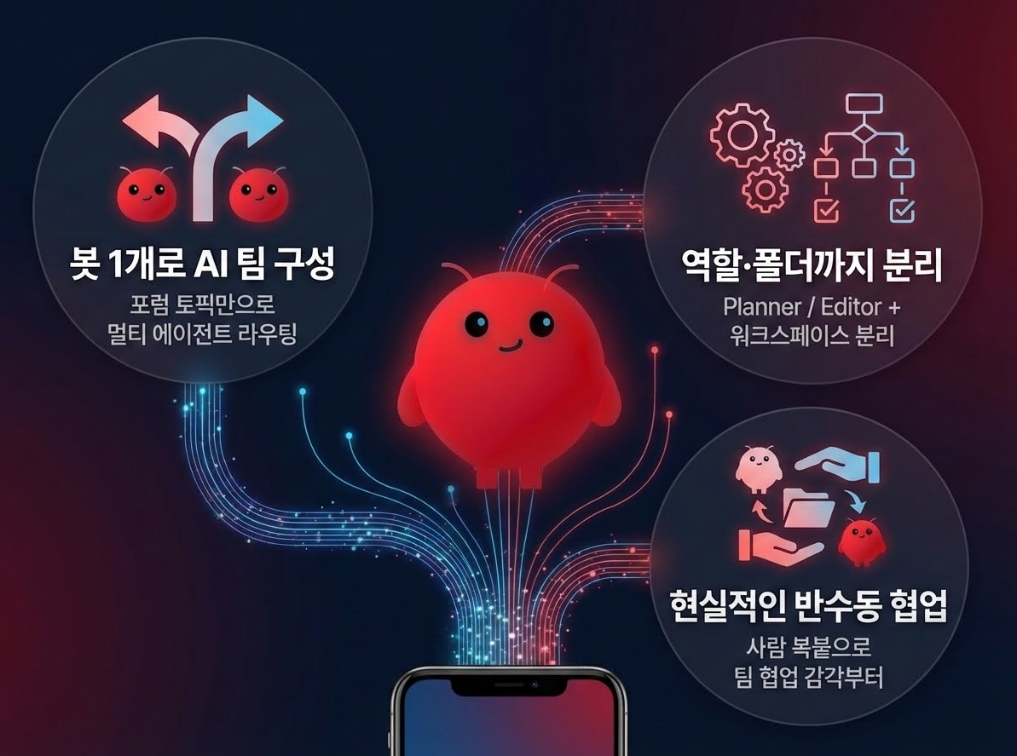
  • A practical pattern for configuring a multi-agent team using Telegram forum topics while maintaining only a single bot.

    • Instead of creating multiple bots, you can follow this structure to build a system where "the agent attached to the back-end changes depending on which topic you are speaking in."

    • Just by mastering this pattern, you can immediately operate an AI team with divided roles within a single group chat.

  • Designing a content workflow that handles both role separation and workspace separation at once

    • In addition to defining planner and editor agents,

      /content/planning, /content/drafts, designing the folder structure together as well,

      Master a workflow where "who is responsible for what" is clearly defined.

  • A "realistic multi-agent collaboration" experience based on manual copy-pasting by humans

    • Instead of implementing automated conversations between agents from the very beginning,

      It allows you to first experience the feeling of working like a team, even while a human is manually copying and pasting in between.

    • Thanks to this, you can build the practical intuition that naturally leads into the automated collaboration pipeline in Part 3.

🎥 Highlight Video

✨ What you will gain from this course

1. You will master the method of configuring a multi-agent team using a single Telegram bot.

- You will directly define two agents, content_planner and content_editor, and

You will complete the configuration yourself to map different workspaces and forum topics to each agent.

2. You can design a content production workflow with separated roles.

- Divide the structure so that planning outputs are stored in /content/planning and drafts/edited versions are stored in /content/drafts,

You will learn to clearly design which agent is responsible for which folder.

3. You will learn realistic multi-agent collaboration skills based on the premise of manual human copy-pasting.

- Rather than starting by implementing fully automated conversations between agents,

You will learn the semi-manual collaboration pattern, where a human moves the outputs between agents while the planner and editor work in their respective roles.

4. You will obtain an OpenClaw configuration template that can be immediately replicated for your own service.

- Complete a set of configuration files that include multi-agent definitions, workspace separation, and Telegram topic routing, and

Afterwards, you can replicate and use it as is for other projects you manage (YouTube, blogs, newsletters, etc.).

🧰 Technology stack used in this course

  • AI Model


    • Google Gemini 2.5 Flash (Multimodal model with Vision support)


  • Agent


    • OpenClaw.AI


  • Infrastructure & Execution Environment


    • Docker

    • Docker Compose (Local container execution and volume mounting)


  • Messaging / Interface


    • Telegram Bot API

    • Dedicated Telegram bot created with BotFather


  • Configuration Files & Scripts


    • openclaw.json

    • Model and token settings via environment variables

    • Markdown-based agent configuration files (IDENTITY.md, AGENTS.md, SOUL.md)


  • Other Tools

📋 Prerequisites before taking the course

1. Essential Requirements

  • OpenClaw Web Dashboard Access Environment


    • An environment capable of running OpenClaw based on Windows + WSL2 + Ubuntu + Docker Desktop is required. (Or Mac OS + Mac Terminal + Docker)


    • If you have the Docker-based OpenClaw environment built in Part 1, you can use it as is,


      You just need to be able to access the OpenClaw web dashboard (chat UI) from your browser.

    • If you haven't taken Part 1, please follow the official documentation or the course instructions to

      Please prepare in advance until you are able to access the OpenClaw dashboard from your browser and converse with the agent..

  • Telegram Account and OpenClaw Integration

    • You must install the Telegram app on your smartphone and create your own account.

    • If you can use Telegram Web/Desktop on your PC (or browser),

      It makes creating forum groups and topics, as well as checking IDs, much easier.

    • Since you need to be able to create a bot with BotFather and send/receive messages,

      It is recommended to keep Telegram notifications and login status active.

  • Gemini API Key

    • You need a Google account capable of issuing a Gemini API key from Google AI Studio or Google Cloud.

    • Check the billing policy, and save the issued API key in environment variables or similar locations.

      Please prepare to store and configure it securely.

    • External API calls may be blocked on company or school networks, so please verify availability in advance through a simple API call test.

2. Recommendations

  • Completion of Parts 1 & 2 (or equivalent experience)

  • If you haven't taken Parts 1 and 2,

    • Installing Docker and running containers,

    • Telegram bot creation and basic integration,

    • Basic terminal usage

      level of familiarity is recommended.

  • Basic Docker / Terminal Experience

    • The practice will be much easier if you have experience running basic commands such as docker compose up -d, docker ps, and docker compose logs., việc thực hành sẽ trở nên dễ dàng hơn nhiều.

    • The more familiar you are with basic development environments such as VS Code, the terminal, and cloning GitHub repositories, the less burdensome tasks like modifying configuration files and checking logs will be.

  • Practice in a personal environment


    • We recommend practicing on a personal laptop/desktop + personal Telegram account environment rather than a company PC or a server containing sensitive data.

    • Since the multi-agent setup and Telegram forum groups can be reused as-is for your own projects later, separating a "personal experimental environment" from the start will make management much easier.

🧾 Summary of Highlights by Section

Section 1. Preparation and Review for a Quick Start

  • We provide two entry routes (A/B) for both those who have already taken Parts 1 and 2, and those joining newly from Part 2.5.

  • Existing students can skip directly to the hands-on practice after reviewing only the 5-minute environment check-list,


    New students will follow the WSL2 + Docker + OpenClaw Dashboard onboarding route, starting from the minimum setup.

  • We will briefly review the UI to once again organize the concepts of Agents, Workspaces, and Channels.


Section 2. Understanding Multi-Agent Concepts

  • Planning / "why a single agent alone reaches its limits"

    We will understand this intuitively by comparing it to a team structure where writing and editing roles are mixed..

  • Within the OpenClaw settings

    We will take a look at the overall picture of how multiple agents are defined and connected through channels and routing rules.


Section 3. Agent Definition · Workspace · Telegram Routing

  • - Check for yourself which agents exist in your current environment using the openclaw agents list command.

  • Directly define two agents, content_planner for content planning and content_editor for editing, and

    Add each agent's role, description, and workspace to the configuration file.

  • Create the /workspace/content/planning / /workspace/content/drafts folders to physically separate planning outputs from drafts/edited versions, and connect them to each agent's workspace., sau đó kết nối chúng với không gian làm việc của từng agent.

  • Create a forum group and two topics (planner-planning / editor-editing) in Telegram, find the group ID and topic IDs, and complete the “specific topic → specific agent” routing configuration.

  • Finally, you will complete an environment consisting of one bot + one forum group + different agents responding to each topic.


Section 4. A Taste of Human-Mediated Collaboration + Part 3 Preview

  • Using a real-world scenario,

    Receive ideas and outlines in the planner-planning topic, and experience semi-manual multi-agent collaboration by having a human copy and paste them into the editor-editing topic..

  • The results created this way are saved as a file in /workspace/content/drafts/, allowing you to obtain one draft.

  • Finally, we will preview the Leader / Planner / Writer / QA agent team + automatic collaboration pipeline structure to be covered in Part 3, summarizing how this Part 2.5 serves as a stepping stone to Part 3.

🙋‍♂️ A word from the instructor

Hello everyone. I'm Kevin.

In Part 1, "building a secure AI agent headquarters inside my PC,"

If Part 1 was about setting up that headquarters and Part 2 was about bringing it out to Telegram to create a personal assistant in your pocket,

In part 2.5, we focused on growing that assistant from a "solo assistant" into a "small team with divided roles.".

After following along through Parts 1 and 2, many people ultimately end up with these concerns.

“Now I want to divide the tasks between planning and editing, but…

I want to split the agent into several parts, but I don't know where to start."


This Part 2.5 is a lecture created specifically for those who are stuck at that very point.

Before using complex frameworks or massive orchestration tools, on top of the OpenClaw + Telegram environment we are already familiar with, mà chúng ta đã quen thuộc,

- Define two agents: planner and editor,

- By separating the workspace and folder structure by role,

- You will directly create a structure using Telegram forum topics where "different agents respond depending on which room you speak in."

In that process, the part I focused on the most was "let's only cover multi-agent structures that can be realistically maintained."

If you chase the fancy vision of agents automatically exchanging messages from the very beginning, the configuration and code can quickly become complex, and you might eventually end up reverting to a single agent.


That is why, in Part 2.5, I intentionally

I have postponed fully automated collaboration between agents and instead structured it so that you first get used to the pattern of working like a team, even while manually copying and pasting in between.

It is a very simple routine of “receiving a plan in the planner room, refining the sentences in the editor room, and stacking the results in an organized folder,” but I believe that once you actually run it, you will experience a sensation completely different from using a single chatbot.


If you are interested in multi-agents but felt that it was "too grand a concept for a solo creator, planner, or developer like me," this Part 2.5 will smoothly bridge that gap.


By the time the lecture ends,

- With 1 bot + 1 forum group,

- with the planner and editor dividing their roles to work together,

- I hope you will have a “small but proper AI team” in your hands that can even produce a practical draft for an introductory post.


I prepared this Part 2.5 with the hope that your OpenClaw environment will grow beyond being just a single smart assistant into a small studio made up of colleagues with clearly defined roles.

I hope this lecture will be truly helpful to all of you.


Good luck!

🔗 Lecture Materials Github Link

1. Github Repository Guide

  • All example codes, templates, checklists, and lecture materials used in this course are provided through a
    public Github Repository.

  • Within the repository, you can refer to the following locations.

    • codes/ : Practice files used in each lesson

    • guides/: Guide documents provided in the lecture

    • results/ : Configuration files or outputs automatically generated during the practice sessions

    • slides/ : Slide materials used during the theoretical lessons of the lecture

  • The Github Repository link is as follows.

  • ⭐ I have explained how to use the materials in the Github Repository in the README.md file located in the root directory, so please make sure to read it carefully.

Precautions

  • If you wish to use the learning materials and code from this lecture in personal spaces such as blogs, you must include the lecture title, the instructor's name, and a link to the lecture. Please understand that any other unauthorized distribution is not permitted.

Recommended for
these people

Who is this course right for?

  • Practitioners who want to increase work efficiency using AI automation tools

  • Those who feel the frustration of "wanting to divide roles and operate more systematically now, but not knowing where to start."

  • Solo creators who produce their own content, newsletter/blog operators, and YouTubers

  • Developers who want to build multi-agent collaboration systems beyond a single AI chatbot

  • PMs and planners interested in AI agent orchestration and workflow design

Need to know before starting?

  • Experience at the level of OpenClaw Basics Parts 1 and 2 (Installing WSL2 + Ubuntu + Docker Desktop)

  • Experience running the OpenClaw container using `docker compose up -d`

  • Experience issuing a Telegram bot token and integrating it with OpenClaw

  • Basic terminal usage experience

  • Passionate individuals who want to set everything up from scratch using the "Minimum Setup Guide" provided in the course, even if they have no prior knowledge of the content.

Hello
This is Kevin

6,669

Learners

281

Reviews

124

Answers

4.8

Rating

11

Courses

  • Main languages or technologies: Java, Spring Framework, RxJava, Reactor, Spring WebFlux

  • Worked as a Backend Developer at Penta Security Inc. (From 2015.07 To 2022.01)

  • Worked as a Senior Educational Software Engineer (Backend) at Code States Co., Ltd. (https://www.codestates.com)
    (From 2022.03 To 2024.01.31)

- Working as a freelance developer and instructor (Since 2024.02)

- Author of

Hello, I'm Kevin. ^^

I am very happy to meet you all as an instructor here on Inflearn.

As is the case in any field, I believe that for a software developer in particular, constantly honing one's skills to keep up with ever-changing trends is the only way to survive. I am one of those developers who enjoys developing software while maintaining a mindset of always learning.

I started my courses on Inflearn with the hope that my knowledge and experience could be of even a little help to others.

I will continue to reach out to students through various courses that provide practical help. Thank you.


Questions and feedback are always welcome, so please feel free to reach out via email (it.village.host@gmail.com).


More

Curriculum

All

9 lectures ∙ (1hr 52min)

Course Materials:

Lecture resources
Published: 
Last updated: 

Reviews

Not enough reviews.
Please write a valuable review that helps everyone!

Kevin's other courses

Check out other courses by the instructor!

Similar courses

Explore other courses in the same field!

Limited time deal

$23,100.00

30%

$26.40