




inflearn logo

Complete Cursor Guide: Finish in 3 Hours

Agent Mode, MCP, PRD creation, and Custom Chat Mode! Explore Cursor's new features.

(4.6) 51 reviews

376 learners

Level Basic

Course period Unlimited

Next.js
Next.js
React
React
cursor
cursor
AI
AI
Next.js
Next.js
React
React
cursor
cursor
AI
AI

Reviews from Early Learners

Reviews from Early Learners

4.6

5.0

simjieun

35% enrolled

I'm already using cursor ai, and I took the training thinking I might be missing something and wanted to review it once more. The instructor is very good at lecturing, the content is easy to understand, and there was a lot of great information about cursor ai, so I learned a great deal. Thank you.^^

5.0

김유나

93% enrolled

I was at a loss as to how to use AI tools, but after watching this lecture, I completely understood it. Rather than unconditionally trusting AI, the advice to code while talking to AI like a friend really resonated with me!!! I highly recommend this to anyone who wants to study AI utilization!!

5.0

안영우1

100% enrolled

The lecture was very informative because it was well organized from requirements to development, deployment, and review. The 2 hours flew by without a moment of boredom. I was a little worried because I had to depend on a library I hadn't used before during development, but I was able to follow along with confidence because it taught me how to develop using AI from a beginner's perspective even without background knowledge. I often use AI when I develop, and the AI prompt tips you gave me here and there were especially helpful. I'll come back for a new lecture!

What you will gain after the course

  • Mastering Chat Mode

  • Understanding Tokens and Context Windows for AI Optimization

  • Make Cursor Rule directly and iteratively improve.

  • Github MCP: Repo creation to auto PR in one go!

  • Even the newly added Custom Chat mode

Cursor has been updated.
Get your vibe right with AI.

Are you frustrated because the AI doesn't move the way you want it to?
Solve it all at once with this lecture


Vibe Coding: Capturing Both Speed and Quality

Start now

Learn how to leverage AI tools by creating your own simple service! 💁‍♂

What is Vibe Coding?

It's a method where you tell AI what you want it to do in words and it automatically writes code.
Even if you don't know difficult grammar, you can create it right away as long as you have an idea.

What is Cursor IDE?

This is an AI-driven code editing tool based on VS Code. It's an innovative tool that allows you to easily interact with AI and develop.

I recommend this to these people

I want to use AI better

Triple your productivity with Cursor's new features.

I want to solve it myself without a shooter

You can talk to AI based on your code and modify it.

I miss Copilot

Experience AI that's more advanced than Copilot's tab.

After class

  • Create beautiful, single pages based on NextJS and React without a designer .

  • When you don't know something, you can ask the AI directly in your code, rather than chatGPT or Claude.

  • You can create your own Agent and apply your code habits to the AI.

Features of this course

nexjs_vercel

Take your development to the next level with AI.

From PRD documentation to actual code and deployment, it's simple but contains only the essentials.

Cursor usage know-how has been condensed into a concise guide.
We've included only the essential information before using the cursor, such as Chat Mode, Cursor Rule, and MCP, which are essential for using the cursor.

Learn about these things

Cursor

Learn about the latest Cursor features you won't find anywhere else.
Experience all of Cursor's new features, including Chat Mode, Cursor Rules, MCP, and even Custom Chat Mode.

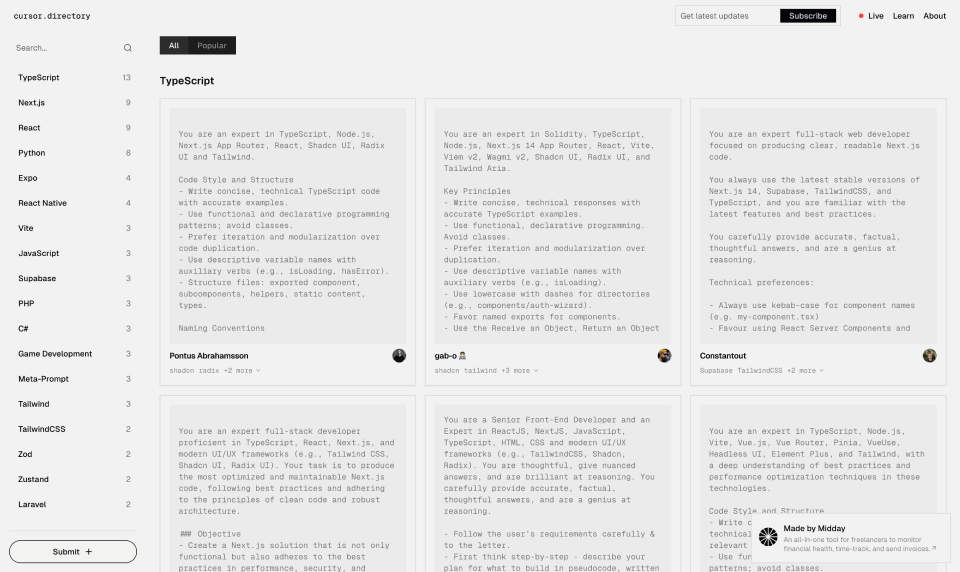
Cursor Directory

Create your own Agent using various system prompts or your own prompts in the Cursor Directory.

directory.cursor

Vercel

Forget about the difficult E2C deployment,
Easily distribute content created with AI with a single click.

Vercel

Lecture Community

Discord channel

If you have any questions, feel free to ask on Discord! We're always here to help.


https://discord.gg/YZ4sz9rXKh

New Cursor News

We're sharing new tips and features in Threads. Follow us to stay informed!


https://www.threads.net/@toy_crane911

Expected Questions Q&A

Q. Who are the target audiences for the lecture?

  • Understanding of React and Typescript is essential.

  • Knowledge of Nextjs is a plus.

Q. Does Cursor require payment?

  • You can proceed with the course with the free plan, but payment is required for convenient development.

Q. The result is different from the instructor's code?

  • Due to the nature of AI, even if you write content using the same prompt, the results won't be the same. Therefore, in this lecture, we teach you how to solve problems on your own, step by step, within a comprehensive methodology.

  • You can see the full code at the link below

Things to note before taking the course

Practice environment

  • Tool used: Cursor

  • Technology stack: NextJS 14, Shadcn, Tailwind, React-hooks-form, Vercel


Recommended for
these people

Who is this course right for?

  • Chat GPT, Copilot-only developer

  • Developer who wants to know what Vibe Coding is

  • Developer keen to fully understand the new Cursor

Need to know before starting?

  • A basic understanding of Next.js or React.js

  • Basic CSS knowledge

Hello
This is toycrane

Hello 👋👋

I'm ToyCrane, a solopreneur building various projects.

I am building new services based on Nextjs, Supabase, and LLM.

  • (Current) CEO of ODD

  • (Former) Software Engineer at fashion, travel, and fintech startups

  • (Former) Sparta Coding Club Tutor, Fast Campus Tutor

  • Operating Deary and Let's Go Park Golf

📮X | Thread | About Me

More

Curriculum

All

17 lectures ∙ (3hr 14min)

Course Materials:

Lecture resources
Published: 
Last updated: 

Reviews

All

51 reviews

4.6

51 reviews

  • the9님의 프로필 이미지
    the9

    Reviews 1

    Average Rating 5.0

    5

    65% enrolled

    • una7284067님의 프로필 이미지
      una7284067

      Reviews 1

      Average Rating 5.0

      5

      93% enrolled

      I was at a loss as to how to use AI tools, but after watching this lecture, I completely understood it. Rather than unconditionally trusting AI, the advice to code while talking to AI like a friend really resonated with me!!! I highly recommend this to anyone who wants to study AI utilization!!

      • toycrane
        Instructor

        Oh, thank you!!! I will try harder!!

    • bbcc8417님의 프로필 이미지
      bbcc8417

      Reviews 4

      Average Rating 4.0

      5

      59% enrolled

      Instructor, I'm grateful for the high-quality lecture and thankful that I can now utilize AI tools effectively. However, the keyboard sounds during the lecture are quite loud, which slightly distracts from focusing on the content. I recommend switching to a quieter keyboard for future recordings. The lecture content was substantial and I enjoyed it! Thank you 😊😊

      • toycrane
        Instructor

        Oh, thank you! I'm receiving that feedback through various channels, so I'll work on fixing it when filming the next revised edition.

    • cheshire22님의 프로필 이미지
      cheshire22

      Reviews 2

      Average Rating 5.0

      5

      100% enrolled

      I was feeling overwhelmed about how to use Cursor AI, but this was really helpful!

      • oneandonlyme6803님의 프로필 이미지
        oneandonlyme6803

        Reviews 3

        Average Rating 4.7

        5

        35% enrolled

        Similar courses

        Explore other courses in the same field!

        Access is restricted to non-public courses.