강의

멘토링

커뮤니티

BEST
Game Dev

/

Game Programming

Innovative Game Development Introduction in the AI Era with Unity6

A course to truly make you a hands-on game developer. Push your limits with 4 hands-on projects and 3 AI-specialized games!

(4.9) 87 reviews

3,979 learners

  • UniCoti
게임개발
게임개발자
AI
Unity
C#

Reviews from Early Learners

What you will gain after the course

  • How to make the game you want

  • Unity, C# How-To

  • Direction and Methods to Move Forward When Stuck

  • How to Apply AI in Game Development

  • Solo Dev Method

  • Real-world game dev feel

Can we develop games using AI?

I've prepared a course packed with the knowledge you really need to make games.

  • C#, Unity6, error troubleshooting, 4 real-world projects, and 3 AI-specialized games will rapidly elevate your skills to intermediate level.


  • Unlimited Q&A support is provided for all students.


  • I've created a separate section for error resolution through Google search and AI. Through this, let's push beyond our limits.


  • I've dedicated everything to improving your 'practical development skills'.
    I hope this course saves you time.

My Beliefs

UniCoti

I believe that games as a medium have the highest potential and are the most valuable content for delivering stories.
That's why I have a firm goal of someday creating an ideal game that will deeply move humanity.
Even if I cannot achieve this dream myself, I created this course with the desire to leave a legacy that will help other developers realize this dream.
I hope you will join me on this great journey where games receive the true recognition they deserve.

Though I still have much to learn, I want to make a positive impact on society,
and through the events, e-book offerings, and communication policies prepared in this course,
I wanted to show you my commitment.

After completing this course?

Now you'll be able to develop simple 2D games on your own.

In that state, just one drop of a great idea will make it great content!
I hope this course becomes a turning point in your life.

Armed with the basics, Google searches and AI for troubleshooting, and e-books as your weapons, you can develop the strength to tackle projects on your own.

Designed to help you gain the "sense (intuition)" that you can't get from other courses through 4 real-world projects.
Additionally, with AI, you can elevate your skills to intermediate level by the time the course ends.

  • When working on a project, you may encounter obstacles, and the code you're currently writing might not be the best approach.
    In this course, you'll learn the direction and methods to move forward in those moments, as well as how to overcome limitations!

After taking this course, you'll be able to create results like these

Digital Clock

You can handle UI and connect it with code.

Calculator

New UI, the concepts of input and output are added.

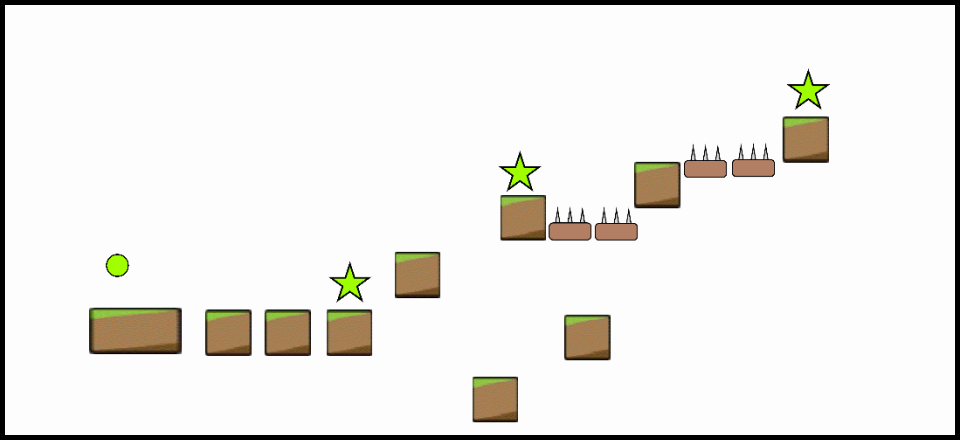
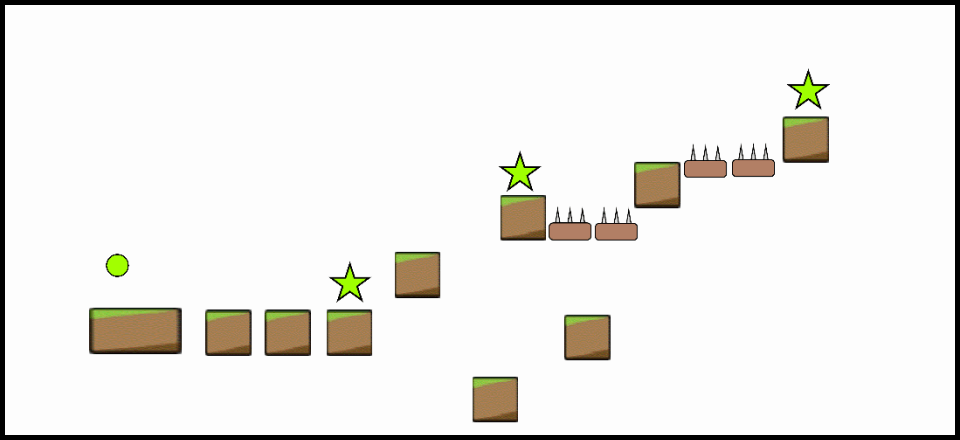
Bounce Ball Recreation

You can handle physics and control collision detection

Based on the number of stars, game clear, player movement, etc.

It can be expressed in code.

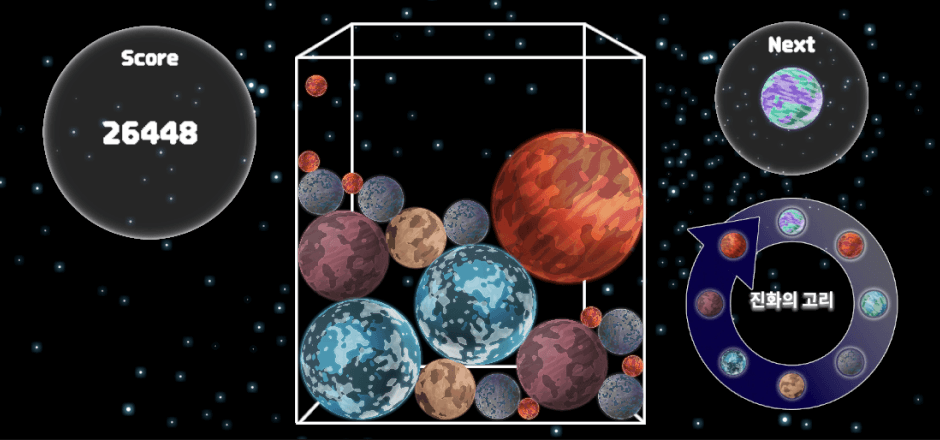
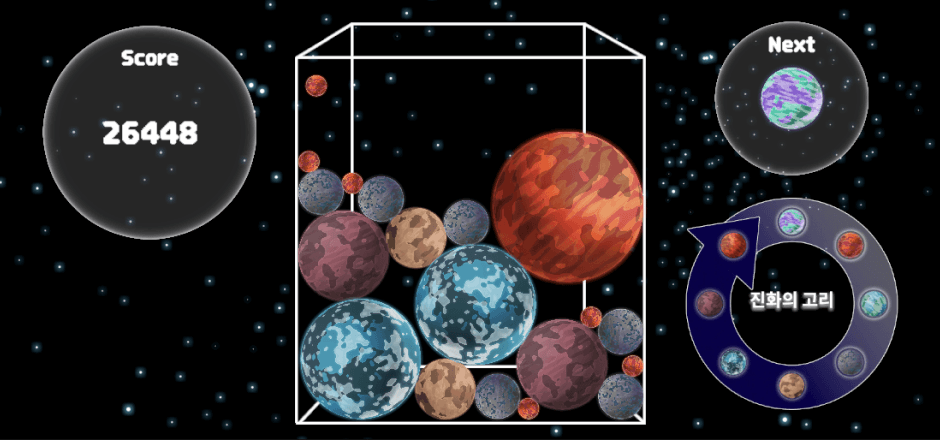
Suika Game Clone

You can get the position on the screen where the user clicked

Triggers and Prefabs when touched, Instantiate, Gravity, etc.

You can apply various elements.

Through projects that progressively utilize more elements from UI -> +Input, Output -> +Physics, Systems -> +AI, you will build your skills step by step. The lectures are conducted by putting myself in the shoes of a complete beginner, so you can understand easily. You can gain practical development skills from just one course.


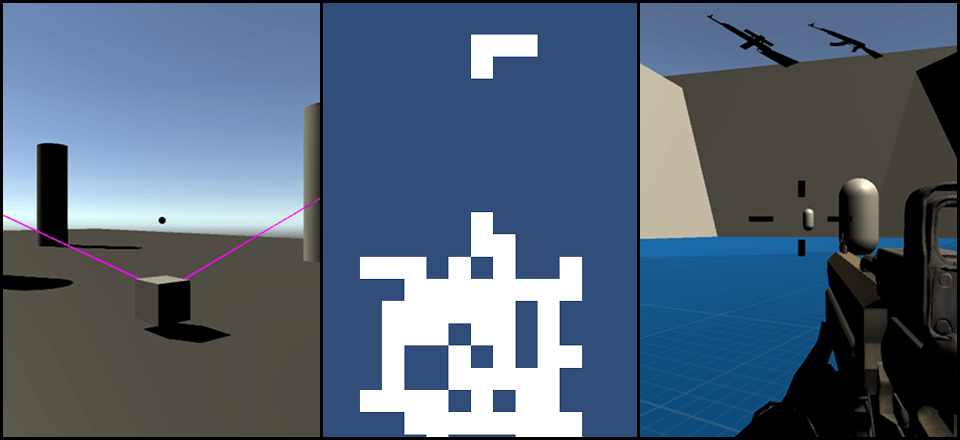
Breaking Through Limits with AI

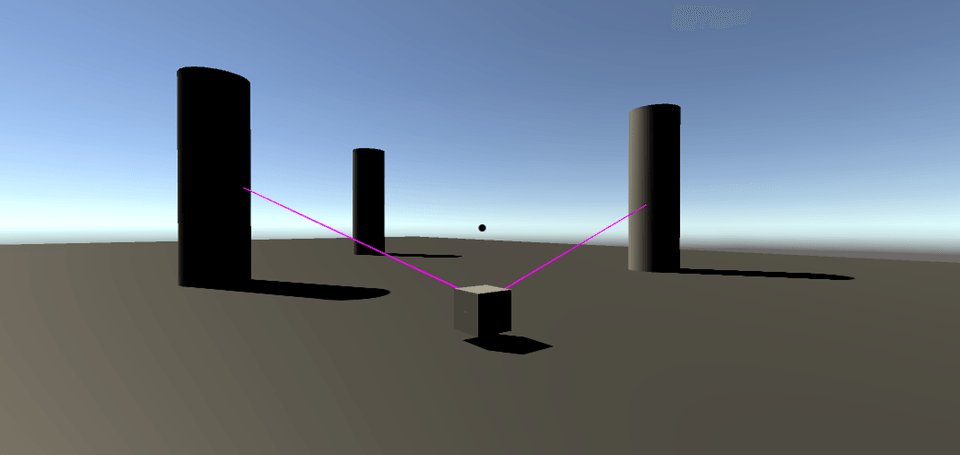
3D Maneuvering Gear Simulator

Tetris

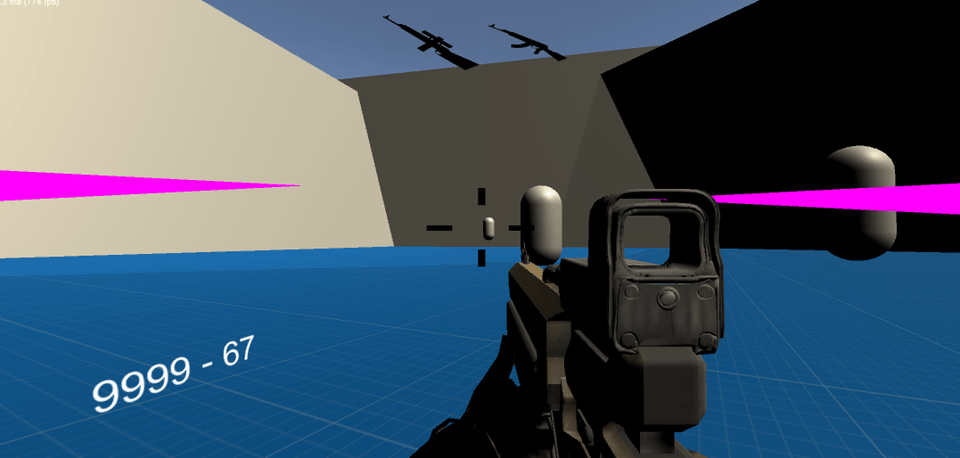
FPS

  • After building fundamental skills, I designed this course to demonstrate how far you can advance by utilizing AI, and to guide you through that process so that everyone can continue their own projects after the course ends.
    Those results are absolutely not exaggerated, and if you take the courses in order, you will gain the ability to create what you want.


If you leave your email in a review, we'll give you a Unity secret guide e-book worth 400 pages (sold for 15,000 won on all platforms) as a gift. The rating or content doesn't matter - as long as your email address is included in the review, we'll provide it to everyone!


****** Important! If you want to learn game development but need help ******

If you want to learn game development but don't have enough money to purchase the course, please reach out to me through any means and share your situation - I'll help you out. Email, Instagram DM, Inflearn Q&A, blog, YouTube comments, etc..

Learning Content

  • Introduction to Overall Learning Content by Section

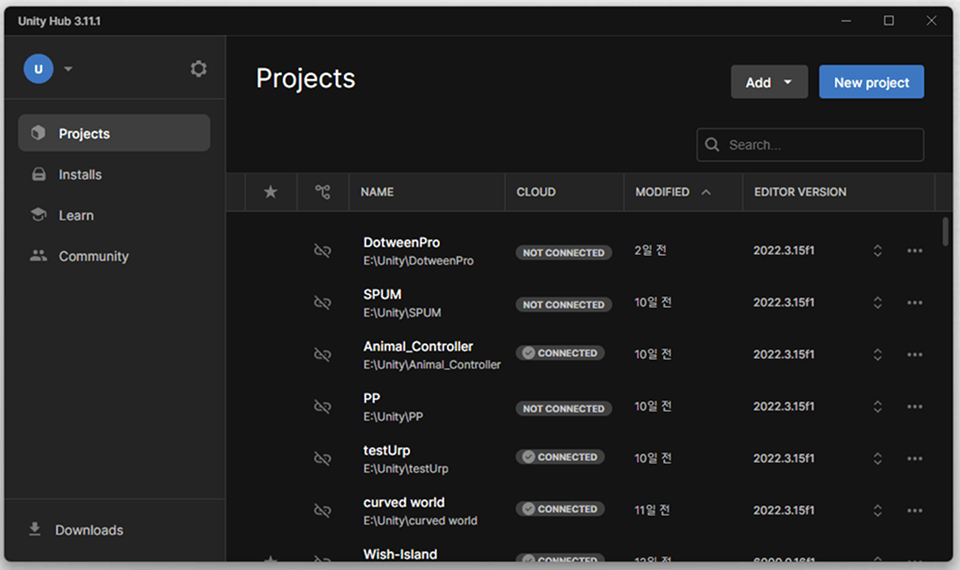
Unity Hub and Unity.

Section (1). Unity Installation and Basic Usage

This covers how to install and use Unity.

This is the stage of getting familiar with Unity and trying out various things

This is the course.

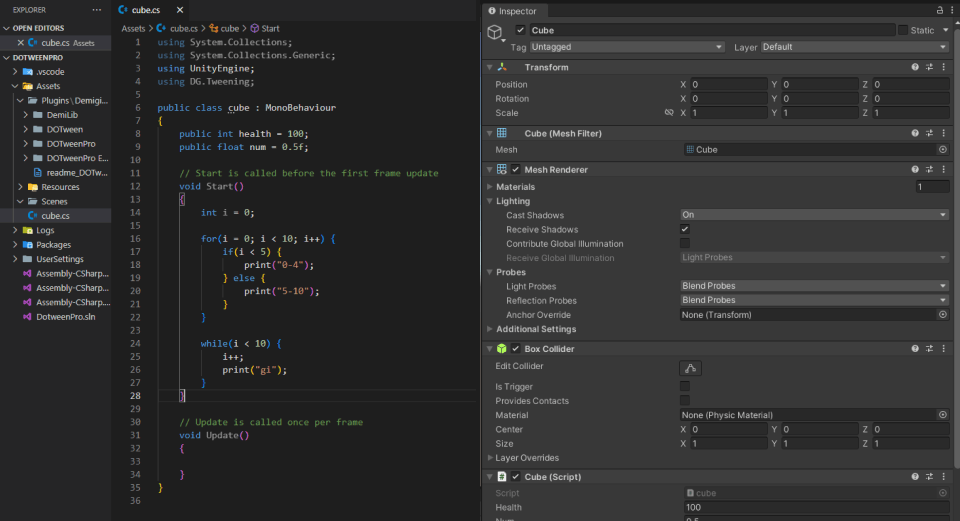
Section (2). How to write C# scripts integrated with Unity.

Covers how to write C# scripts in Unity,

Learn how to work with "components".

This course covers fundamental knowledge including variables, if statements, and loops.

variable / if / for / while / function

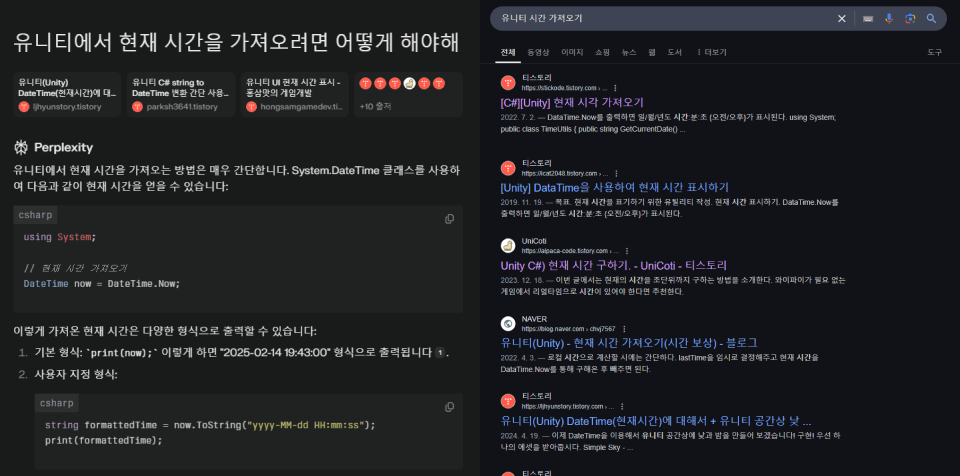
# Googling and AI

Section (3). Googling and AI for Problem Solving

You will learn how to use Google search and AI as "ways to know what you don't know" and "ways to solve problems." This is the most powerful skill for leading a project on your own.

Section (4). Getting a Feel for Development - 1. Digital Clock

이론적인 부분만 아는 것으로는 홀로 게임을 만들

I cannot do it. This covers the process of creating a digital clock by researching the parts you don't know and utilizing the parts you do know.

Completed Digital Clock

Completed Calculator

Section (5). Getting a Feel for Development - 2. Calculator

Let's create a calculator as the second project.

You need to use different knowledge than when making a digital clock

In the process, we develop "the power to know what we don't know."

Section (6). Getting a Feel for Development - 3. Bounce Ball Recreation.

Before proceeding with the final project, lastly "game"

Build and develop a sense for development. Movement and

We'll implement bouncing functionality, a system for stars, and more.

Completed Bounce Ball Recreation

Completed Watermelon Game Clone

Section (7). Creating the Final Watermelon Game

Finally, let's create a clone of the Watermelon Game.

How to find the knowledge you've learned so far and the knowledge you don't know

Let's combine them to create one massive masterpiece.

Section (8). Ways to Overcome Limitations, AI

Additionally, we introduce how much you can vertically elevate your skills from your current level through AI by experiencing and demonstrating the methods firsthand. You can reassess the power of AI and your current abilities.

3 Projects Created with AI

Successful Solo-Developed Games

Section (9). Wrap-up

After completing all the lectures, I share my philosophy, vision, and hopes that I want to convey as a final message, and promise our next meeting.

coco

COCO

Our cool chicken coco appears with sound throughout the lectures to summarize key points! It appears about 3 times per lecture, and since studying isn't always fun, we included it to help improve your concentration.


Of course, always summarizing key points and providing supplementary explanations can help with deeper understanding, right? Please welcome our cute coco when they appear..

Important Notes Before Taking the Course

  • If you want to make a game by yourself, it's important to fully understand each lecture before moving on. (Questions👍)

  • If there's anything you don't understand or have additional questions about, please feel free to ask. (I will respond directly)

Practice Environment

  • Operating System and Version (OS): Windows (No additional explanation for Mac)

  • Tools used: Unity, Visual Studio.

  • PC Specifications: Refer to Unity6 recommended specifications.

  • Version : 6000.0.16f1

  • AI: Xai, Grok

Learning Materials

  • Sprites, sounds, fonts, etc.

  • The completed version is available on the GitHub link, so please refer to it if you encounter any errors.

Prerequisites and Important Notes

  • Basic coding knowledge would be helpful, but if you don't have it, you can make up for it by reviewing well.

  • If there's something you don't know, use AI, Google searches, e-books, questions, and more!


Recommended for
these people

Who is this course right for?

  • A person who wants to make their own simple game

  • Person wanting to learn Unity

  • Someone new to coding

  • Person who wants to develop games as a hobby

  • A person who wants to apply AI to game development

  • A visionary in the game medium

Need to know before starting?

  • If you know basic coding, it's easy!

Hello
This is

3,979

Learners

87

Reviews

20

Answers

4.9

Rating

1

Course

유니티의 제의를 받아 어필리에이트로 활동중인 게임 개발자입니다.

블로그, 인스타, 유튜브 등 여러 플랫폼에서 열심히 활동하고 있습니다.

저는 어릴 때 부터 만들기를 좋아했으며 아무 재료도 없이 컴퓨터만으로

만들기를 할 수 있다는 장점을 시작으로 코딩에 입문했습니다.


게임은 젤다의 전설이라는 게임에서 영감을 받아 스토리를 전달하는 매체 중

가장 높은 고점을 지녔다고 생각해 이상적인 게임을 만드는게 인생의 꿈입니다.

모두가 조금 더 쉽고 효율적으로 게임을 만들 수 있도록 강의를 만들었습니다!


완성된 작품 자료 : github.com/UniCoti/inflearn

게임 개발 블로그 : https://inf.run/bHXtb

Curriculum

All

44 lectures ∙ (4hr 19min)

Course Materials:

Lecture resources
Published: 
Last updated: 

Reviews

All

87 reviews

4.9

87 reviews

  • Razer님의 프로필 이미지
    Razer

    Reviews 8

    Average Rating 5.0

    Edited

    5

    38% enrolled

    강의 내용이 좋습니다. 오늘 하루만 약 40% 정도 진도나갔는데, 빠르게 술술 진도진행되네요. 인프런에서 유니티 강의 많이 들으면서 다른 강의에 비교해보면, 이 강의는 내용도 좋고 구성도 좋고 강의 전달력도 좋고 가성비도 좋은 강의인 것은 확실합니다. (요즘 기본 실력도 안되는데 비싸게 받는 사람들이 있음..) 특히 다른 강의에서 다루지 않는 모를 때 막혔을 때 상황에서 검색에 대해서도 잘 구성한 것 같습니다.(rim0121@gmail.com)

    • UniCoti
      Instructor

      오 첫 수강평 너무나 감사드립니다! 저도 나름 노력을 많이 했는데 좋게 봐주시니 너무나 감사하네요. 돈을 제외하고도 보람을 많이 느끼게 되는 하루입니다. 전자책은 바로 보내드리겠습니다!

  • 이현준님의 프로필 이미지
    이현준

    Reviews 1

    Average Rating 5.0

    5

    100% enrolled

    유니티를 입문한다면 이 강의를 꼭 추천하고 싶습니다. 강의 내용이 전반적으로 기술의 난이도를 줄인 대신 넓은 방향성을 제시하고 있습니다. 예를 들어 컴포넌트 기반의 개발 흐름과 AI와 에셋을 활용하여 부족한 부분을 보완하며 게임을 만들 수 있는 역량 자체를 키워줬다는 점 에서 이를 느낄 수 있었습니다. 저는 개발자라면 바이브 코딩이 아닌 직접 코드를 작성해야 하는 것을 의무처럼 느꼈습니다. 하지만 이 강의를 통해 바이브 코딩을 접하고 보니 비교가 안 되는 생산성을 느꼈고 어려운 취업 시장보다 1인 개발자로서 성공할 수 있음을 깨달게 해주는 강의였습니다. 11dlguswns@naver.com

    • UniCoti
      Instructor

      저 또한 기술 위주로 풀어나가기에는 초보자들이 따라오기 어렵고, 현재까지 나온 기술이 무궁무진할 뿐 아니라 미래에도 계속 개발하기 위해서라면 지식을 외우는게 아닌 익히는 법 자체를 초보때 가르쳐야겠다는 생각으로 만든 강의입니다. 강의 전체에 퍼져있는 제 의도를 한번에 요약한 것 같아 그렇게 느끼시고 다 끝난 현재에 리뷰로써 한번에 적으실 수 있다는게 너무 뿌듯하고 감사한 마음입니다. 가르침에 뜻은 없지만 제 인생을 스쳐간 여러 선생님들이 이런 뿌듯함으로 꿈을 택하신건가 싶네요. 좋은 리뷰 정말 감사드립니다!

  • phw2298님의 프로필 이미지
    phw2298

    Reviews 1

    Average Rating 5.0

    5

    8% enrolled

    설명을 잘 해주셔서 이해가 잘되네요! 강추합니더 목소리도 좋으셔서 귀에 잘 들어옵니당 phw2298@gmail.com

    • UniCoti
      Instructor

      변성기때 말을 좀 덜한 덕이 있나보네요 ㅋㅋㅋ.. 좋은 수강평 감사드립니다! 책도 바로 보내드릴게요

  • 강지원님의 프로필 이미지
    강지원

    Reviews 3

    Average Rating 5.0

    5

    41% enrolled

    생성형 ai를 활용해 코딩을 한다? 평소에 궁금했던 내용이고 이 강의를 보고 코딩에 대해 자신감을 얻었습니다 추천합니다. lastinged@naver.com 이런 강의 더 만들어주세요

    • UniCoti
      Instructor

      좋은 수강평 감사합니다! 제가 원하던 강의의 효과인데 그대로 남겨주셔서 저 또한 자신감이 생기네요 ㅋㅋㅋ.. 책도 바로 보내드리겠습니다!

  • choiwj2030님의 프로필 이미지
    choiwj2030

    Reviews 1

    Average Rating 5.0

    Edited

    5

    41% enrolled

    유니티를 완전 처음 해보는 초보자입니다. 코드 부분이 조금 어려워서 걱정했는데, AI나 구글링, 전자책을 통해 스스로 해결하는 방법을 알려주셔서 차근차근 해볼 수 있을 것 같습니다. 이제 실습을 해볼 차례인데 기대가 됩니다! 저 같은 초보자는 복습을 잘 해야 할 것 같아요.

    • UniCoti
      Instructor

      코드는 기본적인 규칙 이외에는 파생되는 상황이 워낙 많아서 기본만 잘 가져가시면 혼자 대처하는 능력과 함께 많은 상황에 대처가 가능하실거예요! 함수들도 다 다른 입출력값과 기능을 가져서 모두 소개드리는 게 불가능하다는 판단입니다. 좋은 평 남겨주셔서 감사하고 어려운 부분 있으시면 언제든 질문주세요!

$28.60

Similar courses

Explore other courses in the same field!