Efficiency 100x UP! The practical Excel of a hard worker
studypie
$99.00
Beginner / Excel
5.0
(4)
This course is for those who are new to Excel or want to upgrade from basic to advanced level.

Beginner
Excel

Through this course, even beginners can master Power BI from the basics to intermediate level!
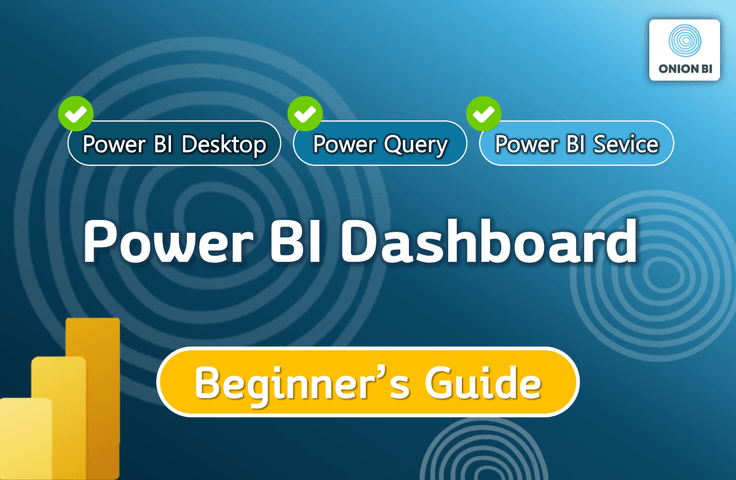
How to create data visualizations and reports (dashboards) using Power BI
Data preprocessing using the Power Query editor built into Power BI Desktop
How to share and refresh reports using the Power BI service
How to write the desired calculation formula using basic functions
👉 In this class, you will learn the following! (Total 10 hours of course / 49 lectures, 2024 version)
✅ How to visualize data and create a report (dashboard) using Power BI Desktop
✅ How to easily edit/preprocess data using the Power Query Editor built into Power BI Desktop
✅ How to effectively share my reports with colleagues and keep them fresh/managed using the Power BI service
✅ How to write simple calculations using basic essential functions
✅ How to refresh this entire process with one button
👉 You won't learn this kind of stuff!
❌ Data Modeling
❌ Composing complex DAX function formulas
For those of you who are just starting out with Power BI or have only recently started using it,
Rather than going into in-depth and difficult content, it is structured so that you can systematically build a foundation for Power BI while also understanding the overall functions and workflow. 🤗
It will be a great stepping stone to moving on to intermediate/advanced levels!
👉 This basic course was created for these people!
✅ For Power BI beginners or absolute beginners.
✅ People who learned mostly on their own through free courses, etc., but eventually felt the need to learn systematically again.
✅ People who have taken other Power BI online courses a long time ago but still feel unconfident.
✅ For those looking for a solution for simple data visualization and automated dashboards rather than calculations using complex functions.
✅ People who feel frustrated with processing large amounts of data in Excel.
✅ Excel users who are disappointed with the data visualization function.
✅ People who are struggling to create and manage dashboards using Excel.
✅ Those who are looking for an alternative to automation using Excel VBA/Macros.
✅ Those who want to understand the basic concepts and principles of DAX functions and measures/new columns and write formulas.
✅ Those who want to fully utilize the features of Power BI.
👉 People like this, please wait for the advanced course!
❌ Anyone who wants to derive complex measurement calculations through a combination of various DAX functions.
❌ Anyone who wants to perform three-dimensional data analysis by connecting multiple tables from various angles through modeling.
❌ Those who are looking to automate somewhat complex editing tasks using the M language.
👉 This class is more focused on practical training, as if it were an on-site lecture, rather than theory!
So, we made it at a speed that you can practice at together.
I highly recommend that students download the practice example files in advance and practice editing and visualizing data, implementing dashboards, etc. with me!
📌 A must-read for Mac users!
Power BI Desktop doesn't work on iOS yet!
Therefore, if you are taking the course on a Mac-based PC rather than a Windows-based PC, you must install Windows before taking the course or prepare a Windows-based PC. Even if Windows is installed, please note that additional explanations regarding the keyboard for Mac users will not be provided separately in the course!
Who is this course right for?
Power BI beginners or true beginners.
If you learned almost everything by yourself through YouTube or free offline courses, but now you think you need to learn it systematically again.
If you feel frustrated with the large-scale data processing of Excel.
Excel users who are dissatisfied with the data visualization function.
If you are looking for an alternative to automation using Excel VBA/macros.

74
Learners
10
Reviews
5
Answers
4.9
Rating
1
Course
📌 Activities
▪ Operator of the Power BI specialized YouTube channel "Onion BI"
▪ Operator of the Power BI specialized blog "Power BI Workshop"
▪ Onion BI School Operator
▪ CEO of Onion BI
📌 Lecture/Consulting Experience
▪ Numerous organizations including Samsung Biologics, Korea Research Institute of Bioscience and Biotechnology (KRIBB), Coupang, Coca-Cola, Hyundai Home Shopping, Maeil Dairies, DB Insurance, Binggrae, GS Retail, LG Uplus, Novartis Korea, Yonsei University, Chung-Ang University, etc.
▪ Fast Campus Power BI Expert Instructor
▪ Selected as Taling's 2021 Best Seller and 2022 Top 8 Popular Instructor (Highest Reviews)
▪ Power BI consultant trainer at a Microsoft Official Partner company
📌 BI Dashboard Development Experience
▪ Numerous clients including Oriental Brewery, Winia Dimchae, Thermo Fisher Korea, LS Group, Hyundai Department Store, PNS Networks, Maeil Health Nutrition, Boditech Med, Axalta Coating Systems, Porsche Korea, etc.
📌 Work Experience
▪ Power BI Senior Consultant at an official Microsoft partner company
▪ Head of Management Analysis / Risk Management Team at Global German Automotive Group V
▪ B2B Sales & Marketing Team at Global US Chemical Company D
▪ Corporate Planning Team at H Automotive Group (Korea)
📌 Education
▪ Graduated from University of Nottingham MBA (Business School), UK
▪ Graduated from Hanyang University, School of Economics and Finance
All
50 lectures ∙ (9hr 56min)
Course Materials:
All
10 reviews
4.9
10 reviews

Reviews 2
∙
Average Rating 4.0
Reviews 2
∙
Average Rating 5.0
Reviews 3
∙
Average Rating 5.0
Reviews 1
∙
Average Rating 5.0
Reviews 2
∙
Average Rating 5.0
Explore other courses in the same field!
$102.30

![[Template Provided] Mastering Google Sheets in Practice: Completing Automation with Real-Time ConnectivityCourse Thumbnail](https://cdn.inflearn.com/public/files/courses/341571/cover/01kmhbqpxzb2tt0exy2n89vd99?w=420)

![Excel and Database (Introduction) [Subtitles included]Course Thumbnail](https://cdn.inflearn.com/public/files/courses/340474/cover/01kf7v1ygzat386ktvcs0nrj18?w=420)


![[For Beginners] Data Visualization with Power BICourse Thumbnail](https://cdn.inflearn.com/public/courses/327055/cover/455b54c1-3e63-439b-9b60-5d12e12bc303/PowerBI-001 (1).png?w=420)
![[Star Instructor Teacher Choi] The Standard for Passing Quickly|ITQ Excel MasterCourse Thumbnail](https://cdn.inflearn.com/public/files/courses/343264/cover/01kxzse3ftyrhrd3te3b03e3ch?w=420)


![[Pass ITQ Excel A in One Go] in 3 daysCourse Thumbnail](https://cdn.inflearn.com/public/courses/329652/cover/b44e11b6-a47e-4993-86ea-a85da9836bb5/329652-eng.png?w=420)