Getting Started with AWS Cloud for Beginners
usefulit
This is a series of video lectures for AWS beginners and college students enrolled in AWS Educate. We will briefly introduce the AWS registration process and free tier services.

Basic
AWS
Premiere Pro is a representative video editing software program widely used in the industry. This course is a beginner's course on Premiere Pro, and you will learn about the linkage between Premiere Pro and various programs (Photoshop, After Effects).
19,176 learners
Level Basic
Course period 12 months
Use of Proxy, Ingest, offline, and Link features
How to integrate with Photoshop and apply the Warp Stabilizer feature
Apply effects such as volume, EQ, and reverb to audio clips and use the essential sound function.
Basic use of video codecs
Working with Essential Graphics and After Effects
Integration between Adobe Audition, Rush programs, and Premiere Pro
How to create subtitles using the Caption feature
Want to try your hand at video editing?
Learn easily with the basic part + beginner part 🎬
🎀 Please check before taking the class.
If you take this course...
Proxy Warp Stabilizer Essential Graphics Adobe Audition.gif?w=960)
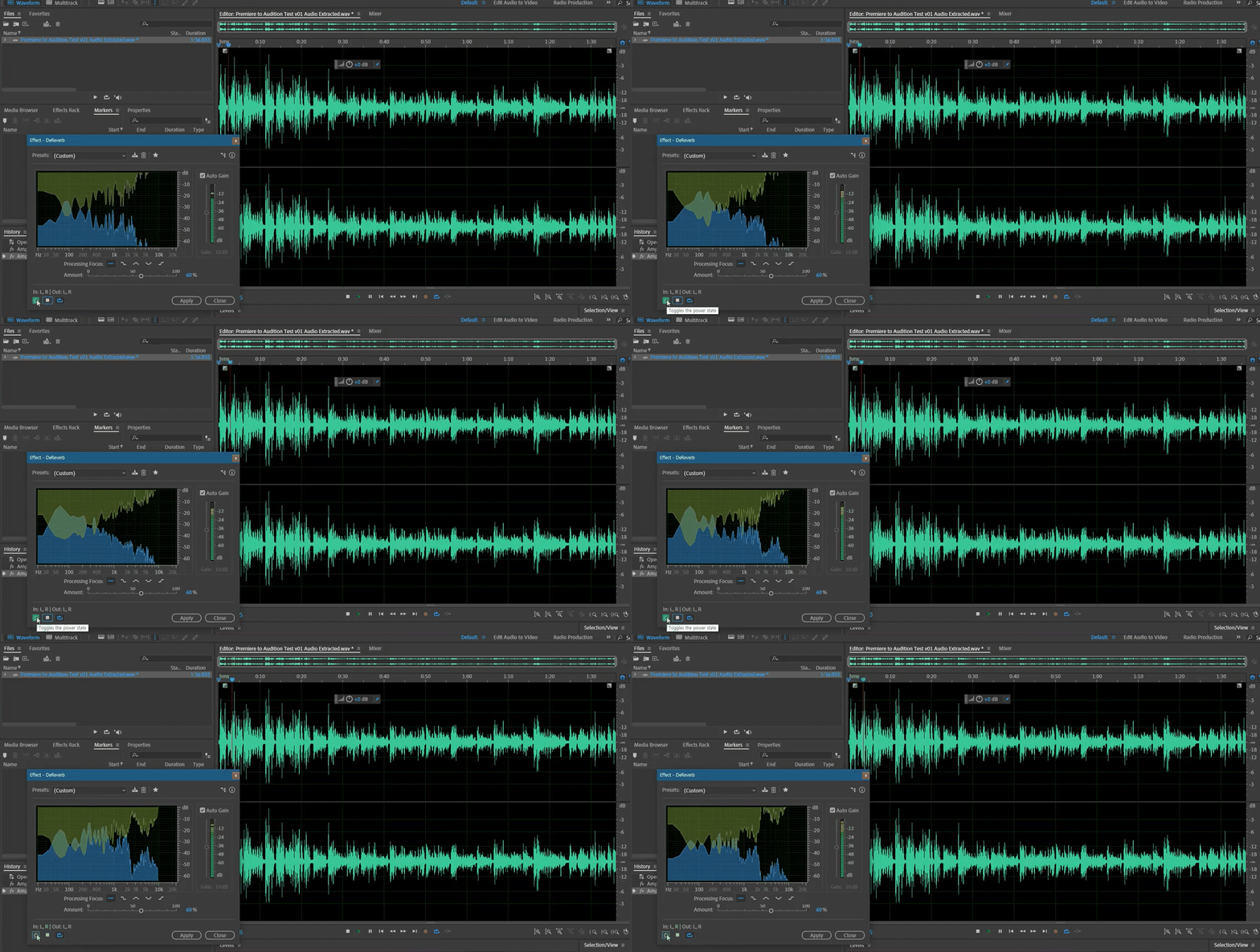
In the third part, you'll learn how to use the proxy feature to convert high-resolution video files to lower-resolution ones to speed up your workflow, the basic workflow for linking with Photoshop files, and the Warp Stabilizer feature, which stabilizes unsteady footage. Above all, you'll learn how to use Premiere Pro's sound editing features in general, as well as essential audio editing features like audio effects, essential sound, and loudness radar.
In the fourth part, we'll learn the basics of using video codecs commonly used in Premiere Pro and how to integrate Essential Graphics features with After Effects. We'll also use Adobe Audition to edit audio and integrate with Premiere Pro. We'll also explore how to use software like Rush to easily convert edited structures into Premiere projects for subsequent work. We'll also learn how to create subtitles using the Cpation feature.

Video editing skills
Those who want to level up

I'm good at Premiere Pro
People I want to deal with

A video with a high degree of completion
Anyone who wants to edit
Who is this course right for?
Understanding Video Editing Step 1 Lecture Students
Anyone who wants a beginner's course in video editing
Need to know before starting?
Introduction to Premiere Pro

8,278,028
Learners
6,440
Reviews
4.6
Rating
308
Courses
I will help you grow through useful IT lectures.
All
40 lectures ∙ (21hr 56min)
Course Materials:
1. Proxy
37:16
2. Ingest
30:32
4. Alpha & PSD
34:17
6. Warp Stabilizer
33:01
7. Ultra Key
32:54
8. Audio Basic
32:50
9. Audio Gain
36:43
11. Audio Clip Mixer
31:44
16. Delay & Reverb
35:29
17. EQ
34:30
18. Compressor
30:24
19. Essential Sound
36:15
20. Loudness Radar
34:07
21. Video Codec
35:22
22. ProRes Codec
30:58
23. DNxHR Codec
32:17
24. H.264 Codec
35:12
30. Vector Graphics
31:31
31. AE Mogrt (1)
31:53
32. AE Mogrt (2)
31:02
38. Caption
31:29
All
4 reviews
4.3
4 reviews

Reviews 98
∙
Average Rating 5.0

Reviews 13
∙
Average Rating 5.0
Reviews 36
∙
Average Rating 4.3
Reviews 107
∙
Average Rating 3.3
Check out other courses by the instructor!
Explore other courses in the same field!



![Finish it in one go. AI-Powered Digital Content Creation Part.1 AI Content Creation (Basics 1) [AI Dubbing]Course Thumbnail](https://cdn.inflearn.com/public/files/courses/339348/cover/01k87zbzrccxwz1dr66arbbj54?w=420)