강의

멘토링

커뮤니티

Design

/

UI/UX

Create prototypes easily and simply using Primer

"I wish the next card would appear with a whoosh-like feeling." "Is this design impossible to develop?" Do these phrases sound familiar to you? If so, how about making a simple and easy prototype? Using Primer!

(4.1) 14 reviews

369 learners

Level Basic

Course period Unlimited

  • thomas
Framer
Framer
Prototyping
Prototyping
Framer
Framer
Prototyping
Prototyping

Reviews from Early Learners

Reviews from Early Learners

4.1

5.0

BK

100% enrolled

Figma, Sketch allows you to create prototypes that are impossible and more dynamic. It explains everything from setting up the work environment to user testing the prototypes you create, just like the curriculum. 🙂 As the framer continues to update, there are some parts where the settings have changed, but overall, I am satisfied.

5.0

ung

69% enrolled

I'm a developer who is not familiar with design tools, but it's easier than I thought! I think it's a great introductory course 👏🏻!

5.0

장종훈

100% enrolled

It was a good lecture that was like a gateway to the primer foundation. I think I need to watch it a few more times. Good, good, good!!~~~

What you will gain after the course

  • You can check whether development is possible through a simple prototype.

  • You can conduct user testing with a prototype that is very similar to the real thing.

  • You can establish an interaction policy linked to the plan.

[Notice] We've confirmed that some of the code in the lectures no longer works due to the Framer reorganization on May 24th to [Framer-Site]. While this may be inconvenient, we ask that those attending the lectures create a new project at http://framer.com/projects/new .

🤔 Prototype ? Why bother?

From participating in planning meetings to handoffs and managing design assets... I think all product designers can agree that designers have a plethora of things to worry about beyond just design. If you're thinking , "Identifying user issues and crafting a great design is already a struggle, and now a prototype ?" I completely understand... But why not take this course and reconsider?

👨‍💻 Is this... this is how you make it?

Unless you're building a service solely with developers, communication is essential. The larger the service, the higher the communication costs. Most issues can be resolved via Slack messages. For more complex issues, a Zoom meeting might suffice. However, if you're completely pivoting the product, making changes that involve very detailed details, or if verbally explaining the problem is impossible , building a prototype might be the fastest way to resolve the issue.
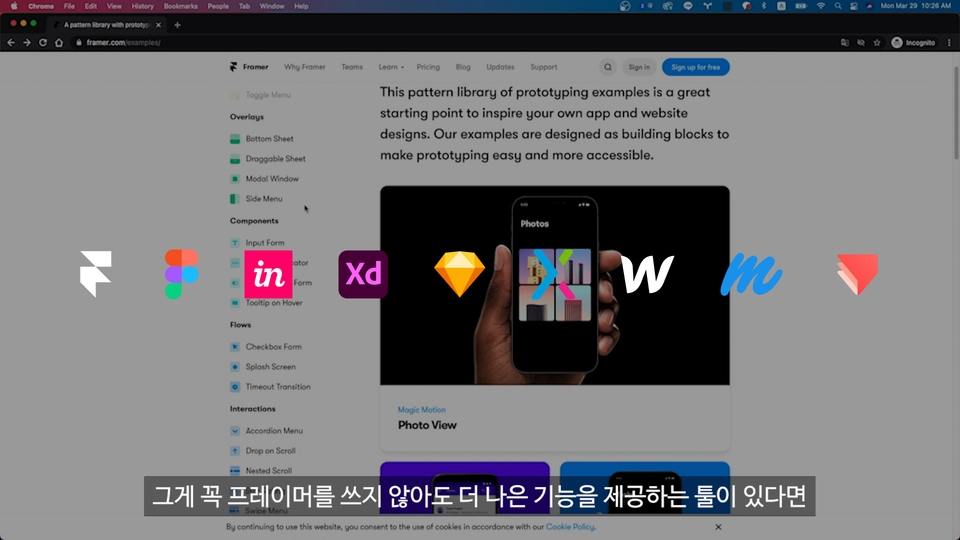
❗️Is there a reason why I absolutely have to use a primer ?

챕터 3 :  코드 입혀보기 - 참고 사이트 영상 중

Chapter 3: Trying Out the Code - Reference Site Video

ProtoPie, InVision, Oven, Balsamic, etc.... We live in an age where prototyping tools are more prevalent than ever. Even design tools like Figma and Sketch are competitively adding prototyping features, making it possible to implement simple user flows in these tools. However, these tools are GUI-based, meaning they're mockups of the final product before it's even built. Developers need to interpret these mockups based on the completed screens and the designer's explanations. However, Framer is a React-based prototyping tool. The products you create with Framer are actually functional . The finished product can be deployed on PaaS platforms like Netlify, and developers can even inspect the source code . This means you can create web products that can be modified in real time , anytime, anywhere !

I recommend this to these people

  • Anyone who wants to test whether their design is developable
  • People who want to modify prototypes in real time and reflect feedback
  • People who want to implement designs through code

What do you make with a primer ?

존버금

Okay!

Framer can create any screen that can be implemented with React ! (Of course, the more complex it is, the more difficult it is... 😂) In this lesson, we'll create a stock-related service that has recently been receiving a lot of attention worldwide. From a developer's perspective, we'll brainstorm ideas, draw screens, and do a little 🤗 coding . We'll also go through the process of improving the product in real time through user testing .

Primer , isn't it too difficult...?

Primer Web Official Introduction Video

While Primer is a code-based prototyping tool, it 's completely usable even without any coding experience ! This course will slowly increase the difficulty level, helping you understand and master the tool. As the saying goes, getting started is half the battle. The goal of this course is to enable you to easily and simply create the prototypes you desire. If you're passionate about it and don't give up, it will become a unique skill that you can fully utilize in your career.

Here is a lecture example .

This course was created using Figma and Framer Web. Framer Web for personal use is free ! You'll find it much easier to follow the course if you preview the examples below. 😉

Figma: https://www.figma.com/file/YKbkOiYWBVSNfUZXQY6ENP/jonbeo
Framer: https://framer.com/projects/xFiRc8OAux01S6z56OMj-ephJU

Recommended for
these people

Who is this course right for?

  • Anyone who wants to identify design issues before development

  • For those who want to specifically express "Please make it with a 'whoosh' feeling"

  • Anyone who wants to gain design insights through code

Need to know before starting?

  • Figma / Sketch

  • html / css

  • React

  • Typescript

Hello
This is

369

Learners

14

Reviews

17

Answers

4.1

Rating

1

Course

Hello. I'm Thomas, a product designer. I'm currently working in Euljiro.

Curriculum

All

16 lectures ∙ (2hr 46min)

Published: 
Last updated: 

Reviews

All

14 reviews

4.1

14 reviews

  • infbk님의 프로필 이미지
    infbk

    Reviews 6

    Average Rating 5.0

    5

    100% enrolled

    Figma, Sketch allows you to create prototypes that are impossible and more dynamic. It explains everything from setting up the work environment to user testing the prototypes you create, just like the curriculum. 🙂 As the framer continues to update, there are some parts where the settings have changed, but overall, I am satisfied.

    • mel15215263님의 프로필 이미지
      mel15215263

      Reviews 8

      Average Rating 5.0

      5

      69% enrolled

      I'm a developer who is not familiar with design tools, but it's easier than I thought! I think it's a great introductory course 👏🏻!

      • hiyong4333님의 프로필 이미지
        hiyong4333

        Reviews 1

        Average Rating 4.0

        4

        100% enrolled

        It was also good that there was information on how to apply and helpful information~

        • jjhun17720790님의 프로필 이미지
          jjhun17720790

          Reviews 1

          Average Rating 5.0

          5

          100% enrolled

          It was a good lecture that was like a gateway to the primer foundation. I think I need to watch it a few more times. Good, good, good!!~~~

          • bsy1386님의 프로필 이미지
            bsy1386

            Reviews 7

            Average Rating 5.0

            5

            100% enrolled

            I was only prototyping with Figma, and then I found out about Primer and was researching usability, but there weren't many lectures. I thought I only had to learn animation, but I was told that I had to know coding, so as a developer turned designer, I wasn't happy, but it has the advantage of being able to create designs that are easy to develop. ㅎㅎ The entire table of contents is short, but I listened to it for quite a long time, stopping and re-listening repeatedly. I don't know if my company will use the tool, but if I do, I'll have to watch the lectures again to figure out what I don't know!

            $15.40

            Similar courses

            Explore other courses in the same field!