
inflearn logo

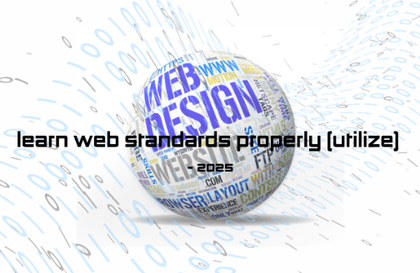
Learning Web Standards Properly (Basic) - 2025

This course provides fundamental knowledge for learning and applying web standard coding. Learners can understand the basic principles of web coding and build the necessary foundation for learning web programming. Additionally, the course is structured to enable learners to obtain certifications through web standard coding.

9 learners are taking this course

Level Beginner

Course period 12 months

frontend
frontend
HTML/CSS
HTML/CSS
Web Design
Web Design
frontend
frontend
HTML/CSS
HTML/CSS
Web Design
Web Design

What you will gain after the course

  • By acquiring basic knowledge of web standard coding, you can cultivate the skills necessary for employment as a web designer or web publisher.

  • You can obtain a certification by learning the functions of web standard coding.

Learning Web Standards Properly (Basic) - 2025

This course provides basic knowledge for learning and applying web standard coding. Learners can understand the basic principles of web coding and, based on this, build the foundation necessary for learning web programming. Additionally, it is structured to enable learners to obtain certifications through web standard coding.

Lecture Content

Learning Web Standards Properly (Basics) - 2025 Part.1

  • Getting Started with HTML: Learning How to Write and Structure HTML Documents

    • HTML file creation and basic document writing procedures

    • Understanding how HTML is interpreted by web browsers

  • HTML Document Structure: Understanding Basic HTML Components

    • Explanation of the roles of basic tags such as <html>, <head>, and <body>

    • Distinguishing between document title, metadata, and body areas

  • Form Input Tags: How to use various input tags

    • Write various input tags such as <input>, <textarea>, and <select>

    • Utilization of text, passwords, checkboxes, radio buttons, dropdowns, etc.

  • Other output tags: How to output text, images, and links

    • Text output tags such as <p>, <h1>~<h6>

    • Inserting images using <img>

    • How to connect links using <a>

  • Getting Started with CSS: Basic Syntax and Application Methods

    • Understanding selectors and property-value structures

    • Three ways to apply CSS to HTML (Inline, Internal, and External stylesheets)

  • Basic CSS Styling: Setting Text, Color, and Background Styles

    • Adjusting font size, weight, text color, and line spacing

    • Specifying background colors and background images

  • Reset CSS: Initializing Default Styles

    • Removing differences in default browser styles

    • How to use Reset CSS or Normalize.css

  • Display CSS: Understanding Element Display Modes

    • Differences between block, inline, inline-block, and none properties

    • Layout changes based on element positioning

  • Position CSS: How to specify positioning

    • Characteristics and usage examples of static, relative, absolute, fixed, and sticky

    • Specifying element coordinates (top, right, bottom, left)

  • Flex Layout: Flexbox Basics and Responsive Layout Implementation

    • Understanding the basic properties of Flex containers and items

    • Horizontal and vertical alignment, space distribution, and responsive layout configuration

Learning Web Standards Properly (Basics) - 2025 Part.2

  • Web Standard Header: How to configure a header that meets web standards

    • Structural design utilizing HTML5 semantic tags (<header>, <nav>, etc.)

    • Writing markup that complies with web standard rules

  • Web Accessibility Header: Header configuration for accessibility improvement

    • Application of alternative text and ARIA attributes for screen reader support

    • Providing keyboard navigability and clear visual focus

  • Device-specific containers: Designing containers for various screen sizes

    • Fixed, fluid, and responsive container design methods

    • Adjusting layouts by screen size using media queries

  • Web Standard GNB (Types 1, 2, 3): Practice Designing Various Navigation Bars

    • Implementation of horizontal, vertical, and dropdown navigation

    • Adding styles and behaviors using CSS and JavaScript

  • Creating Font Icons: Web Design Using Font Icons

    • How to use font icon libraries such as Font Awesome

    • Comparison of SVG and font icons and their application cases

  • Table Styling: Basic and Practical Table Styling

    • Applying basic styles to improve table readability

    • Row/column differentiation, mouseover effects, and responsive table implementation

  • Form Styling: Form Design Basics and Practical Examples

    • Improving the design of input fields, buttons, selection boxes, etc.

    • Applying styles for different states (focus, disabled, etc.)

  • Responsive Design: Responsive design practice for various devices

    • Mobile-First design principles

    • UI optimization by screen size using media queries

Notes before taking the course

This course does not provide Q&A with the instructor.

Learning Materials

part 1 - Lecture Files (step1 html, step2 css)

part 2 - Lecture resource files (step1 html, step2 css)

Recommended for
these people

Who is this course right for?

  • Any member who wants to try learning web coding for the first time

  • Any member who works exclusively with graphics programs

  • Any member who wishes to obtain a certification

Hello
This is usefulit

8,281,751

Learners

6,706

Reviews

4.6

Rating

387

Courses

I will help you grow through useful IT lectures.

Reviews

Not enough reviews.
Please write a valuable review that helps everyone!

usefulit's other courses

Check out other courses by the instructor!

Similar courses

Explore other courses in the same field!

25% off for new members

$72.40

25%

$92.40