강의

멘토링

커뮤니티

BEST
AI Technology

/

AI Agent Development

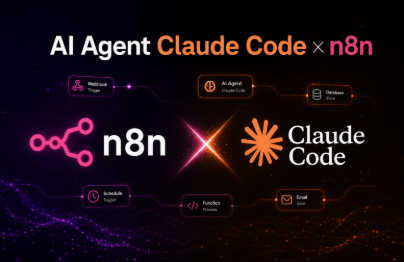
Revenue-generating AI Agent n8n Expert Course, Blog·Shorts Automation

From server setup to blog and YouTube automation, build a complete AI workflow with n8n. Practice setting up a stable operating environment including Contabo VPS-based server installation, Ubuntu, Docker, and Portainer environment setup, domain connection, and HTTPS security configuration. Cover FastAPI and Docker-based search API and file server development, Airtable and n8n integration, blog AI agent construction, and image and video automation. Complete profitable automation strategies that can be directly applied to actual service operations.

(4.9) 55 reviews

739 learners

  • nambaksa
실습 중심
AI 활용법
AI 코딩
n8n
수익화
Docker
AI
prompt engineering
Generative AI

Reviews from Early Learners

What you will gain after the course

  • VPS Selection and Contabo Server Setup

  • Docker·Portainer Installation and Management

  • Domain Connection, DNS Configuration, HTTPS, Reverse Proxy Server Setup

  • N8N Installation and Workflow Automation

  • FastAPI·Docker-based API/File Server Development

  • AI Agent Creation and Airtable Integration

  • Blog Automation (Keyword Planning, Writing, Images, SEO)

  • WordPress Installation and Automatic Posting Integration

  • YouTube Shorts Automatic Creation & Upload

  • Profitable AI Automation Strategy

  • Expert-Level AI Prompt Engineering

💡 AI automation is not a choice, but a necessity.

AI and automation technology are no longer exclusive domains of experts. In an era where strategies learned today become outdated tomorrow, who builds automation first and who executes monetization models first determines success or failure. The single step you take today will become a shortcut that puts you years ahead in future competition.

Revenue-Generating AI Agent Expert Course, n8n Blog·YouTube Automation

This course goes beyond simple tool usage—it's an A to Z process of building an automated business system from scratch. You'll practice the entire pipeline that connects VPS server environment setup, n8n installation and workflow design, WordPress configuration and blog automation, and YouTube Shorts creation and upload all in one flow.

Additionally, it includes AI Agent creation and advanced prompt engineering, as well as monetization strategies such as blog search exposure and AdSense registration, allowing you to complete an automation system that can be operated immediately after finishing the course.

🚀 This course is not for everyone.

This course is not just a simple educational program, but a practical lecture covering revenue-generating AI Agent development.
If many students enroll, it will naturally create a competitive environment among participants, and this is a lecture that can directly impact the market for various revenue-generating courses, programs, tools, and workflows currently sold for tens to hundreds of thousands of dollars.

Therefore, we unavoidably operate a special pricing policy. The course fee gradually increases by 2.8% for every 100 students enrolled. However, the price increase is capped at a maximum of 500,000 won.

231,000 KRW-> 279,400 KRW

🙏 I ask for your understanding that this pricing policy is not simply to protect the value of the course, but is an unavoidable choice that considers both the effort involved in preparing and operating the course and its impact on the market.

🎯 No need for lengthy explanations—judge by the results.

💡 The WordPress blog and YouTube Shorts automation results completed through this course are immediately applicable to actual service operations. Rather than simple examples, you can use the workflows covered in the course as-is to automate and scale profitable blogs and YouTube channels.

Furthermore, compared to blog automation programs or shorts auto-generation tools currently sold for tens of thousands to millions of won, the system covered in this course provides far superior results in terms of customization freedom, scalability, and maintainability. In other words, instead of purchasing commercial programs with limited features, you will have a complete automation environment that you can design and operate yourself.

You'll learn this content

1⃣VPS and Server Environment Setup

Setting up an Ubuntu 22.04 server on Contabo VPS and configuring a container environment with Docker and Portainer. This allows you to directly operate a stable and scalable server infrastructure without depending on your local environment.

2⃣ Domain Connection and HTTPS Security Setup

We will practice purchasing a domain, DNS mapping, and issuing and auto-renewing SSL certificates through nginx-proxy-manager. We'll cover secure HTTPS environment at actual service level and how to operate domains and subdomains.

3⃣n8n Installation and Automation Workflow

AI Starter Kit cloning, Docker Compose modifications, RaiDrive SFTP integration, permission issue resolution, and the entire installation and operation process are covered. Through this process, you'll learn to resolve issues independently and complete an operational automation platform.

4⃣Blog AI Agent Development

By integrating Airtable and n8n, you can automate the entire process from keyword planning, SEO strategy, blog draft writing, automatic image generation, to automatic WordPress posting. Through this, you can automate the entire operation of an actual revenue-generating blog.

5⃣FastAPI·Docker-based API Server Development

We'll develop and deploy a search API and image server directly in a FastAPI and Docker environment. Including domain, SSL, and reverse proxy configuration, you'll learn vibe coding methods for building production-level API servers and n8n integration.

6⃣WordPress Installation and Theme Customization

Install WordPress, connect it to a MySQL database, and proceed with basic configuration. Then, cover the WordPress theme installation and customization process, and practice how to extend functionality by directly modifying PHP code as needed. Through this, you can complete a WordPress-based platform that can integrate with automated AI agents, not just a simple blog.

7⃣Building an Automated YouTube Shorts System

Using Airtable and n8n, this covers script planning, AI-based voice synthesis, automatic image and video generation, subtitle sync processing, and final video rendering through the Creatomate API. Automates the entire process of creating monetizable YouTube Shorts.

8⃣Expert-Level Prompt Engineering

It covers SEO keywords, blog content, image and video prompt design, and model-specific optimization techniques. Rather than simply calling AI, you can learn prompt strategies that create high-quality results that work in real-world practice.

All courses provide class notes, AI prompts, and source templates.

Summarized class notes for each lecture and all AI prompts and source workflow templates used in the course
(Unauthorized distribution, reproduction, and resale prohibited)

Notes Before Enrollment

Practice Environment

  • Operating System: Windows, macOS, Linux all supported

  • Essential Tools: n8n, Docker, Portainer, FastAPI, WordPress, Airtable, Creatomate API, etc.

  • PC Specifications: General specification PC with internet access (8GB or more of memory recommended)

Learning Materials

  • Provided Materials: Practice code, Docker Compose examples, workflow provided for each lecture chapter

  • Configuration Method: Organize and provide downloadable materials needed for each section

Prerequisites and Important Notes

  • No prior knowledge is required.

  • If you know Docker basics, Python basic syntax, and n8n basic usage, it can be helpful for taking the course. However, the course is conducted with a focus on hands-on practice, and basic explanations are provided for the content covered in the course, so there shouldn't be any major issues.

  • The lecture materials and source code are strictly prohibited from unauthorized distribution/reproduction for purposes other than taking the course.

Recommended for
these people

Who is this course right for?

  • Those who are curious about how to write expert-level AI Agents

  • Those who want to learn everything from server setup to Docker and VPS operations hands-on

  • People who want to build practical automation workflows using n8n

  • Those who want to automate blog and YouTube operations with AI-based solutions

  • Those who want to experience developing APIs and file servers with FastAPI and Docker

  • Those who want to integrate WordPress with AI for automated content posting

  • People who want to create profitable business models using AI Agents

Need to know before starting?

  • Python Basic Syntax

  • n8n Basic Usage

Hello
This is

6,843

Learners

447

Reviews

931

Answers

4.8

Rating

6

Courses

안녕하세요.

영진닷컴 『코딩은 처음이라 with 파이썬』 저자 남박사입니다.

C/C++, 파이썬, 그리고 AI를 활용한 자동화 시스템(AI Agent) 개발을 주로 하고 있습니다.

제 강의를 보시는 모든 분들, 끝까지 "화이팅" 입니다!


💡개인블로그: https://blog.naver.com/nkj2001

💡AI 블로그: https://blogagent.kr

🎞Youtube: https://www.youtube.com/@blographer/featured

Curriculum

All

36 lectures ∙ (15hr 11min)

Course Materials:

Lecture resources
Published: 
Last updated: 

Reviews

All

55 reviews

4.9

55 reviews

  • siche님의 프로필 이미지
    siche

    Reviews 2

    Average Rating 5.0

    5

    100% enrolled

    I wanted to make a motor boat, so I looked for boat-making courses, but they turned out to be about making paper boats and ferry boats. But with this, I could probably even make an aircraft carrier~!! Thank you always for such substantial and excellent courses. Dr. Nam's Python and n8n courses should be designated as standard courses on Inflearn~!!

    • nambaksa
      Instructor

      It seems like you understand the essence of what I wanted to convey in my lecture. Thank you for the wonderful analogy and good rating. :)

  • windowz20141058님의 프로필 이미지
    windowz20141058

    Reviews 2

    Average Rating 5.0

    Edited

    5

    67% enrolled

    I've been waiting for when this would be uploaded, and finally this lecture is here!!! While running an online shopping mall, I've encountered various shockingly expensive make, n8n, AI courses and various automation programs for blog and YouTube Shorts marketing, but most of them were just at the level of extracting text with a few simple prompts, which left me greatly disappointed. Actually, I was amazed at first even with that level, but when I kept getting rejected for AdSense approval with the reason of "low value content," I started to worry about content quality. So when I left such feedback in course comments or sales site comments, I was often blocked even though I was a buyer. This course is really reasonably priced compared to those courses, and the content is overwhelming. You explain it in a way that even someone at a computer novice level like me can understand and follow along sufficiently. Of course, parts like coding are still unfamiliar and I still don't know more than I know, but I feel like I'm learning a lot. I should study some coding while I'm at it. But there's one thing I'm curious about - looking at Dr. Nam's WordPress, AdSense approval has already been granted and ads are running, but the course only shows how to apply for AdSense. Is there perhaps a separate follow-up course? I'm asking out of curiosity. Anyway, thank you for the great course~

    • nambaksa
      Instructor

      First, thank you for your kind words about the course. You've already completed 66% of the course - that's impressive! Anyway, I'm glad the course has been helpful to you. It's true that with the AI era, there have been a lot more courses available. Of course, there are many excellent courses, but it's also true that there are many that aren't so great. Regardless, I hope you'll be able to implement what you want through this course. I'd appreciate it if you could always use the Q&A board for any questions you might have. And as you mentioned, there are indeed a few more follow-up courses planned for the current blog AI Agent we've been working on. First, I'm planning to add a method to directly operate from Airtable instead of the current workflow where you input values in Airtable and then come back to n8n to execute the workflow. I also plan to add the internal link extraction feature that I only talked about in the course. This might be a bit complex since we need to distinguish between actually published posts and private posts on WordPress, extract internal links only from published posts, and apply status values to Airtable when "publishing" occurs on WordPress. However, I've already completed testing and plan to provide this as an additional course soon. I'm also considering covering how to insert desired advertisements (not AdSense) within the content. If you look at my WordPress, you can see my course advertisements inserted in that format. Anyway, thank you once again for your kind words and rating, and please leave any questions on the Q&A board.

  • yoodsp3893님의 프로필 이미지
    yoodsp3893

    Reviews 5

    Average Rating 5.0

    5

    31% enrolled

    Inflearn has a tremendous number of courses. There are fastapi, Docker, n8n, external servers, main domains and subdomains, blogs, YouTube, and so on - there are really many great courses. However, the key is here. They also explain why it's the key. If you don't understand, just ask and they'll explain it within 24 hours in most cases. And after listening to the core concepts, you can learn the remaining details and minor techniques from other places. (From a 3-month n8n user who completed the beginner course and is currently progressing through 13 lessons of the basic level in just one day)

    • nambaksa
      Instructor

      It's amazing that you completed 30% of the newly opened course on the same day as finishing the n8n beginner course. As someone who creates courses, seeing students like you enjoy the material and work so diligently is truly the greatest reward for making these courses. Thank you for your kind words and rating.

  • xx1722x1050님의 프로필 이미지
    xx1722x1050

    Reviews 10

    Average Rating 5.0

    5

    14% enrolled

    Everything looks good, but do you only automate WordPress? Do you happen to not do automation for Naver Blog or Tistory? The server costs are burdensome~~ I need to get a domain too~ I'd appreciate it if you could compare WordPress, Naver Blog, and Tistory.~~ Naver Blog & Tistory have free servers, so I'd like to know the pros and cons compared to WordPress.~

    • nambaksa
      Instructor

      First, as a matter of policy, Naver and Tistory currently do not support article writing APIs. This is ultimately a decision not to allow programmatic article creation, which is quite disappointing in the AI era. Tistory supported this until around November 2024, and Naver stopped supporting it much earlier. Of course, you can create automated writing programs using Python Selenium and similar tools to write articles, but I personally don't recommend operating this way. Since this goes against the service provider's policy, it's only a matter of time before your blog posts get blinded, your blog stops appearing in search results, or in the worst case, you won't be able to operate your blog at all. This has been verified through the experiences of many people around me over a long period, so I'm not just sharing my personal opinion. However, ironically, there's no problem with copying and pasting AI-written content as long as you don't automatically upload articles using programs. That's why, as covered in the course, you can use an AI Agent to publish articles privately on WordPress and then copy-paste them to Naver or Tistory. I've also tested this method by writing articles on Naver blog and checking search exposure, which is one of the topics covered in the middle of the course. Since automation isn't possible with Naver or Tistory, comparing these services doesn't have much meaning, but if we exclude automation and look at the pros and cons of Naver, Tistory, and WordPress: Naver offers no freedom at all, but from a user's perspective, since you can only use what Naver allows, it has the advantage of being easy for beginners who have never operated a blog before. Of course, once your blog reaches a stable level and starts getting exposure, this becomes the worst disadvantage because you can't earn revenue from other sources like Google AdSense or other ads besides Naver's own advertising. Also, I hear that recently, articles with Coupang Partners links have started not appearing in search results at all (this is supposedly being gradually applied across the board). WordPress guarantees complete freedom, so if you have ideas or skills, there's so much you can do, and you can attach any advertising model you want. However, since you have to handle everything yourself, it can feel too difficult for beginners to get started. (By the way, WordPress isn't just for blogs. You can modify WordPress code to create company introduction sites or shopping malls.) Of course, nowadays with AI available, you can ask AI and it will tell you everything. Once you adapt to the WordPress environment to some extent and your blog operates well with good search exposure, there are virtually no disadvantages except for the monthly server costs. Tistory is positioned somewhere in the middle, mixing Naver and WordPress appropriately. It provides decent templates and guarantees some degree of freedom, but ultimately, since all content on blogs with service providers belongs to the company rather than individuals, there's no real merit there. In conclusion, if you don't need complete automation and don't mind the effort of copying and pasting AI-written articles, and if you're not interested in revenue from blog operations, then using Naver or Tistory might be more convenient. Otherwise, I unconditionally recommend WordPress. If you have any further questions, please leave them on the Q&A board, and I would be grateful. Also, thank you deeply for the good rating.

    • Could you take a look remotely? I'm stuck. I restarted MobaXterm but the SSH input window isn't showing up. I've tried everything but it stays the same, and I've been stuck for days without making any progress. Actually, I did use the cursor. And I think it would be great if we could create a KakaoTalk group chat for everyone taking the course. It's difficult since I'm doing this for the first time. I'm stuck and can't do anything. I'd like to ask questions in real-time.

  • sdk님의 프로필 이미지
    sdk

    Reviews 4

    Average Rating 5.0

    5

    100% enrolled

    Thank you.

    • nambaksa
      Instructor

      Thank you for your kind words and rating.

$215.60

nambaksa's other courses

Check out other courses by the instructor!

Similar courses

Explore other courses in the same field!