
강의

멘토링

커뮤니티

Productivity

/

Task Automation

Mastering work automation in just 2 hours with the latest development trend 'Vibe Coding' (Cursor AI)

How did Assistant Manager Kim, who worked overtime every day, become a "leave-on-time pro" in just 1 hour? The secret to reclaiming your "clock-out time" Staying up all night because an Excel formula broke, or having an entire report ruined by a single typo—every office worker has experienced this at least once, right? This course was designed to put an end to that "recurring pain." You don't need to memorize complex coding syntax. We utilize Cursor AI, an AI-powered tool that writes code based on text commands, and Streamlit, which allows anyone to easily create websites. I have captured the entire process of solving the "pain points" I personally faced in the field—such as merging files by branch, automatically classifying items for repair, and generating infinite PDF certificates—all by "conversing" with AI without typing a single line of Python code yourself. By the end of this course, you will be reborn not as a mere office worker, but as a "Digital Transformation Expert" who revolutionizes your team's work efficiency.

10 learners are taking this course

Level Beginner

Course period Unlimited

  • codebridge
Python
Python
Excel
Excel
Vibe Coding
Vibe Coding
Python
Python
Excel
Excel
Vibe Coding
Vibe Coding

Reviews from Early Learners

Reviews from Early Learners

5.0

5.0

tata

100% enrolled

The lecture wasn't too long, so it was easy to watch quickly after work. It covered just the essential points I needed, and I'm already applying them to my work. I recommend it.

What you will gain after the course

  • AI Proficiency: Master the 'Vibe Coding' technique to obtain the automation programs you want by providing precise prompts to AI, even without writing the code yourself.

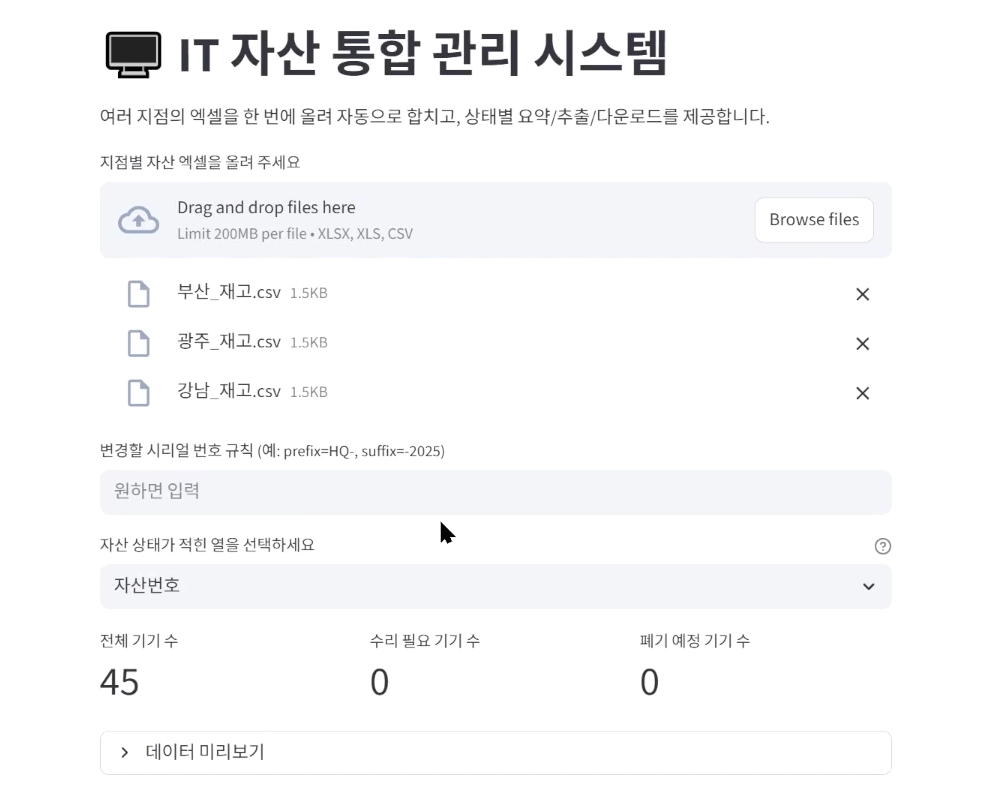
  • Own your own web service: Instead of an Excel file that only runs on your computer, you will personally deploy a proper 'Inventory Management Web App' that your colleagues can actually access and use.

  • Practical Automation Package: You will own a set of 5 Python automation scripts ready for immediate practical use, including data merging, conditional filtering, MAC address preprocessing, and automated PDF document generation.


Excel work,AI-powered completion

Break free from repetitive Excel tasks by utilizing AI
and become a digital transformation expert who innovates work efficiency..


Are you familiar with pulling all-nighters because of broken Excel formulas, or having to rewrite an entire report just because of a single minor typo?

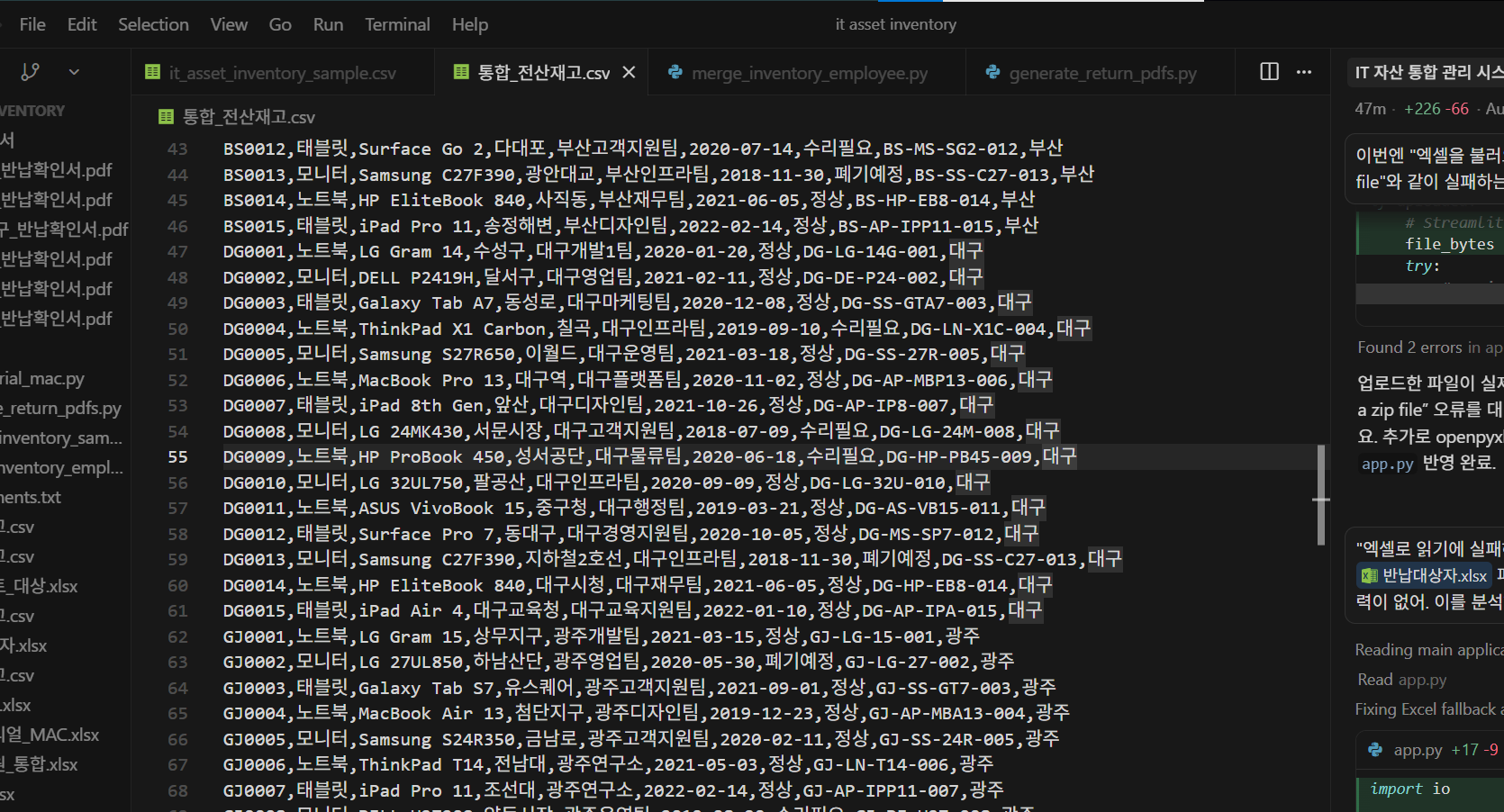
You will experience the process of building complex business automation programs by simply prompting Cursor AI, without having to write a single line of code yourself.

If you are an IT asset manager or a general affairs team member working overtime every month to aggregate inventory data from branches nationwide, you can immediately apply five types of automation scripts—covering data collection, conditional filtering, and automatic PDF generation—to your work.

Break free from the frustrating ways you've worked until now; with AI, you too can grow into a game-changing expert.


Excel automation and
building your own web apps, all at once using Cursor AI and Streamlit!

Break free from the pain of repetitive Excel tasks,
and transform into your team's digital transformation expert..

By the end of this course, you will


You can completely automate repetitive tasks by coding with AI.

  • You will no longer have to pull all-nighters over Excel formula errors or see an entire report ruined by a single typo. By leveraging Cursor AI and Streamlit, you can easily create the automation programs you want just by giving text commands, without any complex coding. You will learn how to solve various real-world problems—such as consolidating files by branch, automatically classifying items for repair, and generating endless PDF certificates—as if you were simply having a conversation.

You can build and operate your own work automation web service.

  • It goes beyond simple Excel automation that only runs on your local computer. You will gain hands-on experience building and deploying an 'Inventory Management Web App' that your colleagues can actually access and use. Through this, you can transform into a 'Digital Transformation Expert' who revolutionizes your team's work efficiency.

You will own a set of 5 Python automation scripts ready for immediate practical use.

  • You will build and master Python automation scripts that solve common real-world problems, such as data merging, conditional filtering, MAC address preprocessing, and automated PDF generation. These scripts will provide an immediate boost to your work productivity.

Master 'Vibe Coding' techniques to leverage AI without memorizing syntax.

  • It’s perfectly fine if you’re a non-major or someone who gave up on coding after struggling with Python syntax. By mastering "Vibe Coding"—the skill of providing precise prompts to AIs like Gemini to get the automation programs you need—you can build powerful automation tools without writing any code yourself. You will learn how to directly translate your AI proficiency into professional performance.


✔️

No more Excel stress!

Solving Repetitive Excel Pain
with AI

Are you wasting time on simple, repetitive Excel tasks? This course teaches you how to automate complex workflows and build web services ready for immediate practical use using Cursor AI and Streamlit—all without having to write Python code yourself.

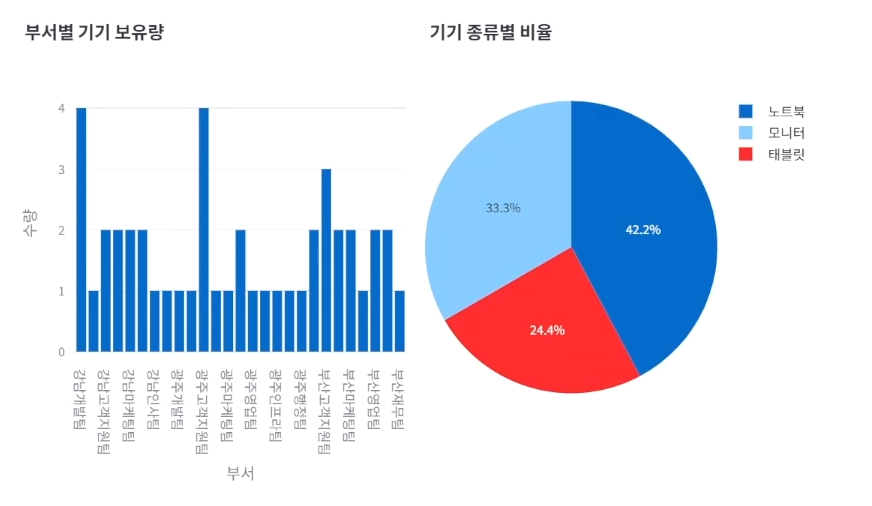
Automating Excel content into charts

Building Tailored Business Automations & Web Apps

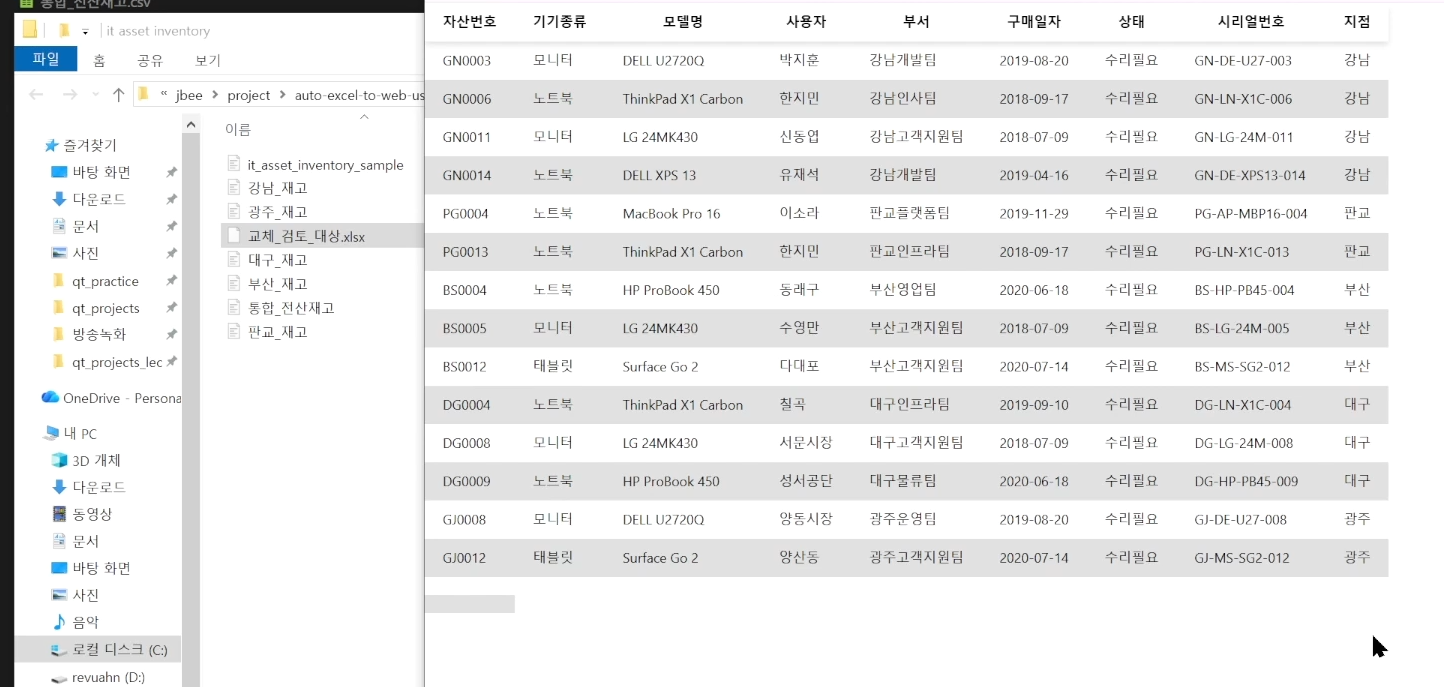
You will learn the process of solving various real-world challenges—such as consolidating branch inventory files, automatically classifying devices in urgent need of repair, merging user data, and auto-generating device return confirmation PDFs—by simply explaining them to Cursor AI. Furthermore, you will gain hands-on experience building and deploying an inventory management web app using this automated code for you and your colleagues to use together.

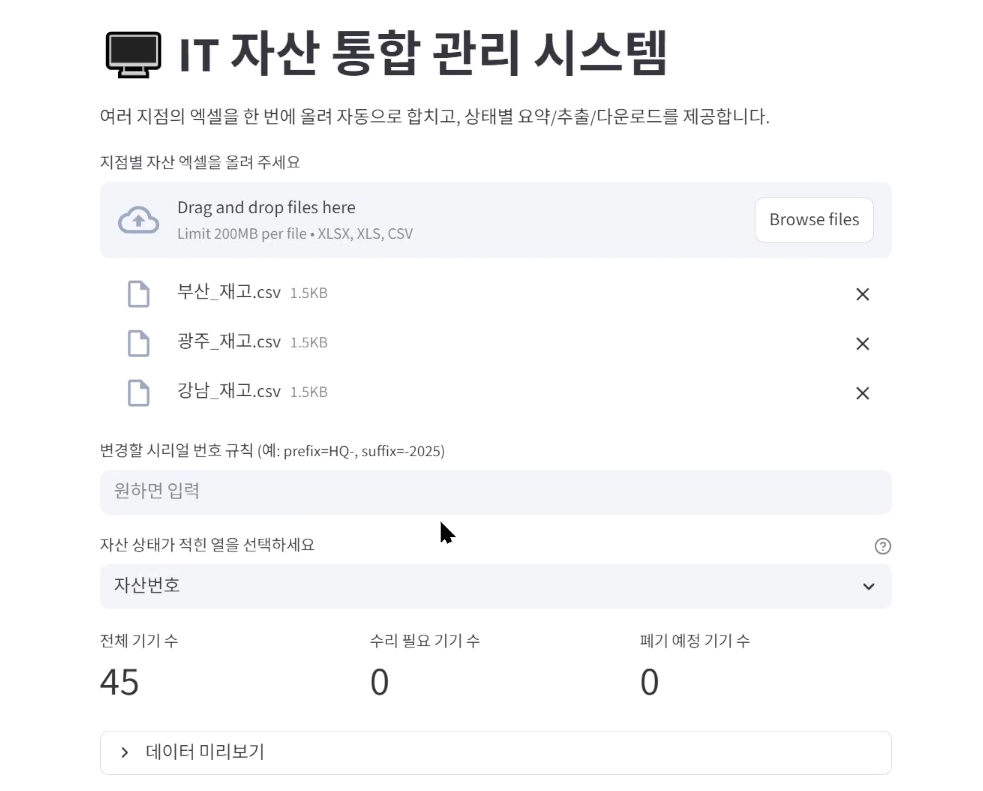
My own office automation website

5 AI-powered automation scripts

Through this course, you can master five practical Python automation scripts for tasks such as data merging, conditional filtering, MAC address preprocessing, and automated PDF generation. We provide step-by-step guidance from installing Cursor AI to configuring essential settings, so you can jump into the hands-on practice right away.


📚

Building an Automation Pipeline with AI

Setting Up the Practice Environment and Configuring Cursor AI

Section 1

Setting Up the Practice Environment and Configuring Cursor AI

Install and configure the essential settings for the Cursor AI code editor. You will link your Google account, understand the features of free and paid plans, and set up an AI-powered development environment. This will prepare you to create automation programs by chatting with AI, without having to write code manually.


IT Equipment Inventory Data Automation

Section 2

IT Equipment Inventory Data Automation

Consolidate scattered inventory files by branch and automatically extract devices requiring repair. Update actual user information by merging it with HR data, automatically generate device return confirmation PDFs, and standardize serial number and MAC address formats. We will implement five types of practical automation scripts.


Office Automation Website

Section 3

Building a Streamlit-based Inventory Management Website

Build an inventory management website using Streamlit that allows you to check and visualize data immediately upon upload. By integrating Python automation code, you will complete your own web dashboard capable of generating charts with a single click and deploy a web service that your colleagues can actually use.


We can solve the concerns
of people like this!

📌

Working professionals feeling lost about how to utilize AI

Those who experience repeated overtime or
give up their weekends due to Excel formula errors or data organization.

📌

Non-majors with zero coding experience

Those who know Python is great for work automation but couldn't even get started
and gave up every time due to its complex syntax

📌

Leaders who want to improve their team's work efficiency

Those who are looking for efficient digital transformation methods while watching team members spend time on repetitive paperwork or data collection


Things to know before taking the course


Practice Environment

  • Windows or macOS operating systems can be used.

  • Python 3.x installation is required.

  • The Cursor AI code editor is required.

  • A stable internet connection is relatively more important than having a high-spec PC.

  • Python, Vibe Coding, Excel

Prerequisites and Precautions

  • Knowing basic Python syntax is helpful for learning.

  • Even without coding experience, you can follow along with 'Vibe Coding'.

Learning Materials

  • Use the lecture notes provided in the course.

  • Refer to the installation and setup guide for Cursor AI.

  • Let's look for materials related to web apps built with Streamlit together.


Recommended for
these people

Who is this course right for?

  • Aspiring high-performers who feel lost on how to use AI at work but want to produce immediate, tangible 'results'

  • Non-majors who know Python is great but gave up after only studying the syntax.

  • IT asset managers and general affairs staff who work overtime for several days every month to consolidate inventory data from branches nationwide

Need to know before starting?

  • I will guide you step-by-step, starting with how to install Python.

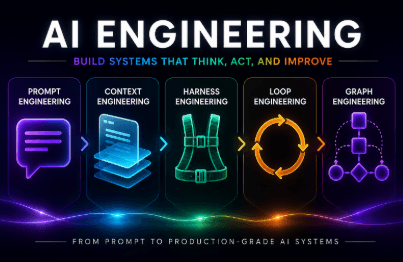
  • Instead of complex algorithms, we focus on how to talk to AI (prompt engineering).

Hello
This is

505

Learners

61

Reviews

16

Answers

4.7

Rating

10

Courses

I am fascinated by development that breaks down the boundaries between platforms, and I am currently creating related lectures. I look forward to working with you!

Experience

Current) Developer at a major IT corporation

Graduate of a 4-year Computer Science program in Seoul

[Eng] I am fascinated by development that breaks down barriers between platforms and am creating related lectures. Thank you for your support! YouTube: https://youtube.com/channel/UChmHjzyYedu9yYb3YmnOOog?si=xM1HueA3TJ4BjnV3 Inquiries: codebridge747@gmail.com Experience: Current) Developer at a major IT corporation, Graduated with a 4-year Computer Science degree in Seoul

[Eng]

I am fascinated by development that breaks down barriers between platforms and am creating related lectures. Thank you for your support!

YouTube: https://youtube.com/channel/UChmHjzyYedu9yYb3YmnOOog?si=xM1HueA3TJ4BjnV3

Contact: codebridge747@gmail.com

Experience

Current) Developer at a major IT corporation

Bachelor's degree in Computer Engineering from a 4-year university in Seoul

Curriculum

All

14 lectures ∙ (1hr 31min)

Course Materials:

Lecture resources
Published: 
Last updated: 

Reviews

Not enough reviews.
Please write a valuable review that helps everyone!

$26.40

codebridge's other courses

Check out other courses by the instructor!

Similar courses

Explore other courses in the same field!