

inflearn logo

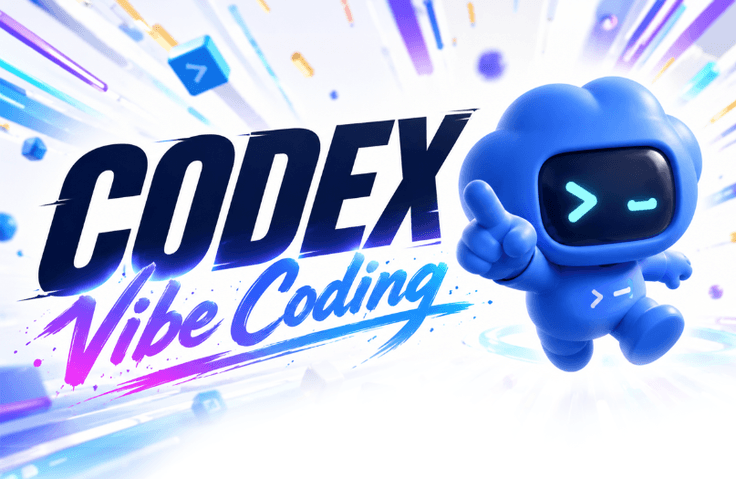
Codex True Education - From Codex Task Automation to Vibe Coding

This is a practical OpenAI Codex course for both non-developers and developers. You will easily learn everything from basic usage to building websites and programs, task automation, harness engineering, and advanced features, while developing the ability to master new features on your own using the latest official documentation.

(5.0) 3 reviews

99 learners

Level Beginner

Course period Unlimited

agents
agents
codex
codex
prompt engineering
prompt engineering
Vibe Coding
Vibe Coding
harness
harness
agents
agents
codex
codex
prompt engineering
prompt engineering
Vibe Coding
Vibe Coding
harness
harness

What you will gain after the course

  • You can create webpages and simple programs without any coding experience.

  • You can automate repetitive tasks such as email, scheduling, research, and file organization.

  • You can systematically carry out complex tasks using Plan-Goal mode and parallel agents.

  • You can create your own AI workspace using skills, MCP, plugins, and instructions.

  • You can write clear completion criteria and safely verify the AI's results.

  • You can learn new features on your own by utilizing the official OpenAI documentation.

  • You can implement harness engineering for consistent work results.

OpenAI Codex for Everyone

For both non-developers and developers — How to delegate real work to AI

From the moment you first install Codex to building websites and programs, generating documents and content, integrating external services, and even automating repetitive tasks and using advanced features—it's all included in this single course.

☝️ The goal of this course does not end with simply following the features.

Even after the course ends, we create users who can learn new features on their own using official documentation
and safely achieve the results they want.

Codex, do you need to know how to code to use it?

Not at all.

The key to utilizing Codex is the ability to clearly communicate goals and conditions to the agent, and to adjust and verify the progress and results. If you can properly instruct and control the agent, you can leverage Codex's coding capabilities to directly create desired outcomes such as websites, programs, documents, and automation.

Non-developers will use Codex as a tool to create the results they need directly, while developers will utilize it as a colleague to work faster and more systematically.

Difficult concepts made easy, the Yalco way

Concepts that may seem unfamiliar at first, such as Agents, Context, Sandbox, MCP, Skills, and Harness Engineering. We won't start by listing technical jargon you need to memorize.

Yalco, a YouTuber with 120,000 subscribers who explains difficult coding and IT knowledge more easily than anyone else, will break down each concept using familiar analogies so that anyone can understand.


🌟 Yalco's High-Quality Video Lectures

Subtitles are included in every scene, and areas that need to be clicked or noted are indicated with highlight lines on the screen.

Recommended for these people

Non-developers who want to directly create necessary webpages or small programs

Office workers and solo entrepreneurs who want to reduce repetitive tasks such as email, scheduling, research, and file organization

Developers who want to use AI for existing project analysis, feature implementation, testing, and reviews

In addition, it is a great fit for the following people:

  • Those who are interested in Vibe Coding but feel overwhelmed about where to start

  • Those who want to assign actual tasks to AI rather than just asking simple questions

  • Those who want to learn how to safely inspect and modify the results.

  • Those who want to cultivate the ability to self-study rapidly evolving AI tools.

After taking the course, you will be able to do the following

  • Creating webpages, games, and simple business programs through conversation alone

  • Connecting various online services using plugins and various automation tasks

  • Divide tasks among multiple agents to proceed simultaneously

  • Establish plans and completion criteria, and repeat tasks until the results are verified.

  • Harness Engineering and Prompt Engineering for predictable and controllable results


  • Utilizing and directly creating Skills, MCPs, and plugins

  • Version control and task review using Git

  • Codex Cloud · Web, etc. Utilization of advanced features for developers

  • Automation of verification using Hooks and loop engineering

  • Completing safe deliverables through testing, review, and approval procedures


Don't just ask questions; build it yourself


Creating webpages and programs


We will create a Codex introduction webpage, a Snake game, a YouTube channel promotion page, and a to-do list app.
You can change the overall design by providing reference images, leave modification requests by directly selecting desired elements on the screen, and even create and insert necessary visuals using image generation tools.

Utilizing email, calendar, browser, and collaboration tools


Check and add schedules in Google Calendar, organize Gmail messages, and prepare replies. Read Slack meeting notes to reflect them on the website, and organize video plans, scripts, descriptions, tags, and thumbnails in Notion. Also perform product searches and comparisons in the browser.

Automating Repetitive Tasks


Every morning, you will research and translate the latest AI news to receive via email, and regularly organize installation files accumulated in your download folder.
You will also learn how to execute tasks across various services and files at scheduled times.

Beyond simple usage, to advanced features


It can be utilized not only for program development but also for tasks that require processing multiple steps without omission, such as large-scale data research, document production, and content planning.

Centering on Harness Engineering, you will design work instructions for each project and folder, permissions and scope of work, repeatable task functions, and external system connections, while building a stable agent development environment that leads to testing, review, and version control within the actual codebase.

Make Codex 'the right worker for me'

Through Harness Engineering, we design the work environment itself so that Codex understands the project's rules, scope of work, permissions, and tools linked to iterative procedures. This is the process of turning the agent into a customized worker that produces consistent and safe results in a predictable manner, without the need to repeat long instructions every time.

Even after the lecture ends, you will continue to grow through official documentation

Codex evolves rapidly. New features may be added, or the interface and usage may change after the course has been filmed.

Therefore, this course does not just have you memorize current features. It teaches you how to make Codex directly access OpenAI's latest official guides to research necessary information and explain it easily in your own language.

- Check the latest usage and changes in the official documentation

- Have Codex research unknown features and learn them along with their sources

- Create your own Korean tutorials and configuration documents based on official guides

- Learning and applying new features not covered in the lecture on your own

Becoming a user who doesn't wait for other lectures whenever a new feature is released, but instead continues to learn based on official resources. This is the learning outcome that this course values most.


When the AI says it's finished, is it really done?

Instead of blindly trusting the AI's results, you will learn the habit of personally checking and verifying them.

Structure your requests with goals, context, constraints, and completion criteria, and visually verify or test whether the output meets these standards. Leave final user approval for actions that affect other people or systems, such as deletion, sending emails, external posting, or actual deployment.

Notes Before Taking the Course

Practice Environment

  • Windows or macOS computer

  • OpenAI paid plan with access to Codex

  • Node.js and VS Code installation will be guided from the beginning of the lecture.

  • Gmail, Google Calendar, Slack, and Notion accounts are optionally used for related hands-on exercises.

Prerequisite Knowledge

  • No coding experience or knowledge of programming syntax required

  • Being able to create files and folders and install programs is sufficient.

Things to keep in mind

  • AI results and the order of tasks may vary slightly each time.

  • Rather than producing the exact same result as the video, it is more important to understand the process and adjust it in the direction you want.

  • The screens and features of external services, as well as OpenAI pricing plans and usage limits, may vary at the time of enrollment.

Frequently Asked Questions


Q. Can non-developers really follow along?

Yes. We start from the installation of the Codex app and the concepts of files and folders. Web technologies are explained in easy terms, covering only what is necessary to create the final product.


Q. Is it helpful for developers as well?

Yes. It covers advanced features for development work, including the use of VS Code and CLI, Plan/Goal modes, harness engineering, version control, testing, and reviews.


Q. What should I do if the lecture screen looks different from mine?

We will learn how to have Codex check the latest official OpenAI documentation. Even if the screen or features change, you will be able to find and apply the current usage methods on your own.


Q. Is it okay if I don't understand the coding results?

It's okay. The goal is not to memorize all the code, but to develop the ability to describe the desired results and to execute, verify, and modify the generated outcomes.


Q. Which pricing plan is required for the practice sessions?

An OpenAI Plus or higher paid plan that allows the use of Codex is required. Please check OpenAI's policies at the time of your enrollment for specific plan configurations and usage limits.

Recommended for
these people

Who is this course right for?

  • Those who do not know how to code but want to create documents, content, and webpages using AI

  • Office workers and solo entrepreneurs who want to automate repetitive tasks

  • Those who want to go beyond ChatGPT and assign actual tasks to AI

  • Those who want to learn Vibe Coding starting from the easiest level

  • Developers who want to utilize Codex for development, testing, and review.

  • Those who want to learn how to self-study rapidly evolving AI tools

Need to know before starting?

  • No coding knowledge required (complete beginners welcome)

  • Basic computer skills to create and manage files and folders on Windows or macOS

  • OpenAI paid plan subscription and Codex available environment

Hello
This is yalco

Inflearn Verified

32,921

Learners

2,255

Reviews

100

Answers

4.9

Rating

14

Courses

I am the YouTuber behind the channel Yal-co's Coding Dictionary, as well as an author of IT books. Drawing on my experience as a full-stack developer, I create content that explains difficult programming concepts through metaphors, simple examples, and sometimes animations to make them easy for beginners to understand.

🎬 YouTube Yal-co's Coding Dictionary Channel (Click!)
📕 View Yal-co's Books (Click!)

More

Reviews

All

3 reviews

5.0

3 reviews

  • 22jaehii6289님의 프로필 이미지
    22jaehii6289

    Reviews 10

    Average Rating 5.0

    Edited

    5

    32% enrolled

    If Yalco releases a course, I take it without hesitation. Thank you for always putting so much care and effort into your work.

    • is16720088191님의 프로필 이미지
      is16720088191

      Reviews 10

      Average Rating 5.0

      5

      56% enrolled

      • yalco
        Instructor

        Thank you! I hope the lecture is helpful enough for you. If there is anything that isn't working well, anything you're curious about, or any issues, please feel free to email yalco@yalco.kr at any time.

    • siugm14412534님의 프로필 이미지
      siugm14412534

      Reviews 10

      Average Rating 4.9

      5

      32% enrolled

      • yalco
        Instructor

        Thank you! I hope the lecture is helpful enough for you. If there is anything that isn't working well, anything you're curious about, or any issues, please feel free to email yalco@yalco.kr at any time.

    yalco's other courses

    Check out other courses by the instructor!

    Similar courses

    Explore other courses in the same field!

    Limited time deal

    $49,500.00

    50%

    $77.00