
강의

멘토링

커뮤니티

Programming

/

Desktop Application

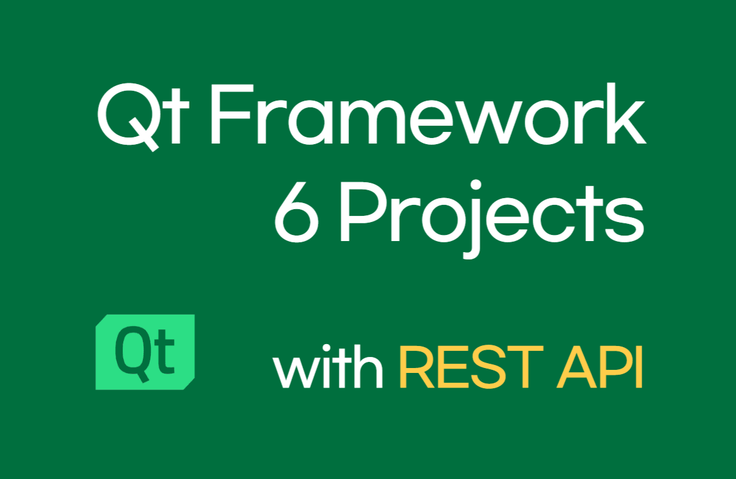
[Beginner] Mastering Qt Usage Through 6 Projects (REST API)

This is a practical Qt QML and C++ course built on 6 invaluable projects. Build your fundamental skills for real-world work through practice that covers various UI development and REST API communication!

(5.0) 3 reviews

44 learners

Level Basic

Course period Unlimited

  • codebridge
C++
C++
REST API
REST API
Qt
Qt
QML
QML
desktop-application
desktop-application
C++
C++
REST API
REST API
Qt
Qt
QML
QML
desktop-application
desktop-application

Reviews from Early Learners

Reviews from Early Learners

5.0

5.0

로렌 장

100% enrolled

I learned a lot. ^^

5.0

개린이 :)

26% enrolled

I'm taking this course following the introductory course, and it's much more fun because I'm learning while making familiar programs myself! Thank you for always giving great lectures :)

5.0

yhhan

30% enrolled

Great great, kind and helpful!

What you will gain after the course

  • Qt Cross-Platform App Development (Desktop Client)

  • REST API communication client development

C++ that's only used for coding tests😂 Don't you want to create various programs?

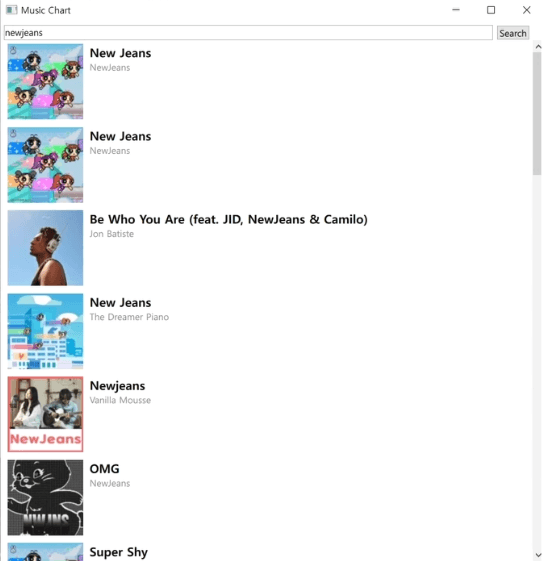
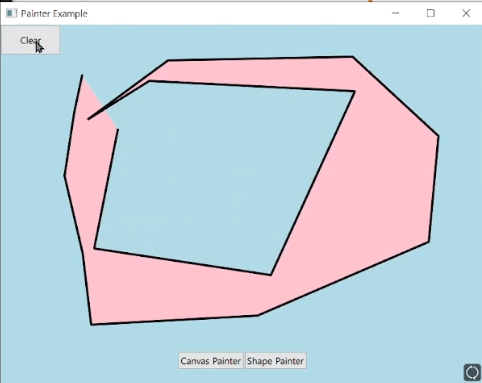
From a photo viewer to a paint program, and even a music search program using REST API with QML and C++!

  • I also knew C++, but I was frustrated that there wasn't much I could actually build with it.

  • Since learning the Qt framework, I've been freely developing projects with various UIs and business logic (cross-platform, desktop-application)

    to my heart's content.

Who should take this course

C++ developers who want to create various GUI programs

Those who want to learn everything from UI/UX that interacts with users to parsing and processing JSON through REST API communication

Those who want to develop desktop client (application software)

After completing this course

  • You will be able to develop desktop client programs that provide various UI/UX.

  • You will be able to develop dynamic applications through REST API communication and JSON parsing.

  • You will be able to develop a project from design to View and Model development, and even to program deployment.

Features of this course

I want to help with areas that are frequently used in practice but where people struggle due to insufficient resources.

REST API를 이용한 검색 기능

(1) Search functionality using REST API

You can learn the entire process of making asynchronous API requests and handling responses.

(2) Drawing a 2D Paint Canvas

I'll share how to use 2D-related UI components provided by Qt QML. I hope to help those who felt overwhelmed due to the lack of examples.

Here's what you'll learn

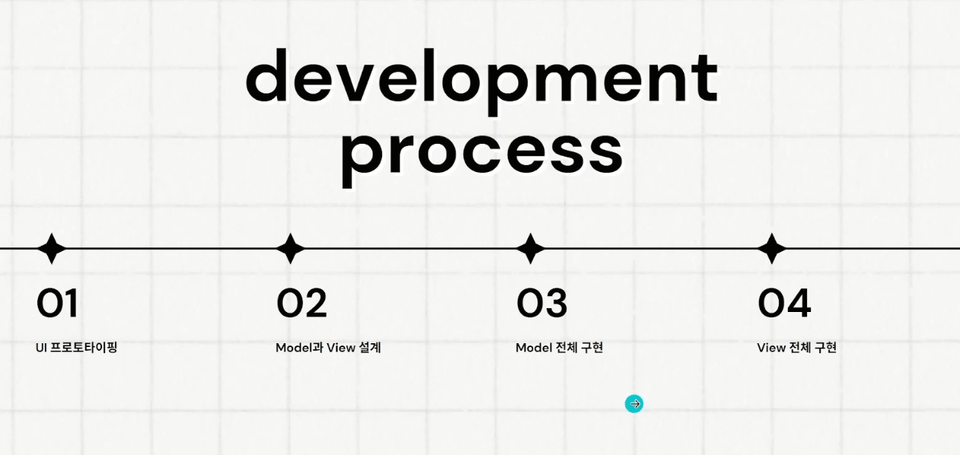
(1) We proceed together following the development process.

We will systematically work together from UI prototyping to design, and through to View and Model development.

(2) Explained kindly for your understanding.

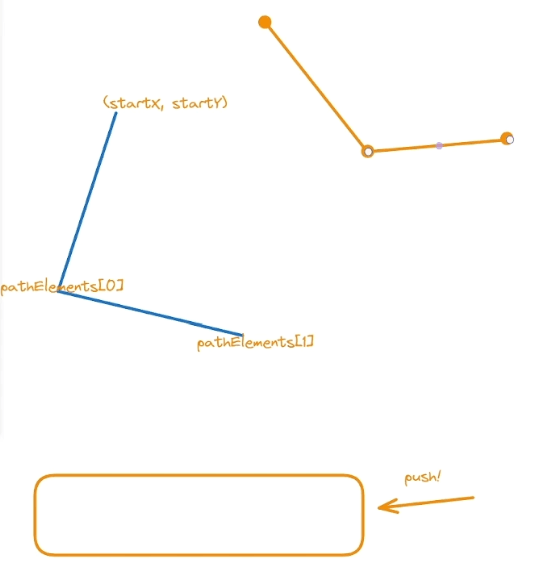
For parts that are difficult to explain through words alone, I will help you understand through diagrams and official documentation.

The person who created this course

  • I have built deep and diverse project experience ranging from embedded SW to desktop clients (application SW) based on C++.

  • I have been steadily studying and using cross-platform frameworks such as Qt and Flutter, developing my understanding and insight into cross-platform frameworks.


Do you have any questions?

Q. Can I apply this directly to real projects after taking this course?

This course curriculum contains diverse examples from QML basics to REST API communication. If you learn it together with the introductory course, which corresponds to Part 1, you will be able to gain great help in practical work and assignments.

Q. What are the advantages of Qt compared to other cross-platform frameworks (Flutter, React Native)?

First of all, the ability to write business logic in C++ provides tremendous advantages in terms of memory management and performance. Thanks to these benefits, it is widely used in the automotive industry, medical devices, performance-critical applications, and embedded programs.

Q. Why do you write the View (UI) with QML instead of QWidget?

QWidget also has the advantage of being able to develop all parts with C++ alone when used together with Qt Designer. However, using declarative QML offers various advantages such as detailed UI modifications and clear separation of Model and View. In particular, if you work with designers in the field, you can not only work according to the designer's detailed UI/UX but also intuitively handle detailed modification requests.

Things to Note Before Taking the Course

Practice Environment

  • Windows 10 or higher

  • Qt 6.6.0 or higher

  • MSVC 2019 C++

Learning Materials

  • Following along with the course by working on a project will be even more helpful for your learning.

Prerequisites and Important Notes

  • C++ Basics

  • QML basics

Recommended for
these people

Who is this course right for?

  • For those who want to learn how to communicate with REST APIs in applications

  • Someone who wants to develop a desktop GUI client

  • Someone interested in cross-platform app development

Need to know before starting?

  • C++

  • QML

Hello
This is

505

Learners

61

Reviews

16

Answers

4.7

Rating

10

Courses

I am fascinated by development that breaks down the boundaries between platforms, and I am currently creating related lectures. I look forward to working with you!

Experience

Current) Developer at a major IT corporation

Graduate of a 4-year Computer Science program in Seoul

[Eng] I am fascinated by development that breaks down barriers between platforms and am creating related lectures. Thank you for your support! YouTube: https://youtube.com/channel/UChmHjzyYedu9yYb3YmnOOog?si=xM1HueA3TJ4BjnV3 Inquiries: codebridge747@gmail.com Experience: Current) Developer at a major IT corporation, Graduated with a 4-year Computer Science degree in Seoul

[Eng]

I am fascinated by development that breaks down barriers between platforms and am creating related lectures. Thank you for your support!

YouTube: https://youtube.com/channel/UChmHjzyYedu9yYb3YmnOOog?si=xM1HueA3TJ4BjnV3

Contact: codebridge747@gmail.com

Experience

Current) Developer at a major IT corporation

Bachelor's degree in Computer Engineering from a 4-year university in Seoul

Curriculum

All

34 lectures ∙ (5hr 23min)

Course Materials:

Lecture resources
Published: 
Last updated: 

Reviews

All

3 reviews

5.0

3 reviews

  • yhhan3604님의 프로필 이미지
    yhhan3604

    Reviews 3

    Average Rating 5.0

    5

    30% enrolled

    Great great, kind and helpful!

    • codebridge
      Instructor

      Thank you for taking the course. ☺️ Please look forward to the upcoming lectures as well~!

  • hnara28114764님의 프로필 이미지
    hnara28114764

    Reviews 3

    Average Rating 5.0

    5

    26% enrolled

    I'm taking this course following the introductory course, and it's much more fun because I'm learning while making familiar programs myself! Thank you for always giving great lectures :)

    • codebridge
      Instructor

      Thank you for taking the class! I'm glad it helped you! ☺️

  • laurenjang7999님의 프로필 이미지
    laurenjang7999

    Reviews 3

    Average Rating 4.7

    5

    100% enrolled

    I learned a lot. ^^

    • codebridge
      Instructor

      Thank you for taking the course. ☺️ I will continue to create many beneficial lectures in the future. It gives me great strength!

$77.00

codebridge's other courses

Check out other courses by the instructor!

Similar courses

Explore other courses in the same field!