You know what Linux is and have learned some basic usage methods, but do you want to use the Linux shell better? Do you need to write Linux shell scripts? Well, it's time to learn Linux shell scripts!
I took a shell script course to study automation and it helped me understand the concepts clearly. Thank you.
5.0
hope4849
61% enrolled
It’s getting harder, but I’ll keep at it!
5.0
safe0628
32% enrolled
This is very helpful.
What you will gain after the course
You can learn the concepts needed to write bash scripts.
You can use bash scripts like a programming language.
You can learn about various extensions of bash.
This course is part of the " Linux Roadmap for Everyone " course. When you visit the Roadmap page, you can download a 30% discount coupon for purchasing any of the three Roadmap courses . Check out the Linux Roadmap for Everyone !
Linux, if you want to use it properly? Take your Linux skills to the next level with shell scripts!
If this is my story Attention please!
Linux internal strength For those of you who want to build!
If you want to do something on Linux but don't know how, you can easily find the answer with an internet search. While this is a good way to quickly find and use it, it's not the best way to build your skills. To build your skills, you need to learn the many things surrounding it step by step.
Can you become a good carpenter simply by knowing how to saw and hammer? No. To become a good carpenter, you need a solid foundational knowledge of not only sawing and hammering, but also the properties of wood, the types and appropriate use of various tools, and design methods.
In this lecture ?
An extension of Linux, Bash, the Linux shell standard Learn various concepts and usage methods step by step.
Shell (Linux shell, Linux shell) is the window through which you interact with Linux. And Bash is essentially the standard shell for Linux. Ultimately, you need to be proficient in Bash to be able to use Linux well.
I wanted to create a course that would allow you to learn the various concepts, features, and usage of Bash in detail. I hope this course will provide you with a solid foundation in Bash knowledge and a solid understanding of each usage.
These people shell script You have to learn.
Just now Learn Linux The one who is present
I use Linux, but By Googling from time to time The person who solves it
Using Linux I have experience, but Someone who has never studied closely
No matter what you do, understanding Shell Scripting is essential .
First, study the concepts of Linux thoroughly!
In this course, learn about the various features and concepts of Bash and learn how to use them!
Whatever you need to do, you can do it based on your knowledge and experience!
Features of this lecture Check it out.
ForLinux beginners Just the right level of difficulty.
We have prepared this course at a level that is suitable for beginners in Linux.
I took great care to ensure that no important topics were missed.
However, I boldly excluded topics that were not very necessary.
For those with little or no programming experience, I have explained the basics of programming in an easy-to-understand manner.
Theory and Practice Packed with 2-Track .
To enhance comprehension, we conduct theoretical lectures on each topic, followed by practical lectures on that topic.
In the theory lecture, the conceptual part and usage are briefly explained.
In the practical lecture, the content covered in the theory lecture is conducted in a live coding style .
what Can you do it?
You can learn about the various features provided by Bash and how to use them.
When you try to do something in Linux, you can get a feel for how to do it.
Even if you don't remember the exact instructions, you can quickly find it again because you know what's there and what to look for.
You can easily understand Bash scripts, commands, etc. that other people have worked on.
You can make repetitive tasks on Linux easier and faster by writing them into Bash scripts.
This lecture It goes like this.
Section 1. Bash Scripting Basics
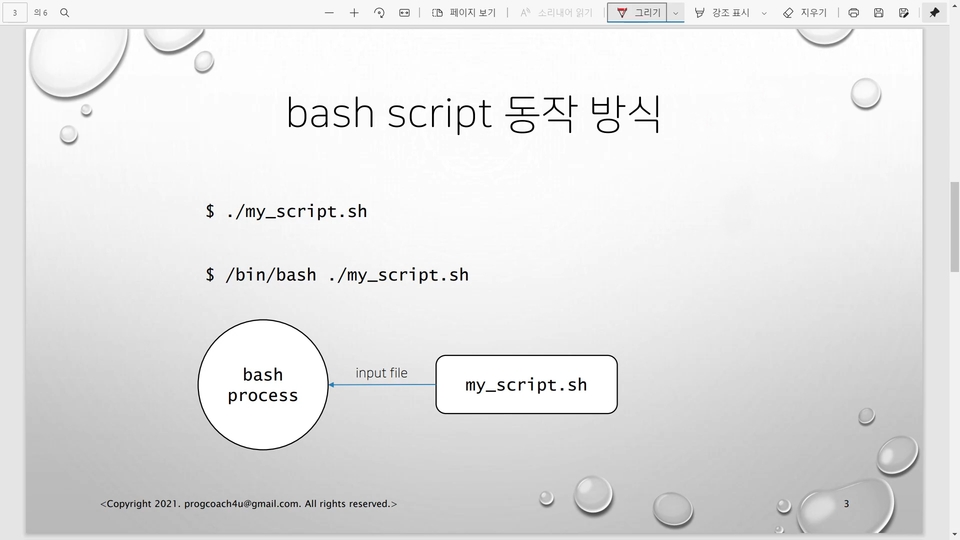
Section 1 provides an overview of Bash, Bash scripts, and how they are executed. It also briefly touches on variables, which we'll use in the exercises.
Section 2. Comparison and Testing
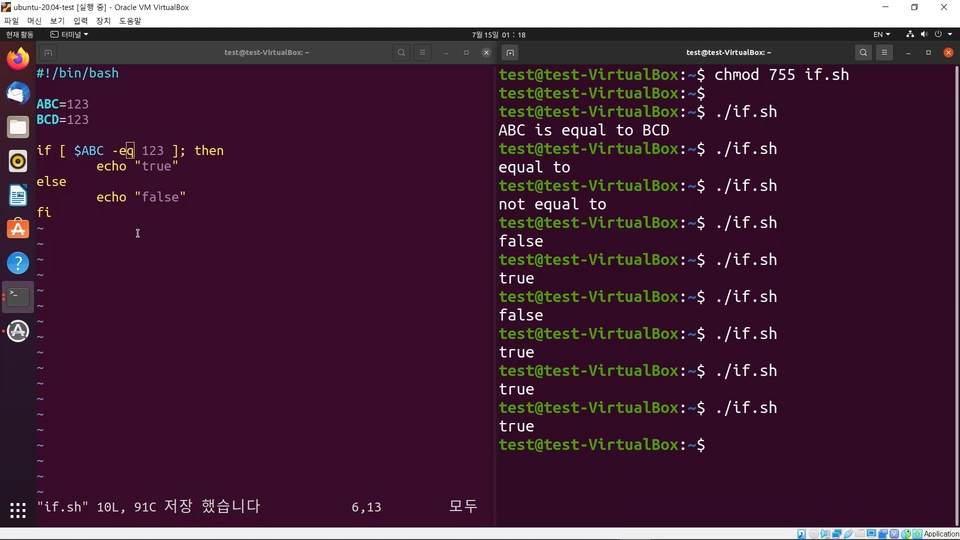
This course covers how to write conditional statements using various types of comparisons and tests in Bash. You'll learn more about comparisons with integers, comparisons with strings, tests with files, and logical AND and OR.
Section 3. Loops
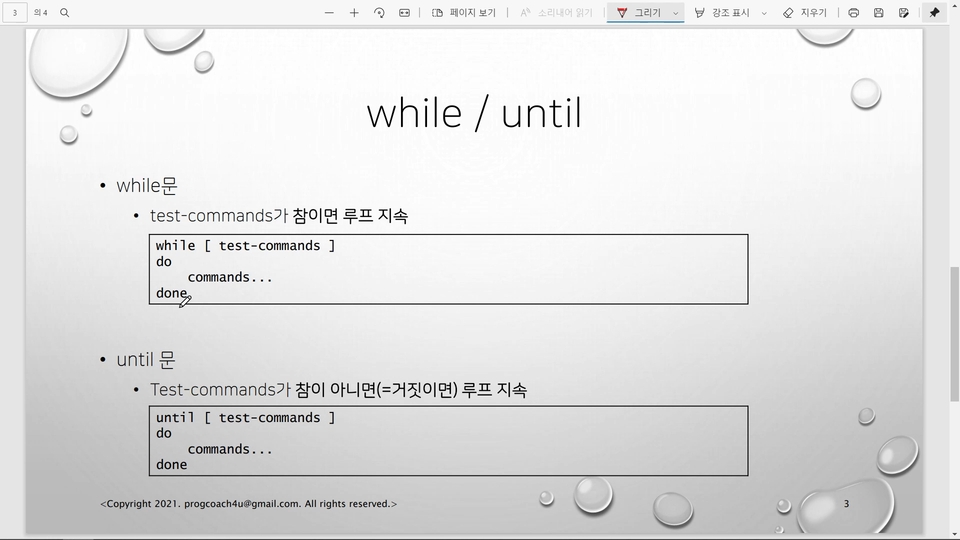
Section 3 covers how to write loops using for, while, and until loops.
Section 4. Functions and Variables
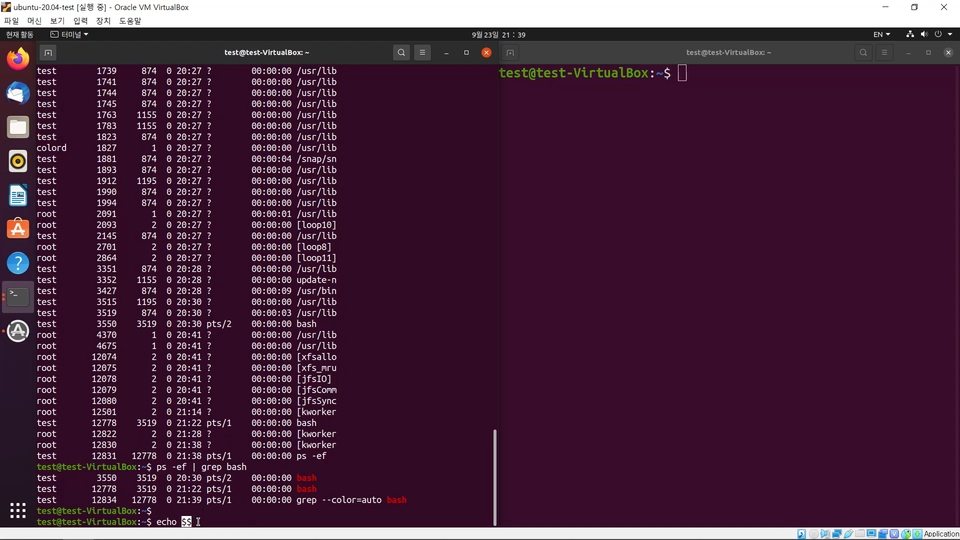
Section 4 covers the concepts of functions and variables and their various uses. Regarding functions, we delve into the concept, creation, and usage of functions. Regarding variables, we delve into the concepts and usage of environment variables, positional variables, special variables, arrays, and more.
Section 5. Extension
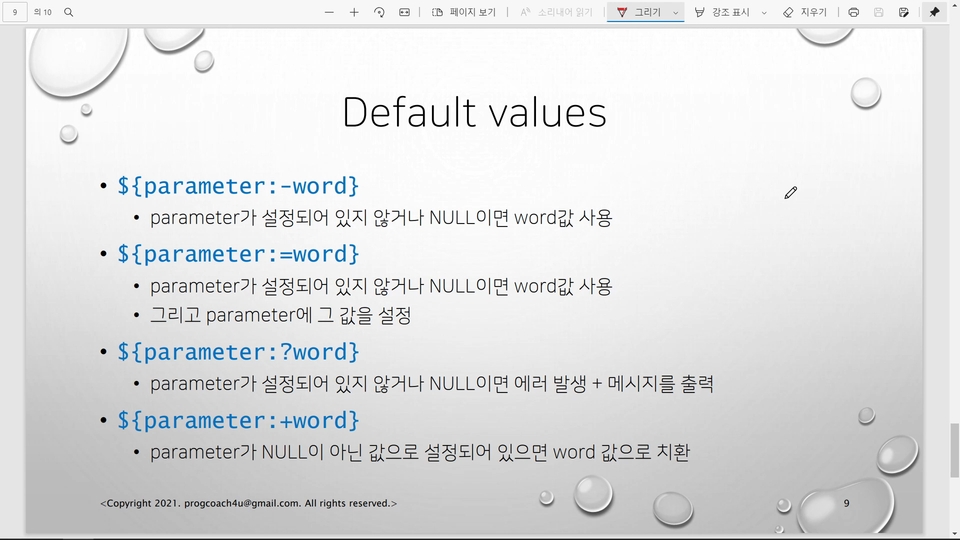
Finally, we'll cover various Bash extensions. This may be a somewhat complex and challenging topic, but once you understand it, you'll find it incredibly powerful.
Expected Questions Q&A
Q. I'm not a major and have no programming experience. Can I still take this course?
The course is structured so that even those without programming experience can easily take it. Even non-majors are welcome to take the course. However, you should have a basic understanding of Linux concepts before taking the course. I recommend taking the "Introduction to Linux - Solid Foundations!" course first.
Q. I'm a MacBook user. Can I use the same things I learned on my MacBook?
Yes, you can install and use Bash on a MacBook (zsh, the default shell for macOS, is similar to Bash, but strictly speaking, they are different shells and do not behave exactly the same). However, please keep in mind that your results may vary because the operating system is not Linux.
Q. Are there any essential items required to attend the lecture?
You'll need a Linux machine to practice on. You can use a Linux machine through a cloud service like AWS (Amazon Web Services) or MS Azure, or you can install Linux as a virtual machine on your PC.
If you're looking to prepare for Linux on a virtual machine, I've included a virtual machine installation lesson in the first section of this course. I've set it as a preview, so please take a look and try installing Linux on a virtual machine before registering for the course. I recommend taking the course after successfully installing Linux. :)
Q. I want to learn Linux thoroughly. ProgCoach4U offers several courses. Could you tell me the order in which I should take them?
Here's the course order I recommend, though you can swap between 2 and 3 depending on your circumstances.
I am Run-it, the author of Introduction to Linux with Ubuntu. 😎
I have been working as a developer in the Linux environment for over 20 years. I have worked on developing the Linux kernel network stack, device drivers, and system software, and I am currently developing managed Kubernetes services at a cloud service provider.
For inquiries other than those regarding the course, please contact progcoach4u@gmail.com ;)
Introducing Introduction to Linux with Ubuntu. 🔍 Kyobo Book Centre: http://gilbut.co/c/24086125JZ 🔍 YES24: http://gilbut.co/c/24082652Jr 🔍 Aladin: http://gilbut.co/c/24084469DI
Hello, Hyungjun Ahn. That's right. Scripts can't be left out of automation. I hope you've mastered the basics well with my course. Thank you for leaving a detailed review :)














![Structure and Principles of the Linux Kernel: Interrupt Bottom Halves [Author's Lecture Part 1-6]Course Thumbnail](https://cdn.inflearn.com/public/courses/333195/cover/3b8c8cd2-44b0-43b7-a441-b950ba367717/333195.png?w=420)

![Structure and Principles of the Linux Kernel: Interrupts [Author's Lecture Part 1-5]Course Thumbnail](https://cdn.inflearn.com/public/courses/333194/cover/79593ea5-0a6d-453a-8ead-a54103462943/333194.png?w=420)