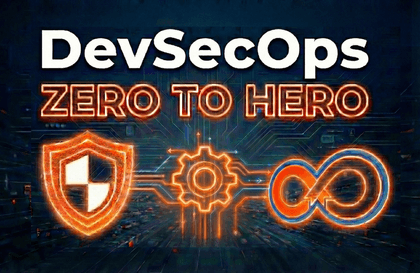
This course is designed for Developers, DevOps Engineers, Security Engineers, Freshers, QA, Infrastructure, Build & Release, IT, and InfoSec/AppSec professionals who want to learn and implement DevSecOps practices using real-world tools, technologies, and industry security best practices.
You will gain hands-on experience integrating security across the entire Software Development Life Cycle (SDLC)—from architecture and code to infrastructure, pipelines, containers, and runtime environments.
This course equips you with high-demand DevSecOps skills that can help you secure top-quality roles with higher compensation, similar to current market trends in DevOps, Cloud, and Cybersecurity. In today’s digital-first world, embedding security into engineering workflows is no longer optional—it is essential for business success.
DevSecOps: Integrating Security into the SDLC Using Jenkins and Modern Tooling
This course is ideal for individuals and teams who want to shift security left and build secure, scalable, and automated DevOps pipelines.
You will learn how to:
Integrate security principles, architecture, and organizational best practices into DevOps workflows
Prevent accidental exposure of secrets, credentials, and sensitive data in source code repositories
Secure Linux systems, virtual machines, and CI/CD build agents
Identify, fix, and patch vulnerabilities in:
Application dependencies
Dockerfiles and container images
Runtime application environments
Secure Docker images, containers, and containerized workloads
Secure Infrastructure as Code (Terraform) using policy and security scanning
Harden and secure CI/CD pipelines against misconfigurations and attacks
Perform security testing using:
Threat Modeling
Unit and Integration Tests
Software Composition Analysis (SCA)
Static Application Security Testing (SAST)
Dynamic Application Security Testing (DAST)
Automate security testing during build, test, and deployment, instead of relying on manual post-release testing
Learning Experience
Each concept is explained in a simple, visual, and structured manner:
Slide-based conceptual explanations
Followed by hands-on, real-world labs
You will:
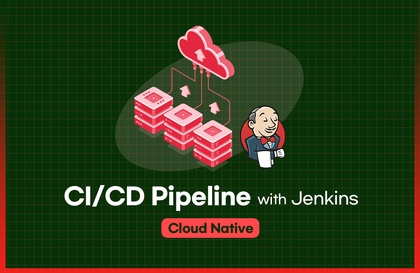
Set up your own Linux VMs, security tools, and CI/CD pipelines using Jenkins
Secure Docker images, containers, and infrastructure
Work with a dedicated GitHub repository containing all code, configurations, and examples used in the course
Why Enroll in This Course?
✅ One of the most practical, hands-on DevSecOps Bootcamps available online
✅ Learn DevSecOps, Cloud Security, and Application Security without expensive institutes or tutors (often costing $400–$4000)
✅ Self-paced learning with a comprehensive, up-to-date curriculum
✅ Clear understanding of the difference between traditional DevOps vs modern DevSecOps
✅ Learn how to embed security at every stage of the pipeline
✅ Automate security scanning early instead of fixing issues after production
✅ Hands-on experience with free and open-source security tools
✅ Industry insights referenced from Gartner reports on DevOps and Security collaboration
By the End of the Course
By the end of this course, you will have gained strong theoretical knowledge and extensive hands-on experience with DevSecOps tools, technologies, and practices. You will be confident in designing, building, and implementing secure DevOps or DevSecOps pipelines independently for real-world projects and organizations.
You will also have access to a DevSecOps Quiz to test and validate your foundational knowledge in DevSecOps and SecOps.
Goals
Learning Experience
Each concept is explained in a simple, visual, and structured manner:
Slide-based conceptual explanations
Followed by hands-on, real-world labs
You will:
Set up your own Linux VMs, security tools, and CI/CD pipelines using Jenkins
Secure Docker images, containers, and infrastructure
Work with a dedicated GitHub repository containing all code, configurations, and examples used in the course
Prerequisites
Basic knowledge of the following is helpful but not mandatory—everything is covered from scratch:
DevOps & Jenkins
Docker & Containers
Linux, CLI & Shell Scripting
Security fundamentals