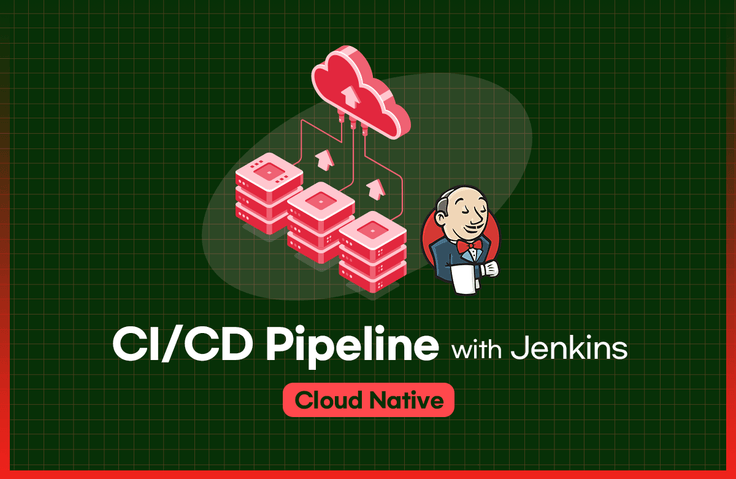
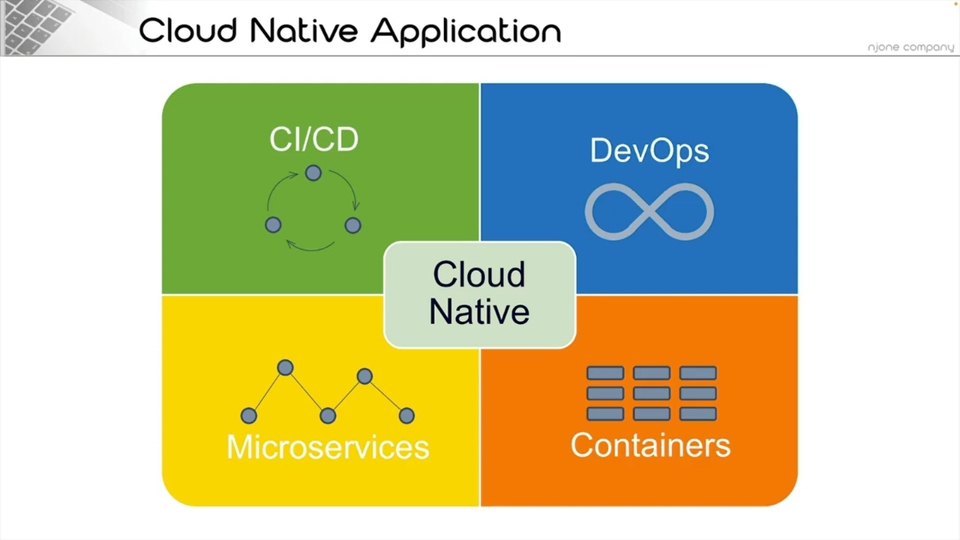
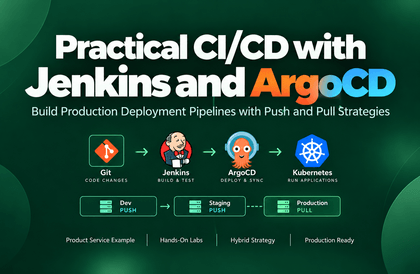
This course covers CI (Continuous Integration) and CD (Continuous Deployment) pipelines, which are one of the four core elements (MSA, CI/CD, DevOps, Container) that make up cloud native applications. Through this course, you can understand and practice the processes needed to build and deploy your own automated pipeline in both local and cloud environments using Jenkins, a CI/CD tool.
Not only the real CI/CD lecture, but also the most basic knowledge of Docker + Kubernetes was mixed in, so it was very helpful.
And since it is a lecture that shows the mind of someone working in the field, it was very basic, but it was very easy to understand and helped me a lot.
I definitely recommend it to those who are thinking about taking the lecture.
5.0
하보
27% enrolled
Hello. I am an employee of a company that attended the MSA lecture offline today. At first, I didn't recognize you, but when I heard your voice and name, I was surprised that it was so similar to the lecture and instructor I had heard. I was embarrassed to say it on site, but... I would like to tell you that taking the CI/CD lecture when I was preparing for employment was so helpful. Thank you for the quality lecture, and I hope you will continue to give good lectures in the future.
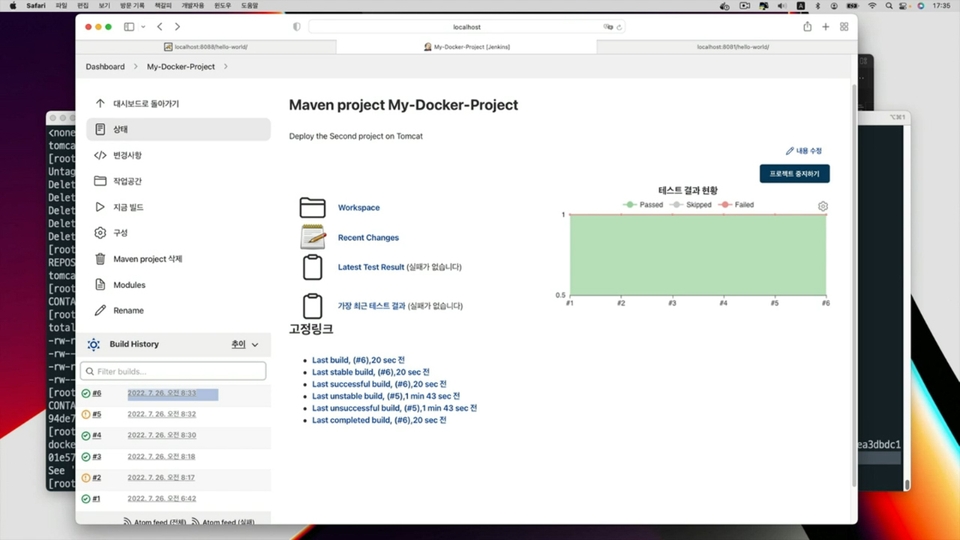
You can learn about the build, packaging, and deployment process of applications using Jenkins.
Through CI/CD automation pipelines, you can deploy applications to various environments.
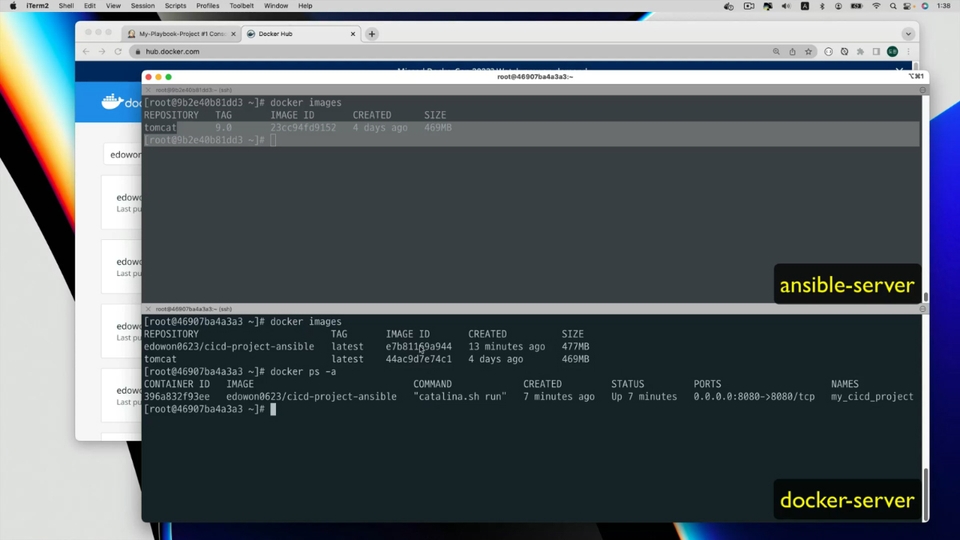
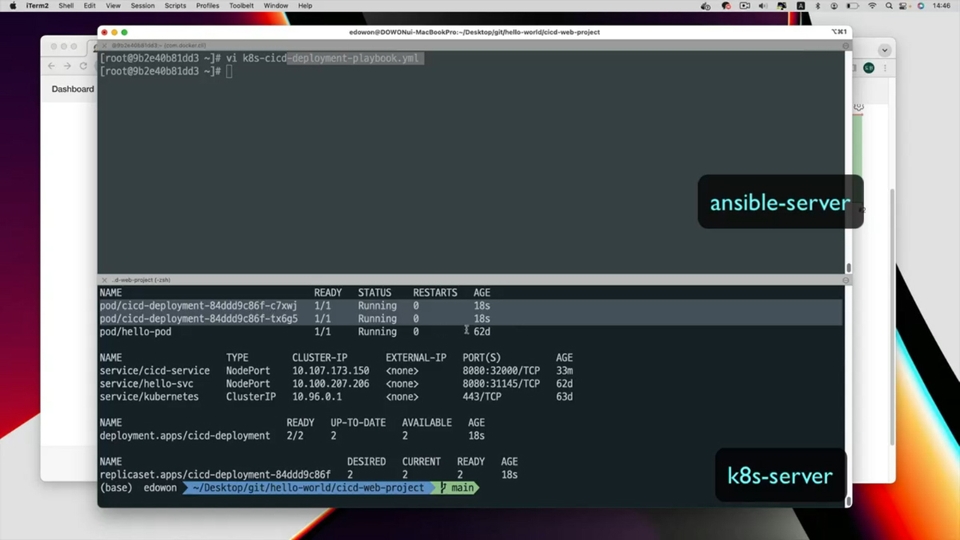
You can learn about the process of deploying applications to Docker and Kubernetes environments and how to control server configuration information using Ansible.
The trend is cloud native! ☁️ Build a CI/CD automation pipeline.
📢 Please check before enrolling!
Depending on the learning environment, the lecture audio may be uneven. Intermittent noise may be heard during Section 0-2 classes, so please check the [Preview] lecture before enrolling.
Could these be your concerns?
How should I deploy the completed development to the production server?
To deploy results to multiple environments, how should the deployment environment be configured?
How do you configure an application in a container virtualization environment?
How do I deploy an application to a Kubernetes environment?
The core of DevOps, CI/CD Faster and more powerful with Jenkins!
What is Jenkins?
You can directly build an automated pipeline using Jenkins, an automation tool that supports Continuous Integration (CI) and Continuous Deployment (CD).
This course is about understanding the processes needed to build and deploy developed applications using Jenkins, a CI/CD automation tool, and building automated pipelines. Through 20 learning samples used in the course, you will learn about the entire process required to build - test - deploy completed applications. Additionally, you can build your own automated deployment process in both local PC and cloud environments.
Since the 2010s, IT systems have evolved with Resilient + Anti-Fragile + Cloud Native as core keywords. The IT culture of DevOps emerged, cloud-native architecture was introduced, and systems needed to be able to respond flexibly in any environment. When designing applications, domains began to be separated and developed using a microservices architecture approach, and services were split into anywhere from dozens to hundreds or more. Each service that makes up an application transitioned to an environment where they could be individually developed, built, and deployed. In DevOps environments, there was a requirement to quickly reflect improvements and issues for services. Development units became smaller, and deployments needed to happen more frequently.
Now, the scale has reached a point where developers and operators can no longer manually handle the tasks of building, packaging, and deploying the dozens to hundreds of services that comprise a single application. Apart from the complexity of the system itself, the work of building and deploying each service that makes up an application can become a major task in itself and can also become a factor that creates a heavy workload.
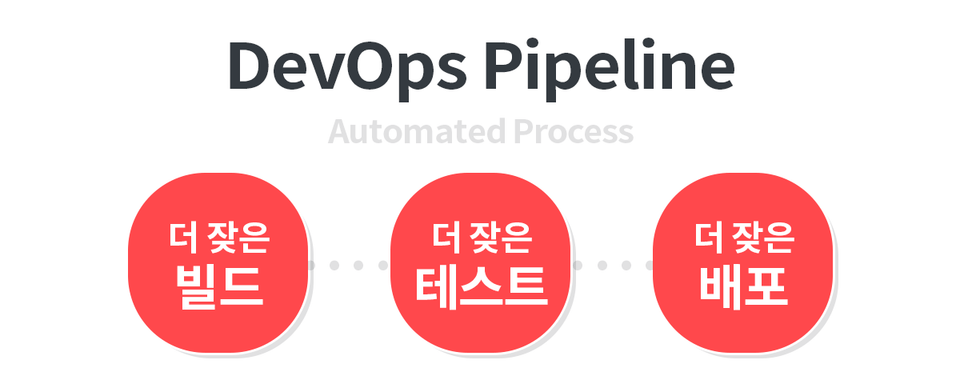
Building an automated pipeline for continuous integration (CI) and continuous deployment (CD) of applications today has become an essential choice for developing applications in cloud-native environments. The entire process of fetching code from Git, proceeding with builds, running test cases, creating packages for deployment, and deploying to production systems is carried out by automated processes. These automated processes provide an environment where you can build more frequently, test more frequently, and deploy more frequently, ultimately leading to improvements in system quality.
In the "Building CI/CD Pipeline with Jenkins" course,
Through this course, you will be able to build an automated pipeline for deploying developed applications to production environments based on your understanding of CI/CD, and establish your own deployment process.
Those who have experience developing web applications
Those who want to build their own CI/CD automation pipeline
Those who want to deploy applications to a containerized virtualization environment on a production server
Those who want to deploy applications to a cloud environment through a CI/CD automation pipeline
✅ After completing this course, you will be able to do the following:
You will understand continuous integration and continuous deployment.
You can build a deployment pipeline that can be practiced in a local environment.
You can build an automated pipeline that deploys your own application or the sample web application provided in the course to a Tomcat web server and Docker virtualized environment.
You can build your own deployment environment based on the example scripts provided in the course.
Check out the learning content.
💡 Learn the fundamentals needed to build a CI/CD automation pipeline and construct your own deployment process through hands-on code. Students can practice both deployment in local environments and deployment in cloud environments according to their own environment. You can build your own deployment environment through over 25 practical examples that can be immediately applied and tested in your production environment. *Supports Windows, macOS (Intel Chip/Apple Silicon Chip) environments
Section 1 - DevOps and CI/CD
Learn about DevOps and CI/CD pipelines.
Section 2 - Learning CI/CD with Jenkins
Learn how to install and deploy Jenkins for building CI/CD pipelines.
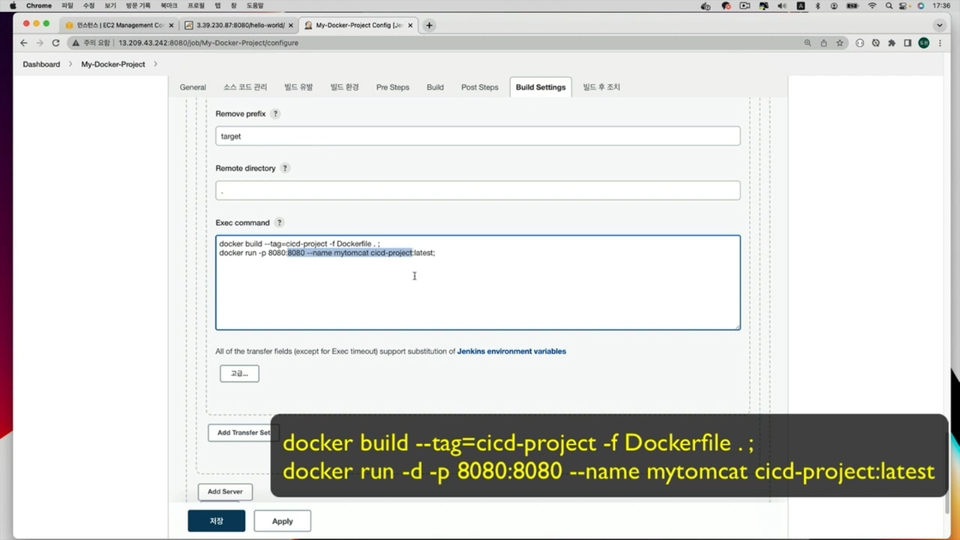
Learn how to deploy to Tomcat web server and Docker virtualization environment.
Section 3 - Jenkins + Infrastructure as Code
You will learn about Infrastructure as Code and how to use Ansible servers.
Learn how to integrate Jenkins with Ansible server.
Learn how to install Kubernetes for hands-on practice.
Learn how to deploy by integrating Ansible server and Kubernetes with Jenkins.
Section 5 - Advanced Jenkins Usage ① - Pipeline
Understand the Jenkins Pipeline feature.
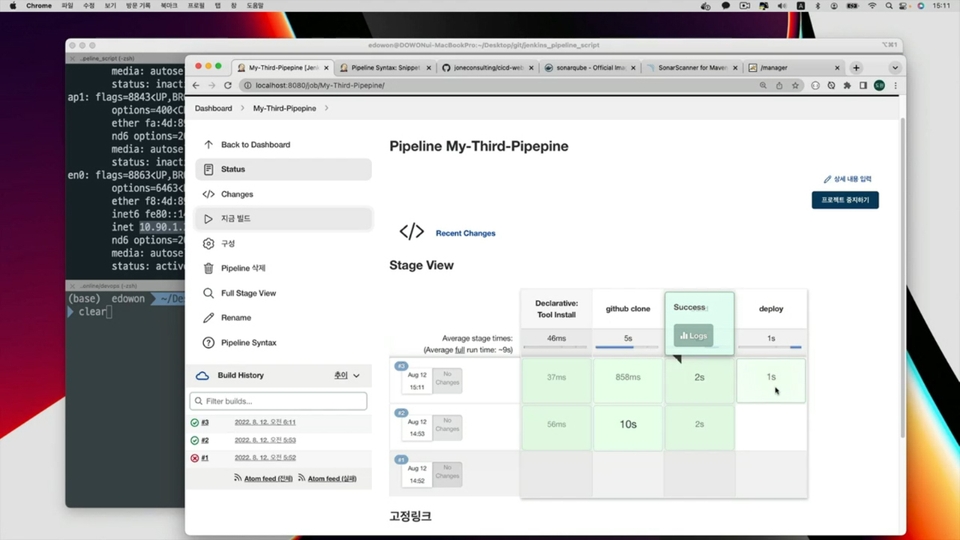
Learn how to deploy projects using Jenkins Pipeline scripts.
Section 6: Advanced Jenkins Usage ② - SonarQube, Multi nodes
Learn how to deploy on Jenkins multi-node.
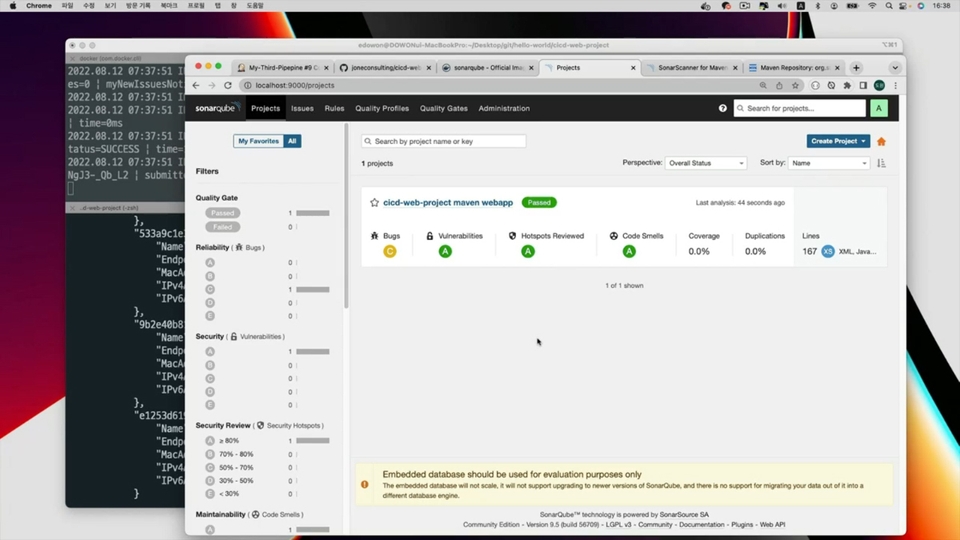
Learn how to integrate and use the SonarQube system.
Section 7: Deploying to Commercial Cloud Environments
Configure a deployment environment on a commercial cloud.
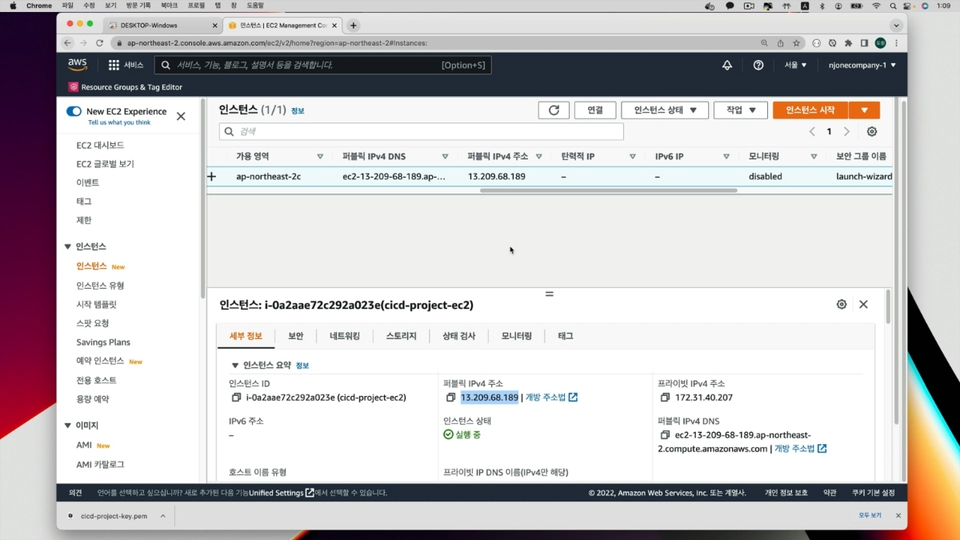
Learn how to install and deploy services used in the deployment environment on AWS EC2 servers.
Section 8: Essential SW for Practice Environment
Learn how to install the software and tools used in the course. (Windows, MacOS)
Learn how to create an account for using cloud services and how to create a virtual server.
💾 Learning-Related Notes
This course is designed to help you learn the content and process needed to deploy applications. (Please check [Prerequisites] at the bottom of the introduction page and Q&A for the prior knowledge required for taking this course.)
The course is conducted in a macOS environment, and commands and scripts for Windows users are also provided.
The installation of essential software for the course is explained in Section 9. We recommend taking Section 9 first before proceeding with the hands-on exercises.
Q. What prerequisites or knowledge are required to take this course?
The course provides almost no explanation of programming aspects. You will learn from the basics about the processes and methods needed to deploy developed applications to local or cloud environments. Additionally, if you have an understanding of the purpose of version control services like Git, web applications, and virtualization services, it will help you understand the course content.
Q. What environment is used in the course?
In this course, we use a local environment to deploy either your own developed application or the web application provided in the course. Using Docker Desktop installed in the local environment, we configure the software and systems needed for deployment automation (Tomcat, SSH server, Kubernetes, etc.), and provide examples to help you build a deployment pipeline. Additionally, in the latter part of the course, we also cover deploying the content built in the local environment to a cloud environment for hands-on practice. While the hands-on exercises in this course are conducted in a macOS environment, we also provide commands and scripts for Windows users.
Q. To what level does the course cover CI/CD automated deployment?
This course provides over 20 hands-on practice codes that can be used by everyone from those who are new to the concepts of Continuous Integration (CI) and Continuous Deployment (CD), to developers who want to deploy applications to production servers through CI/CD pipelines. Based on what you learn in the course, you'll be able to build CI/CD pipelines for deploying basic web applications and microservice applications. Topics such as using Jenkins with Kubernetes Clusters, continuous monitoring, and continuous scheduling are being prepared through "Advanced CI/CD Automated Deployment Course (working title)".
Curious about the MSA development know-how that over 6,000 people are currently learning? Average rating 4.8★500+ cumulative reviews
Spring Boot & Spring Cloud Microservice Application Development Roadmap (Click)
Recommended for these people
Who is this course right for?
Someone who wants to use CI/CD to deploy developed applications
Someone who wants to build an automated build environment to deploy Spring Boot applications to Docker and Kubernetes
Someone who wants to manage the configuration information of servers running applications using IaC
People who want to use Jenkins as a CI/CD automated deployment tool
Need to know before starting?
Understanding Application Build and Deployment
The concept of container virtualization technology
I am an IT engineer. There was a time when I wondered which word I should choose for the occupation field: "office worker?", "developer?", or "instructor?" Then I came to think that “IT engineer” was the job title that suited me best, so I have continued to write "IT engineer" in the occupation field.
A profession represents the work you do, and I believe that work should be enjoyable and useful. Although no one can live by doing exactly the work they want, I am someone who likes the work I do and wants to do it well. Having worked as a developer, instructor, and consultant, I am constantly struggling to keep up with newly released and ever-changing IT technologies. Even so, I am one of those people who wants to encounter, share, and use them even a little earlier than others.
The field I have recently become interested in is online education consulting. The technologies I am interested in include Cloud Native Architecture, Blockchain, Machine Learning, Kafka, and Kuberbetes. I actually teach courses on these technologies and apply them in my work as well. However, since they are such vast topics, I am still continuously studying them.
They say that what you keep in your head is not true knowledge. I intend to share my knowledge and experience in various ways. And I will continue to be an IT engineer who takes on new challenges in new fields and with new technologies.
Current) CEO of NJ One Company
Current) Adjunct Professor, Department of Information Security, Graduate School of International Information, Dongguk University
Former) JP Morgan Chase AMJ Tech consultant (Japan)
Former) Samsung SDS CMS Business Division Lead Engineer
I was able to learn clearly what Jenkins is and how to use it. Plus, Docker and k8s. Since Gradle builds are used more than Maven builds these days, I think it would have been better if the Gradle build had been an example!
I think this is a really good lecture for learning Docker and CI/CD.
I recommend it, but there were many disappointing parts.
1. There are a lot of mistakes.
For example, changing port 8080 to 8088.
2. There is no explanation about the separate environment settings section and lectures, which is confusing.
3. The lectures and environment settings lectures are too separate, so it is inconvenient to go back and forth.
You might think that you can set everything up in advance, but even if you set it up, it is inefficient because it wastes memory and slows down if you don't use containers.
4. About half of the course progress is delayed because the environment settings are not set up right away.
I think that troubleshooting is also good, but since it is a basic lecture, I think it is more efficient to learn quickly and troubleshoot while practicing.
5. There are almost no answers in the community.
Many people are experiencing errors in the practice, but it seems that you only answer simple questions.
The lecture price is not cheap.
The course is really good, but I think it needs to be updated overall.
Hello, this is Lee Do-won. I will definitely reflect your feedback when updating the lecture. Due to the nature of the lecture, it often requires a lot of resources to run a container execution VM or multiple host PCs. Therefore, in order to reduce the burden or difficulty of the practical environment for students, I prepared a lecture on the Dind method or a separate VM setting. All scripts and sample codes used in the lecture were tested on Windows 10, Windows 11, MacOS Inter chip (2018), and MacOS M1 chip (2022), but I know that some students still have difficulty running it. In the future, I thought that I should provide tests in a more diverse environment for these infrastructure-related lectures or focus on other programming lectures besides infrastructure lectures. ^^; I also apologize for not being able to check and answer questions posted on the community right away. Since AI answers have been added since last year, it is true that I could not check the notification right away or could not answer right away because I was busy with the project. However, since students have personal circumstances, I will try to respond right away. Thank you for your feedback.




![[Revised 2023-11-27] Developing RESTful Web Services using Spring Boot 3.xCourse Thumbnail](https://cdn.inflearn.com/public/courses/325065/cover/43d3072a-4402-45a6-b5ee-332f53a4b75f/325065-eng-b.png?w=420)









![[Old version] Setting up IntelliJ IDEA for web application development (2020 ver.)Course Thumbnail](https://cdn.inflearn.com/public/courses/324954/course_cover/53636a00-6da7-4661-b3ee-52f2359cd1f3/web-app-intellij-eng-2.png?w=420)
![[Revised Edition] Setting up IntelliJ IDEA for web application developmentCourse Thumbnail](https://cdn.inflearn.com/public/courses/331621/cover/3c440a92-fca5-4ce0-a950-d5865d534892/331621-eng.png?w=420)



![[VANTA] MongoDB on Kubernetes - BasicsCourse Thumbnail](https://cdn.inflearn.com/public/files/courses/341003/cover/01kp0zg5xs18sjqrrm8328n7cs?w=420)