







강의

멘토링

커뮤니티

NEW
Design

/

UI/UX

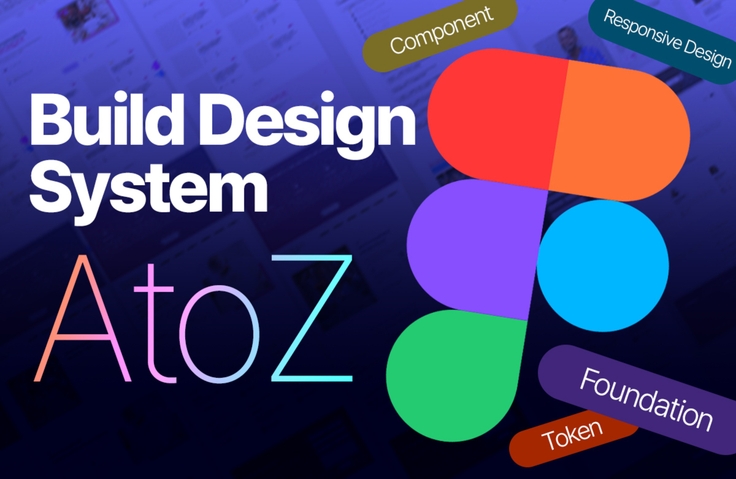
From Beginner to Professional: Mastering Design Systems from A to Z with Figma

The ability to build a design system is no longer an option but an essential competency for employment and practical work. In this course, you can develop professional skills starting from the basics, covering everything from design system concepts to Figma Variables, tokens, components, and responsive design. In the comprehensive practical project, you will build a design system that encompasses mobile, tablet, and desktop, and create service pages. If you are a beginner, completing this course will give you a competitive edge that makes interviewers feel you are "ready for immediate deployment." If you are a developer or a solo entrepreneur, you will be able to lay the foundation for building your own design system and create consistent, high-quality products.

13 learners are taking this course

Level Beginner

Course period 36 months

  • uxeric
Figma
Figma
Figma Tokens
Figma Tokens
Design System
Design System
responsive-design
responsive-design
UIUX
UIUX
Figma
Figma
Figma Tokens
Figma Tokens
Design System
Design System
responsive-design
responsive-design
UIUX
UIUX

What you will gain after the course

  • From the concept of design systems to practical implementation, complete the core competencies used directly in the field.

  • Build the foundation of a design system by directly constructing foundations and tokens using Figma Variables.

  • Design a scalable UI component system with Components & Variants.

  • Implement components with responsive design using Auto Layout, Grid, and Constraints.

  • Connect tokens and components to complete the actual service screen.

  • You will acquire the design system skills that interviewers look for—those that make you 'ready to be deployed to practical work immediately.'

[A real case where I participated as an interviewer]

With the ability to build design systems

The reason why Applicant A was hired as a "Junior" Product Designer 🙌

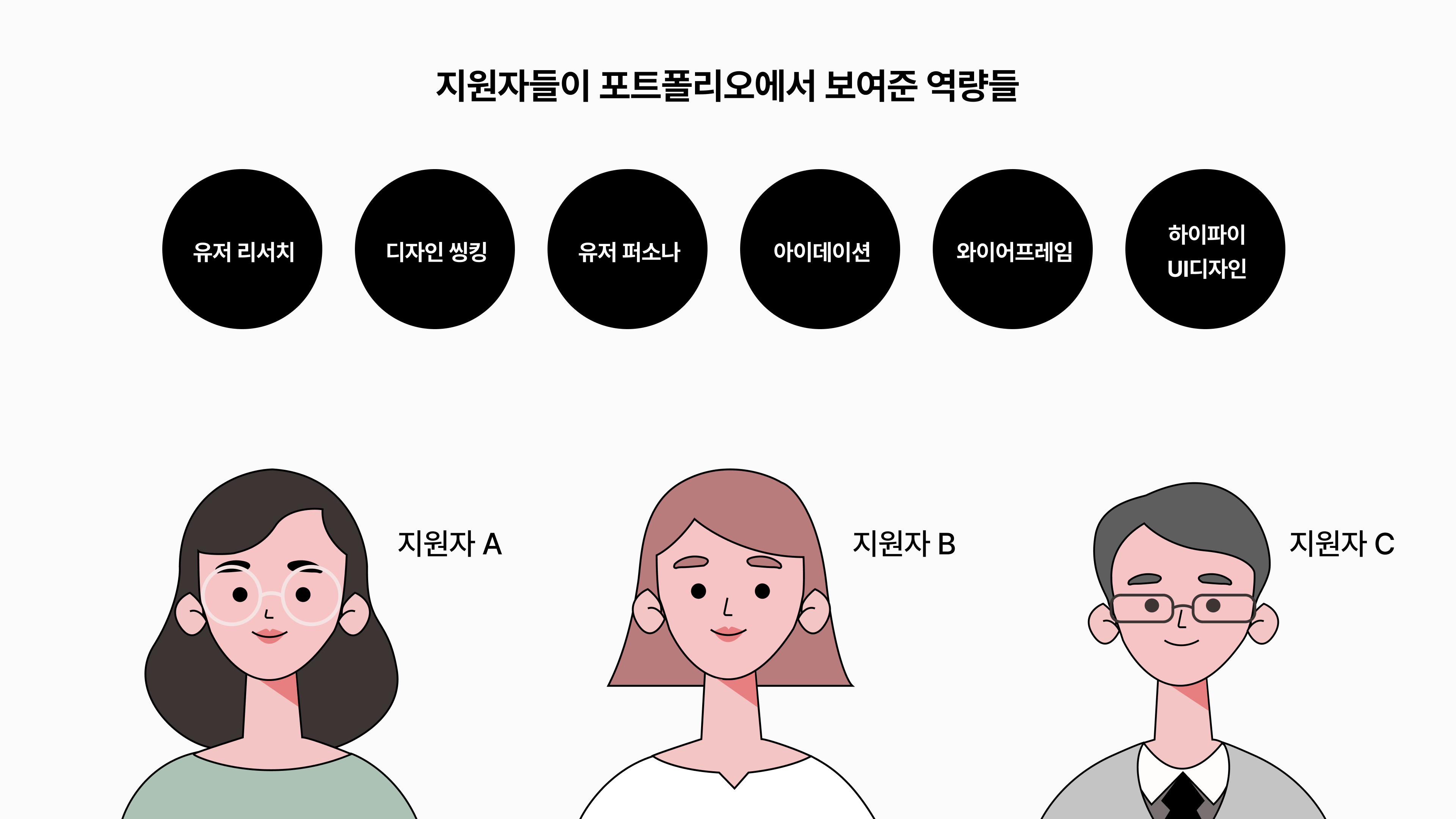
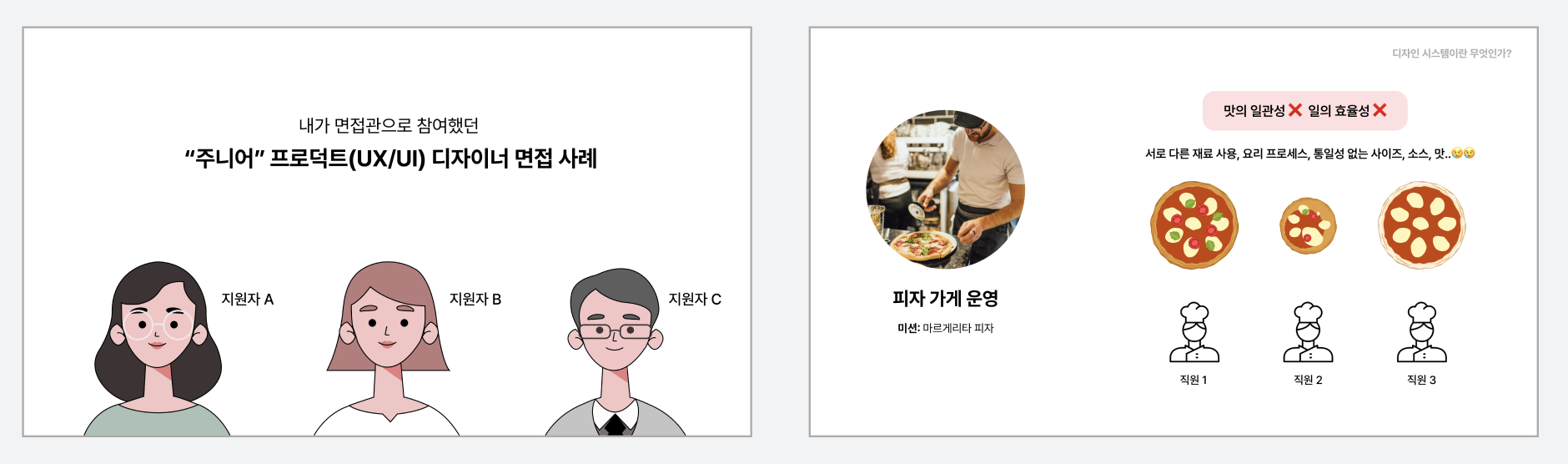
I recently had to hire a junior product designer for the team I was working with, so I participated as an interviewer. At that time, there were candidates A, B, and C.

A, B, and C all demonstrated the following core competencies well in their portfolios. They showed that they had conducted user research, design thinking, and personas in the process of carrying out UX/UI projects. They were also producing high-quality visual outputs, such as wireframes and high-fidelity UI designs.


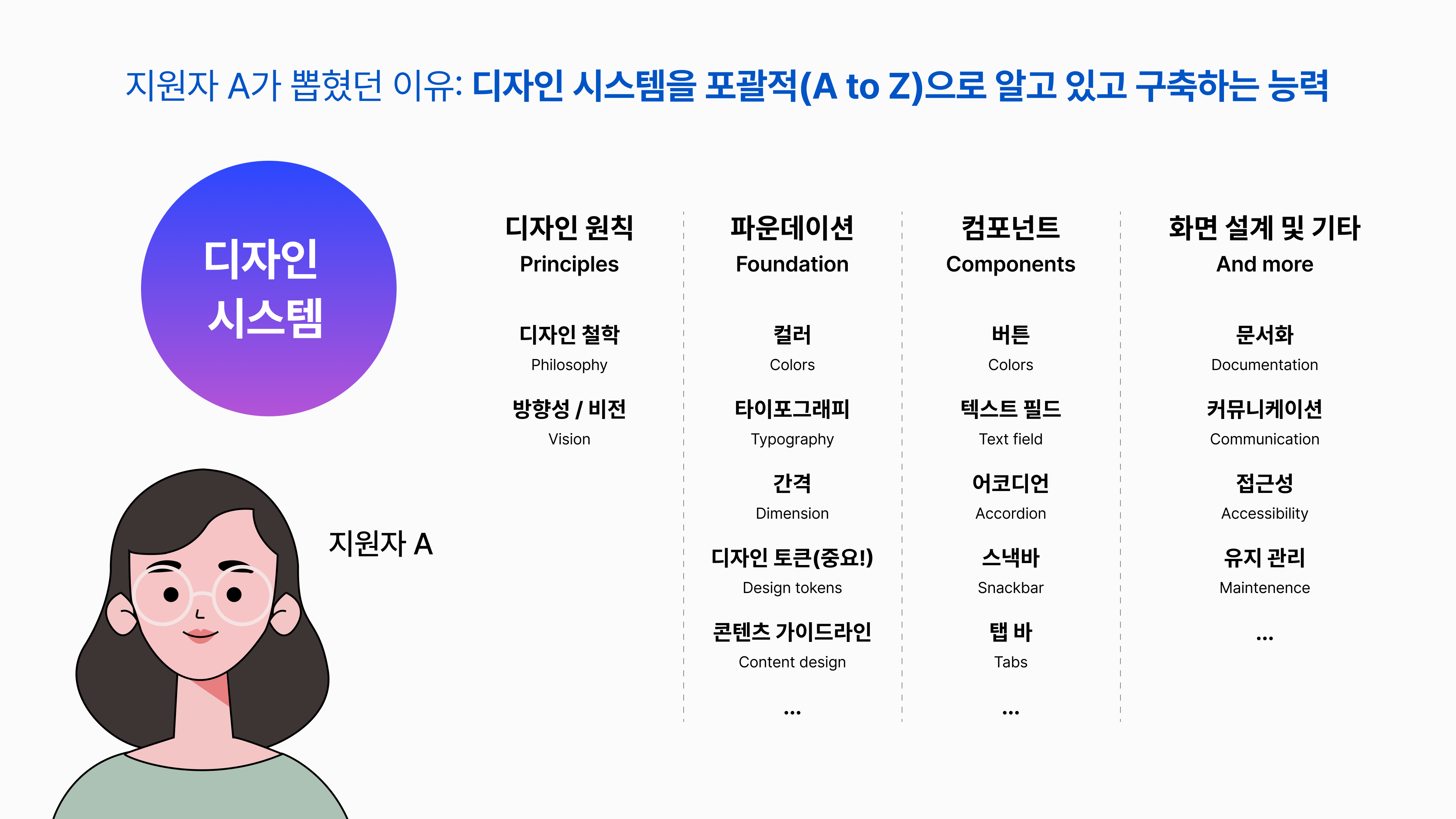
But in the end, Candidate A was selected. Why was that? Candidate A had one very clear differentiating point that stood out in their portfolio. It was their ability to build design systems. Candidate A gave me and the other interviewers confidence that they could professionally build and manage design systems. In other words, we could conclude that once we hired this person, we wouldn't need to provide much training for design system work. We could assign them tasks right away.


Applicants B and C also had experience building simple elements like colors or typography, but Applicant A demonstrated a comprehensive ability to build a design system at a professional level, including design principles, foundations, tokens, and UI component production and management. Furthermore, they possessed the Figma skills required in the field and showcased them through their portfolio.


Why design system building skills are essential for UX/UI design employment

2 reasons why it's no longer an option but a must 🤔


Reason 1. Because in the field, designers must take ownership and manage the design system

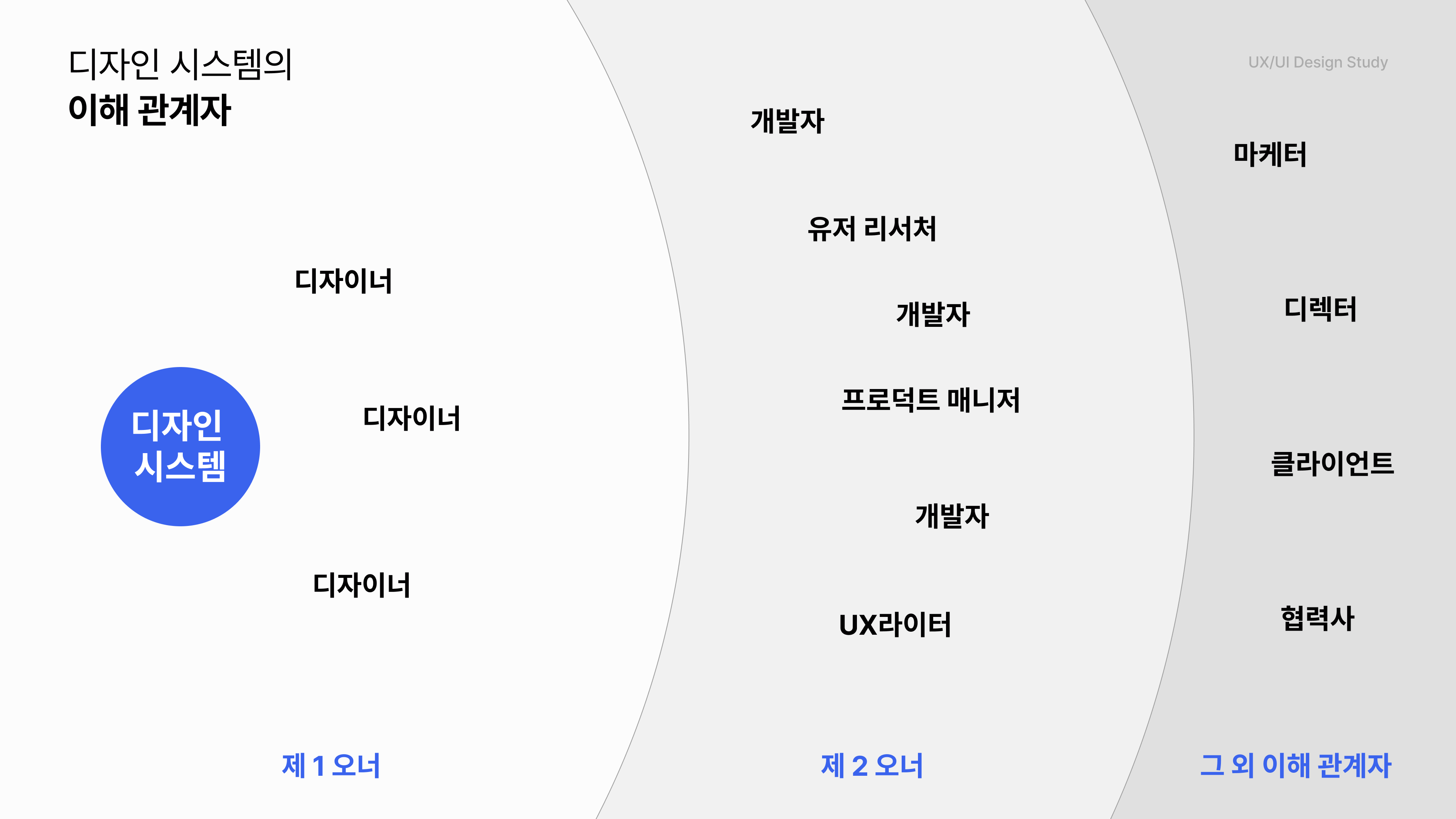
Product designers collaborate with various stakeholders, including other designers, developers, and PMs. One thing is certain: primary ownership of the design system lies with the designer. When new colors, tokens, or components are needed, designers must create them, reflect them in the design system, and communicate these changes to the team. While larger companies may have dedicated design system designers, all designers must still continuously contribute to the evolution of the design system.


The reason design system competency is important for designers is that it serves as the foundation of the product.


Reason number two. For practitioners and interviewers, training a new hire on design systems is perceived as a significant burden.

From the company's perspective, hiring a designer without design system experience is a significant burden. If a new hire doesn't understand design systems, a working designer must train them directly. However, in reality, it is unlikely that a request to "reduce the workload for training purposes" will be accepted, so they usually have to handle both their tasks and the training simultaneously. The problem is that design system training doesn't end in just a few days. It takes at least several weeks, or even months at most. Ultimately, this becomes a major burden for the practitioner, which is why companies naturally have no choice but to prefer designers who already possess basic competencies.


In summary, for beginners aspiring to become UX/UI designers, the ability to build a design system is a necessity, not an option. Through this course, I will help you acquire the design system skills required in the field and achieve your desired career goals.


Real course reviews from students ✨

Based on content verified by students who aimed to master design systems,

We have carefully selected and included only the most essential content in this lecture.


What will you learn through this course? 📖

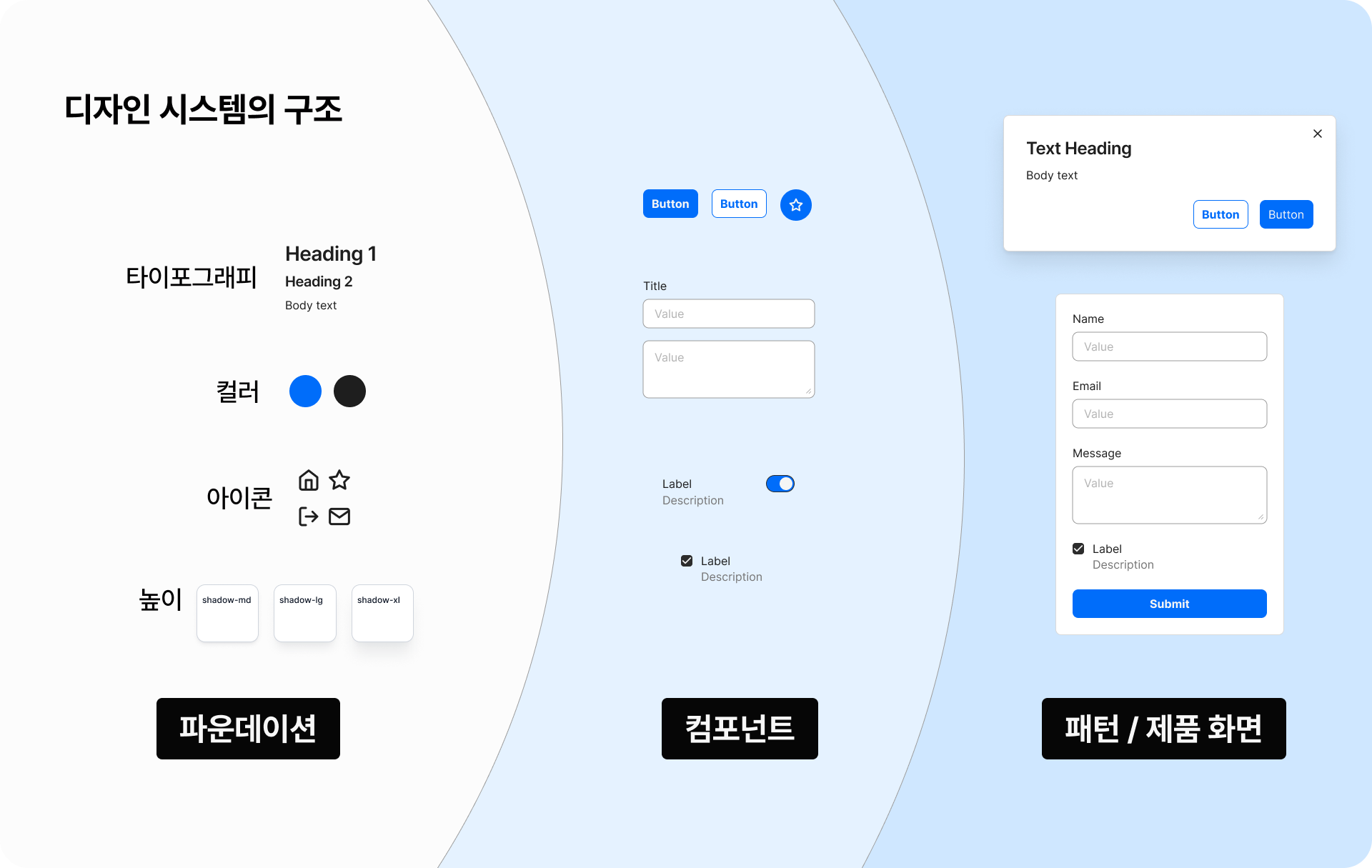
This course starts not with "tool functions," but with understanding the principles of a "design system for building products." It covers the entire thought process and practical skills for building a design system in the field, from Concept → Principles → Foundations → Tokens → Components → to Service Application. The goal is for you to be able to explain, create, and apply a design system to a service yourself after completing the course.

Grasping the Concept of Design Systems

Structurally understand what a design system is and why it has become essential in the industry.
You will gain a perspective on design systems not just as a collection of UI elements, but as a system that enables team decision-making and product scalability.

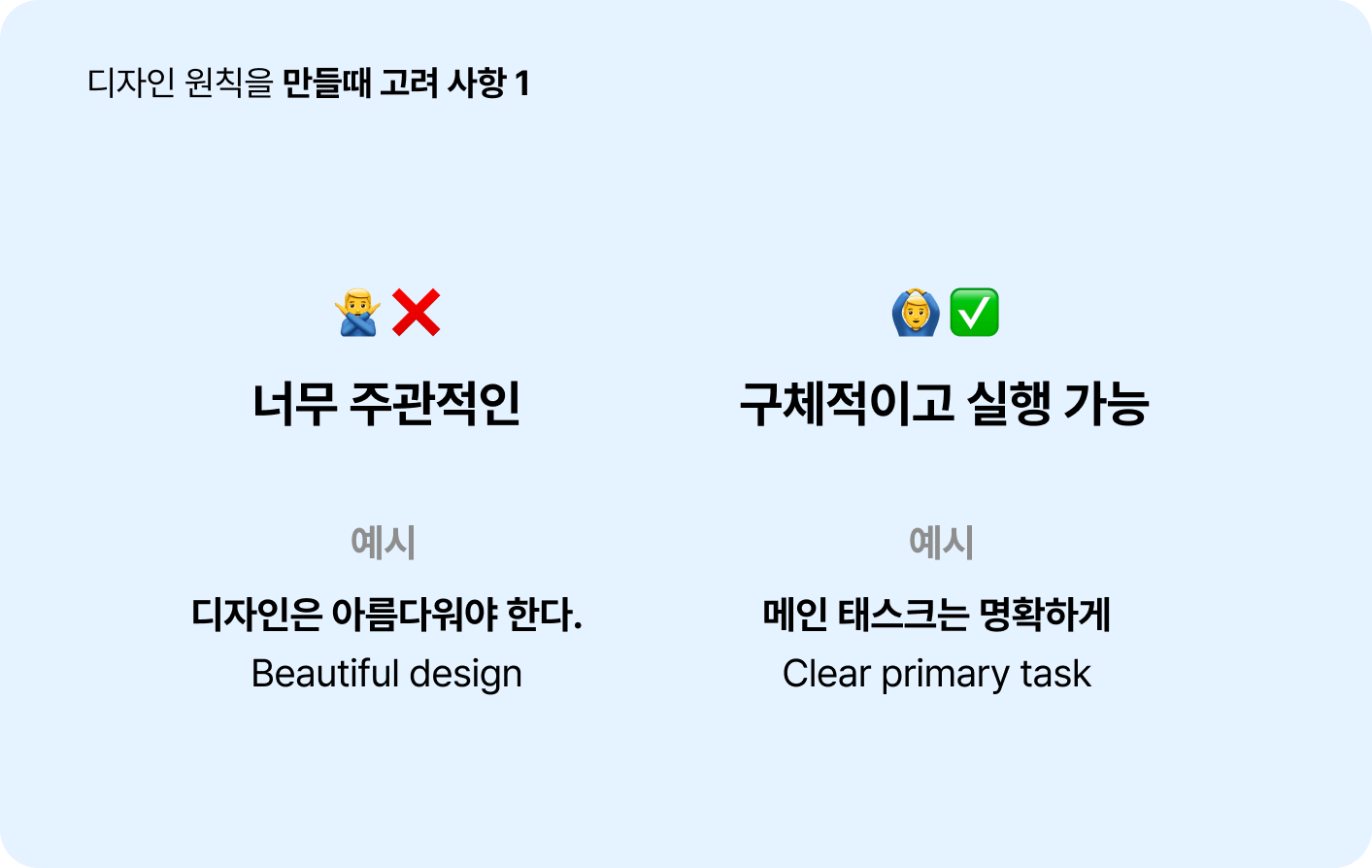
The first step of a design system, design principles

You will learn how to create design principles that serve as a standard during the design process. We will cover how to establish clear criteria so that all team members can design in the same direction.

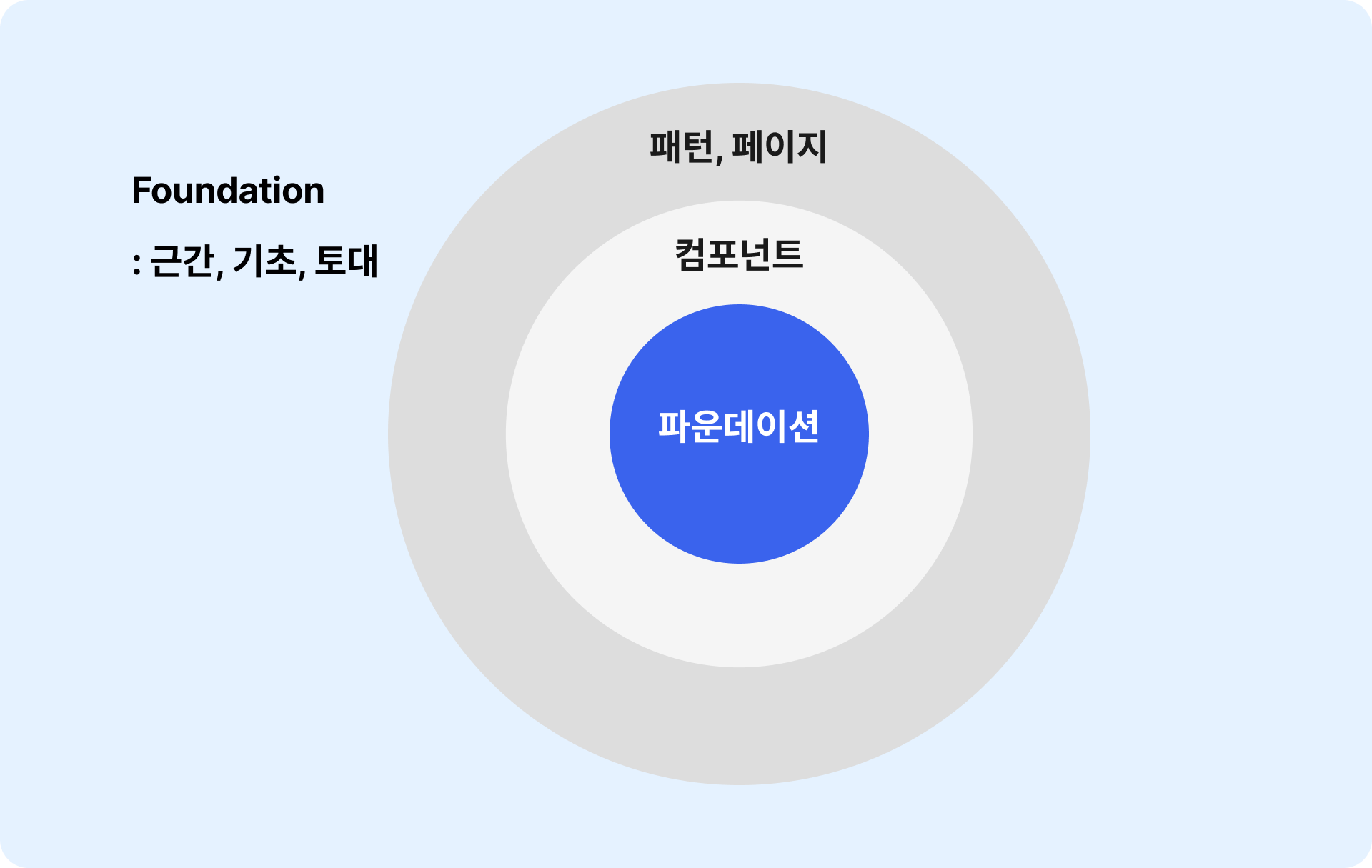
The Foundation of Design Systems, Design Foundations

You will learn how to systematically organize the basic ingredients of design, such as color, typography, and spacing.
You will create a foundational structure that can be easily expanded into tokens and components later.

Design tokens that support efficient decision-making

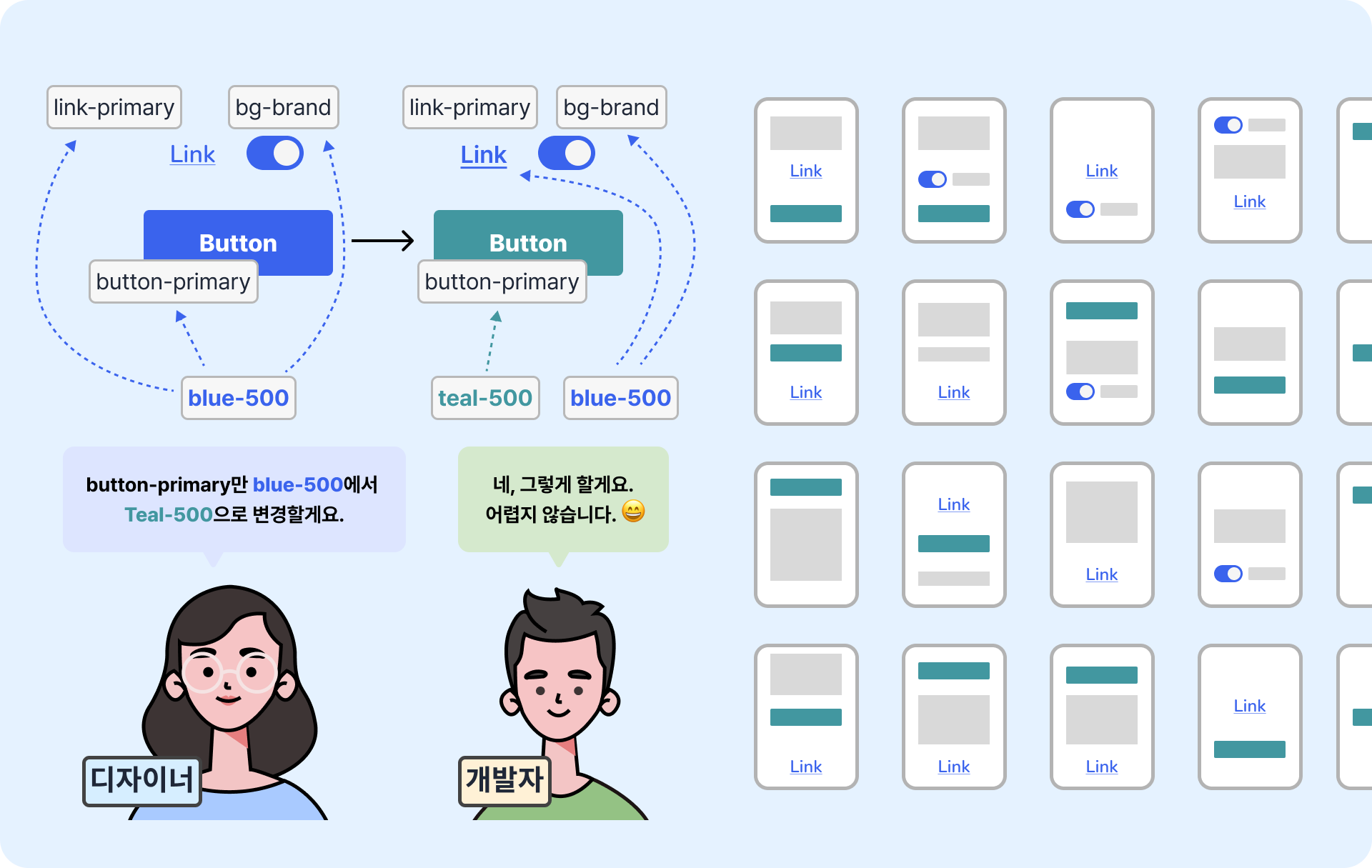
You will learn how to design faster and with less confusion by turning colors and styles into tokens. This is a core concept that ensures design consistency even when multiple people work together.

Responsive design, a crucial puzzle piece of design systems

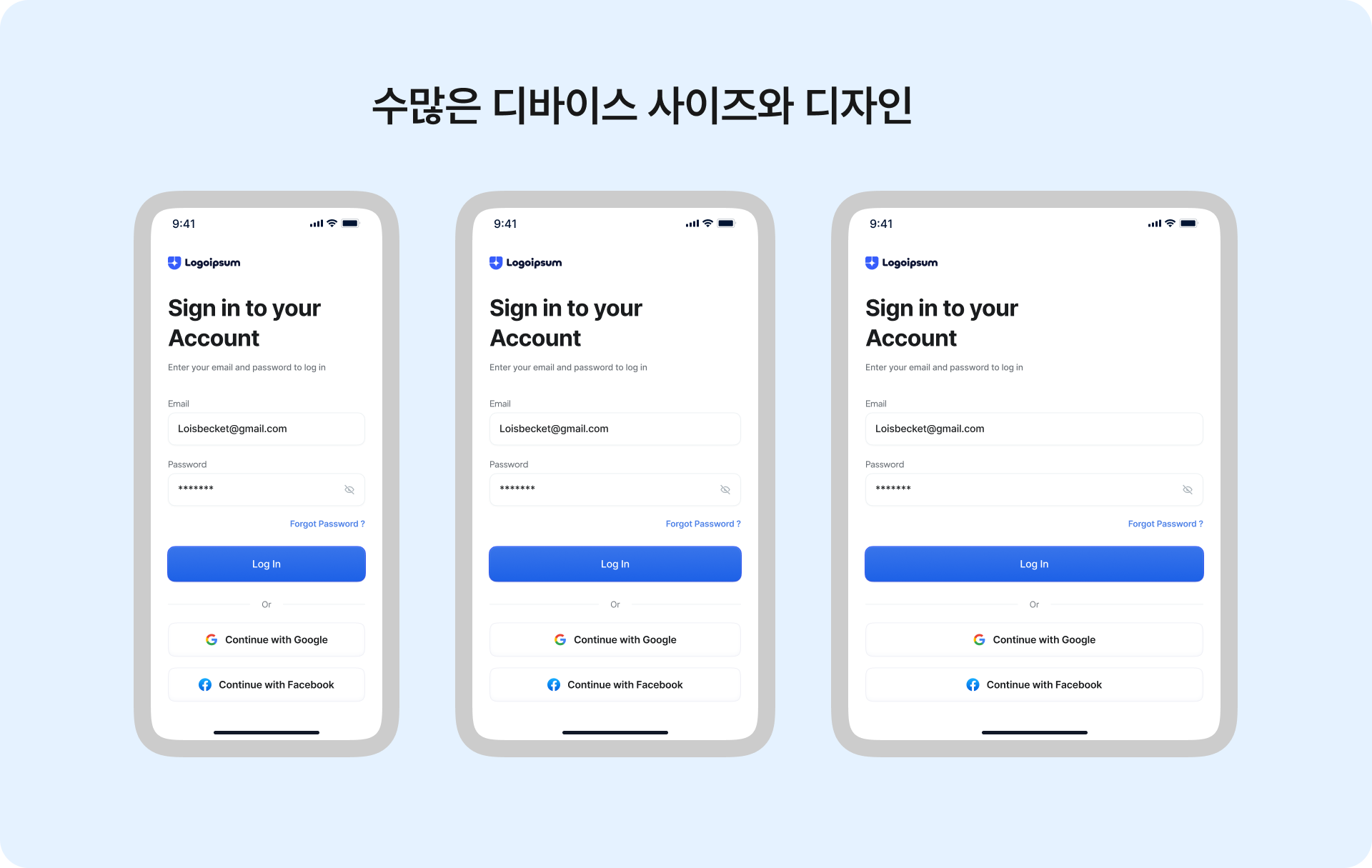
You will learn how to design responsive UIs that adapt naturally to different screen sizes. You will master structural design methods that take both web and app environments into account.

UI components created for the purpose of efficiency and consistency

You will learn how to turn elements like buttons, input fields, and cards into reusable components. You will design practical components that take various use cases into account.

And, practical tips for designing products and services using design systems

Design foundations, tokens, and components are ultimately tools for designing consistent screens and creating high-quality products and services. We share the practical decision-making criteria and tips encountered during the iteration process—where screen design and component/token expansion repeat—while designing actual screens based on the design system created previously.

Rather than just simple theory, it covers answers to realistic questions encountered while operating a design system in practice, such as "when to create a new component"
and "to what extent should variations be maintained."


Features of this course

  • I also went through a lot of trial and error while learning design systems when I was a beginner. That's why

    From a beginner's perspective, I will explain it “easily” through metaphors, role-plays, and examples or cases that could actually happen in the field.

  • I have prepared various cases for you to practice so that the skills can truly become "your own."

Illustration: Beginners can easily understand concepts through real-world workplace scenarios and analogies.


What will we be creating through this course? 🛠️

Building Tokens Using Variables

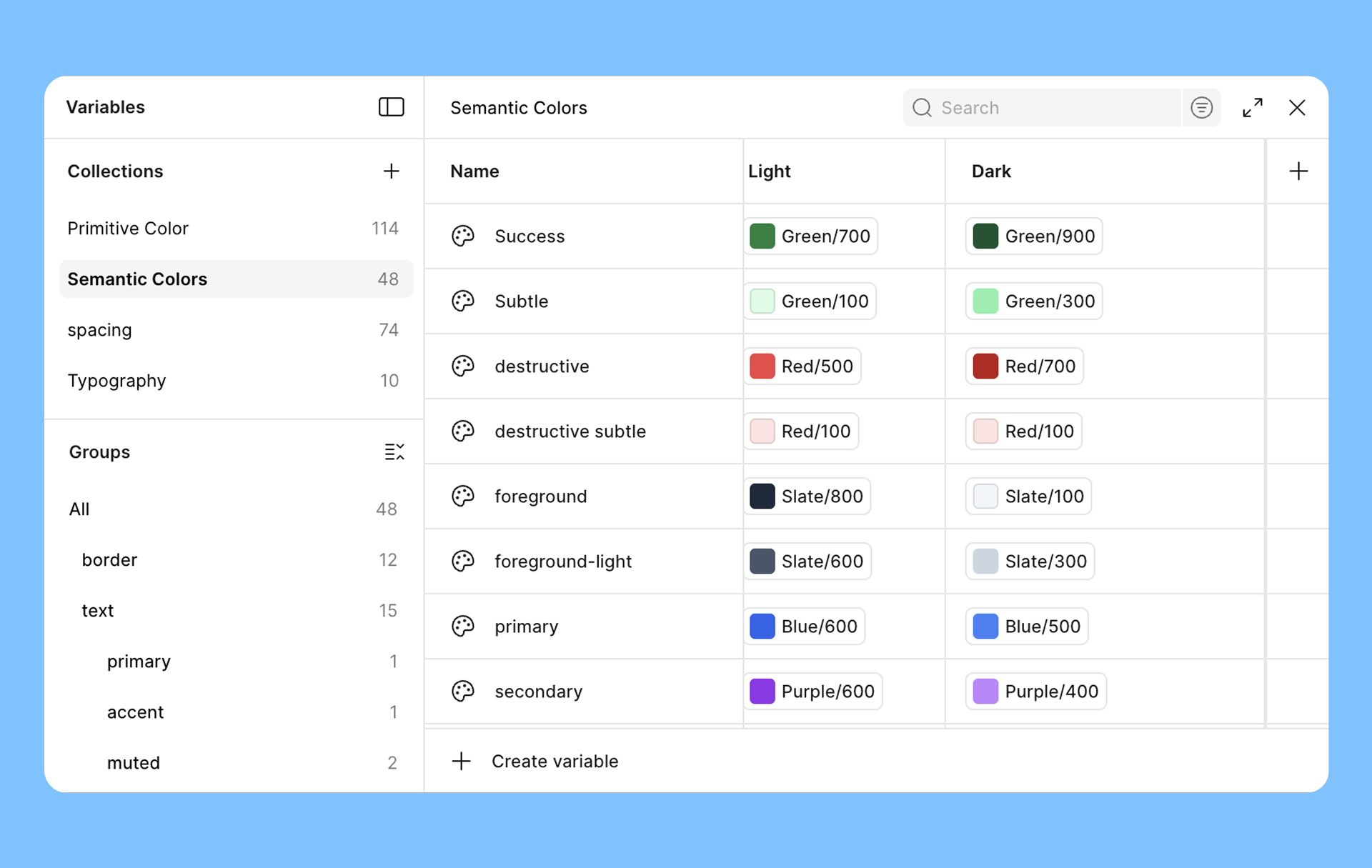
Design foundation elements such as color, typography, and spacing into primitive and semantic tokens.

Designing and applying screens according to modes using variables

Create a structure to manage multiple environments, such as light/dark modes and language modes, within a single system.

Creating responsive apps, websites, and components

Implement UI structures that respond to devices using Auto Layout, Grids, and Constraints.

Learn how to design components using properties and variants

Master Figma techniques for building a practical component system that covers various use cases.

[Comprehensive Practical Project] Hands-on Component System Design for Real-world Application

In this course, you will design components based on standards used in actual products and build a component system yourself, considering state, variants, and scalability.

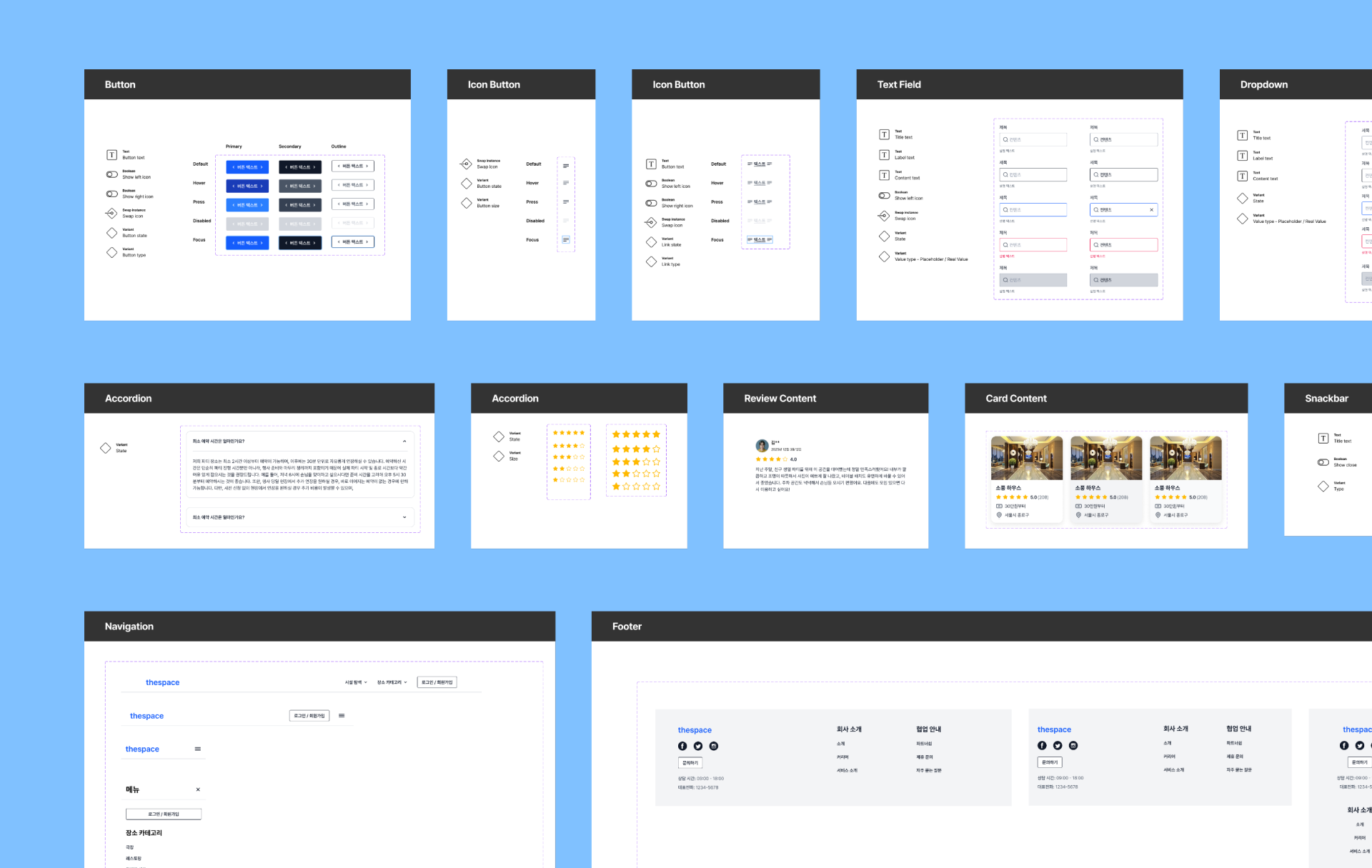
Focusing on the most frequently used components in practice, such as buttons, text fields, select boxes, and snackbars,
we cover the process of creating “components as a system” that goes beyond simple UI design.

Each component includes not only its default state, but also

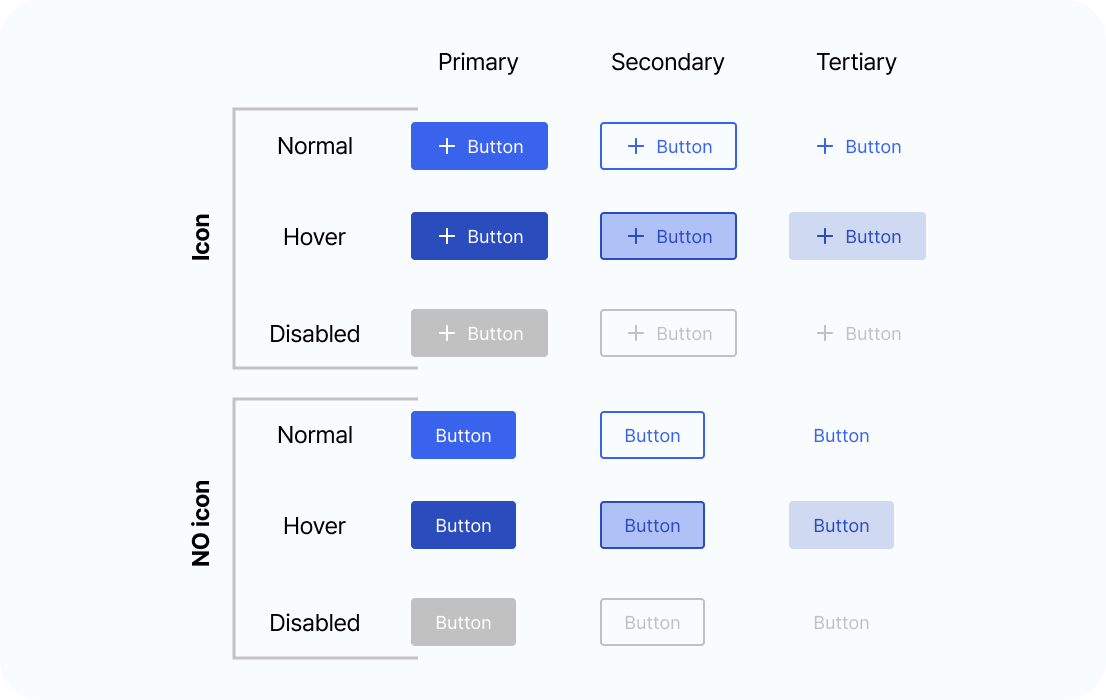
  • Various states such as Hover / Active / Disabled / Error

  • Options such as Size, Type, and Icon presence

  • considerations for light/dark modes, etc.


You will learn how to structure and manage them through hands-on practice.

In addition, it explains from a working designer's perspective how to divide component structures using Figma, how to apply properties (Properties, Variant, Boolean, etc.), how to utilize previously defined Primitive and Semantic tokens in components, and what constitutes a maintainable design even as the number of components increases. Through this process,

You can create a component system capable of collaborating with the development team, rather than just
“pretty components.”“những thành phần đẹp mắt đơn thuần”.


[Comprehensive Practical Project] Creating a Responsive Web Service by Assembling Design Tokens and Components

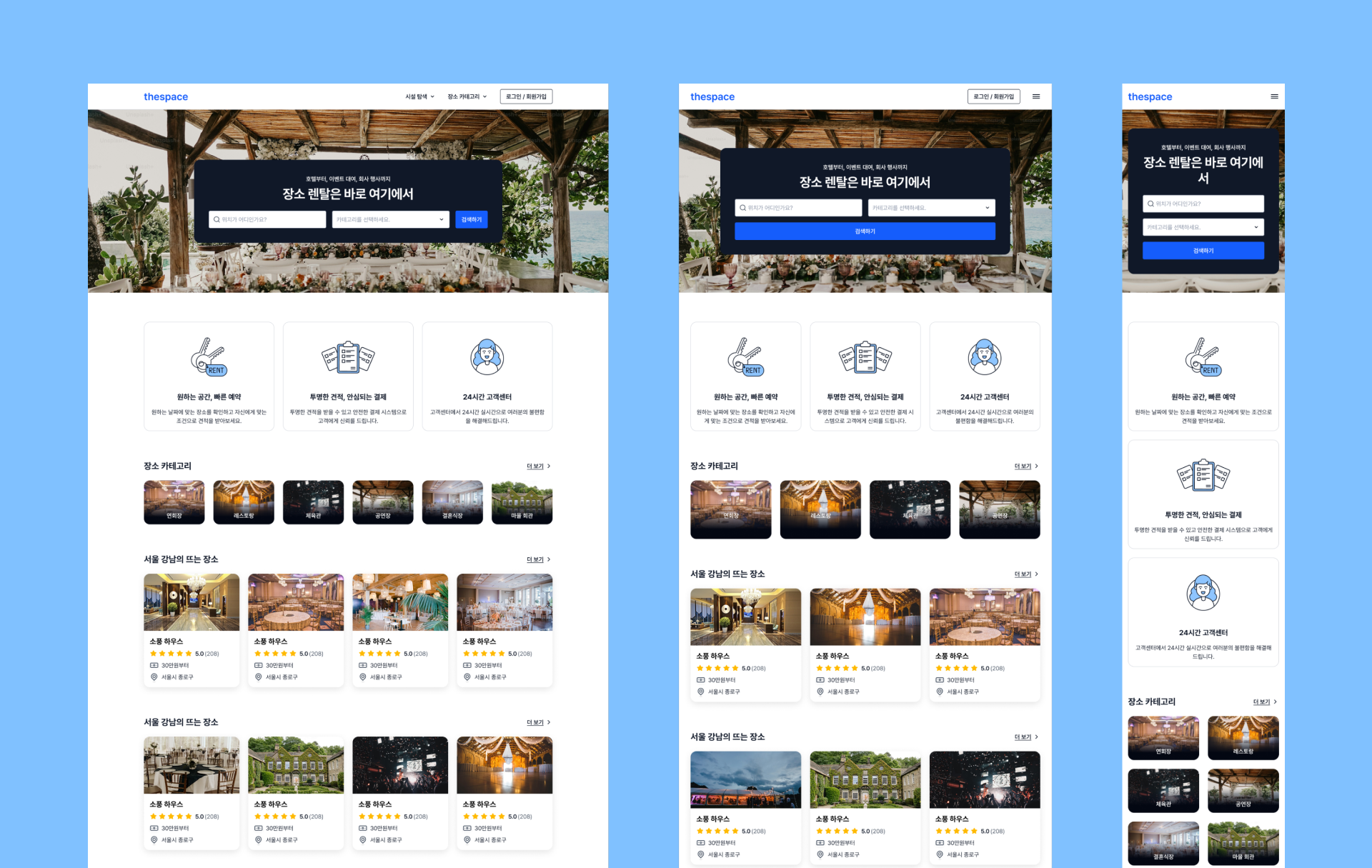
You will create a responsive web service that considers mobile, tablet, and desktop environments by applying design tokens and components you designed yourself. Rather than designing new screens for each device, you will practice the process of flexibly expanding by assembling layouts and components based on a single design system.

Through this, you will naturally learn how to design responsive webs from a systems perspective and how to reuse design system elements in practice.


Hello. I'm Product Designer Eric. 👋

I am currently working as a Senior Product Designer in the United States. I am responsible for practical tasks covering the entire UX/UI spectrum, from UX research to UI design and design system construction and management. As an interviewer, I also have experience reviewing and evaluating candidates' portfolios. Furthermore, I am active as a UX/UI mentor and instructor through Fast Campus Bootcamps, Inflearn courses (5,000+ students, average rating 4.8), and I have authored the book 『Design thinking for beginners』 for UX design beginners, which became an Amazon bestseller.

Through my experience as a mentor, coach, and interviewer, I have observed core competencies that interviewers value highly but beginners or job seekers often overlook. As part of that, I created this "Design System" course. While the ability to build a design system is no longer an option but a necessity for employment and practical UX/UI design work, many beginners often fail to reach the level required by interviewers. Therefore, through this course, I will help beginners acquire design system skills at the level demanded by the industry and achieve their desired career goals.


Who will benefit from this course? 🧭

🎯 UX/UI Design Beginners / Job Seekers / Career Changers

In today's industry, design system proficiency is no longer optional but essential, and those who can properly manage design systems are prioritized in hiring. Based on my hands-on professional experience, I designed this course to help you build design system construction skills—from the basics to real-world projects—that you can apply directly to your portfolio.

🛠 Developers / PMs / POs / Planners who collaborate with designers

Since design systems serve as the foundation for the entire product, all stakeholders—including developers and PMs, not just designers—must understand the principles to collaborate effectively. In particular, developers are another key owner who builds and manages the design system from a code perspective. A shared understanding of the design system becomes the foundation for creating better products and services.

💼 Solo or Small Team Founders

With the advancement of tools like AI and "vibe coding," more solo founders and developers are designing products themselves. In this environment, knowing design systems allows you to scale products quickly and consistently. However, without a design system, elements like colors and buttons lose consistency, and the cost of fixing them as the service and team grow will snowball.

Prerequisite Course Information

If you are completely new to Figma, I recommend taking my Inflearn course, "From Introduction to Practical UI Design Using Figma," first. Those who purchase through the following link can enroll at a 30% discounted price. If you take this design system course after completing that one, you will be able to master the skills much more explosively and quickly. (🎁 Course Discount Coupon)


Frequently Asked Questions (FAQ)

Q. Is it possible to learn on both Windows and MacBook?

A. Yes, it is possible. This course was created based on the Figma tool. Since Figma is browser-based software, it can be run on both Windows and MacBooks. I will also provide the shortcuts I use in this course for both Windows and MacBook users.


Q. Can I take the course using the free version of Figma?

A. You can follow the theoretical parts and most of the content of this course using the free version of Figma (about 70% of the course). Variables, components, and auto layout can all be used in the free version. However, the parts involving applying modes using variables and the Dev Mode features I occasionally show cannot be used with the free version. Therefore, I recommend using the paid version at $16 per month as an investment while taking the course.


Q. How can I master design systems quickly?

A. Once you have mastered the basic principles of design systems and how to use Figma, I believe it is important to study numerous references and practice building them "yourself." By practicing various cases through this lecture and following along with the comprehensive practical project, you will soon find yourself capable of building a design system. After that, I recommend continuing to practice, apply what you've learned, and try integrating it into real-world projects once you enter the industry.


Q. Can non-majors take this course?

A. Yes, this course is designed specifically for beginners and non-majors. However, if you come prepared with foundational concepts of UX design, basic knowledge of UI design, and an understanding of Figma's basic functions, you will be able to master the content and skills of this lecture much more explosively and quickly. If you are just starting out in UX/UI design, I recommend taking my Introduction to UX Design for Beginners course on Inflearn first. If you have some basic knowledge of UX but have never used Figma, taking the UI Design using Figma course beforehand will help you master design systems several times faster through this lecture.


Q. What should I do if I have questions while taking the course? (Information on community operations)

A. You may have questions while taking the course. To provide quick answers and facilitate communication, we operate a group open chat community and also provide answers through the Q&A board of the course. Furthermore, we encourage the active use of the course community board for missions and assignments to promote sharing among students and aim for mutual growth.


Learning Materials

  • We provide an organized Figma file so that you can practice all the cases covered in the lecture yourself.

Recommended for
these people

Who is this course right for?

  • Beginners and job seekers preparing for UX/UI careers — those who want to create a 'differentiation point' in their portfolio.

  • Developers · Startup Founders — Those who want to build products quickly and consistently using design systems

  • PM / PO / Planner — For those who want to understand design systems and improve product quality.

  • Junior and current designers — those who want to take the next step in their growth through design systems and responsive design capabilities.

Hello
This is

5,166

Learners

704

Reviews

306

Answers

4.8

Rating

8

Courses

I am currently working as a Senior Product Designer in New York.

Before coming to New York, I worked as a UI Planner in Seoul.

Brunch Magazine "Design, and Product" and the "New York UX Designer"Instagram and Facebook accounts, where I share UX/UI knowledge and information while communicating with designers and aspiring designers.

Personally, I am a father of three children 👶 and have a great interest in cooking 🍲 and education 🏫.


Writing and Lectures

• Published the book "Introduction to UX Design A to Z from a New York Product Designer" (Links: Yes24, Aladin, Kyobo Book Centre)

• Published Publy article "The 3 Seconds That Determine a Service's First Impression: 4 Principles of Landing Page UX"

• Samsung SW Academy for Youth (SSAFY) UX/UI Design and Figma Instructor

• Conducted 1:1 mentoring and corporate lectures (Topics: UX, UI Design, UX Facilitation, UX/UI Portfolio creation and publishing)


Experience & Career

• (Current) Senior Product Designer at The Knot Worldwide, New York

• (Former) Mobile App UI Planner at Pantech, Seoul

• Conducted UX/UI consulting projects with numerous New York-based startups

• Graduated from School of Visual Arts (SVA) Graduate School of Design, New York / Major: Interaction Design

• Graduated from Handong Global University / Major: Industrial Design

Curriculum

All

113 lectures ∙ (20hr 55min)

Course Materials:

Published: 
Last updated: 

Reviews

Not enough reviews.
Please write a valuable review that helps everyone!

Limited time deal ends in 8 days

$92.40

14%

$107.80

uxeric's other courses

Check out other courses by the instructor!

Similar courses

Explore other courses in the same field!