





inflearn logo

Part 1: Learning iOS for Absolute Beginners (SwiftUI, SwiftData, 2024)

A SwiftUI course even complete beginners can follow! You can get started even if you know nothing at all.

(4.9) 53 reviews

481 learners

Level Beginner

Course period Unlimited

iOS
iOS
Swift
Swift
SwiftUI
SwiftUI
swift5.5
swift5.5
iOS
iOS
Swift
Swift
SwiftUI
SwiftUI
swift5.5
swift5.5

Reviews from Early Learners

4.9

5.0

ait1029

52% enrolled

The explanations are very kind. While listening to the lectures, I learn things I didn't know before, and even things I already knew become much easier to understand. Please make more Swift lectures :)

5.0

유산균

100% enrolled

As a non-major in my mid-30s who couldn't even find direction, Aeguma's lectures gave me tremendous courage and strength. From iOS development direction to the Swift language, the overall content was really easy to understand from a non-major's perspective, making the learning experience excellent. Rather than only using technical development terminology, you explained things using common vocabulary, and adjusted the difficulty level and supplementary explanations well according to the learning sequence, which allowed me to complete the entire course without getting exhausted. I'm already taking the next course!! Looking forward to more great lectures in the future. Thank you!

5.0

jackpar

32% enrolled

I wanted to study SwiftUI and I think I found a great course. I'll work hard, thank you.

What you will gain after the course

  • SwiftUI

  • iOS

  • Swift

  • swiftdata

Hello, I’m Aguma (agmma), a current iOS developer.

After working in another field, I started studying programming at 31, and I’m now working hard as an iOS developer at a subsidiary of one of Naver, Kakao, or LINE.

  • Early 2020 (age 31): Started studying development at a boot camp.

  • At the end of 2021 (age 33), landed a job as a junior iOS developer at an affiliate of one of Korea’s leading tech companies.

  • Still working at the same company as of 2025.


As someone without a background in computer science who started learning to code later in life, in my 30s, I deeply understand the uncertainty and challenges faced by those preparing for their first job. I also know how much effort it takes to invest your precious time in preparing for a job change and continued growth.

Having spent two years with no income pursuing my dream of becoming a developer, I want to offer people on a similar path high-quality courses at a reasonable price.

Although the entire curriculum isn’t complete yet, once all the courses I’ve planned are available, I’ll create them with a strong sense of responsibility so that by consistently following only my courses, you’ll gain all the knowledge needed by an iOS developer with one to two years of experience.

I want to make an iOS app, but...

Not sure where to start and feeling overwhelmed?


No prior knowledge needed! Go all the way to deployment,SwiftUI for absolute beginners course!

  • A SwiftUI course you can take with no prior knowledge!

  • Knowledge of Swift syntax is also included in the course.

  • All you need is a MacBook.

This course is recommended for:

Those who need a beginner course

The course focuses on explaining things clearly. Even people without a technical background who are new to development can take it.

If you find Swift syntax lessons boring

If you’re learning iOS to build an app but getting stuck on Swift, I recommend this course. It covers Swift + SwiftUI all in one.

For those who want to take the course and deploy their app

There are plenty of courses on Swift syntax and SwiftUI, but many don’t explain how to actually deploy an app. Take a deployment course and try deploying your own app.

After completing the course, you will be able to

  • You can build apps with SwiftUI.

  • You can publish the app you’ve built on the App Store.

  • You can learn the fundamentals of Swift syntax.


🚀 Bundle Discount 1) Master SwiftUI! Build a Real-World iOS App 🎉

A special limited-time discount event ✨
Get three popular courses together at an unbeatable price!

💡 Why choose this package
✅ Cover everything from SwiftUI basics to building real-world apps
✅ A much better deal than purchasing the courses individually
✅ Practical know-how you can apply right away to iOS development at work

📚 Contents (3 courses)

  1. 🧩 Part0: Learn Swift 6 as a Total Beginner by Solving Problems (Free)

  2. 🌱 Part 1: iOS for Absolute Beginners (SwiftUI·SwiftData, 2024) — ₩77,000

  3. 📸 Part 2: Instagram Clone (SwiftUI·MVVM·Firebase, 2024) — ₩99,000

📌 Regular price: 176,000 won
🔥 Event discount: -35,200 won (-20%)
💰 Limited-time special price: 140,800 won (80%)

👉 🎁 Get a discount coupon - Bundle Discount 1) Master SwiftUI! Build a real-world iOS app


🚀 Set Discount 2) Take SwiftUI Further! Master Real-World Development + Combine 🎉

Bundle five popular courses and build advanced skills all at once! (Includes the three courses in Set 1)

💡 Why choose this package
✅ Includes everything in Set 1 (beginner to practical) + expands your knowledge of advanced concepts
✅ Master state and data flow with Property Wrappers
✅ Learn asynchronous and reactive patterns with Combine → maximize your potential for growth in real-world applications

📚 Contents (5 lessons)

  1. 🧩 Part0: Learn Swift 6 from scratch by solving problems (Free)

  2. 🌱 Part1: iOS for Absolute Beginners (SwiftUI·SwiftData, 2024) — ₩77,000

  3. 📸 Part 2: Instagram Clone (SwiftUI·MVVM·Firebase, 2024) — ₩99,000

  4. 🔗 SwiftUI Property Wrappers(@State, @Binding, …) — ₩11,000

  5. ⚡️ Combine – Reactive Programming for iOS (2025) — ₩99,000

📌 Regular price: ₩286,000
🔥 Event discount: -₩85,800 (-30%)
💰 Limited-time price: ₩200,200

👉 🎁 Get a discount coupon - Bundle discount 2) Master advanced SwiftUI, hands-on skills, and Combine


⚡️ Attention!
- Be sure to claim the coupon after visiting the link before purchasing the course
- The discount may be discontinued without notice.


📚 Detailed Curriculum Overview

🤔 “AI will do all the development anyway, so do I need this kind of knowledge?”

📱 “Can’t I just build apps with vibe coding without knowing this stuff?”


Yes, that's right. However, that’s only possible when AI works 100% perfectly as people want it to.

But it is currently impossible for AI to work perfectly according to human wishes.

When building an app, you’re bound to run into situations that AI alone can’t solve, even if AI writes the code for you.
You may encounter these situations only once or twice now, instead of 10 or 100 times as before.That’s all that’s changed.

And it’s precisely in those one or two moments that you’ll need to inspect and modify the code yourself. What you need then is development knowledge.


✅ To sum up:

  1. Even if AI does most of the coding, there will inevitably be situations AI can't solve.

  2. At that moment, the only people who can solve the problem are those with development knowledge.


✨ Features of This Course

A course covering SwiftUI and Swift at the same time

We combined the syntax lessons and app development lessons into one course.
You can take the course without any prior knowledge.

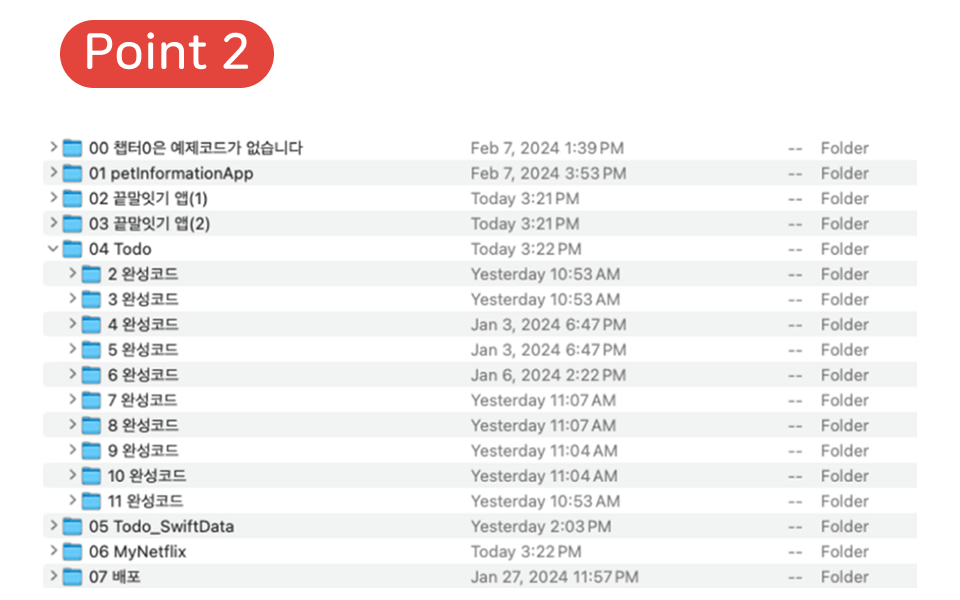
Examples Provided for Each Lesson

We provide examples for each lesson.
Rather than the full code for the completed app,
the sample code is organized by lesson, making it easy to compare.

Manage a Database with SwiftData

Use SwiftData, announced at WWDC 2023,
to manage data and implement persistence.

Latest iOS 17-Based Course

All lessons were created using iOS 17.

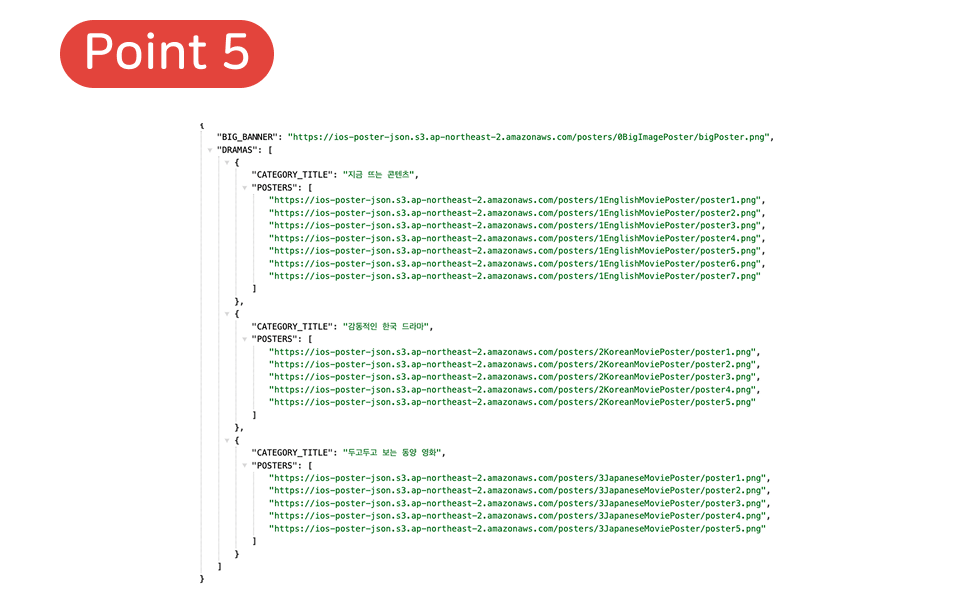
Build an App That Communicates with a JSON Server

Connect to an existing JSON server and
fetch and use this JSON in your app project.
You can build an app using data and photos received from the server.

Create app icons and screenshots, then publish your app

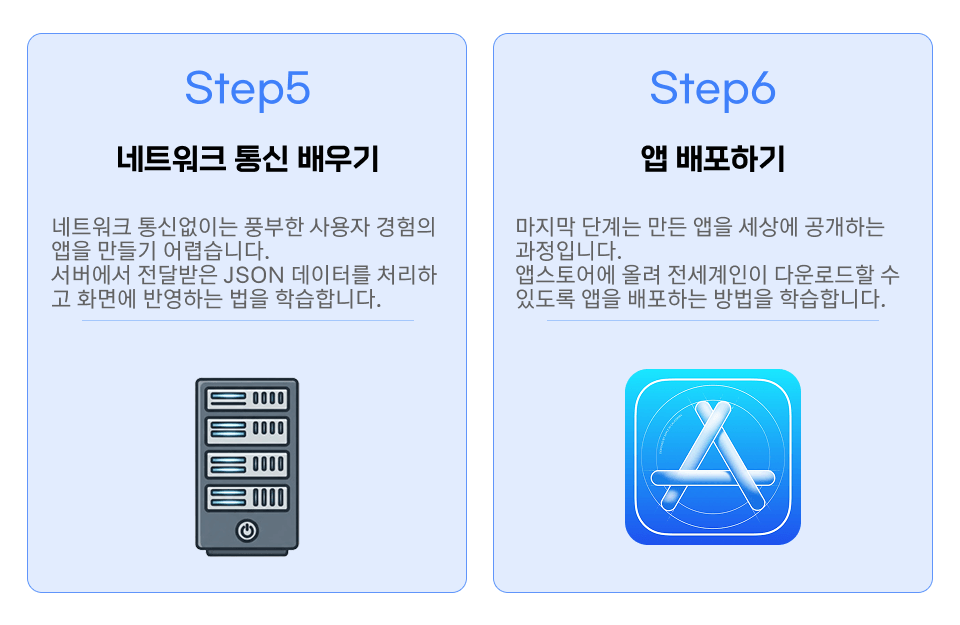
Includes a course on creating and deploying apps.
Create your app icon and screenshots together, then submit your app for review.

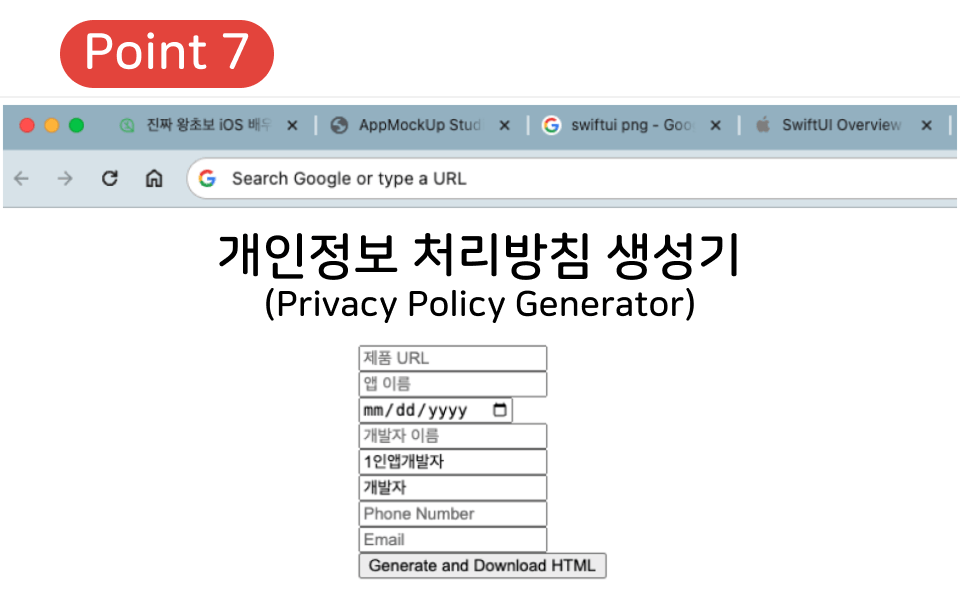
Includes a Privacy Policy Generator

You need a privacy policy to submit your app for review.
The privacy policy generator site I used before is currently unavailable, so
I’ve included a simple generator I made myself in the example files.

(⚠ Note: This generator only provides a basic privacy policy.
If your app actually collects or uses personal information, you must write a customized privacy policy yourself.)

Q. Can I really launch an app just by taking this course?

A. Yes!

Just one month after the course launched, someone had already completed it and released an app.

View the app

You'll learn the following.

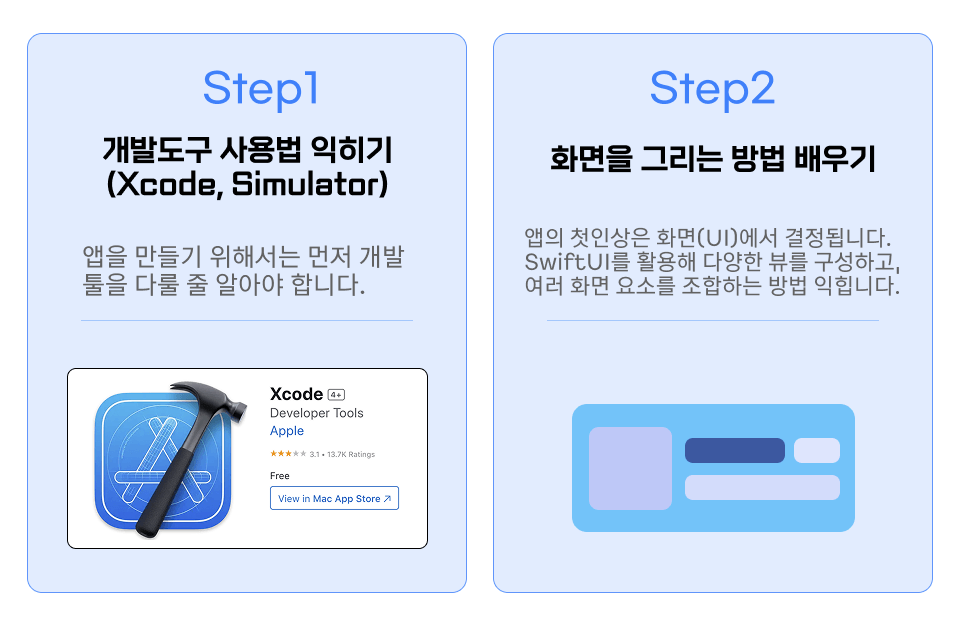
First App: Animal Introduction App

To build a one-page app, learn the basics of SwiftUI.

  • View(Text, Image, Circle...)

  • modifier(.padding, .font, .background...)

  • Container(VStack, HStack)

  • Scroll View

Second app: Word chain game

While building a word-chain game, you’ll learn about state changes, text input, and alerts.

Knowledge of Swift syntax

  • Array (Array)

  • Loops (for, forEach)

  • Conditional statements (if)

SwiftUI Concepts

  • @State

  • TextField

  • Button, .alert

  • List view

  • ForEach (SwiftUI’s loop)


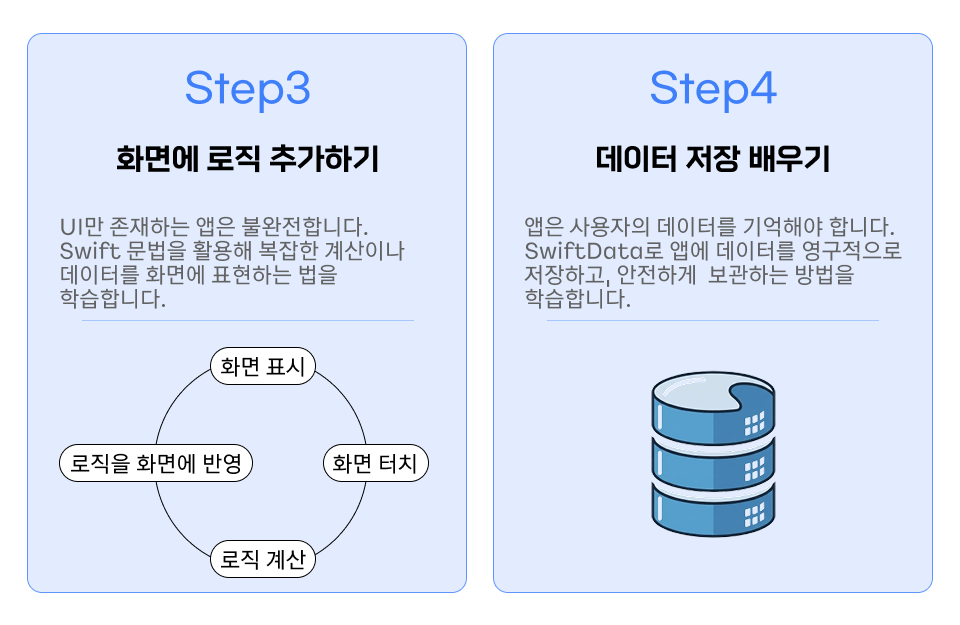
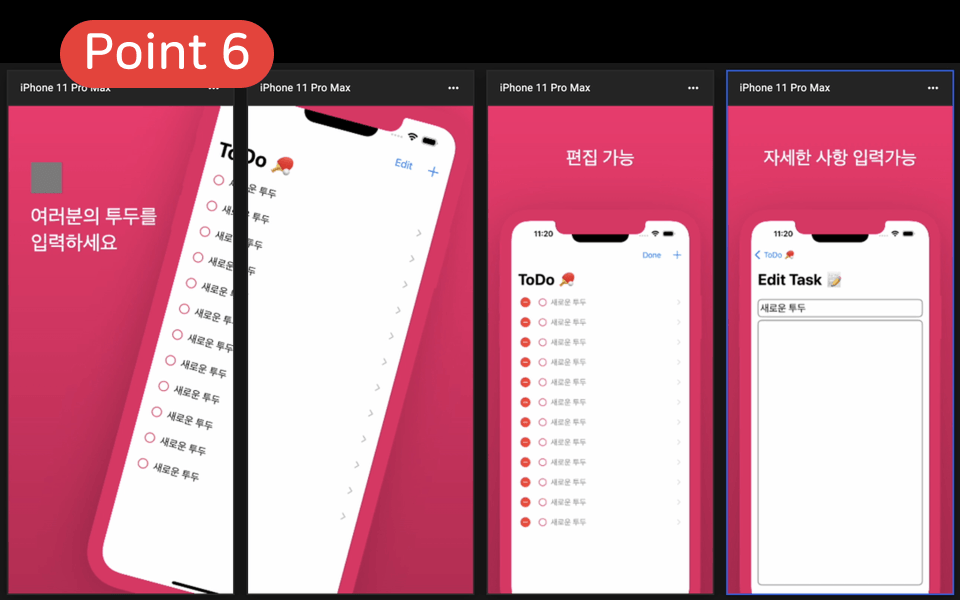
Third app: To-do app

While building a to-do app, we’ll use a model to save, delete, and retrieve data.

Knowledge of Swift syntax

  • class

  • Function(function)


SwiftUI Concepts

  • Navigation between screens (NavigationStack, NavigationLink)

  • toolbar

  • Binding ($)

  • Observable


App 4: SwiftData with a to-do app

Learn to work with databases using SwiftData, which was announced at WWDC 2023. By adding SwiftData to an app that didn’t previously use it, data will persist even after the app is closed.

SwiftData Concepts

  • ModelContainer

  • Schema


  • @Query

  • @Model


App 5: Netflix Thumbnail App

Connect to a server and render the app’s screen based on images and data stored on the server. Build an app that communicates in real time with data uploaded in advance to AWS (Amazon Web Services).
(The poster image was generated with ChatGPT, so the text may look strange.)

Knowledge of Swift syntax

  • Network communication in an app (URLSession)

  • JSONDecoder


SwiftUI Concepts

  • Asynchronous Image (AsyncImage)

  • Using if statements in views

  • TabView

  • ProgressView


I put a great deal of effort into explaining every concept that comes up in class, without leaving anything out.

📚 My course follows an important principle.
👉 I explain every concept that comes up in the lessons.


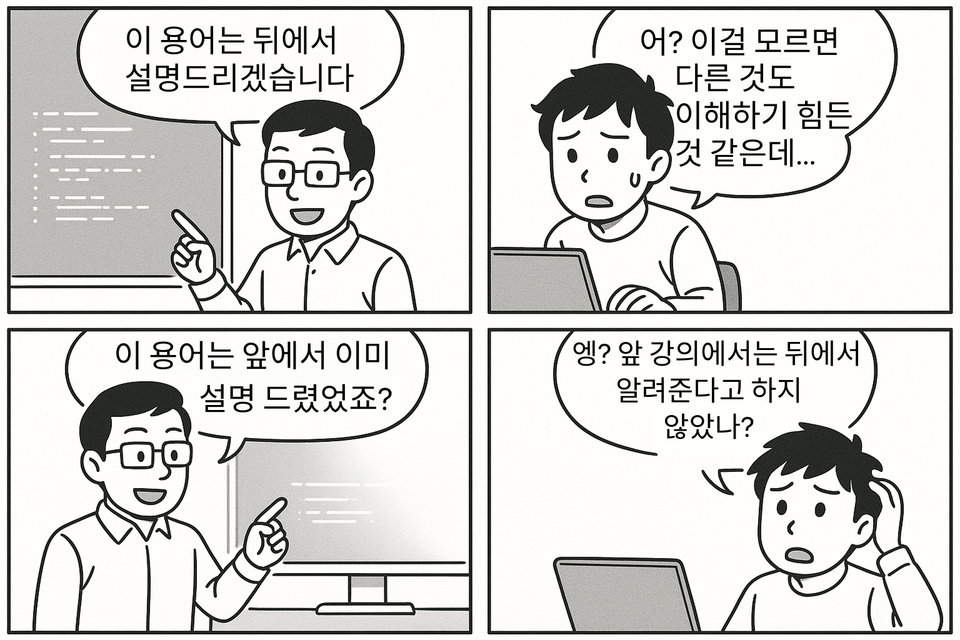
When I was preparing to become a developer, instructors often skipped explaining important concepts, saying, "I'll explain this part later." But when we got to that point, they often didn’t cover it properly, and if you didn’t understand the concept, it was really frustrating because it was hard to follow what came next. 😥

So I’ve put a lot of effort into making sure you don’t experience that frustration in my lectures.

  • When a new concept comes up during the course, I explain it right there whenever possible.

  • If a concept is difficult to understand right away because you lack the necessary background, we first help you get a feel for it using analogies or simple examples.

  • Then, after learning enough of the background knowledge needed in later lessons, we’ll come back to the concept and explain it again.

Ultimately, as you follow along with the course, you won’t feel frustrated, wondering “Wait, you said you’d explain this later, but you’re just skipping over it?” Instead, you’ll understand the concepts thoroughly, step by step. ✨

💡 Buy once and own it for life!


As a learner myself, I rarely buy courses that aren’t yours to keep for life.
That’s why I’ve made my course available to revisit anytime, with no expiration date.


👨‍💻 If you've done development, you'll know.
It's impossible to master every concept perfectly in a single course.
Some concepts click right away, while others only fully make sense once you apply them directly in your own projects.


⏳ But it’s virtually impossible to apply every concept right away.
That’s why this course is offered as a lifetime purchase, so you can come back and learn whenever you need to.

👉 Even parts that are difficult to understand now can be revisited when you encounter them in a future project and made your own.
In other words, it becomes your own reliable learning resource for life, with just one purchase. 🚀

💸 You can request a refund at any time within 7 days of starting the course.


✅ Refund Policy

I prepared this course to make sure you’re satisfied, but if you’re not happy with it, you can request a refund with no worries. 🙂

⚠️ However, refunds may be difficult in the following cases:

  • If you have downloaded the example code

  • More than 7 days have passed since enrollment.

  • If you have completed more than 7% of the course.

👉 Therefore, we recommend taking the initial lectures first without downloading the example code.


🔗 View the exact refund policy

Do you have any questions?

Q. Can I take this course even if I have no programming knowledge?

Yes! This course is designed for people with no programming experience. We explain everything from the ground up, including the code editor (Xcode) and the syntax.

All you need to get started is a MacBook.

Q. What level of skill will I have after completing the course?

SwiftUI is designed to make it easy for beginners to build apps, so you’ll be able to create an app similar to a to-do app.

Also, since we have a lesson on app deployment, the course is designed to help you submit your iOS app for review so your friends can download it.

Q. Is it okay if I don’t know any Swift syntax?

Yes! The goal of this course is to help you build an app by taking this course alone, without any prior knowledge. We explain Swift syntax from the very beginning, so you can start with this course.

Notes Before Taking the Course

Practice Environment

  • A Mac mini, MacBook Air, iMac, or similar device with macOS installed will work.

  • Xcode versions 15.1–15.2 were used. (It was updated to 15.2 during the course recording period.)

  • The macOS version used was Ventura. (It was updated to Sonoma in the deployment lecture, but this is unrelated to development.)

Learning Materials

  • The lecture example code files are provided.

  • These code examples are organized by lecture unit (each example contains only the code covered up to that lecture).

  • The image files needed for the lecture are included.

  • The JSON URL required for the network communication lecture is provided.

Prerequisites and Notes

  • No prior knowledge is required.


Recommended for
these people

Who is this course right for?

  • Someone who is new to app development

  • Someone who wants to easily learn practical knowledge used in real-world situations

Need to know before starting?

  • No prior knowledge!

Hello
This is nightdaycoding

Inflearn Verified

Career Verified

3,010

Learners

393

Reviews

244

Answers

4.9

Rating

7

Courses

Hello 😀

I want to help anyone easily engage in AI and iOS development.

I am developer NightDayCoding.

I enjoy creating examples for lectures and conduct research to develop courses tailored for beginners.


nightdaycoding@gmail.com

More

Curriculum

All

56 lectures ∙ (7hr 13min)

Course Materials:

Lecture resources
Published: 
Last updated: 

Reviews

All

53 reviews

4.9

53 reviews

  • ait10293300님의 프로필 이미지
    ait10293300

    Reviews 4

    ∙

    Average Rating 5.0

    5

    52% enrolled

    The explanations are very kind. While listening to the lectures, I learn things I didn't know before, and even things I already knew become much easier to understand. Please make more Swift lectures :)

    • devjinsung10175584님의 프로필 이미지
      devjinsung10175584

      Reviews 2

      ∙

      Average Rating 5.0

      5

      100% enrolled

      Thank you for the great lecture!

      • chyachya님의 프로필 이미지
        chyachya

        Reviews 2

        ∙

        Average Rating 5.0

        5

        100% enrolled

        As a non-major in my mid-30s who couldn't even find direction, Aeguma's lectures gave me tremendous courage and strength. From iOS development direction to the Swift language, the overall content was really easy to understand from a non-major's perspective, making the learning experience excellent. Rather than only using technical development terminology, you explained things using common vocabulary, and adjusted the difficulty level and supplementary explanations well according to the learning sequence, which allowed me to complete the entire course without getting exhausted. I'm already taking the next course!! Looking forward to more great lectures in the future. Thank you!

        • jerry2414님의 프로필 이미지
          jerry2414

          Reviews 8

          ∙

          Average Rating 4.9

          5

          32% enrolled

          I wanted to study SwiftUI and I think I found a great course. I'll work hard, thank you.

          • fanp님의 프로필 이미지
            fanp

            Reviews 2

            ∙

            Average Rating 5.0

            Edited

            5

            100% enrolled

            I completed the course on November 5th, and just 3 weeks later on November 26th, I successfully deployed my first app! Today it passed the App Store review on the first try!! I learned the basics of iOS development through Teacher Aeguma's course and with the help of Claude Code, I finally created an app that only existed in my imagination! I'm so happy and thrilled!! The creation process was so much fun, it's amazing to see my own app on the App Store, and I'm already thinking about what app to make next! Thanks to Teacher Aeguma, I went from just thinking 'I want to develop an app myself' to actually deploying one, and I'm truly grateful!!! I'll diligently take other courses as well. Thank you!

            • nightdaycoding
              Instructor

              Hello! Congratulations on completing the course and even launching your app! Anyone can try making an app, but creating a polished app and actually deploying it is a completely different story! I've also deployed several apps, but deploying my first app took the longest and was the most challenging. I'm so proud that you've navigated through that difficult journey, and I want to tell you that you're truly amazing! Thank you so much for taking the course, and I hope you continue to deploy apps and achieve great results. I apologize for the late reply due to personal matters, but I think you shared your app link before, didn't you? 😊😊 I'd love to try your app too, so if you don't mind, could you please share the link or app name? Have a great end of the year~

            • Thank you for the congratulations! I was able to start and even deploy thanks to Teacher Aegyuma! I posted the link because I wanted to share with others what you can create just 3 weeks after taking the course, but I kept deploying updates😊😊 If I continued doing that, it would drift further from showing how much I built in just 3 weeks, so I deleted the link! I'd be so grateful if you check out the app😊😊 The app name is 'Saengilsi'! Now I'm planning to make another app, and this time I want to include a feature where users can see content uploaded by each other, so I'm planning to take the next course! Once I finish deploying the new app, I'll appear again in the next course review😆😆 Thank you!!

          nightdaycoding's other courses

          Check out other courses by the instructor!

          Similar courses

          Explore other courses in the same field!

          25% off for new members

          $49.40

          25%

          $59.40