강의

멘토링

커뮤니티

Productivity

/

Office

Practical lecture on report charts finished with Excel

If you are an office worker, you have probably experienced worrying about making a chart at least once. If you are confused about when and what chart to use and how to make it, I will give you a refreshing answer.

(5.0) 7 reviews

53 learners

  • hotcoca
3시간 만에 완강할 수 있는 강의 ⏰
Excel
MS-Office

Reviews from Early Learners

What you will gain after the course

  • How to choose and create the right chart for your situation

  • How to create beautiful and sophisticated charts using only Excel

  • Understanding the purpose of creating charts and chart types

<Author's Workplace> How to Create Excel Charts for Successful Workers
Revealing 17 years of accumulated know-how! 💻

How to Create Practical Charts in Excel 📊

Any office worker has likely experienced the struggle of creating a chart at least once. It's confusing to know when and which chart to use, and even when researching how to create one, it's not always easy to find a clear answer.

So, I'm going to share with you how to choose the right chart for your situation and how to create advanced charts in Excel, drawing on my 17 years of consulting experience.

This course is a mixed composition of [Theory] + [Practice] lectures.

Special features of this course

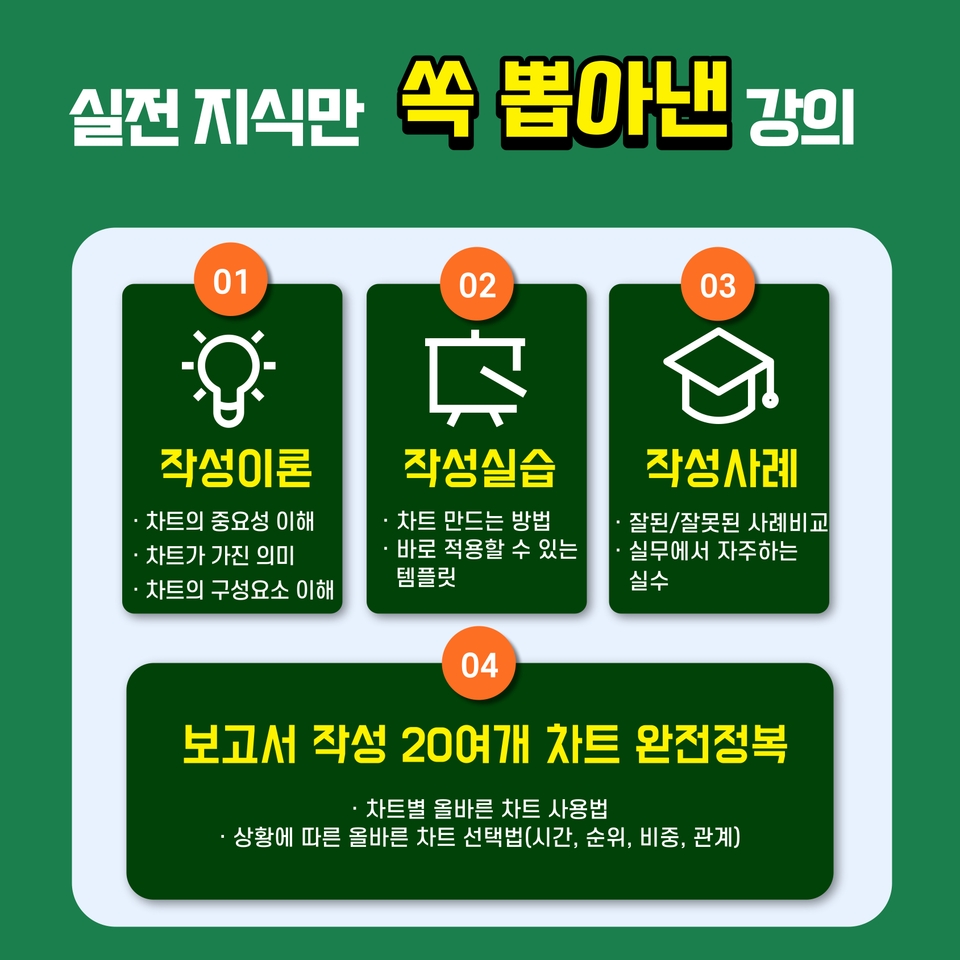
  • This is a practical and systematic lecture where you can learn everything from the purpose of using charts to recommended charts for each situation .
  • Let's compare well-written and poorly written examples .
  • It includes a practical lecture on Excel charts that can be used immediately in practice.

Learn this 📖

Understanding the importance and components of charts

  • Charts are for the reader, not the author.
  • Knowing what your readers want is crucial to creating the right chart.

How to Choose the Right Chart for Your Situation

  • Charts should be used according to the situation.
  • You need to know which chart is appropriate for the situation to create the right chart.

Comparison of good and bad cases

  • Explains common mistakes made when creating charts.
  • Learn how to create proper charts through best practices.

Understand how to create beautiful, sophisticated charts using only Excel.

  • Explains how to create beautiful, cool charts using only Excel.
  • Excel practice lectures are included so that you can apply them immediately in practice.

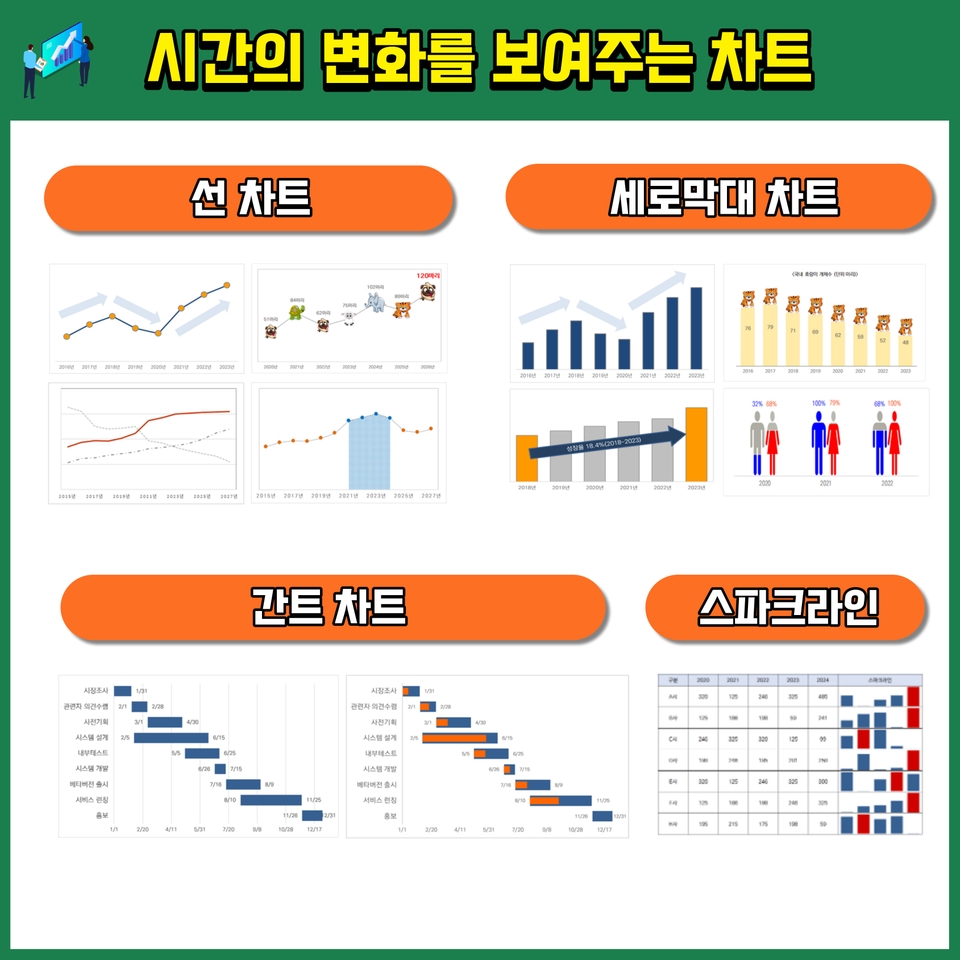
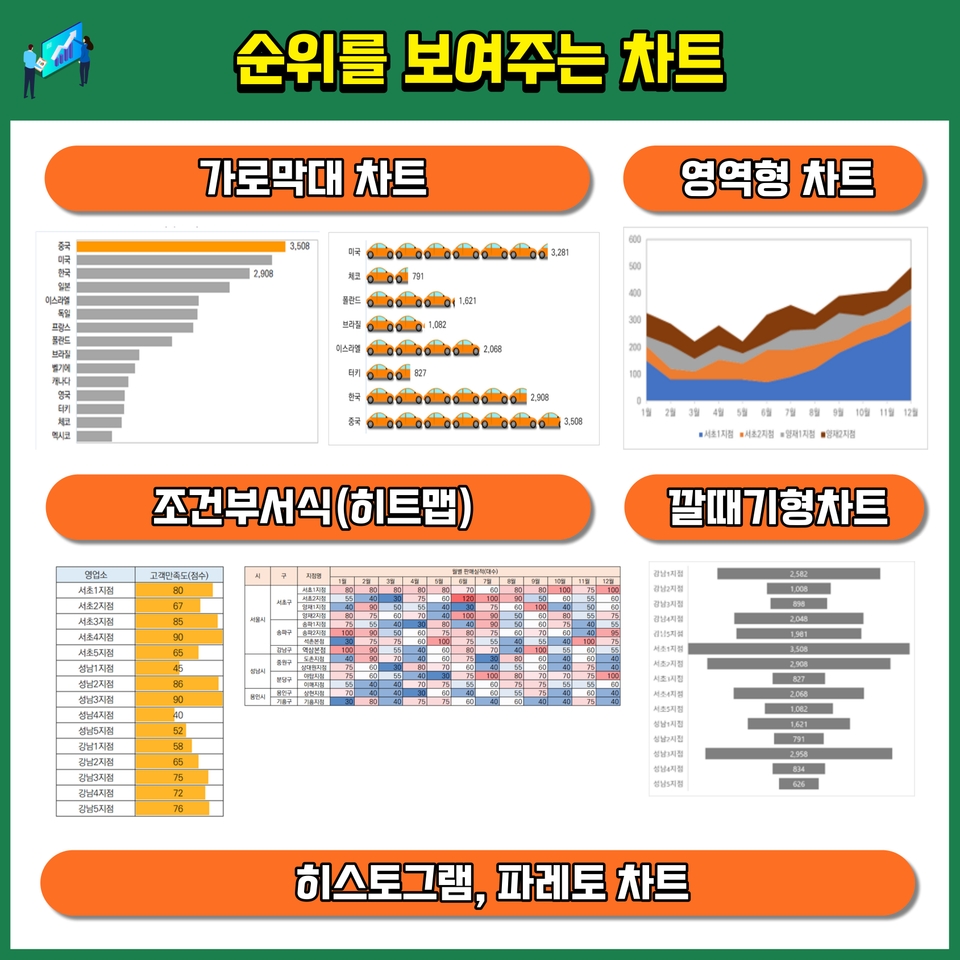
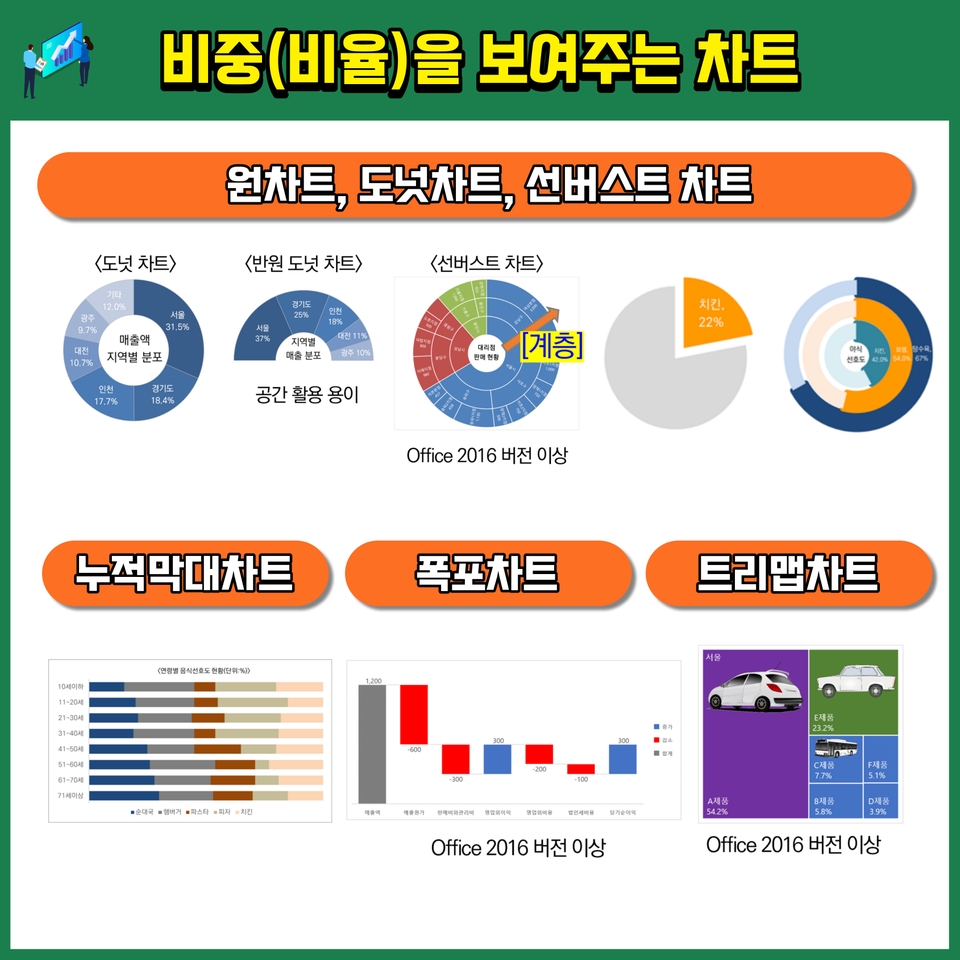
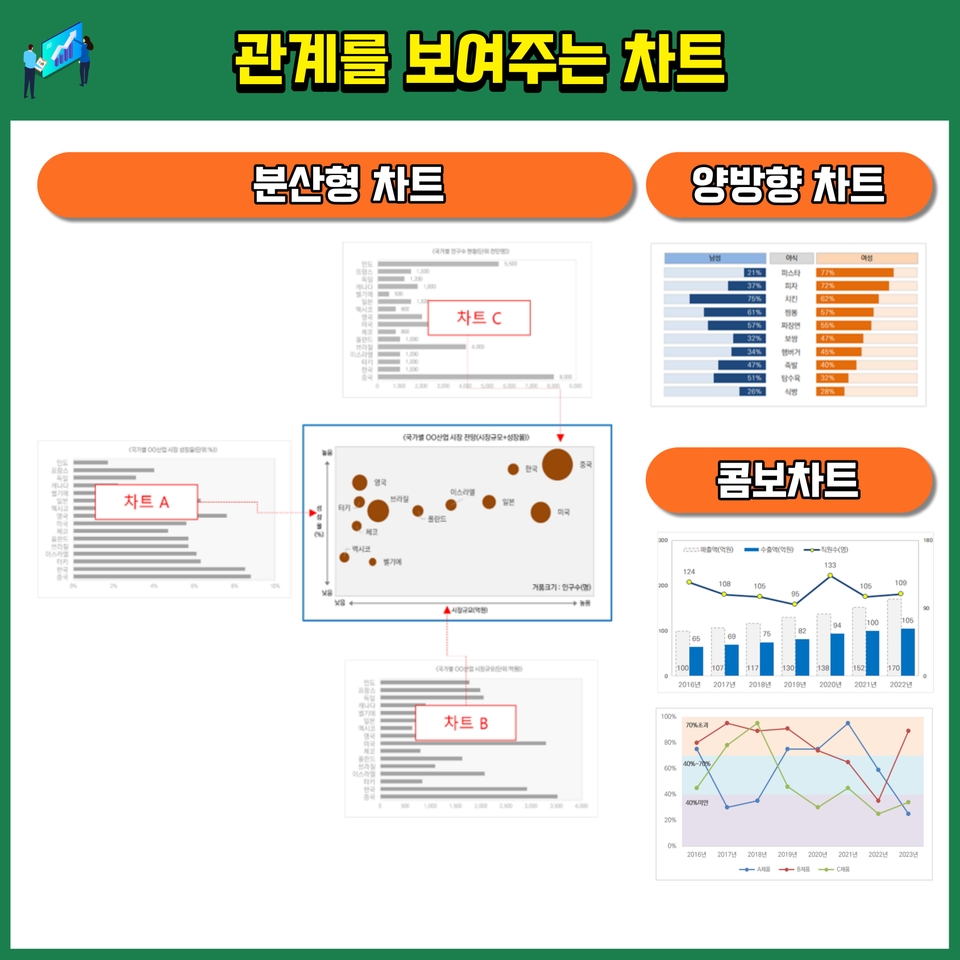
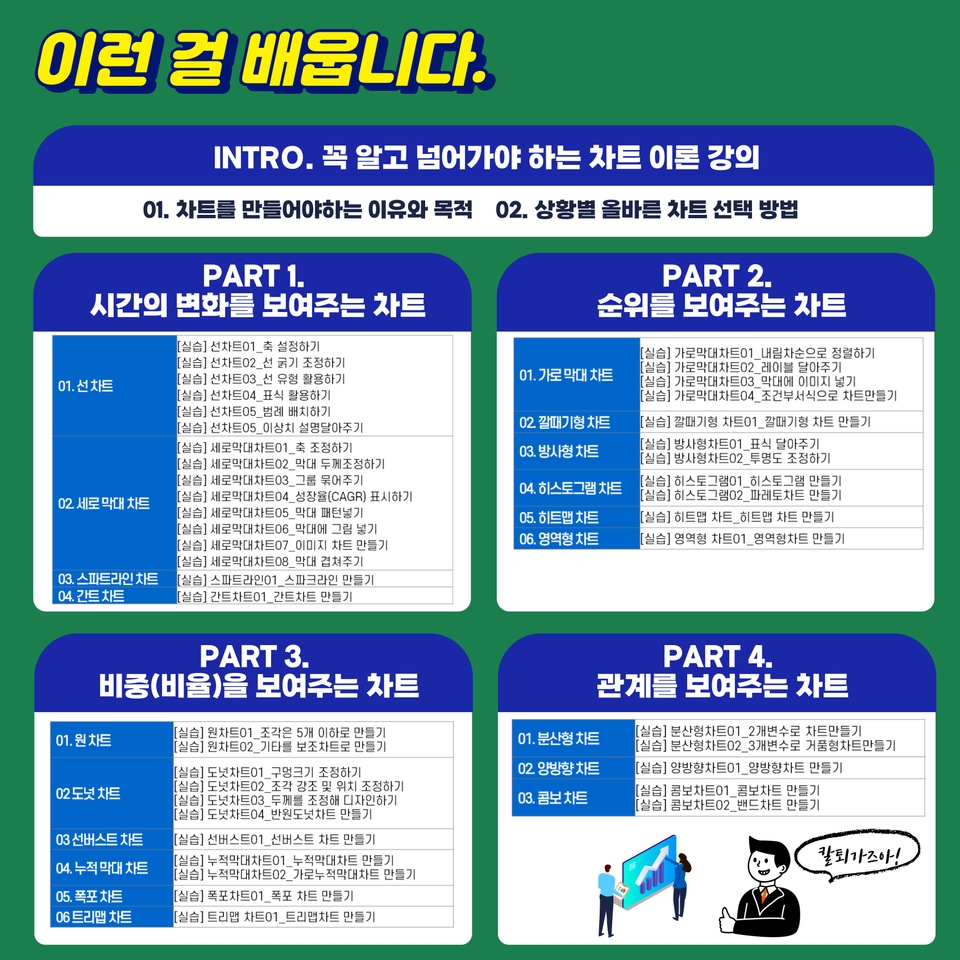
 <This lecture covers about 20 charts necessary for report writing.>


 <Lecture Table of Contents>


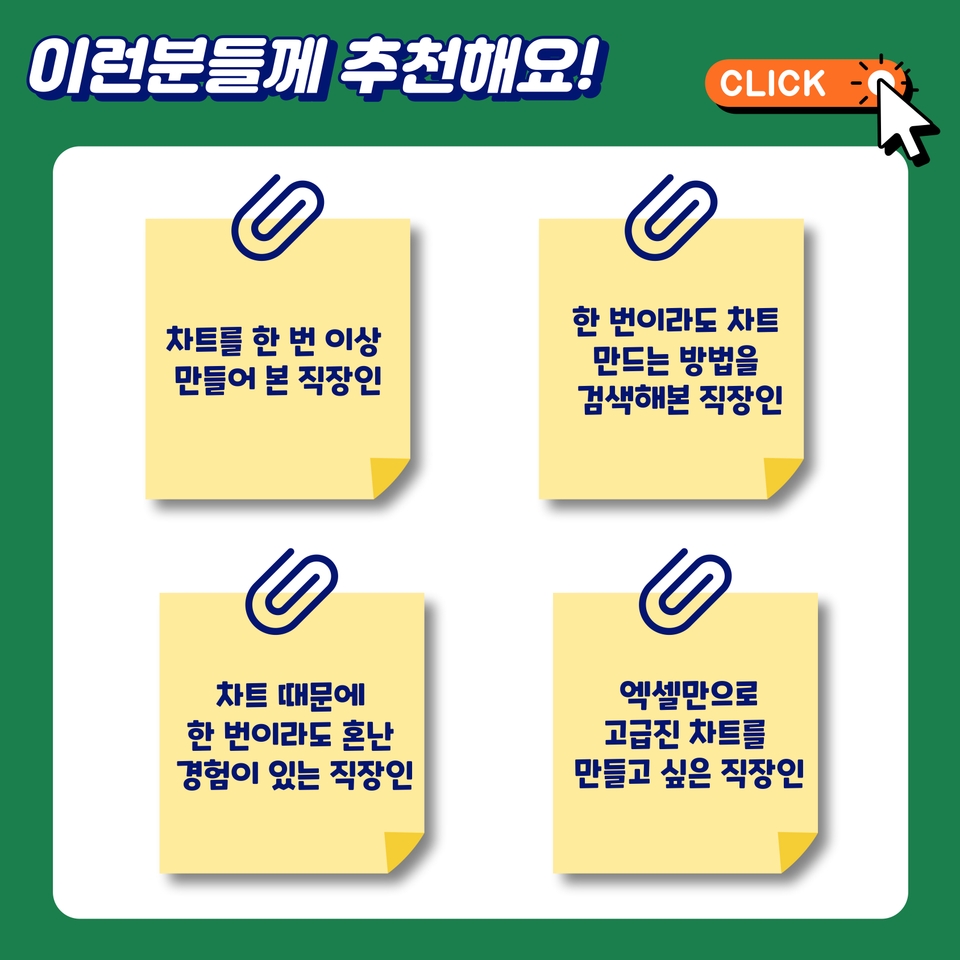
I recommend this to these people 🙋‍♀️


How to choose a course ✅

  • Preview and select
  • Choose with an open mind
  • Choose this opportunity with the determination to finish at least one chart creation.
  • Please select from the detailed table of contents

Introducing the Knowledge Sharer ✒️

Choi Seong-ho

  • Current) Tien Representative Consultant (March 2022~)
  • Current) Adjunct Professor, Department of Business Administration, Soongsil University (2020.~)
  • Former Adjunct Professor, Department of Data Library and Information Science, Dongwon University (2018-2019)
  • Former Head of Technology Commercialization Division, Inno Patent Law Firm (April 2016 - March 2022)
  • Former Senior Researcher at EDI Research (December 2011 - April 2016)
  • Former Senior Researcher at Derby & I (December 2006 - May 2011)
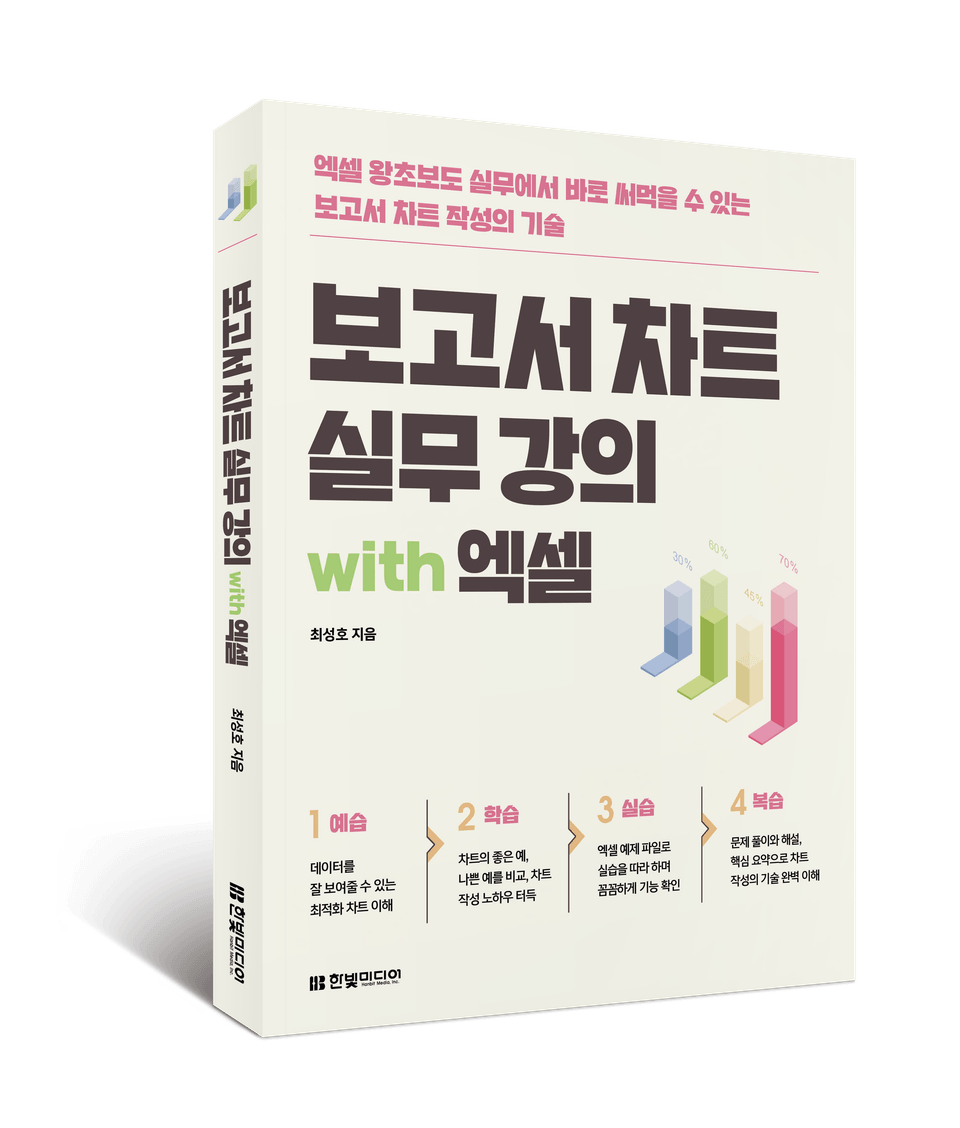
  • Author of "The Practical Planning Book Everyone Wants" and "Report Chart Practical Lecture with Excel"
  • Lecturers at numerous universities/institutions, including Kyunghee University, Konkuk University, and Korea Institute of Ceramic Engineering and Technology.

Frequently Asked Questions 💬

Q. Why should I take this course?

Any office worker has likely experienced the struggle of creating a chart at least once. It's confusing to know when and which chart to use, and even when researching how to create one, you can't find a clear answer. This course will provide a clear answer to these questions.

Q. What kind of content does the class cover?

Since Excel is a program readily accessible to office workers, all the charts included in this course were created using Excel. This ensures they can be applied immediately in the workplace. This course is practical and applicable to your work.

Q. Is there anything I need to prepare before attending the lecture?

There's no special preparation required, but please come with an open mind and a desire to absorb new knowledge.

We recommend that you preview and purchase.


Recommended for
these people

Who is this course right for?

  • Office worker (student) who has created a chart at least once

  • Office workers (students) who have searched for chart creation methods and chart samples at least once

  • Office workers (students) who have ever been in trouble because of a “chart (graph)”

  • Office workers (students) who want to create a pretty/advanced chart without Photoshop at least once

Hello
This is

422

Learners

56

Reviews

3

Answers

4.7

Rating

4

Courses

일잘러가 되기 위해 꼭 필요한 보고서(제안서, 기획서) 작성기술과 결과를 돋보이게하는 시각화 기술(엑셀, PPT, OA)을 전문으로 연구합니다. 

전략기획 전문기업, 연구개발 전문기업 등을 거쳐 현재 특허법인에서 기술사업화 컨설턴트로 활동하고 있다. 15년 이상 정부정책기획, R&D기획, 신사업기획 등의 프로젝트를 수행하면서 수많은 제안서, 기획서 등의 보고서를 작성한 경험을 가지고 있습니다. 

현재 티엔 대표컨설턴트, 숭실대학교 경영학과 겸임교수로 활동하고 있다. 동원대학교 데이터문헌정보학과 겸임교수, 더비앤아이 책임연구원, 이디리서치의 책임연구원, 특허법인 이노 본부장 등을 역임했으며, 다수의 자문 및 평가위원으로 활동했습니다. 

건국대학교, 건국대학교(글로컬), 한국세라믹기술원 등 다수의 대학 및 기관에서 강의를 진행했으며, 주요 저서로는 『누구나 탐내는 실전 기획서』가 있습니다. 

Curriculum

All

46 lectures ∙ (8hr 13min)

Course Materials:

Lecture resources
Published: 
Last updated: 

Reviews

All

7 reviews

5.0

7 reviews

  • hoperpark5339님의 프로필 이미지
    hoperpark5339

    Reviews 5

    Average Rating 5.0

    5

    100% enrolled

    Đó là một bài giảng tốt. Kính gửi người hướng dẫn, Cảm ơn sự nỗ lực của bạn

    • orage902623님의 프로필 이미지
      orage902623

      Reviews 2

      Average Rating 5.0

      5

      30% enrolled

      • yooung11224978님의 프로필 이미지
        yooung11224978

        Reviews 2

        Average Rating 5.0

        5

        100% enrolled

        • cjw46865667님의 프로필 이미지
          cjw46865667

          Reviews 2

          Average Rating 5.0

          5

          30% enrolled

          • lgpceo5673님의 프로필 이미지
            lgpceo5673

            Reviews 11

            Average Rating 4.2

            5

            15% enrolled

            Tôi nghĩ nó sẽ rất hữu ích vì nó giải thích chi tiết đến mức có thể hữu ích ngay lập tức trong thực hành. Chúng tôi hy vọng sẽ gặp lại bạn ở những khóa học tiếp theo trong tương lai. Cảm ơn bạn đã tạo ra một khóa học tuyệt vời.

            $22.00

            hotcoca's other courses

            Check out other courses by the instructor!

            Similar courses

            Explore other courses in the same field!