Creating AI Videos Using Gemini / Flow
stanlee
Free
Beginner / gemini
4.6
(45)
500+
We will create a simple AI video using Google Gemini and Flow.

Beginner
gemini

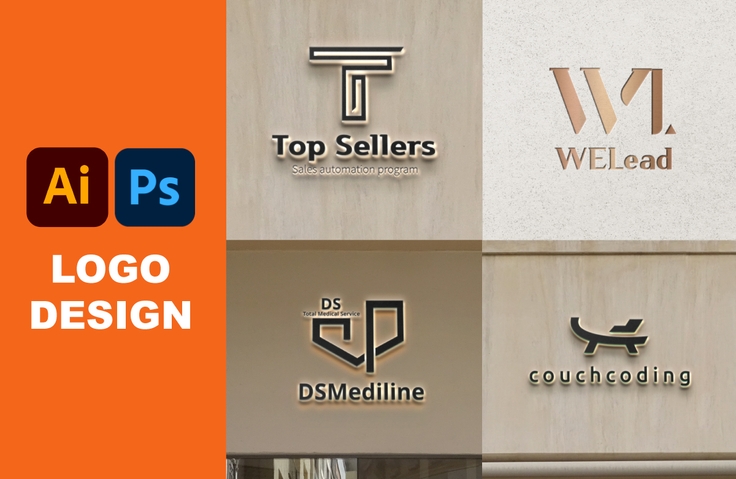
It's okay if you don't know anything about design.
From logo design to sales, all in one place! 💡

Although I am not in the design industry
With logo design
Anyone who wants to generate income
I'm thinking about getting a second job
It is difficult to promote it step by step
Anyone who wants to proceed
Although I am not a major
Logo design made simple
Anyone who wants to try making it
This course will teach you the basics of Illustrator and Photoshop quickly and teach you how to make a living as a side job. This course is not a BI/CI course. As mentioned above, it's designed to help you quickly learn the tools, create logo designs, and set yourself up to sell them, even if only for a small profit!
I, too, used Illustrator and Photoshop to create logo designs and post them on Talent Market. I also worked as a logo designer, despite not being a major in the field. Now, with the logo design skills and design confidence I gained there, I'm working as a brand marketer at a B2B SaaS startup! Even complete beginners are welcome, so come listen!
🔍 What you will learn in this lecture
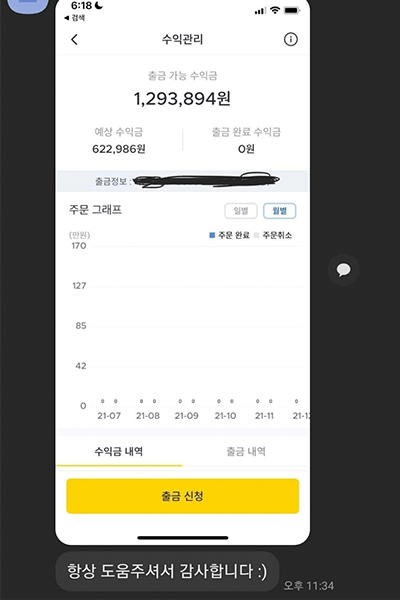
As an ordinary office worker, I'm in a simple contract job, so the pay increase isn't that great. I've tried every side job I've ever done, from convenience stores and car washes to handing out flyers, but earning more than 50,000 won a day from a side gig has proven difficult. A few months ago, a friend recommended logo design, and now I'm earning 1 million won a month from my side job by creating two logo designs a day from home after work.
This course is a three-hour, one-day course based on what I've learned. I'll teach you the most essential skills and show you how to register in a market where you can generate real profits. If you're looking to quickly and effectively learn logo design skills, don't hesitate to contact me!
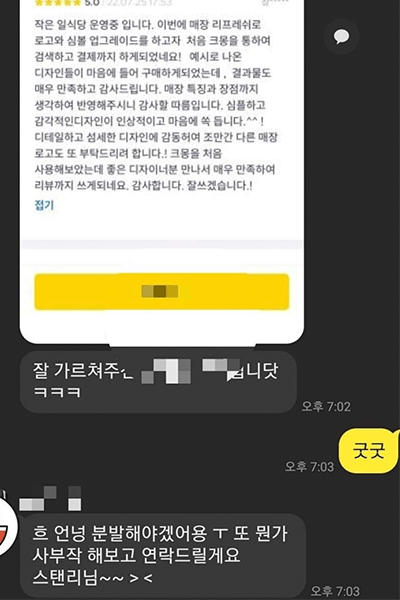
Even if you're not a professional, you'll gain the confidence to set up a business that sells logo designs! Those with the drive will even achieve success, like the one below, with side hustles. Here's a photo of someone earning 1 million won in just four weeks on Talent Market, and another proof of their first profit and review in just one week!
Q. Can non-majors design logos?
I, too, was a non-engineering major, but after much trial and error, I was able to transition into becoming a logo designer. I also teach logo design classes, and as you can see from the reviews above, most of my students come from non-engineering backgrounds. Some of these students, with their drive, have even made a living through logo design. Just by learning a few formulas for logo creation, you'll be able to create logos efficiently.
Q. Can I design a logo even if I can't draw?
Being able to draw can give you more inspiration and help when creating a logo, but that doesn't mean you can't create a logo if you can't draw.
Q. How do you determine the price when selling?
In my case, at first, I was literally in the beginning stages, so I focused on generating revenue from a beginner's perspective, allowing me to learn and earn money at the same time. So, I started making designs for as little as 10,000 won. As my skills grew, I increased the fees to 50,000 won, 100,000 won, and finally 300,000 won.
Q. When I receive an order for sales, how should I create and deliver the logo?
When you sell a logo, you'll engage with clients on various talent marketplaces. We'll assess their needs, receive a work order form, negotiate a price, and collect payment. Payment isn't made immediately; Talent Market holds the funds. We then send the logo to the client, incorporate any revisions, and finalize the logo. Once the client approves, we receive final approval and collect the fee. (This process may vary depending on the talent marketplace.)
Q. Is there a way to sell it independently, rather than through Talent Market?
As I'll explain later, if you utilize social media to build your personal brand as a logo designer, you'll gain fans and customers, allowing you to sell your work on your own. You can do this by opening an open KakaoTalk account or other means to communicate.
Q. Are specifications important when it comes to laptops and PCs?
Whether you're working on a laptop or PC, speed and file storage capacity are key considerations. While not a standard, I personally recommend an i5 CPU, 8GB or more of memory, and a 256GB or higher SSD for Illustrator. Regarding storage capacity, there are also several cloud platforms that offer convenient file storage options, so I recommend checking them out before proceeding.
My name is Stanley, and I studied logo design on my own as a non-major. I sold over 200 logo designs in just one year, and later learned skills like detail page design, banner design, and web page production, and started living the life of a digital nomad that allows me to work two jobs.
💎 Things to note before taking the course

Not only did you teach me how to use Illustrator and Photoshop, but you also taught me how to register on Talent Market, how to sell using SNS, how to respond to customers, and even know-how to increase the price of designs. Thank you for teaching me many useful methods that I would not have known if I had not taken the class, beyond simply using the tools :)
The buzzing is loud. And in the very first lecture, when you create a new document for Illustrator, what should I do if you make it your recent item? .... Since it's the first installation, there are no recent items. I've listened to up to the 7th lecture, the types of logos, and now it's time to use Photoshop tools, but there's not a single lecture on making a single logo. They just explain the tools for the Illustrator tool and say there are 3 types of logos. Then, try making it~ and the lecture ends. But shouldn't there be at least one lecture on making a famous logo like Starbucks in this way..?
It doesn't help much.
-001 (4).png?w=420)