강의

멘토링

커뮤니티

Programming

/

Programming Tool/Software

[Old version] Setting up IntelliJ IDEA for web application development (2020 ver.)

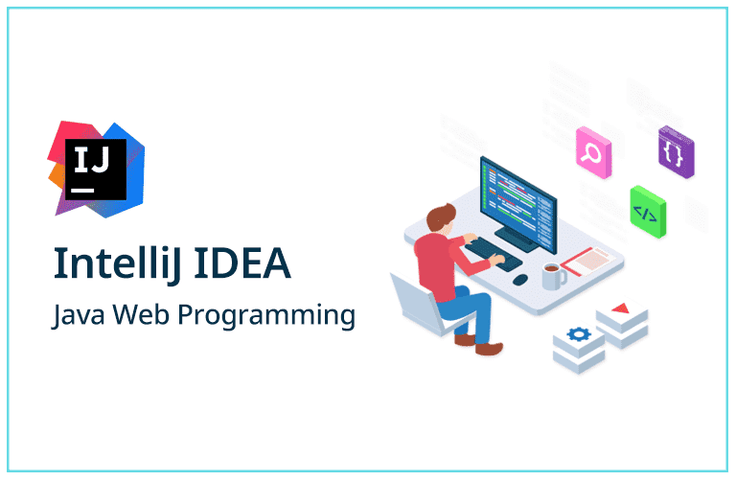
This lecture introduces the setup process for starting web programming in IntelliJ IDEA, a Java programming development tool from Jetbrains (https://www.jetbrains.com/).

(4.8) 283 reviews

4,917 learners

  • Dowon Lee
Jetbrains
IntelliJ IDEA
Thumbnail

Reviews from Early Learners

What you will gain after the course

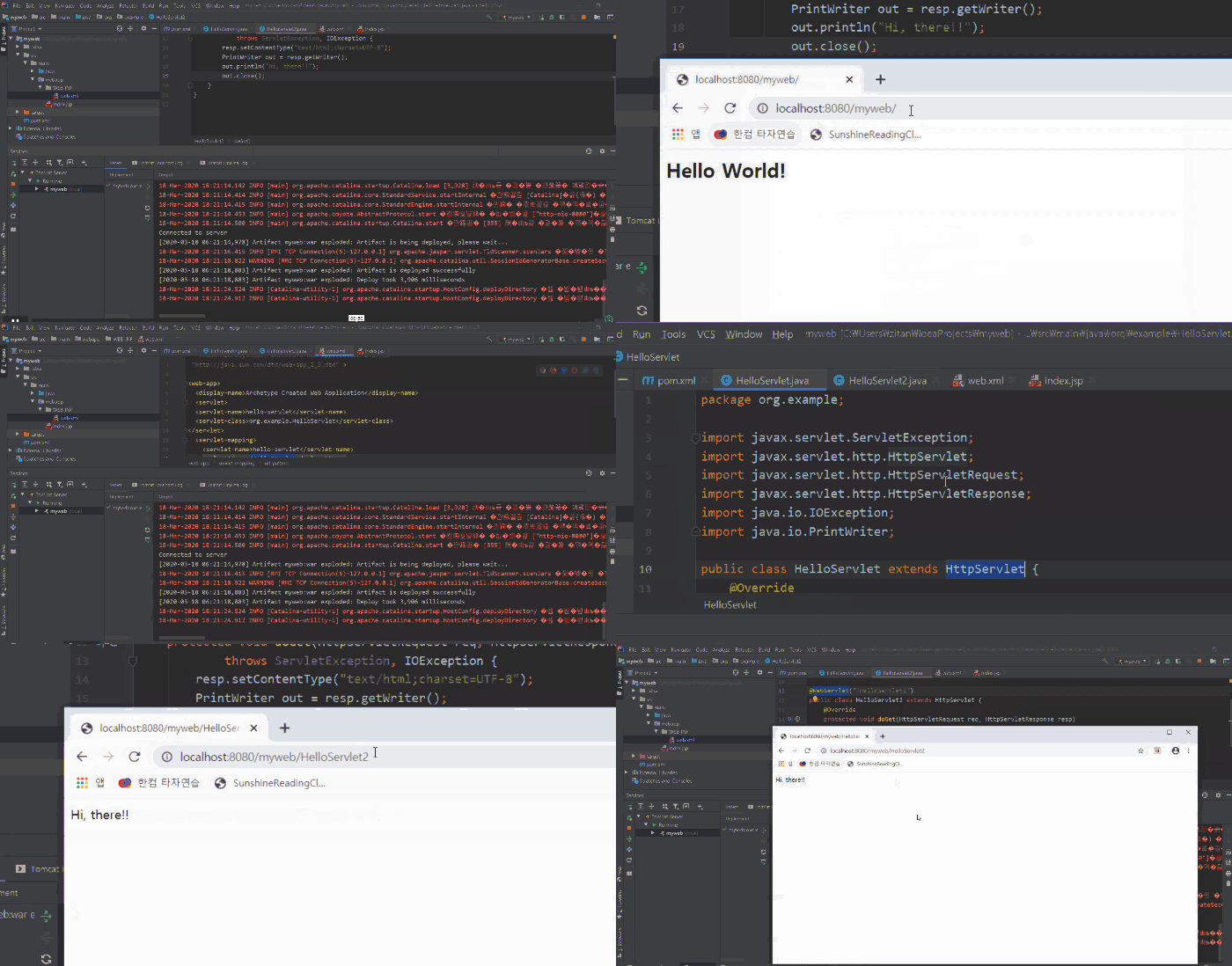
  • Setting up an environment in IntelliJ for Java web programming

  • Deploy to WAS (Web Application Server)

IntelliJ Idea,
Take on the challenge of more powerful Java development.

📢 Please check before taking the class

What about this lecture? 📖

Java is a programming language. From version 1.0a in 1994 to Java SE 13 in 2019, it has been widely used not only in Korea but also around the world.
In addition to enterprise solutions, it is also being used in various fields, including mobile applications, thanks to the recent popularity of Android.

Some of the most widely used development tools for Java language development include NetBeans , Eclipse , and IntelliJ IDEA . Among them, I would like to introduce IntelliJ IDEA, which is highly popular among many developers.


What is IntelliJ IDEA? 📝

IntelliJ IDEA , developed by Jetbrains,
It is a commercial development tool that provides convenient functions.

This course covers the environment setup required for Java web programming in the IntelliJ IDEA development tool. Since its initial release in 2001, it has gained immense popularity for its code completion, refactoring, and quick search features. A free community edition has also been available since 2009.

The feature of Jetbrains' development tools is that once you learn how to use one development tool, you can use development tools for other languages.
For example, the interfaces are unified so that it is easy to learn how to use development tools such as PyCharm for Python language development, WebStorm for web programming, and Android Studio for Android development.

The programs covered in this lecture are:

  • IntelliJ IDEA Ultimate
  • Maven
  • Tomcat Server

Let's set up an environment for developing Java Web Applications using a combination of IntelliJ IDEA + Maven + Tomcat Server.

The code used in this lecture can be found in the Github repository below.
https://github.com/edowon/first-web-project.git

Curious about the latest revised lectures for 2023?

Recommended for
these people

Who is this course right for?

  • For those who want to start web programming using IntelliJ

  • For those who want to switch from Eclipse IDE to IntelliJ

Need to know before starting?

  • IntelliJ

  • Web Application

Hello
This is

29,923

Learners

1,637

Reviews

1,369

Answers

4.8

Rating

8

Courses

저는 IT 엔지니어입니다. 언젠가 직업란에 "회사원?", "개발자?", "강사?" 어떤 단어를 선택해야 할 지 고민이 되었던 때가 있었습니다. 그러다가, IT 엔지니어라는 표현이 제가 잘 어울리는 직업명이라는 생각이 들어 지금까지도 직업란에는 "IT 엔지니어"라고 적고 있습니다.

직업이라는 것은 자신의 일을 나타내는 것이고, 일이라는 것은 재미있고, 도움이 되는 일이면 좋겠다는 생각을 가지고 있습니다. 누구나 다 원하는대로 일을 하며 살수는 없지만, 저는 제가 하는 있는 이 일을 좋아하는 있고, 잘하고 싶어하는 사람입니다. 개발자로써, 강사로써, 컨설턴트로써의 역할을 해 오면서, 매번 새롭게 출시되고 변화하는 IT 신기술을 따라가기에 급급하지만, 그래도, 남들보다 조금이라도 먼저 접하고, 전파하고, 사용하고 싶은 사람 중 한명입니다. 

최근 관심을 가지고 있는 분야는 온라인 교육 컨설팅입니다. 그리고 관심있는 기술은 Cloud Native Architecture, Blockchain, Machine Learning, Kafka, Kuberbetes 등입니다. 이러한 기술은 실제로 강의도 하고 있고 업무에 적용해서 사용도 하고 있습니다. 하지만, 워낙 방대한 주제이다 보니, 아직까지도 계속 공부하고 있습니다.

머리속에 가지고 있는 것은 진정한 지식이 아니라고 합니다. 저는 제가 가진 지식과 경험을 다양한 방벙을 통해 공유하려 합니다. 그리고, 새로운 분야, 새로운 기술에 계속 도전하고 있는 IT 엔지니어가 될 것입니다.  


  • ) 엔제이원컴퍼니 대표 

  • ) 동국대학교 국제정보대학원 정보보호학과 대우교수

  • ) JP Morgan Chase AMJ Tech consultant (일본)

  • ) 삼성 SDS CMS 사업본부 책임 엔지니어


Curriculum

All

14 lectures ∙ (1hr 33min)

Course Materials:

Lecture resources
Published: 
Last updated: 

Reviews

All

283 reviews

4.8

283 reviews

  • wonjinkim1023님의 프로필 이미지
    wonjinkim1023

    Reviews 3

    Average Rating 5.0

    5

    100% enrolled

    It was a great free lecture that allowed me to check out the instructor's style. I look forward to future lectures! The voice volume is low, so it's a little uncomfortable, but Chrome users can use an extension that increases the volume, so I recommend using it to increase the volume of Chrome.

    • omg님의 프로필 이미지
      omg

      Reviews 205

      Average Rating 5.0

      5

      100% enrolled

      You explained it clearly and simply. I'm looking forward to the next lectures you mentioned in the Bonus Section!

      • brucehan님의 프로필 이미지
        brucehan

        Reviews 74

        Average Rating 4.4

        5

        100% enrolled

        1. The sound is not very audible 2. Since it is half IntelliJ configuration and half Tomcat deployment, many beginners will probably see it, and they will probably only look at the IntelliJ configuration written in the title and listen while thinking, "What is a web app?" I think it would be good if you could change the title or write a little more detailed lecture introduction! Personally, I understand it very well because the instructor explains everything from creating a web application to deploying it. Good!

        • doksakim775474님의 프로필 이미지
          doksakim775474

          Reviews 4

          Average Rating 5.0

          5

          100% enrolled

          I was looking to switch from Eclipse to IntelliJ, and I stumbled upon this lecture by chance. All the content in the lecture was helpful. It's the best!

          • journeyakim1885님의 프로필 이미지
            journeyakim1885

            Reviews 1

            Average Rating 5.0

            5

            43% enrolled

            I'm a super super beginner, but I'm following along easily. I feel like I've already created a web application;;;

            Free

            Dowon Lee's other courses

            Check out other courses by the instructor!

            Similar courses

            Explore other courses in the same field!