A Beginner’s Guide to Adobe Photoshop CC 2019 for Complete Beginners
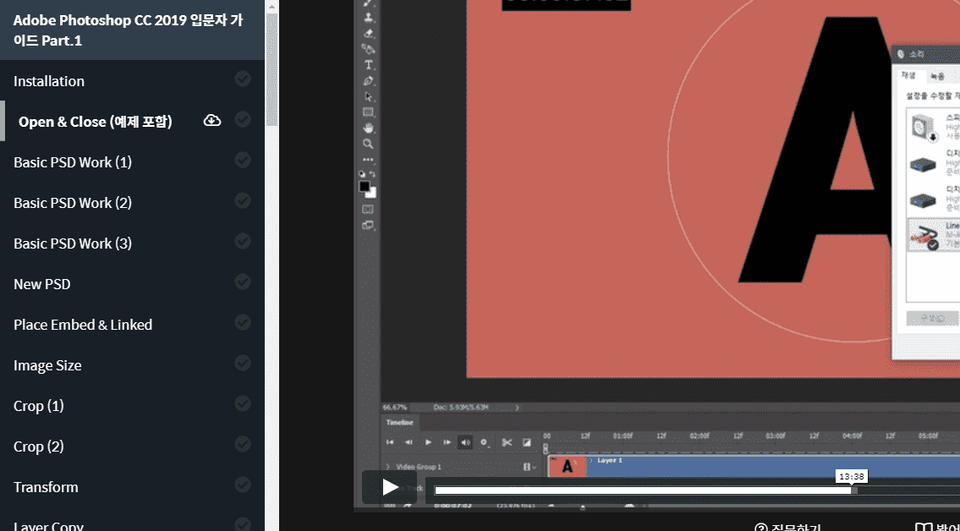
This is a beginner-friendly Photoshop course that teaches the most fundamental and essential features of the graphics editing tool Photoshop step by step.
The explanation is incredibly detailed. Even if you don't know anything about Photoshop 1, the explanation is so detailed that you can learn it just by following it.
5.0
hk221b
98% enrolled
Thank you for the kind and easy to understand explanation!
5.0
멜티블루
100% enrolled
I have some experience with Photoshop, but I started watching it to study again the functions I didn't know well. It was a function I was definitely using and knew, but it was taught in detail so that I could use it in more ways. It wasn't too light that I couldn't think of anything else during the lecture, and it gave me the impression that it was systematic because it was explained one by one in a businesslike and heavy voice. I recommend it.
What you will gain after the course
Adobe Photoshop
Image editing, photo retouching
Even Absolute Beginners Can Do It! A Proper Introduction to Photoshop 🎈
🗒 Course Introduction
(Please note that answers from the instructor are not provided in this course.)
Photoshop is an essential tool for image editing, widely used as an industry-standard tool in the graphics, design, and photography industries. In this course, we will help beginners get started with the most essential features of Photoshop CC 2019 as easily as possible.
In the first part, you will learn the basic concepts of how Photoshop works, along with the fundamental methods and concepts for working with Layers and Masks.
In the second part, we will examine how to use the most basic tools, such as brushes and shapes, while exploring the important roles of smart objects and smart filters in layer work. We will also review the basic concepts and functions of blend modes, which determine how colors are combined between layers. Through this process, you will become more familiar with the workflow used in Photoshop’s layer-based editing.
In the third part, you will learn how to use Photoshop’s built-in color correction features and the concepts behind the workflow. You will also learn how filters such as sharpen and blur work, along with several ways to precisely mask only specific areas of an image. Finally, you will cover the basic role of Camera Raw, which is used to color-correct RAW image formats captured with digital cameras.
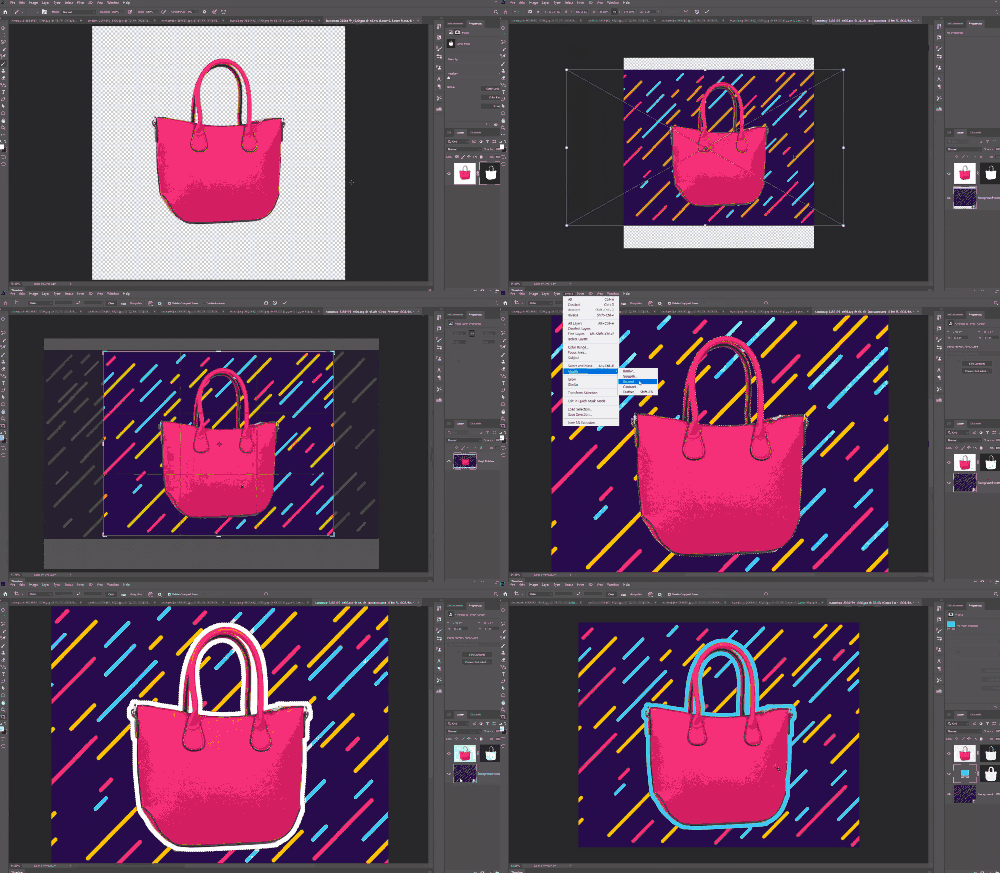
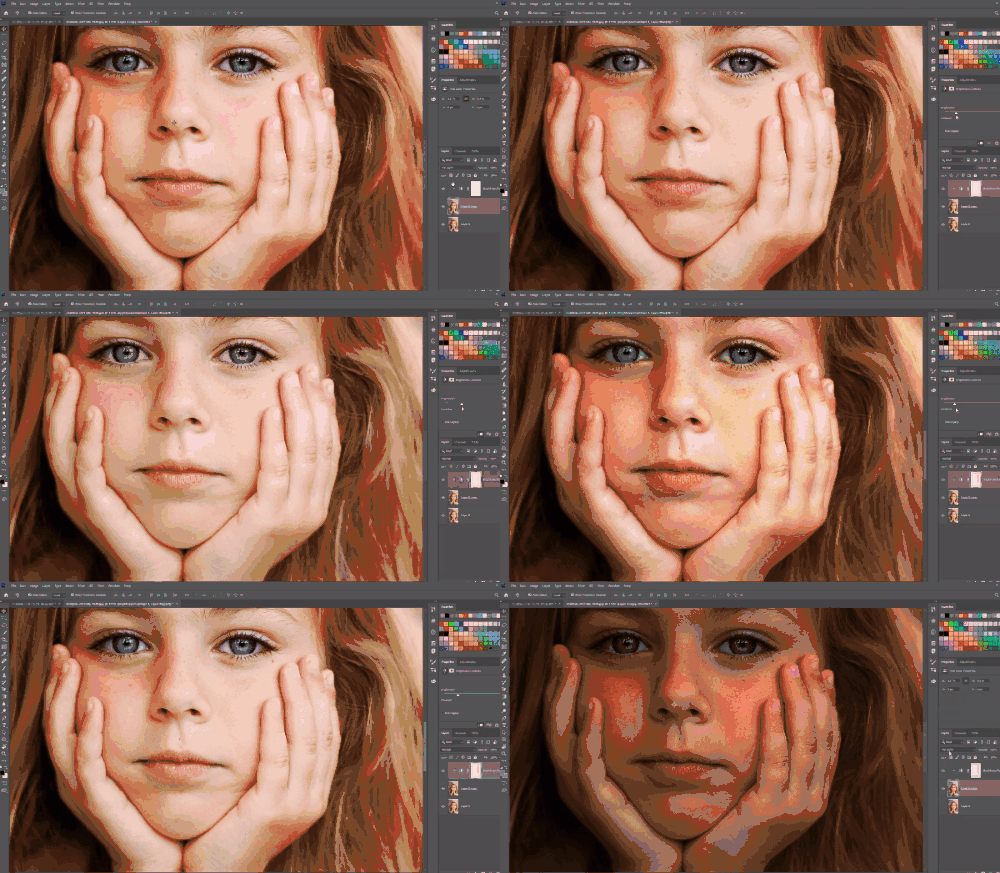
🌈 Here’s what you can do!
🙌 Tools covered here
Adobe Photoshop CC
This course uses Adobe Photoshop CC 2019, so we recommend having this version or later. (At least CC 2014 is required.) You can download and use a free trial from the official website. Official website link
🙋🏻♂️ Frequently Asked Questions About the Course
Q. Can non-majors and beginners take this course? A. This Photoshop course is designed for beginners and starts with tool installation. Anyone can take it.
Q. Are course materials included? A. Yes, when watching the lecture, click the cloud-shaped icon in the tab on the left to download the course materials. The course materials are attached to the second lecture of each course section.
Recommended for these people
Who is this course right for?
People who are new to Photoshop
People who want to review Photoshop’s basic features
The explanation is incredibly detailed. Even if you don't know anything about Photoshop 1, the explanation is so detailed that you can learn it just by following it.
I have some experience with Photoshop, but I started watching it to study again the functions I didn't know well. It was a function I was definitely using and knew, but it was taught in detail so that I could use it in more ways. It wasn't too light that I couldn't think of anything else during the lecture, and it gave me the impression that it was systematic because it was explained one by one in a businesslike and heavy voice. I recommend it.
This is an Adobe Photoshop CC 2019 tutorial that kindly explains in a calm voice. It was a lecture that could firmly establish the basics of Photoshop.









![[Photoshop Revolution Broadcast] Photoshop Basics CompleteCourse Thumbnail](https://cdn.inflearn.com/wp-content/uploads/photoshop002.jpg?w=420)
![How to Make a Unity 2D Roguelike Game [Korean Subtitles]Course Thumbnail](https://cdn.inflearn.com/wp-content/uploads/unity003.jpg?w=420)
![[Photoshop Revolution Broadcast] Photoshop Advanced Completion - Mastering the Pen ToolCourse Thumbnail](https://cdn.inflearn.com/wp-content/uploads/photoshop001.jpg?w=420)