


Shorts with explosive views with CapCut
promentor
This course covers everything from editing and producing various short-form videos like YouTube Shorts, TikTok, and Reels using CapCut to monetization!

입문
Youtube Creator, CapCut
This is a practical AutoCAD course that allows you to quickly learn the core functions of NCS-based AutoCAD 2D drawing and practical applications in the workplace from the author of "AutoCAD 60 Lessons Completed."

Reviews from Early Learners
5.0
권오현
It was a very satisfying education that allowed me to recall from my head what I had learned in school.
5.0
똘똘이스머프
I listened to your valuable lecture well. Happy New Year and stay healthy always.
5.0
프로멘토
It was good that it explained each command step by step in an easy-to-follow manner, and that I could learn the practical aspects of drawing with practice drawings. It was also good that it explained the entire contents of the book when I first started.
NCS-based AutoCAD 2D drawing
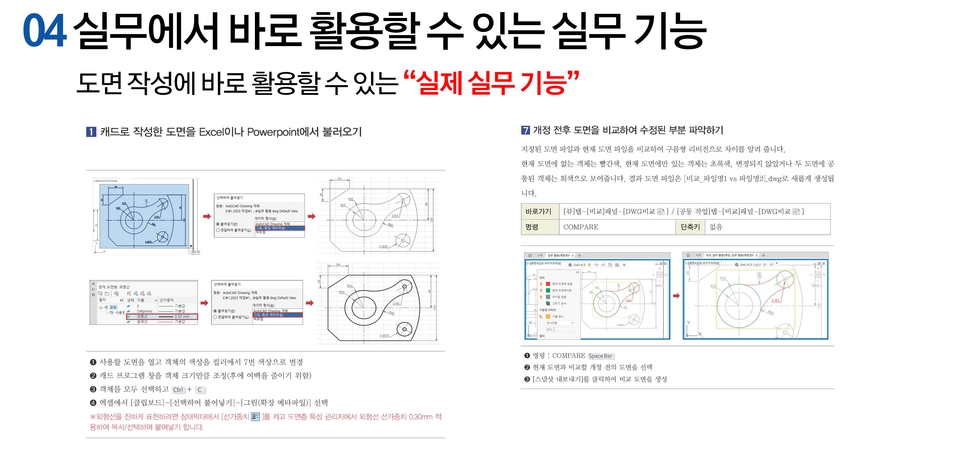
Key features that can be applied immediately in practice
Learn AutoCAD features
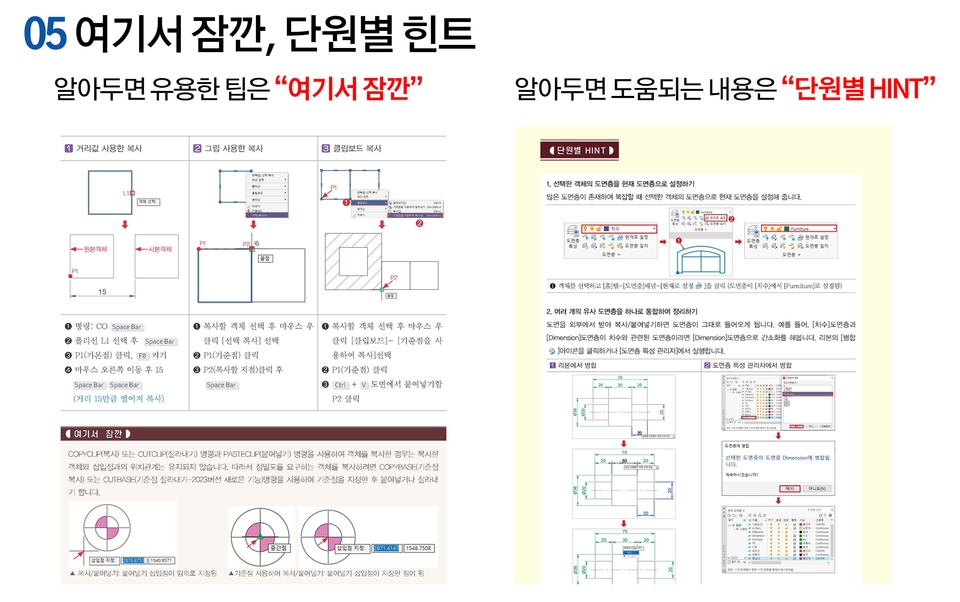
We explain AutoCAD drawing creation (drawing/editing/text, dimensions, leaders, field creation/block creation and editing, etc.) and drawing printing, and practical functions one by one so that you can follow along step by step.
All commands are explained in detail by first displaying each page on the screen, such as commands, functions, and practice drawings, as shown in the following screen, and then the practical training process is explained in detail.
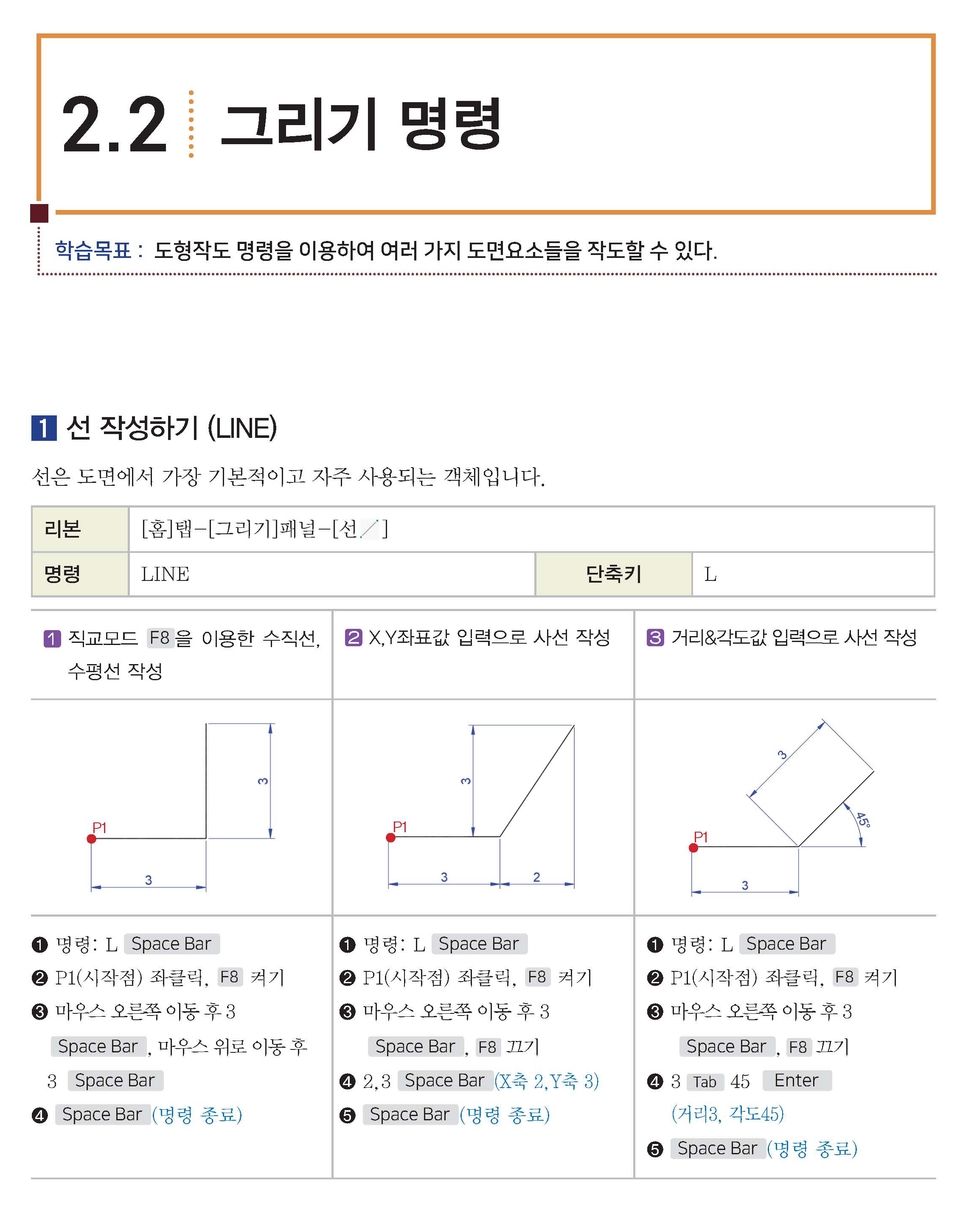
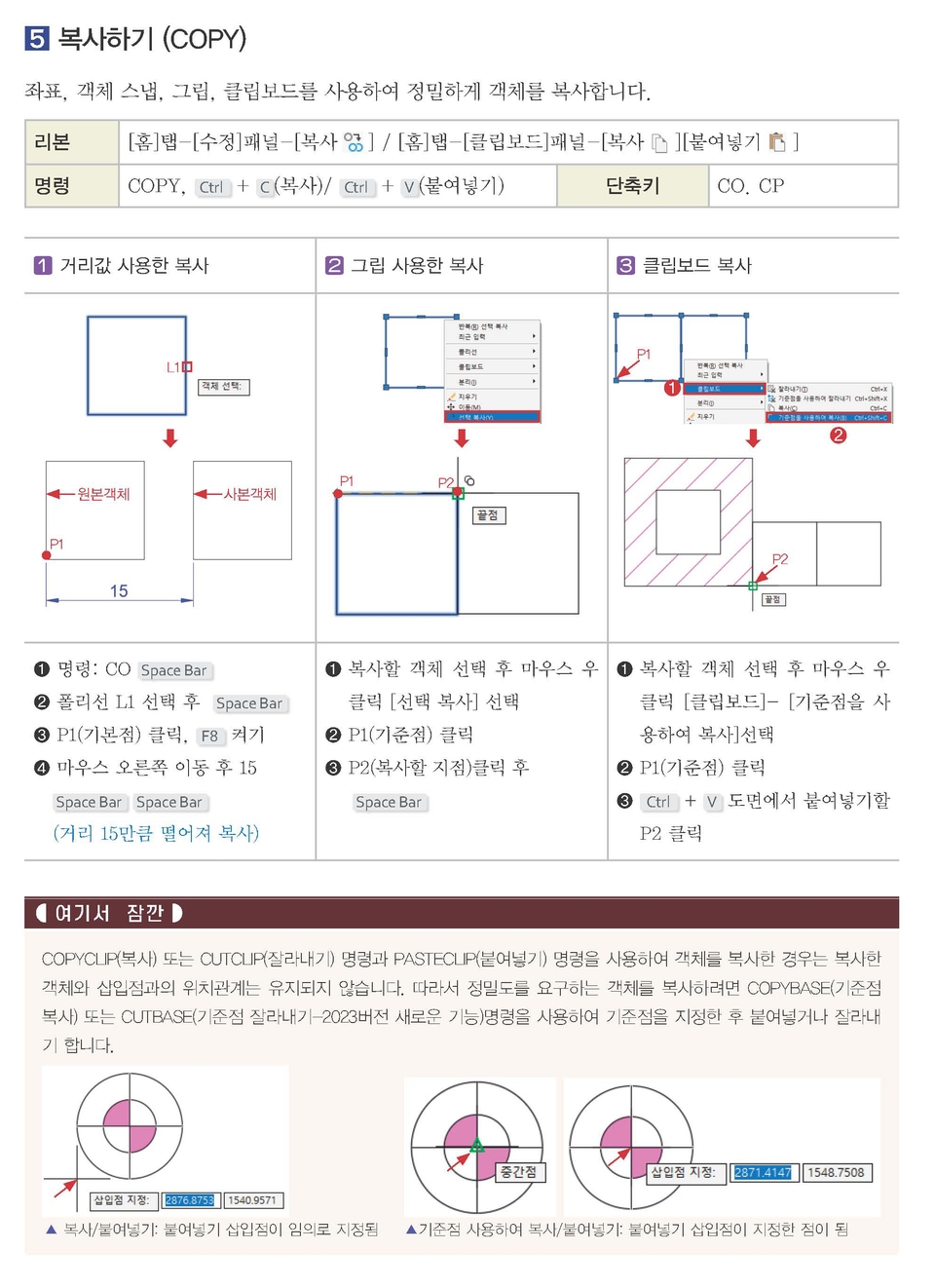
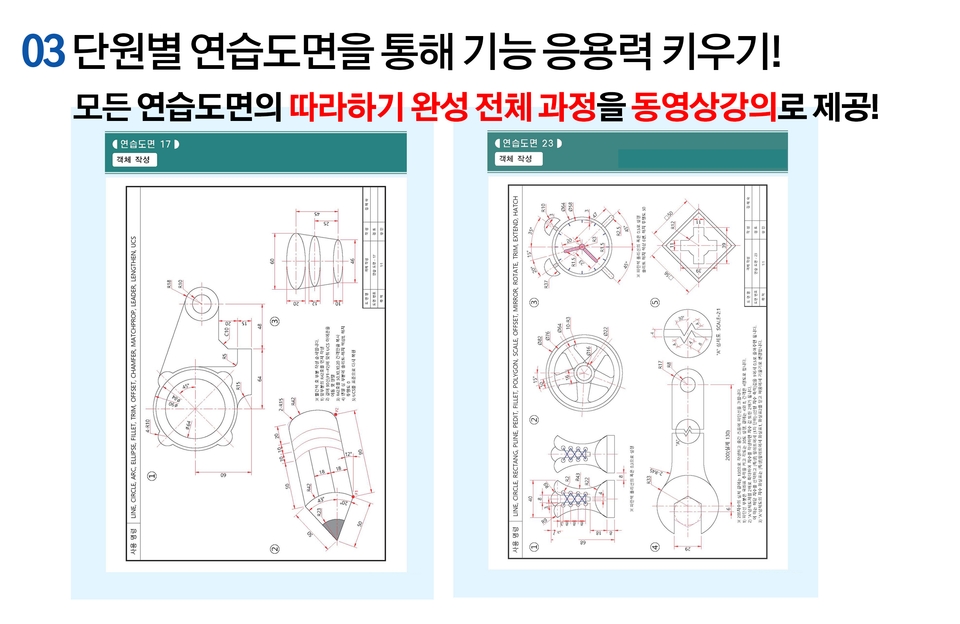
Drawing 24 practice drawings
At the end of each unit , you will learn step-by-step how to create 24 practice drawings using the commands you have learned.


Learn practical AutoCAD features that can be used immediately in the field and are based on the author's extensive practical experience.
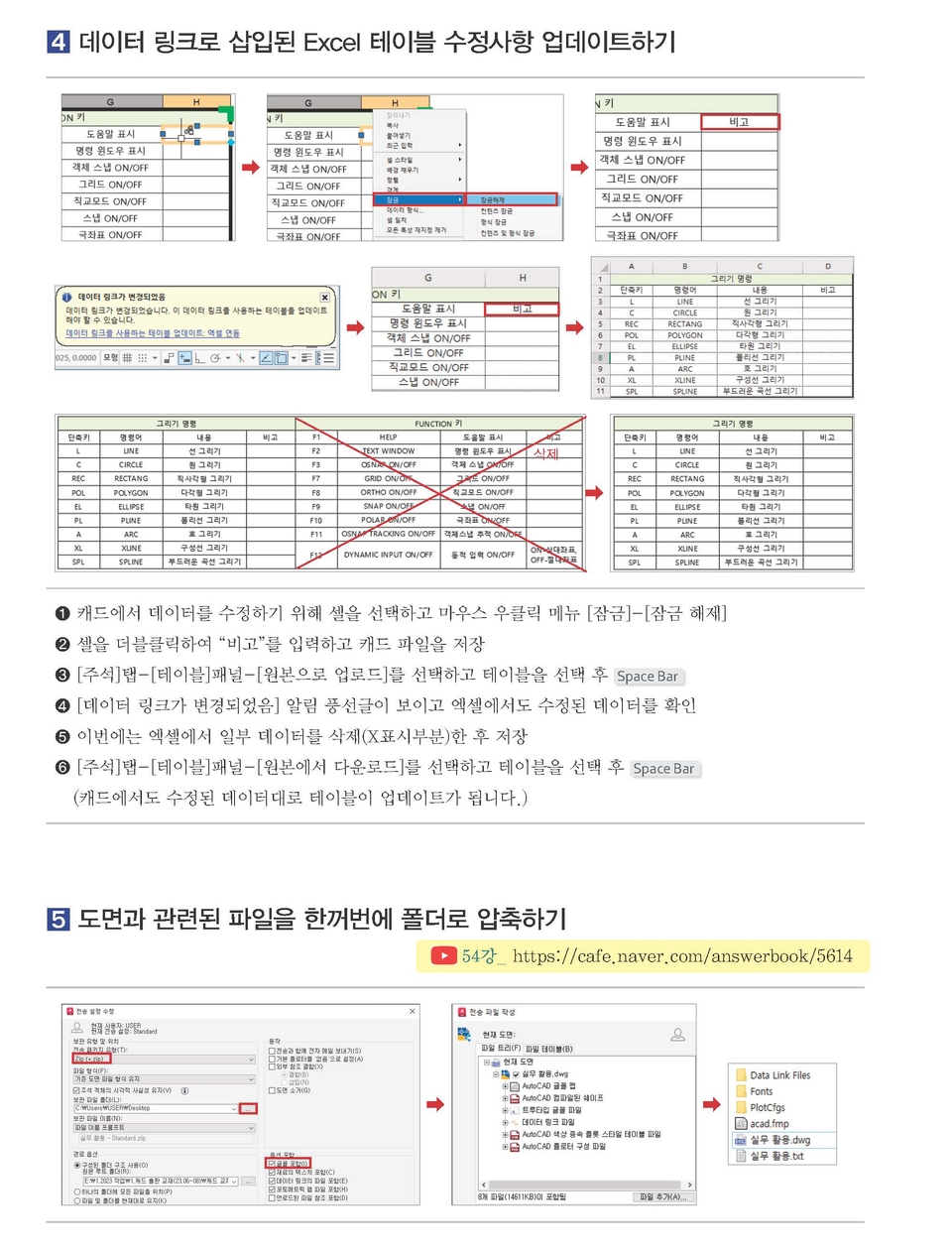

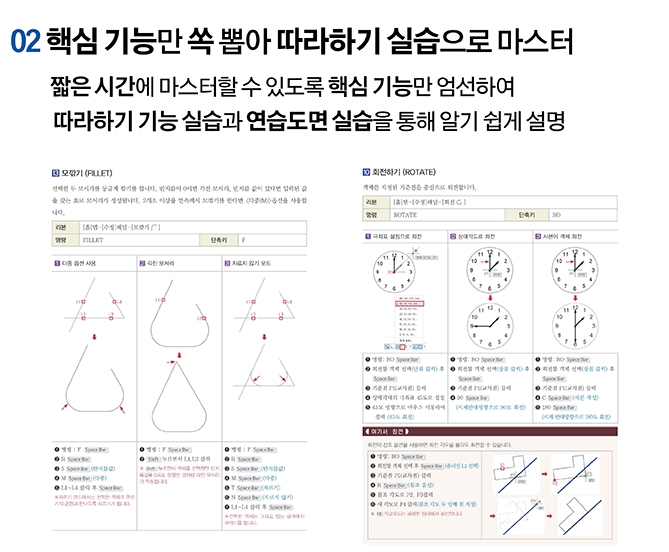
Q Do I need the book <AutoCAD 60 Lectures Complete (Answerbook)> to watch the lectures?
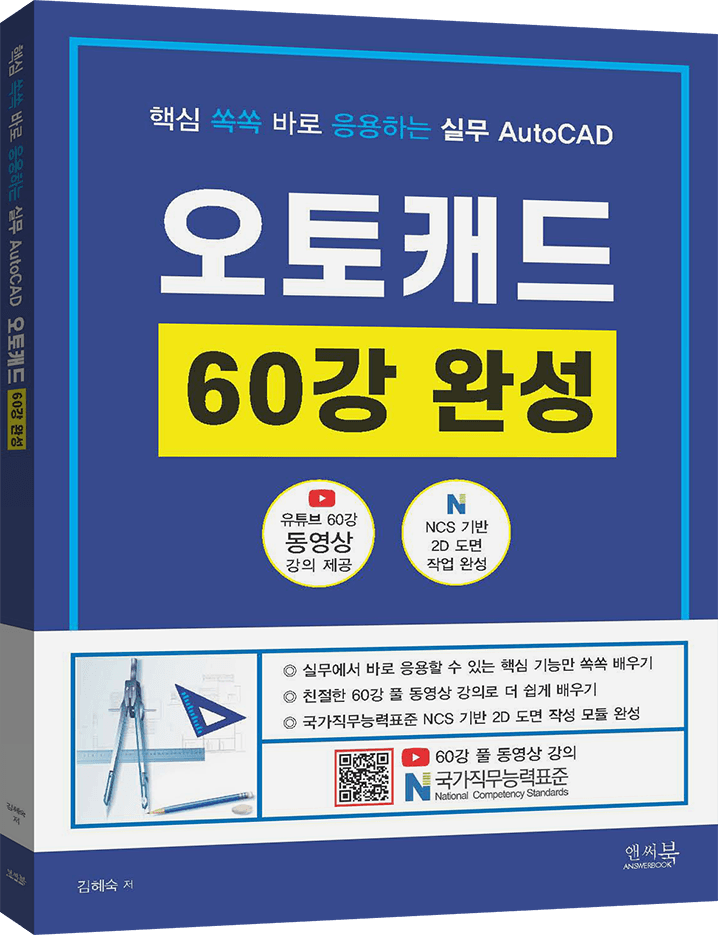
This lecture is based on the book "AutoCAD 60-Lecture Complete: Applying Core Practical Knowledge (Answerbook, written by Hyesook Kim)". Therefore, watching it alongside the book will be helpful. However, it's not strictly necessary.
The contents of the book are previewed in the video, so if you need it, you can purchase it from the online bookstore below.
Who is this course right for?
If you want to quickly learn AutoCAD 2D functions and practical skills
Instructor preparing NCS-based AutoCAD 2D drawing course

1,668
Learners
75
Reviews
2
Answers
4.7
Rating
1
Course
Promentor's real coaching lecture that anyone can follow!
ProMentor is a group name composed of the top 1% active industry experts in each field with over 7 years of experience.
Experts affiliated with Pro-Mentor must satisfy all of the following conditions.
- Those with 7 or more years of practical experience in their respective fields and who are currently active as working professionals
(Those who have stopped working in the field and only provide lectures are excluded from Pro-Mentor membership)
- Those who have published at least one physical book in their field of expertise through an official publishing house
(Excludes publications with low public credibility, such as self-publishing, POD publishing, or e-book-only publishing)
All
61 lectures ∙ (15hr 22min)
Course Materials:
All
3 reviews
5.0
3 reviews

Reviews 3
∙
Average Rating 5.0
5
It was a very satisfying education that allowed me to recall from my head what I had learned in school.
Thank you~~
Thank you for your good lecture review~~~ Thank you for your good lecture review. Please send your personal information (name, address, contact information) to the email in the format below to receive the book. After confirmation, We will send you the book "AutoCAD 60 Lectures Complete (by Hye-sook Kim. Answer Book)". - Course review by the person who participated: - Name: - Address: - Contact information: Email address to send to answerbook@naver.com
Thank you for your good review. Please send your personal information (name, address, contact information) to the email in the format below to receive the book. After confirmation, We will send you "Short-form video editing and production revenue generation with Capcut". - Course review Course name: - Name: - Address: - Contact information: Email address to send to answerbook@naver.com

Reviews 868
∙
Average Rating 5.0
5
I listened to your valuable lecture well. Happy New Year and stay healthy always.
Thank you~~
Thank you for your good lecture review~~~ Thank you for your good lecture review. Please send your personal information (name, address, contact information) to the email in the format below to receive the book. After confirmation, We will send you the book "AutoCAD 60 Lectures Complete (by Hye-sook Kim. Answer Book)". - Course review by the person who participated: - Name: - Address: - Contact information: Email address to send to answerbook@naver.com

Reviews 1
∙
Average Rating 5.0
5
It was good that it explained each command step by step in an easy-to-follow manner, and that I could learn the practical aspects of drawing with practice drawings. It was also good that it explained the entire contents of the book when I first started.
Thank you~~
Thank you for your good lecture review~~~ Thank you for your good lecture review. Please send your personal information (name, address, contact information) to the email in the format below to receive the book. After confirmation, We will send you the book "AutoCAD 60 Lectures Complete (by Hye-sook Kim. Answer Book)". - Course review by the person who participated: - Name: - Address: - Contact information: Email address to send to answerbook@naver.com
Check out other courses by the instructor!
Explore other courses in the same field!


