LLM Application In Production
grab
Free
Basic / LLM, RAG, mlops
4.7
(96)
This video shares the experience/know-how learned while building an LLM Application with over 200,000 MAU and the supporting LLMOps environment.
Basic
LLM, RAG, mlops
I will teach you Vibe Coding systematically from the ground up, following the exact curriculum refined by a 10-year veteran tech lead from NYC/LA startups who has taught over 10,000 students. We will build 'Kagong Map'—a service I personally operate—from scratch, learning the entire real-world workflow from research and development to deployment, operations, and even automation by delegating tasks to AI agents. And I promise you two things: first, you will grasp the big picture of how a service works so you can evaluate AI outputs yourself; second, you will learn to embed workflows and standards into the environment so that AI produces consistent results every time. When you can make the judgments and the AI follows your lead, your ideas truly become real services.
81 learners
Level Basic
Course period Unlimited


Reviews from Early Learners
5.0
박진호
A ray of light for non-majors and non-developers.... As everyone knows, the barrier to entry for software has become much lower. Even non-developers can easily and quickly create apps or services using Vibe Coding. However, just because the barrier to entry has lowered doesn't mean there's nothing left to know. From terminal usage, version control via Git/GitHub, database integration, to security checks after deployment—these are points you inevitably encounter when running an actual service, and this lecture covers that process step-by-step. What I especially liked was that it doesn't just end with theoretical explanations; instead, you build a real project called 'Kagong Map' from start to finish, applying each concept along the way. From tool installation to Git version control, DB integration, image storage, login features, deployment, and even troubleshooting and security during operation, I could follow the entire lifecycle of a project, which helped me naturally understand the overall flow. For a non-developer like me, terms like terminal or DB were barriers in themselves, but I felt this course was well-structured to help those without such background knowledge follow along, starting from tool installation and basic concepts in the introductory section and gradually building up the knowledge needed for actual service development in the practical section. Especially the substantial lecture materials that allow you to skip parts you already know!! The quality of these alone makes the tuition fee worth every penny. I believe this lecture will be particularly helpful for those just starting software development, especially those who have ideas but are hesitating due to a lack of development knowledge.
5.0
wh
Non-developers who have been struggling while watching YouTube? Please take this course first ㅠㅠㅠ I used to get so frustrated because I kept getting stuck while trying to follow YouTube tip videos(...) If you're a non-developer like me, you absolutely must start here!! Here’s a summary of the points that made me scream internally while taking it ㅎㅎㅎ 1. No more surface-level stuff, start from the 'real basics' Honestly, you hit a wall pretty fast with just YouTube tips, right? This is different from the ground up; it covers everything from computer architecture and basic terminology to how to manage files. 2. A god-tier lecture that meets complete beginners at their level Honestly, beginners even struggle to find where the buttons are ㅜㅠㅋㅋㅋ But this lecture really spoon-feeds you every single step, showing you exactly which button to click from a complete beginner's perspective ㅠㅠ Perfection.. 3. The miracle of getting results just by copy-pasting (The quality of the materials is insane..) The instructor prepared the materials so well that results just pop up on my screen even if I just copy and paste. Wow,, ㅋㅋㅋ It’s so much fun because I’m making progress so fast! 4. Covers both Windows and Mac (I was so moved by this ㅠㅠ) You know how annoying this can be, right? Usually, instructors only show the OS they use, so if it's different from mine, I panic... but here, they kindly explain how to use both Windows and Mac ㅠㅠㅠ So sweet ㅠㅠ If you're a non-developer who wants to learn and actually use AI properly, don't wander around elsewhere and just settle on this course ㅋㅋㅋ I really, really, really highly recommend it!!! 🔥🔥 If you don't believe me, just go check out the curriculum in the course introduction. It’s a truly epic course.
5.0
haemapark
I highly recommend this to non-developers who want to get better at vibe coding and build the necessary development knowledge to do so! I'm a designer, and I've had experience making various toy projects using AI. However, since I was vibe coding without any development knowledge, I started feeling my limitations—I could tell something was wrong but didn't know where the problem was, and it felt like it lacked depth. For instance, I only had a vague idea about the CLAUDE.md file and just used it, not knowing that its application scope changes depending on whether it's user scope or project scope. In addition to those concepts, I properly learned for the first time through this lecture how to organize folder structures from a developer's perspective..! I had tried looking up YouTube videos or asking Claude to explain things like a book because I wanted to learn the basics of development before, but the content was either too hard to follow or the information was so fragmented that it was difficult to learn meaningfully. However, since Grab, who has a lot of teaching experience, explained everything in order, it was much easier to understand. It felt like he knew exactly which parts act as "newbie cutters"..? lol First of all, I felt the balance between theory and practice was very appropriate. It's not just boring theory, nor is it just following practice without understanding the theory. After understanding just enough theory, it was fun to actually do the things I had fantasies about as a non-developer (like typing something into a black terminal screen, getting API keys, etc.) lol. Also, the course materials are designed to be really useful. Anyway, I'm very satisfied and plan to enjoy the rest of the lectures until the end! For those like me who don't know much about development or AI, let's take this course together!! ><
A web service developed and launched directly through vibe coding (including maps, DB, login, and admin screens)
From Claude Code basics to agentic workflows, workflows that endure even when tools change.
Core development knowledge learned through projects (Web principles, Git, Database, Authentication, Deployment)
A handy checklist for before and after launch (SEO/GEO, Permissions, Security, Logs, Monitoring)
Post-deployment Operations Experience - From Initial User Influx to Admin Panels and Error Handling
An environment for delegating tasks to agents and running them automatically - Harness, Parallel Agents, GitHub Actions Automation
The era where anyone can develop with AI has arrived,
but why are services that work properlyare actually usedgenerate profitpeople keep usingwork properly services
Just by knowing how to use the tools, you can whip up the first screen.
The problem is what comes next.
✗ And I couldn't go any further from here.
Why isn't it created the way I intended?
Then, should I learn more tools?Even if you learn new tools, you'll get stuck in the same spot again.
Because the reason you're stuck isn't the tools.
Learn how the screen, server, and data are connected, starting with the essential terminology used. That way, you can understand the AI's explanations and judge for yourself whether the results are correct.
Um, that thing... I don't know why it's like that, but just fix it all for me. 🙏
The notification covers the screen, so change it to a toast instead of a modal. The reason it's not saving is because the response isn't being put into the bookmark table. Please connect it there.
Instead of explaining "do it like this" every time, write down the work sequence and rules in a single file. Even when you give a new command, the AI reads that file first and works in the same way every time.
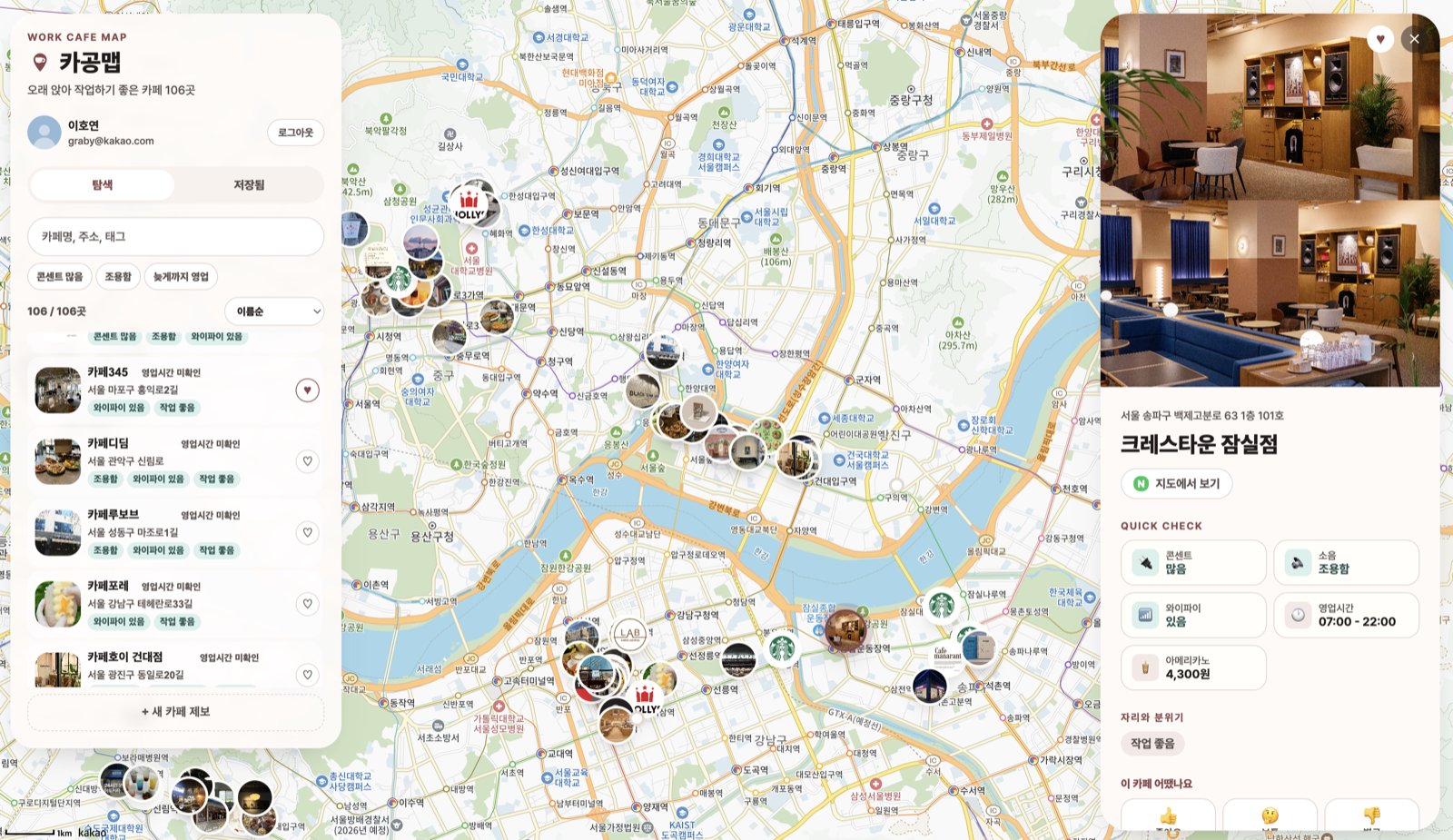
Cagongmap, a tool for finding cafes good for working, is not just a lecture example; it is an actual service currently in operation built with Vibe Coding. By integrating the previous two elements into this service, we will build it together from scratch, from research to operation.
From research to deployment, a Cagongmap service where signup, photos, and maps actually work
Share previews, search/AI exposure (SEO·GEO), admin, security, and monitoring
A collector that automatically runs a real browser to gather potential locations
A development environment where the agent completes tasks on its own just by assigning them.
From essential development knowledge for communicating with AI to the overall big picture of service development.
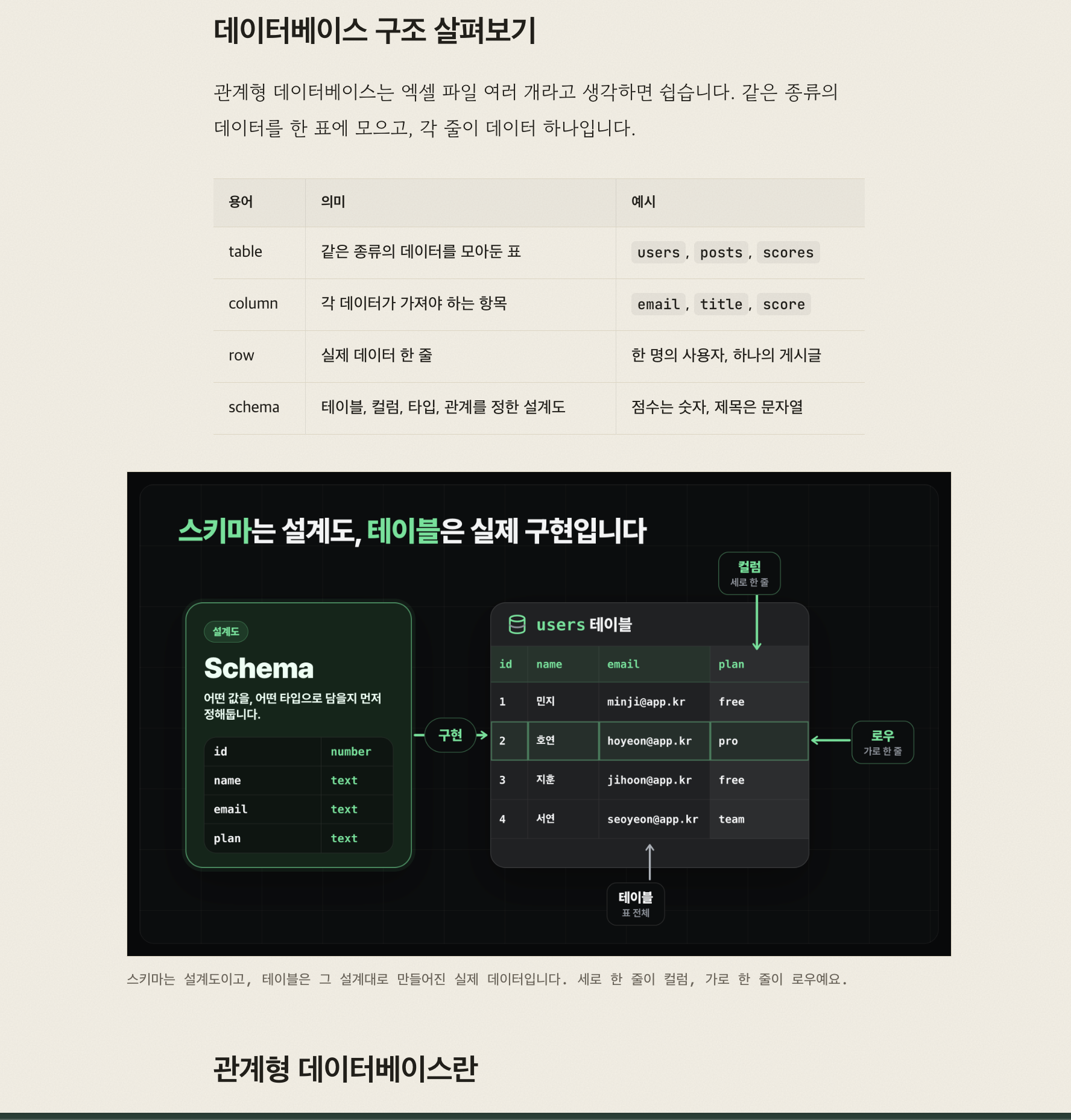
Screen · Server · Data · DeploymentWe explain AI's responses simply and help you understand them immediately with diagrams and screenshots.
140+ Diagrams · ScreenshotsDon't just use someone else's work. Learn by making what you need yourself.
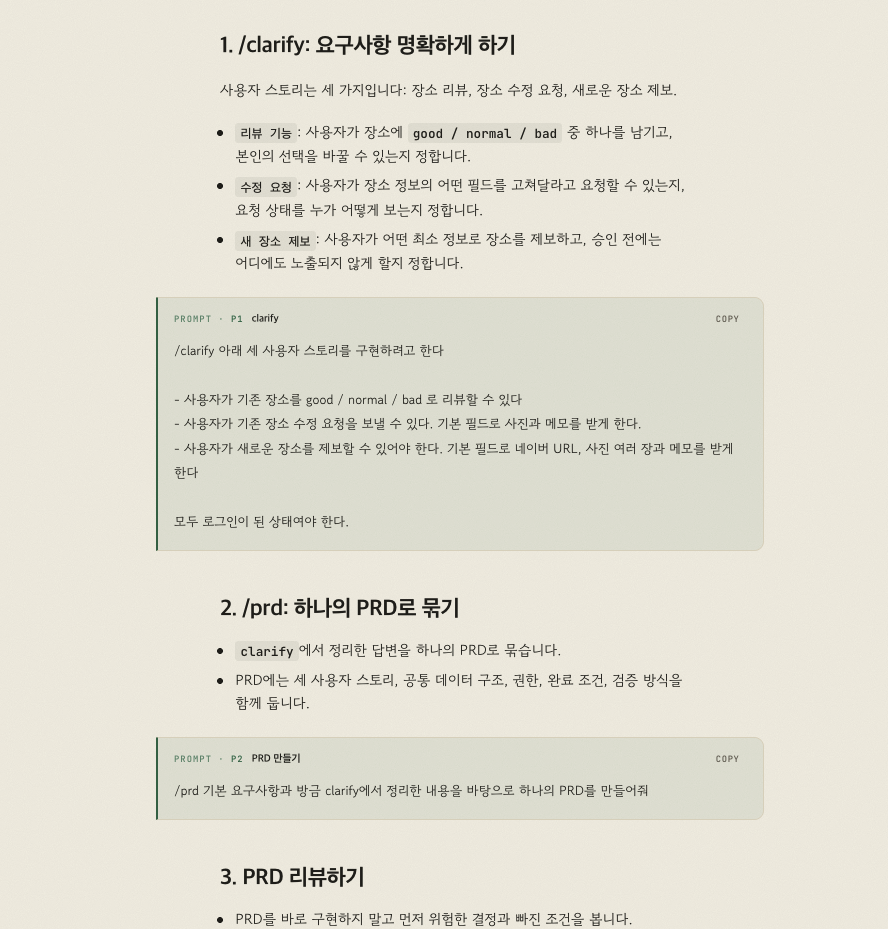
70+ Prompts · Skills · ReferencesI have meticulously prepared the lecture materials to ensure that even beginners don't miss a thing.


Every course released on Inflearn with 'All-in-One' in the title has all reached BEST status. Over 10,000 people have taken them so far.
And this time, it's Vibe Coding.
Whether you're a developer or someone who's never coded before
so that you can follow along until the end
I will teach you Vibe Coding properly.
Get a quick feel for it with Tetris, and build Kagong Map as the main project from start to finish. It covers everything from creation, deployment, and operation to agent automation.
First, the entire map at a glance.
While solving the following problems of Kagong Map, learn by connecting them one by one.
You will learn this content in four steps.
Multiple agents divide the work and process it simultaneously, while humans only handle the final approval.
Even as tools keep changing, the fundamentals of building and running services remain the same.
Instead of fleeting tips that follow trends, I've focused only on the long-lasting fundamentals.
Start here, following the exact sequence refined while teaching over 10,000+ people.
The Agentic Engineering section is scheduled to be additionally uploaded starting August 2nd.
Who is this course right for?
Those who tried vibe coding but gave up because the results didn't turn out as expected
Non-developers who want to build and even deploy their own ideas as actual web services without coding.
PMs, planners, and designers who want to understand the entire product development process firsthand in the AI era.
Anyone who wants to build a solid foundation in agent development.
Need to know before starting?
No coding experience is required. Concepts are covered within the project at the moment they are needed.
Paid subscription for using Claude Code
A firm belief in following Grab until the end.
10,173
Learners
614
Reviews
944
Answers
4.7
Rating
6
Courses
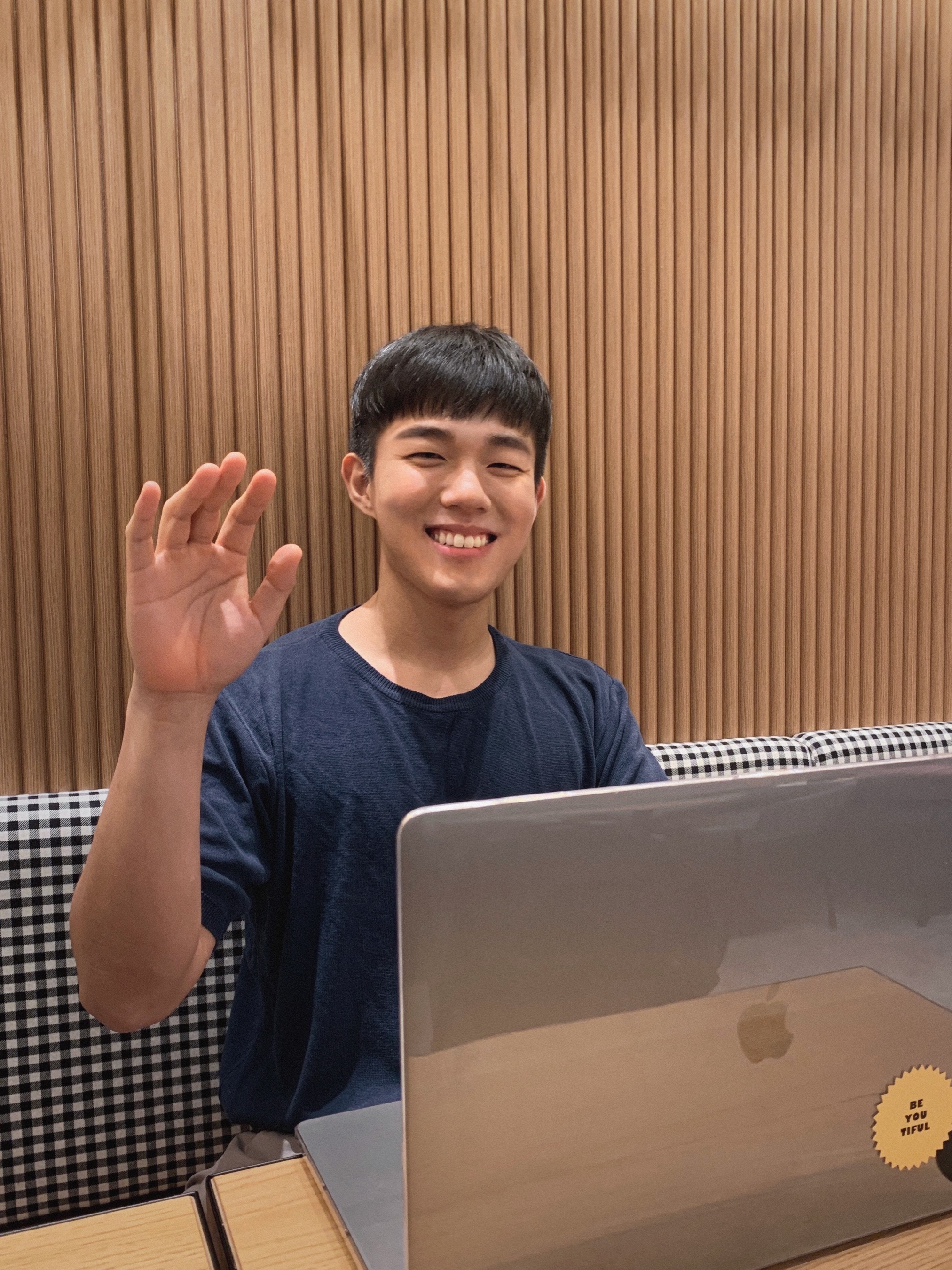
I'm Grab, a developer & creator who is deeply interested in learning and growth.
[Experience]
Current) AI Engineer & Educator
Former) Backpac(LA) Tech Lead
Former) Project Pluto(NYC) Tech Lead
Former) Socar Data Engineer (Lead for multiple projects)
Former) Growth Consulting Team 'Hacking Growth' Engineer
Former) Class 101 Backend Engineer
Former) Microsoft Imagine Cup Korea 1st Place Winner
Former) Founder of knowledge-sharing startup 'Wonderful Lamp'
Former) Founder of 3D display startup 'Tomorrance'
All
71 lectures ∙ (11hr 15min)
4. Basics Overview
04:03
All
4 reviews
5.0
4 reviews
Reviews 1
∙
Average Rating 5.0
Edited
5
As a non-major with zero coding knowledge, I often had no idea where to even begin with "Vibe Coding," even though I already had a Claude subscription. I think a lot of people can relate to this. T_T haha I kept procrastinating because the terminology was so unfamiliar and I wasn't sure what kind of project to try, but by following the lectures, I found myself completing my very first project before I knew it. When I first started, I wondered if I could actually do it, but once I finished, I was amazed at myself. haha What I liked most was the structure of moving straight into practice after a brief explanation. Instead of just listening to theory, actually following along hands-on helped me understand much faster and retain the information longer. Being able to copy and paste prompts directly from the site provided in the lecture notes also significantly reduced the time I spent feeling lost during practice. I especially made good use of the terminology index! Since these terms are unfamiliar, they don't stick in my memory after just seeing them once, so I really loved being able to check back whenever I got confused!! In the past, I often felt frustrated while self-studying on YouTube because I couldn't keep up with the instructor's pace. However, with this course, I could tell the instructor really understands where non-majors tend to get stuck, which made making progress much smoother. As I followed the lessons, I naturally became more comfortable with Claude's code. haha To be honest, it's not easy to find time to study after work, but because this is tailored for non-majors, the barrier to entry is low and the content isn't overwhelming. I think I'll be able to finish the whole course soon just by investing 30 minutes a day. I highly recommend this to anyone who wants to try Vibe Coding but is hesitating!!
Reviews 1
∙
Average Rating 5.0
5
A ray of light for non-majors and non-developers.... As everyone knows, the barrier to entry for software has become much lower. Even non-developers can easily and quickly create apps or services using Vibe Coding. However, just because the barrier to entry has lowered doesn't mean there's nothing left to know. From terminal usage, version control via Git/GitHub, database integration, to security checks after deployment—these are points you inevitably encounter when running an actual service, and this lecture covers that process step-by-step. What I especially liked was that it doesn't just end with theoretical explanations; instead, you build a real project called 'Kagong Map' from start to finish, applying each concept along the way. From tool installation to Git version control, DB integration, image storage, login features, deployment, and even troubleshooting and security during operation, I could follow the entire lifecycle of a project, which helped me naturally understand the overall flow. For a non-developer like me, terms like terminal or DB were barriers in themselves, but I felt this course was well-structured to help those without such background knowledge follow along, starting from tool installation and basic concepts in the introductory section and gradually building up the knowledge needed for actual service development in the practical section. Especially the substantial lecture materials that allow you to skip parts you already know!! The quality of these alone makes the tuition fee worth every penny. I believe this lecture will be particularly helpful for those just starting software development, especially those who have ideas but are hesitating due to a lack of development knowledge.
Reviews 1
∙
Average Rating 5.0
5
I highly recommend this to non-developers who want to get better at vibe coding and build the necessary development knowledge to do so! I'm a designer, and I've had experience making various toy projects using AI. However, since I was vibe coding without any development knowledge, I started feeling my limitations—I could tell something was wrong but didn't know where the problem was, and it felt like it lacked depth. For instance, I only had a vague idea about the CLAUDE.md file and just used it, not knowing that its application scope changes depending on whether it's user scope or project scope. In addition to those concepts, I properly learned for the first time through this lecture how to organize folder structures from a developer's perspective..! I had tried looking up YouTube videos or asking Claude to explain things like a book because I wanted to learn the basics of development before, but the content was either too hard to follow or the information was so fragmented that it was difficult to learn meaningfully. However, since Grab, who has a lot of teaching experience, explained everything in order, it was much easier to understand. It felt like he knew exactly which parts act as "newbie cutters"..? lol First of all, I felt the balance between theory and practice was very appropriate. It's not just boring theory, nor is it just following practice without understanding the theory. After understanding just enough theory, it was fun to actually do the things I had fantasies about as a non-developer (like typing something into a black terminal screen, getting API keys, etc.) lol. Also, the course materials are designed to be really useful. Anyway, I'm very satisfied and plan to enjoy the rest of the lectures until the end! For those like me who don't know much about development or AI, let's take this course together!! ><
Reviews 1
∙
Average Rating 5.0
5
Non-developers who have been struggling while watching YouTube? Please take this course first ㅠㅠㅠ I used to get so frustrated because I kept getting stuck while trying to follow YouTube tip videos(...) If you're a non-developer like me, you absolutely must start here!! Here’s a summary of the points that made me scream internally while taking it ㅎㅎㅎ 1. No more surface-level stuff, start from the 'real basics' Honestly, you hit a wall pretty fast with just YouTube tips, right? This is different from the ground up; it covers everything from computer architecture and basic terminology to how to manage files. 2. A god-tier lecture that meets complete beginners at their level Honestly, beginners even struggle to find where the buttons are ㅜㅠㅋㅋㅋ But this lecture really spoon-feeds you every single step, showing you exactly which button to click from a complete beginner's perspective ㅠㅠ Perfection.. 3. The miracle of getting results just by copy-pasting (The quality of the materials is insane..) The instructor prepared the materials so well that results just pop up on my screen even if I just copy and paste. Wow,, ㅋㅋㅋ It’s so much fun because I’m making progress so fast! 4. Covers both Windows and Mac (I was so moved by this ㅠㅠ) You know how annoying this can be, right? Usually, instructors only show the OS they use, so if it's different from mine, I panic... but here, they kindly explain how to use both Windows and Mac ㅠㅠㅠ So sweet ㅠㅠ If you're a non-developer who wants to learn and actually use AI properly, don't wander around elsewhere and just settle on this course ㅋㅋㅋ I really, really, really highly recommend it!!! 🔥🔥 If you don't believe me, just go check out the curriculum in the course introduction. It’s a truly epic course.
Check out other courses by the instructor!
Explore other courses in the same field!
Limited time deal
$118,800.00
40%
$152.90