

강의

멘토링

커뮤니티

Programming

/

AI Coding

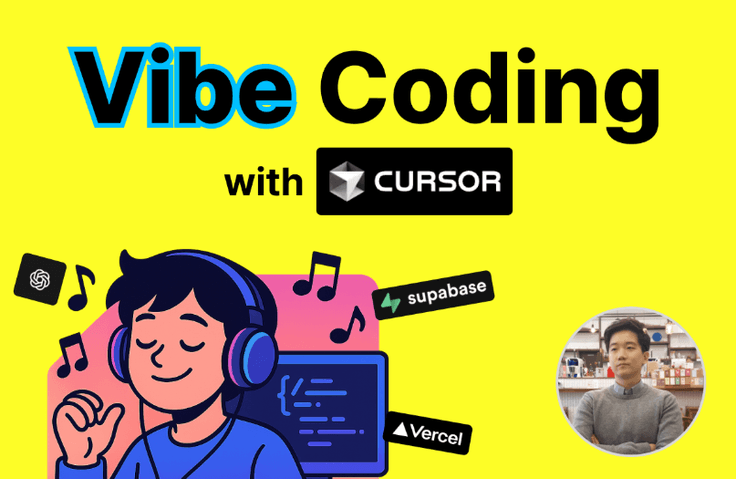
Creating My Own Landing Page with Vibe Coding (with Cursor)

This lecture is for those unfamiliar with development but wanting to start vibe coding, and for those wanting to directly create a landing page to promote their own store (restaurant, cafe, etc.) or service (lawyer/tax accountant/hospital, etc.). We will properly establish the starting point for vibe coding.

(5.0) 2 reviews

49 learners

  • dongkid111
바이브코딩
vibecoding
커서
cursor
git
Git
vercel
Cursor AI
Vibe Coding

What you will gain after the course

  • How to vibe code with Cursor

  • VIBE Coding Pro Tips

  • Essential Git&GitHub Basics for Vibe Coding

  • Minimal knowledge for landing page deployment

  • Basic usage of Vercel, Supabase

  • Simple MCP experience

Join the era of vibe coding before it's too late! 🔥

The era has arrived where you can create the services you want, even without deep development knowledge.

While creating your own landing page with vibe coding

  • How to Use Cursor

  • Git&GitHub Basics

  • Using Vercel/Supabase

  • Using MCP(Model Context Protocol)

Learn it naturally.

3 Facts You Must Know 🔍

💡 Vibe coding is not a magic wand.
When doing vibe coding, you will inevitably encounter situations where you get stuck due to errors and other issues.

You can solve this by conversing with AI, but if you don't know development at all, the problem-solving speed becomes very slow.

And if you don't know development at all, it's realistically difficult to implement services above a certain level even with vibe coding.

So I recommend that you study development to some extent and consistently learn at least the minimum amount of development knowledge needed to solve errors or problem situations on your own.

First, get a sense of what the minimum essential development knowledge is needed to do vibe coding well with this course, and set up your study plan for the future!

Things to Remember Before Learning Vibe Coding

💡 Git is the foundation of vibe coding.
To do vibe coding well, you need to know the basic usage of Git (a tool for software version control).

When doing vibe coding

"Oh, the previous design was prettier 😢",

"It was working fine originally, but after AI did this work, it's actually not working anymore. I want to go back."

This often leads people to think that way.

You need to learn Git so you can return to any desired point in your work history at any time.

Git is content that even developers find a bit difficult at first, and while there's a vast amount of material to learn if you want to master it properly, the basic Git knowledge you'll learn in this course is sufficient for you to do vibe coding very well.

Git Key Commands Explanation

💡 Leading AI well is the core of vibe coding.
The core of vibe coding is leading AI well.

It's important to ensure that AI can create accurate and highly satisfactory results in the direction I want.

  • PRD(Product Requirements Document), TRD(Technical Requirements Document)

  • Cursor rule

  • Context

  • LLM selection, etc.


There are several methods known to help with effectively leading AI. Let's examine all of them in this lecture.

Of course, the more development knowledge you have, the clearer and more specific instructions you can give to AI, which is ideal. However, even if you're still a beginner in development, let's explore methods to maintain at least a minimum quality of vibe coding together!

What is a PRD (Product Requirements Document)?

Get the starting point of Vibe Coding right 🏃🏻

Vibe coding may seem easy at first glance, but it's actually an area where all development knowledge comes together.

So initially, to avoid getting lost, you need to establish a good starting point with minimal development-related knowledge and tips for effectively using AI, and you should be able to move forward to the next stage by using the amazement and joy of having created simple results right now as energy.

If we're talking about the next step

  • Study development to better understand and give better instructions to AI coding tools like Cursor

  • Learning various methods for service deployment (Vercel, etc.)

  • Learning how to use external services like Supabase

  • Maximizing development work efficiency with Cursor using MCP, etc.

There will be. Use this lecture as a solid starting point for vibe coding,

I hope you'll think about which areas you should study further in the future to create the service you really want to build.

I will continue to create lectures on the parts you need going forward.🙂

For lecture-related Q&A, please post your questions on Inflearn or in the open chat room below. Thank you.
Let's all continue coding together with happy vibes~🎵


Open chat room link) https://open.kakao.com/o/gmcDaOIh

Recommended for
these people

Who is this course right for?

  • Person who wants to experience VIBE Coding

  • Already Vibe Coding, seeking tips to excel.

  • People who want to try building their own landing page, instead of outsourcing.

  • Those who have tried web-based VIBE coding (Lovable, Replit, etc.) but want to do VIBE coding directly on their PC.

Need to know before starting?

  • It's good to know very basic development concepts (e.g., client/server).

Hello
This is

안녕하세요, 개발자 김현승입니다.

AI의 급격한 발전에 따라 이제 혼자서도 원하는 서비스를 만들고 출시할 수 있는 시대가 되었습니다.


저 또한 원래 개발자로 일하다가

1인개발로 아래와 같은 서비스를 운영하고 있고

"직장인&전문직 블라인드 소개팅앱-폴잇"

"나만의 AI 친구-티키토카"


1인개발의 강력함과 장점을 알리기 위한 교육을 시작하고 있습니다.


1인개발은 개발은 물론 기획/디자인/마케팅 등 다양한 영역을 알아야 합니다.

첫 걸음은 어려울지 몰라도 AI와 체계적인 방향성 제시만 있다면 누구나 시작할 수 있다고 생각합니다.


저와 함께 1인개발 제대로 시작해봐요!


경력

  • 커넥션밸류 대표

  • 독서기록 및 독서모임 앱-에필 공동창업(SeedTIPS)

  • Knowre 백엔드 개발자

  • 코드잇 테크니컬 라이터

  • SNOW 안드로이드 앱 개발자


유튜브

Curriculum

All

47 lectures ∙ (4hr 6min)

Course Materials:

Lecture resources
Published: 
Last updated: 

Reviews

All

2 reviews

5.0

2 reviews

  • with.emars님의 프로필 이미지
    with.emars

    Reviews 2

    Average Rating 5.0

    5

    53% enrolled

    와. 친절하게 세세한 부분까지 알려주시니 너무 좋네요. 전에 오프라인 커서교육을 한번 들었었는데, 가물가물 했던 것들이 다시 상기되면서 머리에 쏙쏙 들어옵니다. 강사님 번창하세요!!!

    • 김현승
      Instructor

      감사합니다 with.emars님, 이 강의로 바이브 코딩의 시작점을 잘 잡아보시고 앞으로 원하는 웹페이지 자유롭게 만들수 있게 되시길 기원합니다. 앞으로는 점점 더 난이도를 높여서 실제로 무언가 돌아가는 서비스 제작 및 수익화 강의까지도 계획 중에 있으니 관심 부탁드려요 :)

  • 김정인님의 프로필 이미지
    김정인

    Reviews 1

    Average Rating 5.0

    5

    90% enrolled

    요즘 바이브코딩으로 꼭 개발자가 아니더라도 간단한 프로그램정도는 만들 수 있다고 해서 수강해봤는데 많은 도움이 되었습니다. 바이브코딩이 뭔지, 어떻게 하면 잘 할 수 있는지 자세하게 알게 된 것 같아요. 이제 남은 건 저의 노력일 것 같네요ㅎㅎ 남은 강의도 열심히 들을게요 좋은 강의 감사합니다~~

    • 김현승
      Instructor

      강의를 잘 들어주셨다니 감사합니다. 이번 강의를 다 들으시고 직접 자신의 프로필 페이지 같은 것도 따라서 만들어보시기를 추천드립니다. 실습을 많이 하다보면 실력이 더 빠르게 느실 거예요. 앞으로도 바이브 코딩에 관한 다양한 강의를 만들 예정이니 계속 관심 가져주시면 감사하겠습니다 :)

$38.50

Similar courses

Explore other courses in the same field!