To those of you hesitating whether to study Linux shell scripting, I will tell you just one thing.
Do you want to handle Linux coolly like a hacker? Can you imagine a hacker who doesn't know shell scripting?
Then start right now!
Personally, I think this is something that anyone who runs Linux should know.
Overall, the font size, animation usage, etc. helped me focus better in class, and I was impressed by the consideration given to the students.
5.0
최영호
100% enrolled
It was solid. I originally knew it in part, but I learned a lot and supplemented it by listening to the lecture. Thank you.
5.0
문채우
100% enrolled
I have completed the shell script course. It was the best course.
What you will gain after the course
Understand the roles of all special characters used in the shell
Correct use of quotation marks, including the difference between single and double quotation marks
find and xargs
Understanding the difference between shell variables and environment variables
Essential Linux Commands (tr, sort, seq, cat, hexdump, cut, uniq, tee, echo, printf, read, wc, comm)
Using EXPORT correctly according to its purpose
The difference between functions and aliases
Create automation scripting schedule
4 ways to run a script
3 efficient ways to debug scripts
Here Documents and Here Strings
eval
Regular Expressions and grep, sed
Writing BASH Shell Scripts Like a Hacker
Automate your server with Linux Shell Script and experience its powerful features.
This course clearly explains the tricky Bash shell syntax of Linux, such as quotation marks, pipes, and redirection, and provides a procedural approach to shell coding. Take this opportunity to build strong confidence in developing within the Linux environment.
In the modern computing environment, Linux has long been an important mainstream alongside Windows.
Linux is no longer the exclusive domain of hackers, and many developers are now required to develop in a Linux environment. The crown jewels of future technology, such as artificial intelligence, autonomous driving, machine learning, big data, cloud computing, and the Internet of Things, are all being built on the foundation of the Linux environment.
Countless open source projects being released are first tested and supported on Linux.
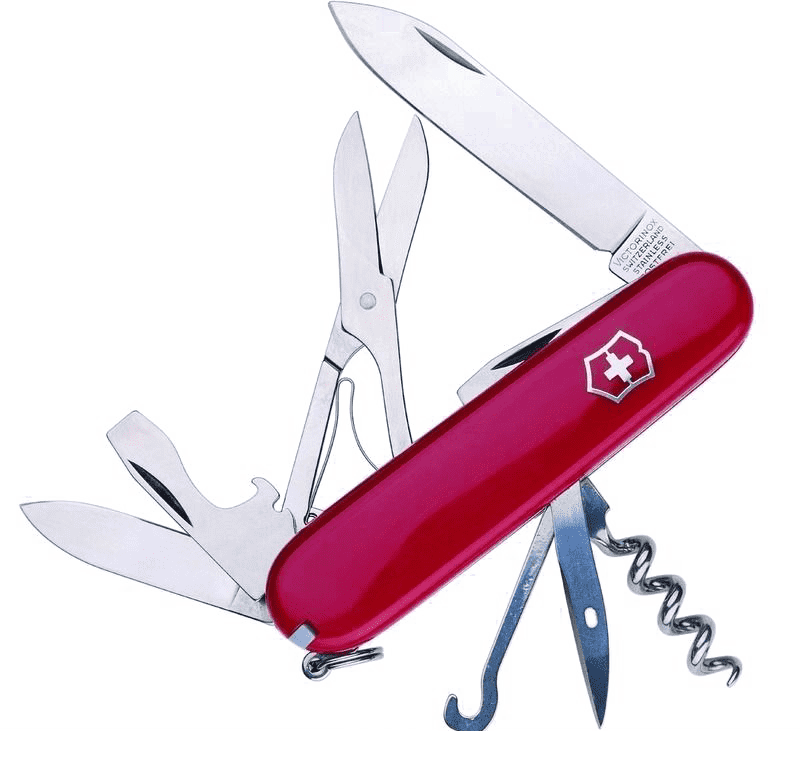
🎨 The Linux shell is like a Swiss Army knife for developers
For server-side JavaScript, Python, and other languages, the development environment is actually the shell. Many engineers have realized that having direct access to simple command-line tools can be highly efficient when working. To utilize modern programming languages, dependencies and packaging can be managed within a shell-based environment. Linux Shell
Shell provides users with a common environment and interface that anyone can access without installing complex components.
While the diversity of programming languages and developer tools has increased, the operating platforms used by engineers have, in many ways, actually become simplified.
🎨 Many enterprise customers have migrated from Unix to Linux platforms
Engineers expect the operating environment to be much more uniform and Linux-like through Docker.
For containerized tasks, Linux and shell skills are essential. This has led to an increased interest in the shell. Open source is often built to run in Linux containers. The shell remains the most common way to manage Linux systems, and as many developers standardize on Linux systems for their production environments, shell skills have become even more important.
DevOps, a major trend in modern software development methodologies, involves a single group taking responsibility for both functional development and stable software operations, rather than having separate groups focus on each.
🎨 Automation is closely linked to shell scripting.
Many tasks that require automation can be easily handled using shell scripts. If it cannot be scripted, it cannot be automated, and automation is essential for operating increasingly complex systems.
ps. Shell scripts were used for the filming, editing, and even the video uploading of this video 🥳
However, the catch is that it's a MacOS environment! :)
🎨 This lecture was created with the above purpose in mind
Having used shell scripts for over 10 years, I know very well what is difficult and what parts are important.
To be proficient in Linux shell scripting, two elements are required.
First, you must be familiar with the shell syntax. Special characters can function differently depending on where they are used. For example, the redirection symbols < and > are also used in test statements. Additionally, in the case of quotation marks, you must distinguish between single and double quotes; if you do not pay close attention when using them in conjunction with commands, it is easy to fail.
Second, you must remember about 20 to 30 essential Linux commands, including their options. The reason this is necessary is that when you are quickly constructing a workflow using pipe symbols, you need to be able to think of the appropriate command to use it. You have to immediately decide whether to use cut, tr, or brace expansion.
I have taken great care to make this video as easy as possible for Linux beginners to understand. To ensure you can follow the lessons without difficulty, basic terms are explained using a rich subtitle system and animations.
🎨 The features of this video are as follows
Feature 1. The video was created to be easily viewable on mobile smart devices.
Feature 2. We used a black background and large font sizes to ensure it is easy on the eyes.
Feature 3. By using the DRILL (practice exercises) within the video, learners can create their own scripts.
Feature 4. Animations are used to increase learning focus.
I received a bachelor's degree in Electronic Engineering from Inha University College of Engineering and have built several years of experience as an embedded systems software developer. I am also active as a professional instructor for embedded systems and programming. I was introduced to the Mac(Book) around the same time the iPhone 3GS was released, and since then, I have been interested in Mac(Book) automation. I develop and maintain open-source projects such as 'Siri Remote for Mac(Book)' and 'Google Translator using Keyboard Maestro' on GitHub (https://github.com/guileschool). I also have a great interest in the open-source hardware 'BeagleBone Black'. I am interested in all fields of computer use where productivity can be increased through Mac(Book) automation, and I am helping people who need it.
Please send lecture requests and other inquiries to guileschool@gmail.com :)
Personally, I think this is something that anyone who runs Linux should know.
Overall, the font size, animation usage, etc. helped me focus better in class, and I was impressed by the consideration given to the students.












![Structure and Principles of the Linux Kernel: Interrupt Bottom Halves [Author's Lecture Part 1-6]Course Thumbnail](https://cdn.inflearn.com/public/courses/333195/cover/3b8c8cd2-44b0-43b7-a441-b950ba367717/333195.png?w=420)

![Structure and Principles of the Linux Kernel: Interrupts [Author's Lecture Part 1-5]Course Thumbnail](https://cdn.inflearn.com/public/courses/333194/cover/79593ea5-0a6d-453a-8ead-a54103462943/333194.png?w=420)

![Docker and Modern Server Technologies for Full-Stack Development (Linux, nginx, AWS, HTTPS, Deployment) [Full-Stack Part 3]Course Thumbnail](https://cdn.inflearn.com/public/courses/326771/cover/bc862b4d-abe6-4d80-a826-3a5324a9f998/326771-eng.png?w=420)