GA4 Looker Studio Practice for Data Analysis (2026 update)

Learn various features of Looker Studio (formerly Google Data Studio) using GA4 demo data. This includes explanations and hands-on practice for Looker Studio's visualization elements. In particular, marketers or planners who are not familiar with SQL can learn easy ways to connect and use BigQuery data with Looker Studio. You can learn methods to create dashboards using Looker Studio.

(5.0) 5 reviews

61 learners

Level Beginner

Course period Unlimited

Google Datastudio
Google Datastudio
Google Analytics
Google Analytics
looker-studio
looker-studio
Data literacy
Data literacy
GA4
GA4
Google Datastudio
Google Datastudio
Google Analytics
Google Analytics
looker-studio
looker-studio
Data literacy
Data literacy
GA4
GA4

Reviews from Early Learners

5.0

5.0

관점.xy

73% enrolled

Those who have no idea how to utilize Looker Studio will likely have the highest satisfaction when taking this course. It explains the features along with when and how to effectively use Looker Studio.

5.0

sunsun1234

100% enrolled

I took this after listening to other GA4 lectures, and it's great because it's explained in an easy-to-understand way.

5.0

empomke

100% enrolled

It's great that I can learn by following along directly, and since BigQuery is included in the content, I think I'll be able to apply it in practical work. Thank you.

What you will gain after the course

  • How to build a dashboard using Looker Studio's visualization elements

  • How to configure a Looker Studio dashboard through GA4 integration

  • How to easily utilize GA4 BigQuery data in Looker Studio

  • Various methods for data preprocessing for dashboards

Learning Looker Studio Through Hands-on Practice

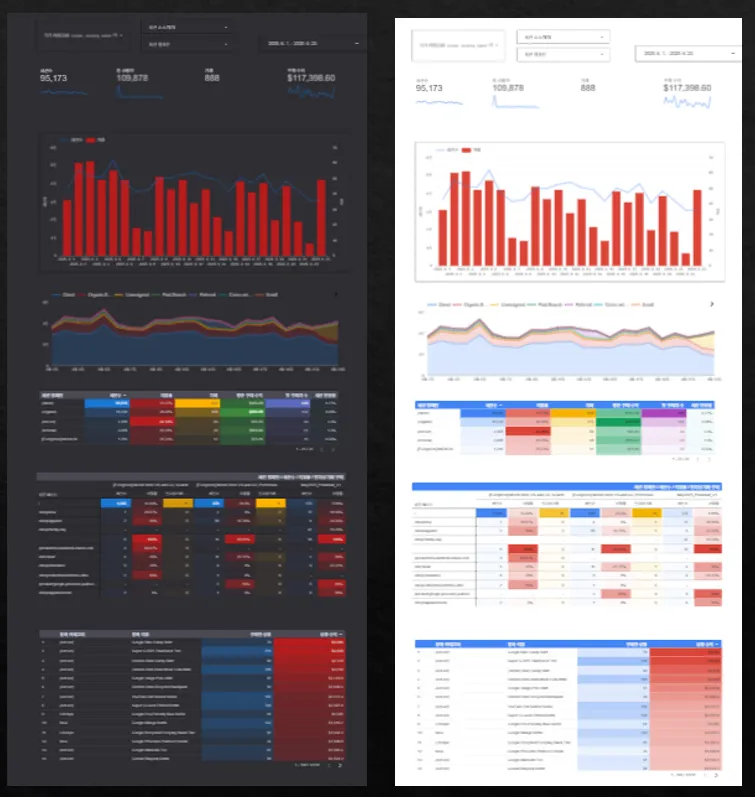
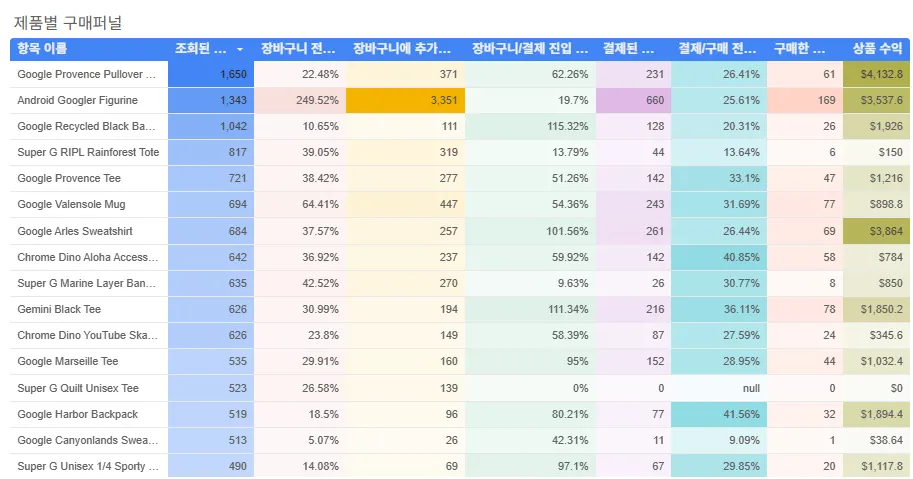
This is a course where you can learn step-by-step while creating an actual example marketing dashboard.

  • You can learn by practicing with GA4 demo data directly in Looker Studio (formerly Google Data Studio).

  • The course is conducted by assuming situations frequently encountered in practice for Google Analytics data analysis.

  • You can learn naturally through hands-on practice by looking at sample dashboards and recreating them exactly as they are.

  • Join the open KakaoTalk chat room where you can ask and answer questions related to GA4. https://open.kakao.com/o/gEz1aqPc


You can also learn how to easily connect and use GA4 BigQuery.

Please make sure to check the lecture introduction video to ensure you choose a course you won't regret!

Recommended for these people

(1) Beginner Marketers/Planners

You can learn how to
visualize traffic and
customer behavior.

(2) GA4 Beginners

Through hands-on practice that allows you to utilize GA4 data more visually,
you can apply it to your actual work.

(3) Data visualization professionals

The free version of Looker Studio is sufficient. You can learn various visualization methods.

After completing the course,

  • You can learn how to create and plan dashboards for practical work using Looker Studio.

  • By creating dashboards yourself using GA4 data, you can develop your data literacy skills.


  • You can learn how to visualize GA4 BigQuery data in Looker Studio.

Features of this course

1) You can learn through hands-on practice by connecting a GA4 demo account.

루커1


Try creating it yourself while watching the lecture.

Connect the data from the GA4 demo account and learn how to use various visualization elements in Looker Studio
and how they are applied in practice.


2) You will practice functions based on the content required to visualize actual GA4 data.


3) We will also explain essential tips that are highly useful in practice.

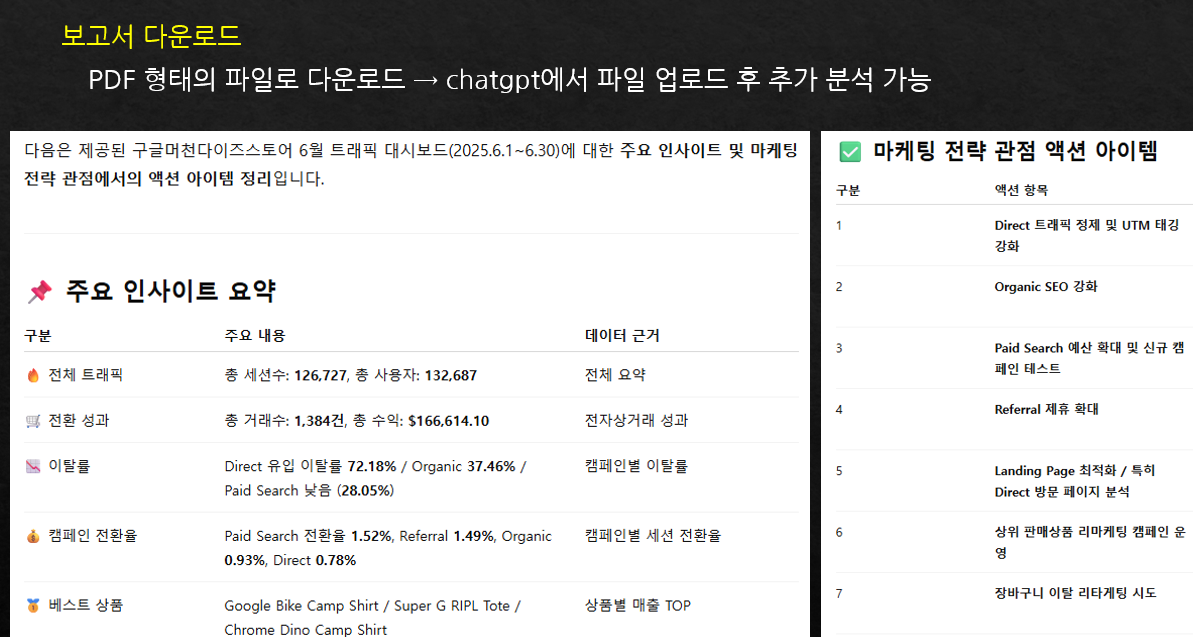
How to analyze dashboard data and derive insights using ChatGPT

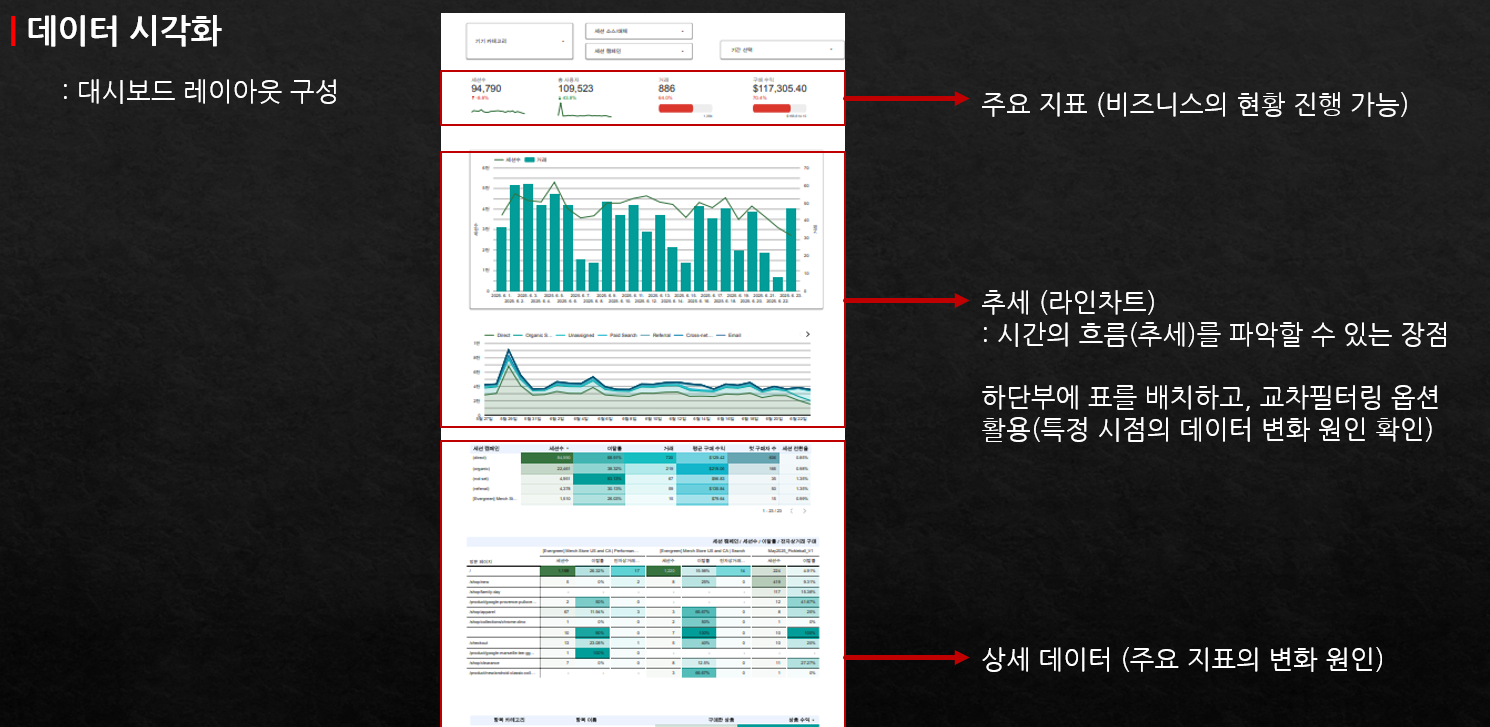
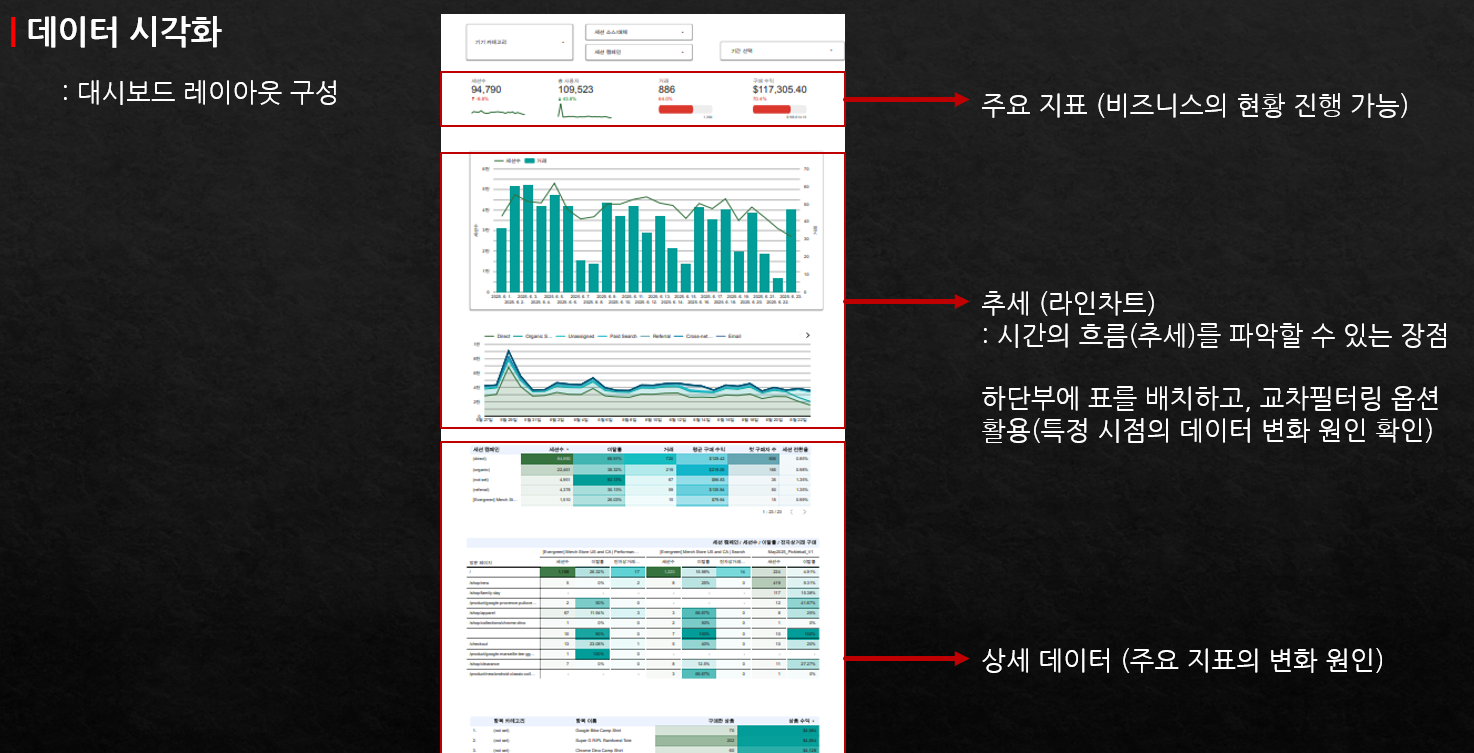
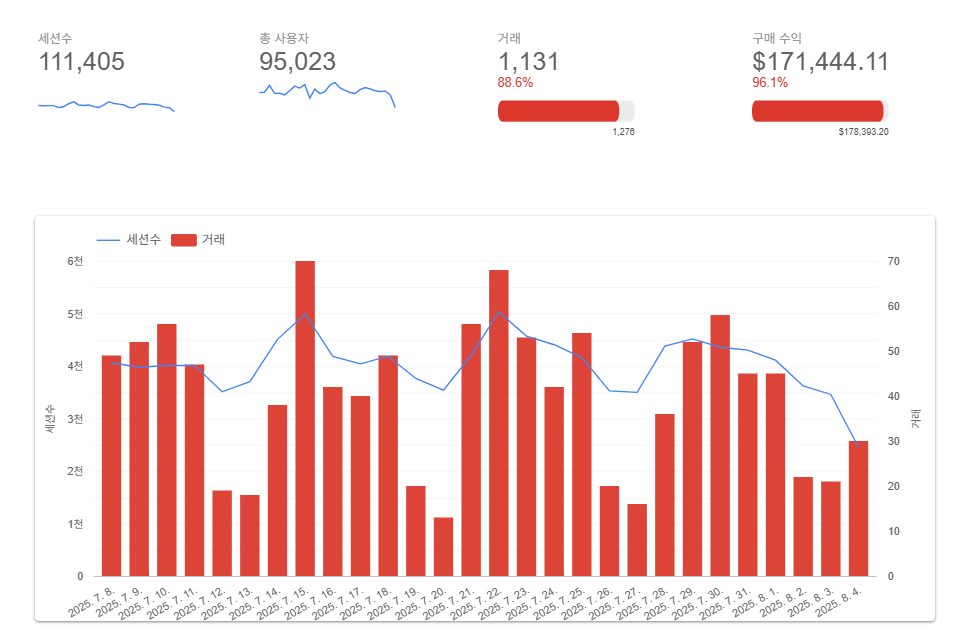
Methods and practice for setting up dashboard layouts and placements for data analysis

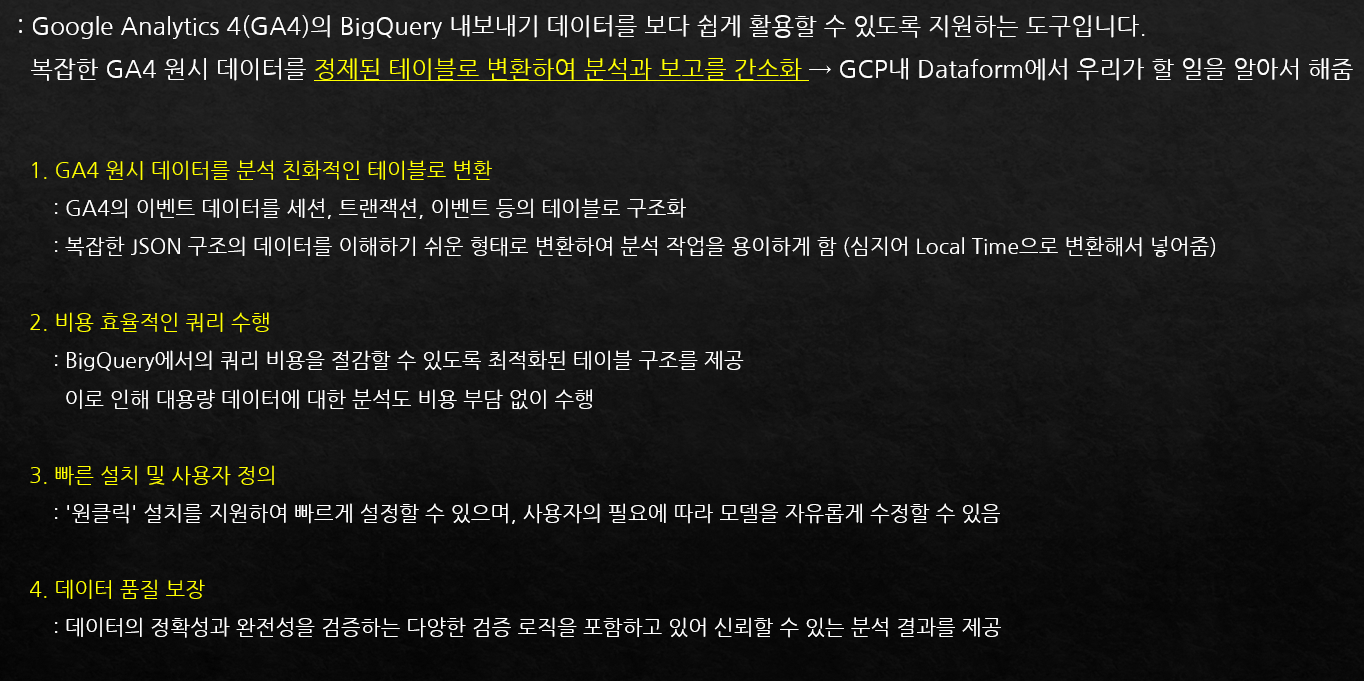
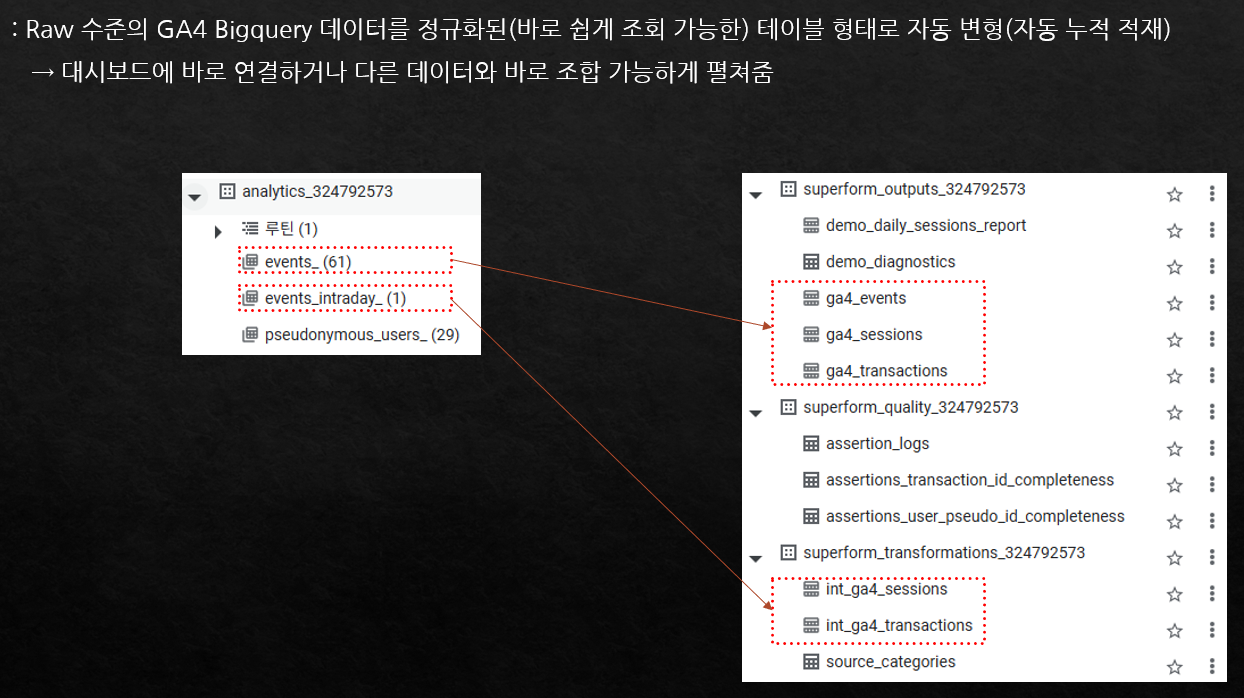
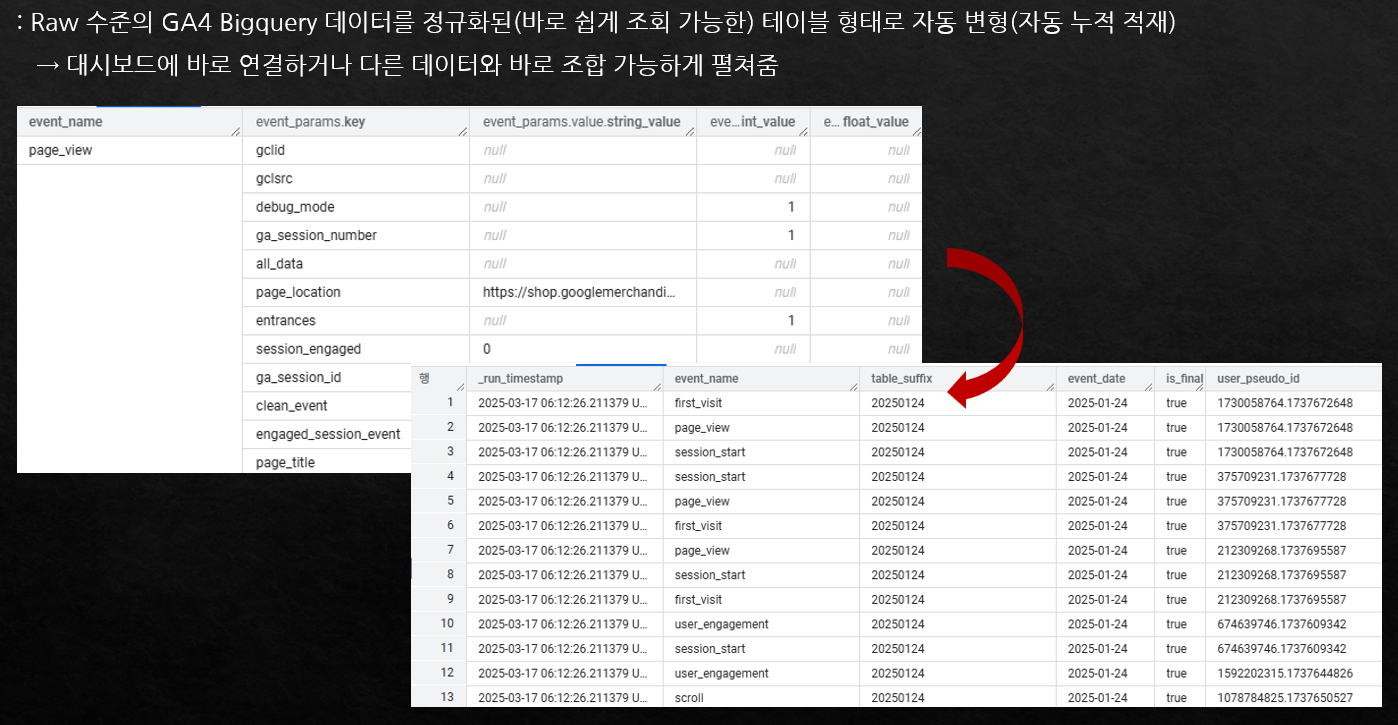
How to create GA4 BigQuery tables ready for immediate dashboard use with just a few clicks

How to automatically convert and load complex GA4 BigQuery data into standard tables

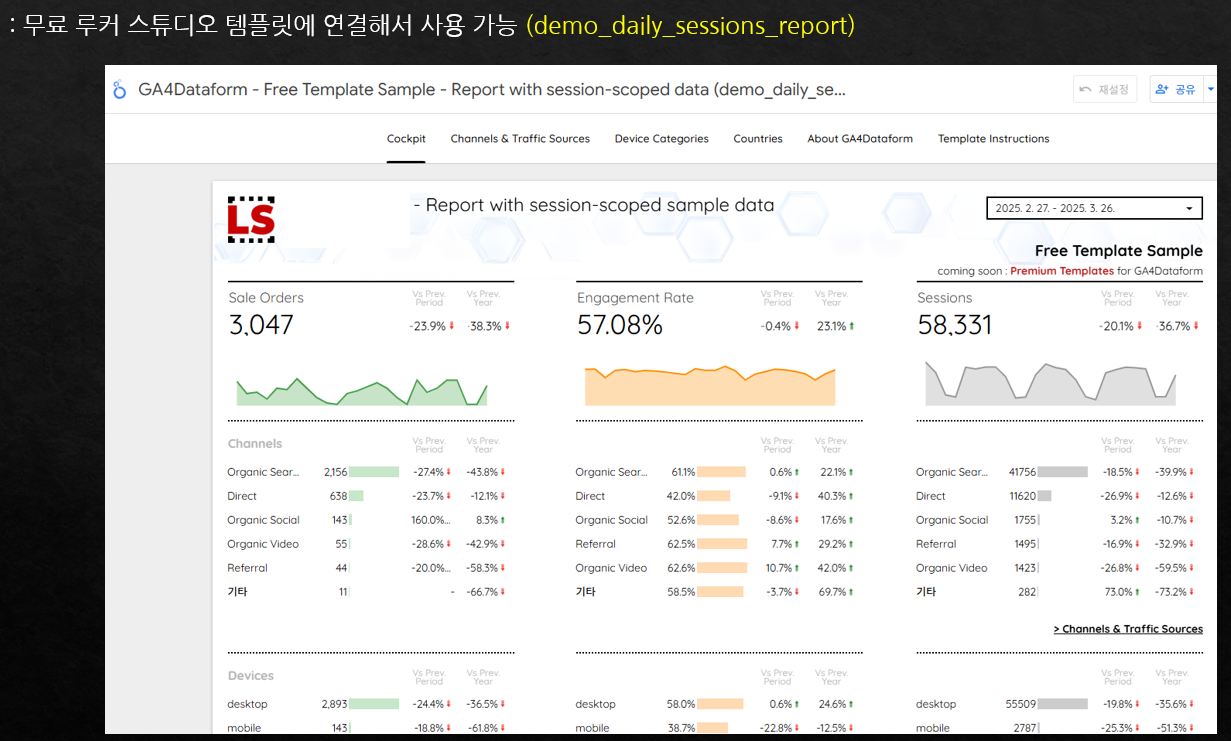
How to use dashboard templates that allow you to quickly convert GA4 BigQuery data and use it immediately after connecting.

What you will learn

Section (1) (2) (3) Creating a Traffic Dashboard

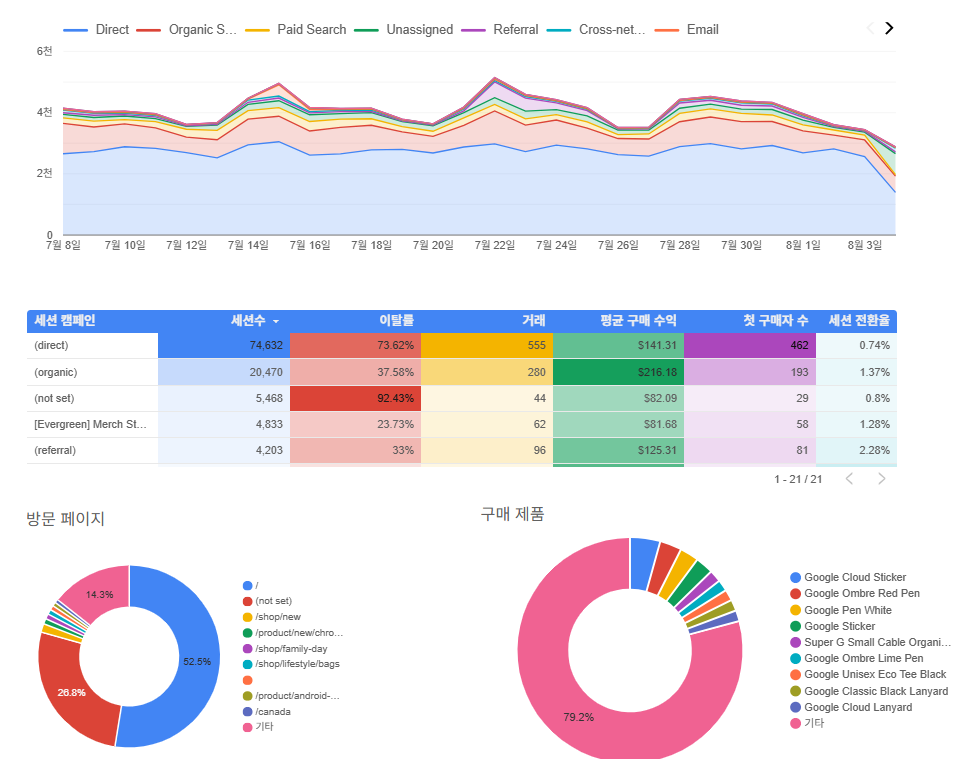
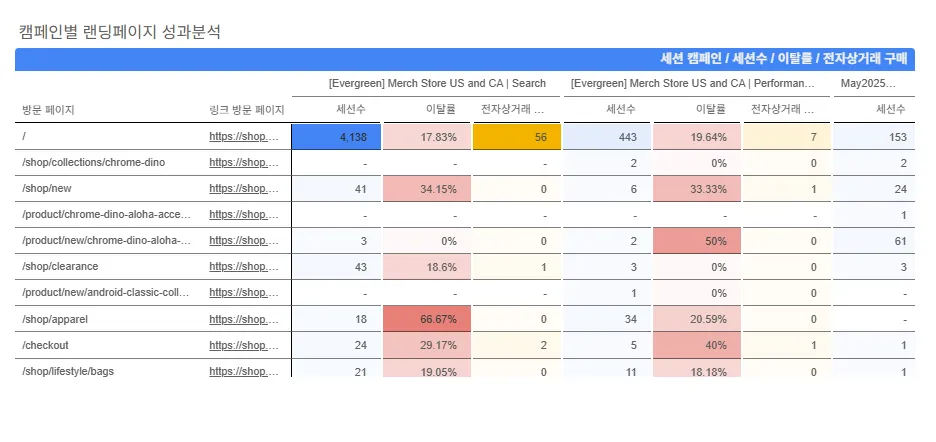
You can learn how to use various visualization elements in Looker Studio through hands-on practice by connecting actual GA4 demo account data and creating a traffic dashboard.

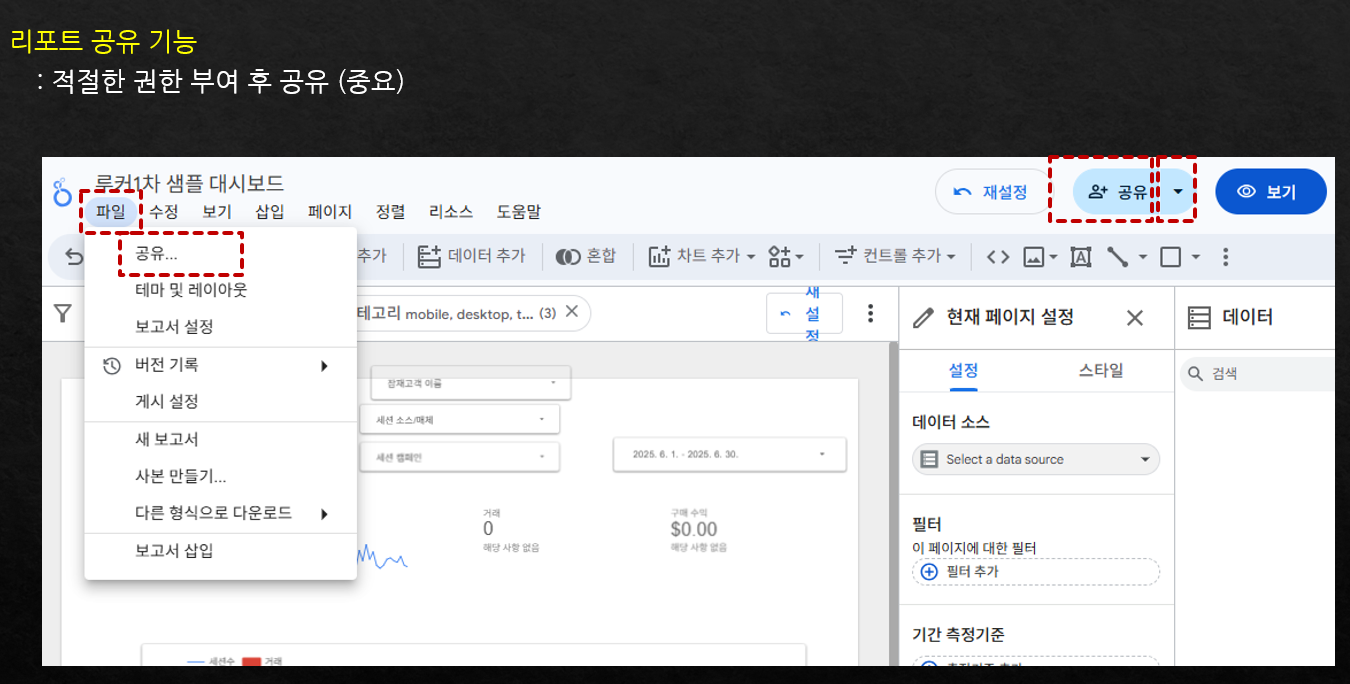
Section (4) How to Use and Work with Dashboards

You will learn how to share dashboards and how to utilize them effectively in practice, such as analyzing dashboard data in
ChatGPT.

Section (5) (6) (7) Looker Studio Advanced Features

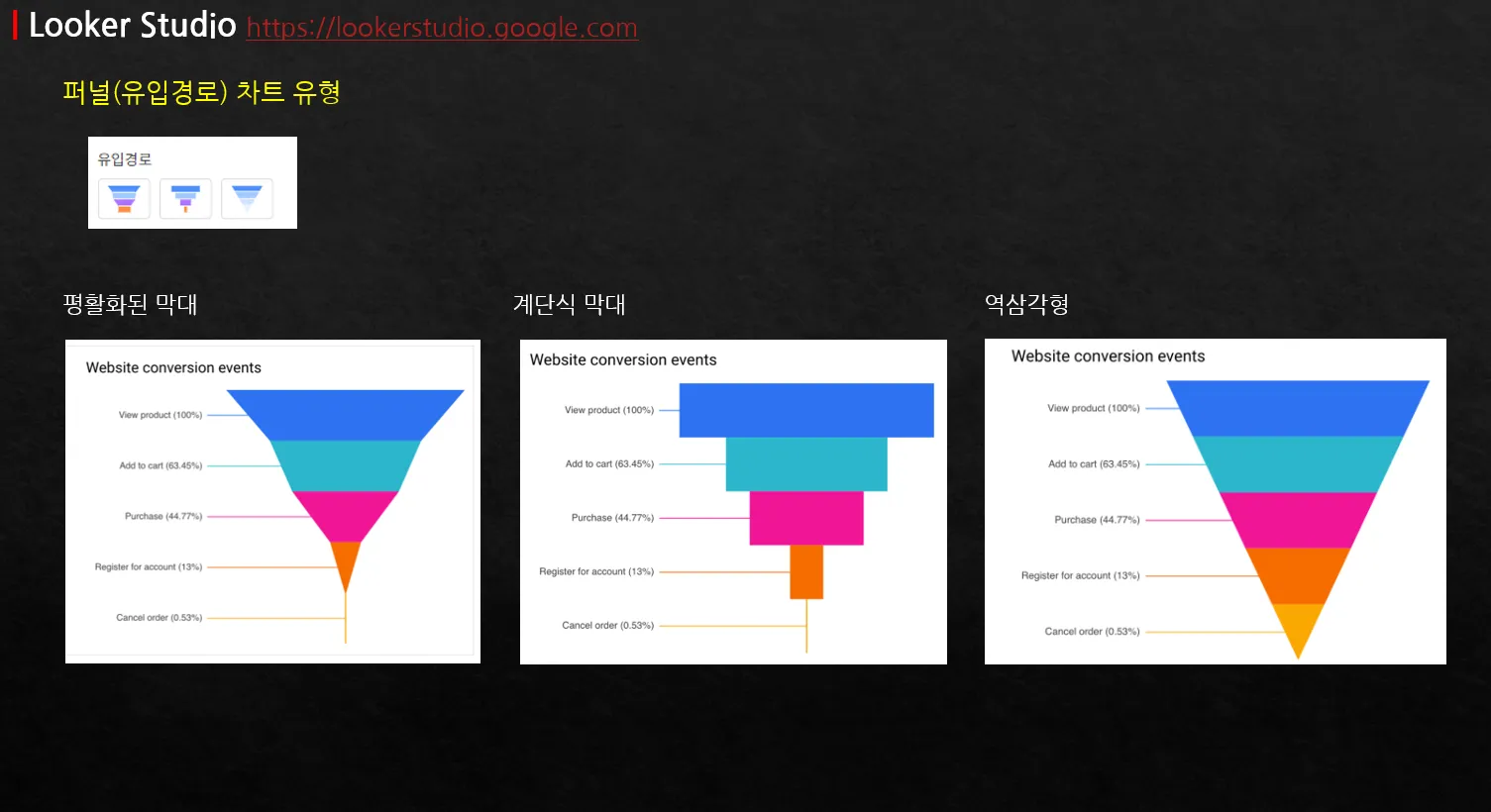
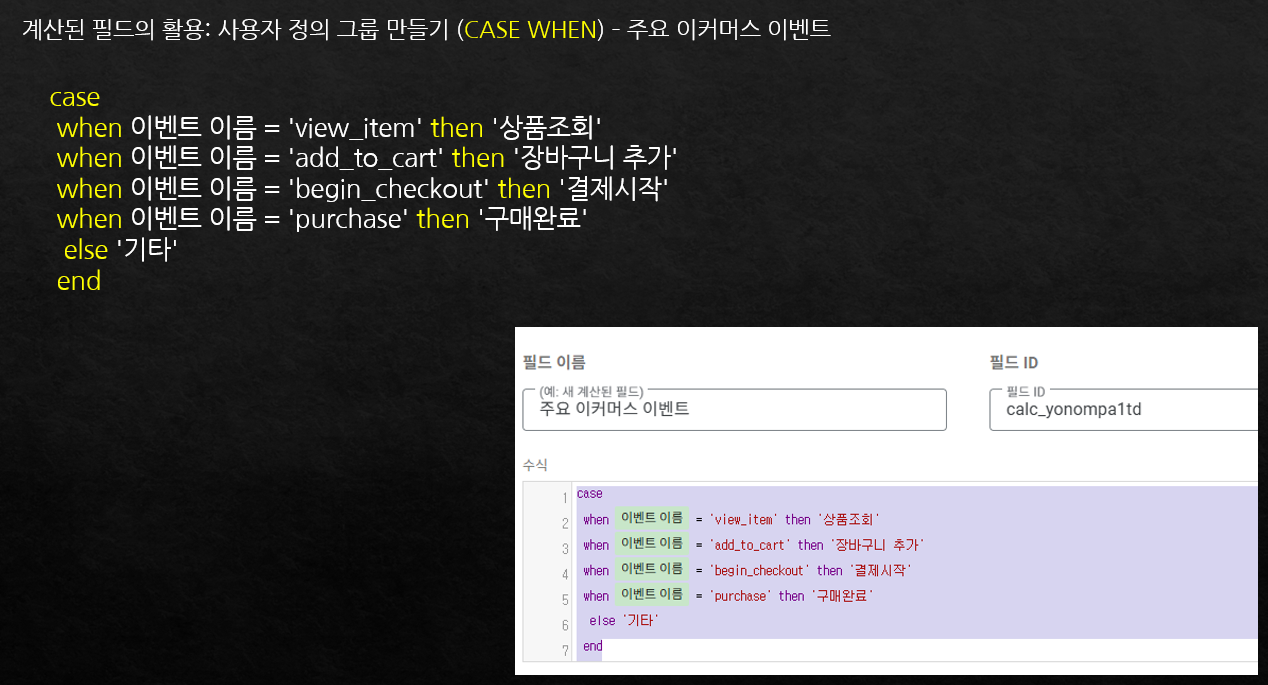
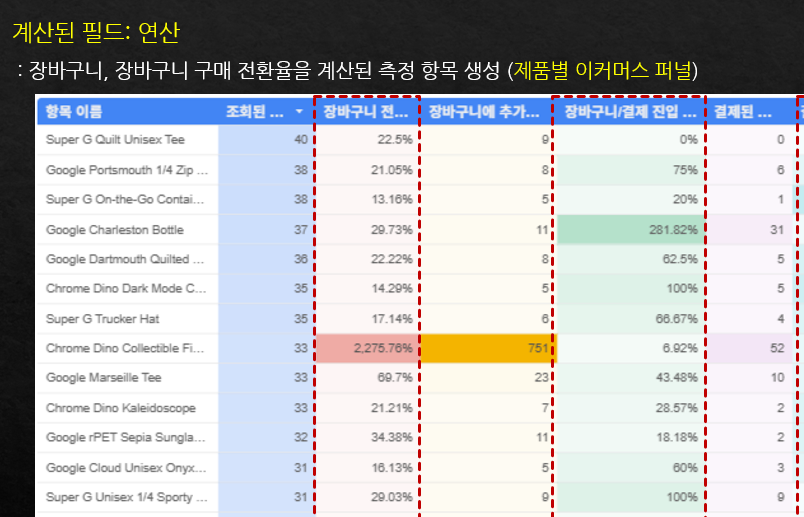
Learn advanced features necessary for creating dashboards in Looker Studio, such as funnels, calculated fields, and data blending, tailored to practical business
scenarios.

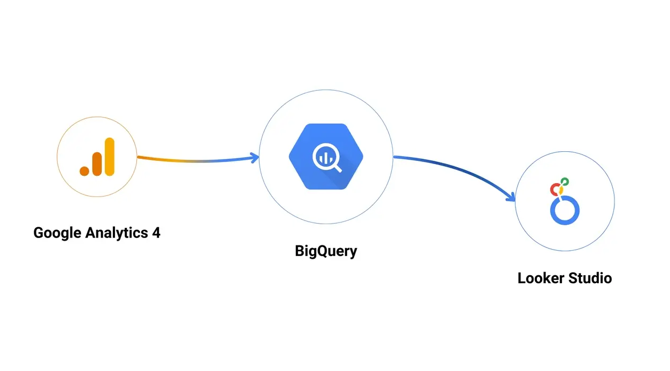
Sections (8) (9) (10) How to integrate BigQuery and Looker Studio

Learn various ways to connect BigQuery data with Looker Studio,
and discover how to visualize GA4 BigQuery data with ease.
You will even be able to create a demo dashboard in no time.

The person who created this course

  • (Current) Google Official Partner Google Analytics Consultant

  • Instructor of Inflearn's 'Google Analytics (GA4+GTM) for Practitioners', 'GA4 Reports for Immediate Use',
    and 'Introduction to BigQuery for Marketers and Planners'

Do you have any questions?

Q. Can I practice by creating an actual dashboard?

A: Yes, since most of the classes are conducted by connecting actual data from a GA4 demo account, you can learn by
following along directly as you study. However, for features or data not provided by the demo account, some parts will be conducted without hands-on practice while watching screens that utilize example
data.

Q. Can I take the class if I don't know GA4 or BigQuery at all?

A: This course is focused on Looker Studio. For those who wish to learn about GA4 or BigQuery,
I recommend taking my relevant courses first before taking the Looker Studio course.

Q. Was this course created based on the latest version of Looker Studio?

A: As of June 2025, it was produced based on the latest version.

Notes before taking the course

Practice Environment

  • We recommend using the Chrome browser on Windows.

  • We recommend using dual monitors so that you can practice while watching the lecture.

  • For some special features of BigQuery, registering a payment method (card) may be required, but it is not mandatory.

Learning Materials

  • Separate lecture notes are not provided, but key links from the lecture are included in the 'Class Notes'.

  • Since the learning period is 'unlimited,' you can review the material at any time.

Prerequisite Knowledge and Precautions

  • The lectures are edited from webinar recordings, so the audio may be uneven or there may be some awkward transitions.

  • Some lectures do not include hands-on practice. In particular, some BigQuery-related lectures cover features that are not available in demo accounts but are necessary for practical work; for these parts, I will introduce the features and demonstrate how they work using my personal account without a separate practice session.

  • Detailed functions of GA4 or in-depth explanations of BigQuery SQL are not included.
    If necessary, it is recommended to study lectures on GA4 and BigQuery first.


Recommended for
these people

Who is this course right for?

  • Beginners who are new to Looker Studio

  • Marketers or planners who want to visualize Google Analytics (GA4) data

  • A beginner marketer who wants to use GA4 BigQuery by connecting it to Looker Studio.

  • Marketers or planners who want to make better use of GA4

Need to know before starting?

  • It is helpful to have a very basic understanding of GA4.

Hello
This is GA4 Guide

2,776

Learners

126

Reviews

319

Answers

4.9

Rating

14

Courses

I am a 16-year veteran marketer in charge of online marketing and a Google Analytics instructor.

I started teaching because I remember what it was like learning Google Analytics on my own, starting from scratch and hitting wall after wall.

Now, I am teaching classes at an academy every week.

There is something I tell my students every time.

I tell them that if you only learn Google Analytics briefly, you will end up wasting even more time later on trying to find answers when you encounter things in practice that you haven't learned.

If you invest some time in learning it at the beginning, you can save a lot of time later that would otherwise be spent asking around for help.

It is a difficult task, but it is better to invest some time in learning when you first start.

It will save you a lot of time later on that would otherwise be spent asking around. It's a difficult task, but it's better to invest some time to learn it when you first start.

It will save you a lot of time later on that would otherwise be spent asking around. It's a difficult task, but it's better to invest some time to learn it when you first start.

More

Curriculum

All

64 lectures ∙ (10hr 25min)

Published: 
Last updated: 

Reviews

All

5 reviews

5.0

5 reviews

  • qstrike6272님의 프로필 이미지
    qstrike6272

    Reviews 7

    Average Rating 5.0

    5

    30% enrolled

    I'm listening to this easily and enjoyably. It's great that I can learn by following along.

    • asdfasdfasdfasdfasdf님의 프로필 이미지
      asdfasdfasdfasdfasdf

      Reviews 4

      Average Rating 5.0

      5

      100% enrolled

      I took this after listening to other GA4 lectures, and it's great because it's explained in an easy-to-understand way.

      • pjw845312886님의 프로필 이미지
        pjw845312886

        Reviews 4

        Average Rating 5.0

        5

        73% enrolled

        Those who have no idea how to utilize Looker Studio will likely have the highest satisfaction when taking this course. It explains the features along with when and how to effectively use Looker Studio.

        • empriel5450님의 프로필 이미지
          empriel5450

          Reviews 6

          Average Rating 5.0

          5

          100% enrolled

          It's great that I can learn by following along directly, and since BigQuery is included in the content, I think I'll be able to apply it in practical work. Thank you.

          • tritry5715님의 프로필 이미지
            tritry5715

            Reviews 1

            Average Rating 5.0

            5

            30% enrolled

            GA4 Guide's other courses

            Check out other courses by the instructor!

            Similar courses

            Explore other courses in the same field!