inflearn logo

Google Calendar 90-Second Pro Tip

By any chance, do you remember what you had for dinner the day before yesterday? In reality, with schedules overflowing, it's common to even forget today's plans. Managing your schedule is no longer an option, but a necessity.

(4.5) 12 reviews

54 learners

Level Beginner

Course period Unlimited

Google Calendar
Google Calendar
Google Calendar
Google Calendar

What you will gain after the course

  • Scheduling and management skills to plan and execute on time without missing anything

  • The ability to share collaborative tasks for easy progress tracking and communication

  • How to hand over work quickly and easily

  • The ability to manage visibility by designating specific members to manage tasks by section.

Constant contemplation for collaboration,
the answer was found in Google Calendar!

Maximizing work efficiency
with Google Calendar 📖

In an era where collaboration across online and offline environments is essential, I felt the need for meticulous schedule management to adapt. Whether it's needing to know a colleague's schedule to set up a meeting, quickly sharing meeting agendas or details, or changing meeting times on short notice, a 'shared scheduler' is necessary. That is why I have constantly searched for the right task management tool for collaboration, and I ultimately chose to manage schedules using Google Calendar.


🗓️ Why Google Calendar?

  • ✔️ Scheduling software designed for teams
  • ✔️ Available on both mobile and web
  • ✔️ Excellent synchronization allows you to check your schedule on other devices
  • ✔️ Manage the entire schedule by categorizing tasks
  • ✔️ A useful tool for increasing work efficiency

🎲 After taking this course

In just one hour, you can enhance your skills and immediately implement an efficient schedule management system.

  • ✔️ Scheduling skills to plan and execute on time without missing anything
  • ✔️ Collaborative task-sharing skills to easily check progress and communicate
  • ✔️ Handing over tasks easily and quickly
  • ✔️ Visibility management skills to assign specific members and manage tasks by section

We will guide you step-by-step from the basic functions to the advanced features of Google Calendar.
Once you try following along, you'll be amazed by the improved work efficiency!

Key points unique to this course 👀

This course concisely presents the core features among Google Calendar's many useful functions. To ensure you can apply what you learn to your work immediately, the course is designed with hands-on content to maximize educational efficiency. With each clip delivering key information in about 90 seconds, it is the perfect course for busy modern professionals. Through this process, we invite you to master Google Calendar within an hour and experience the ultimate boost in work efficiency.


Check out the learning content 📚

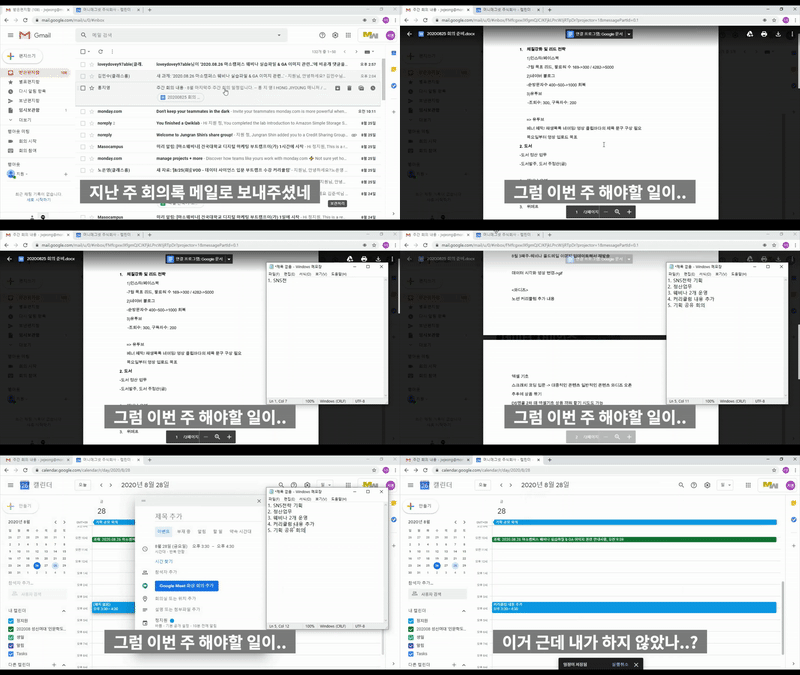
1) Find all your to-dos at once!
Find everything by date at once without having to check messengers and emails one by one!


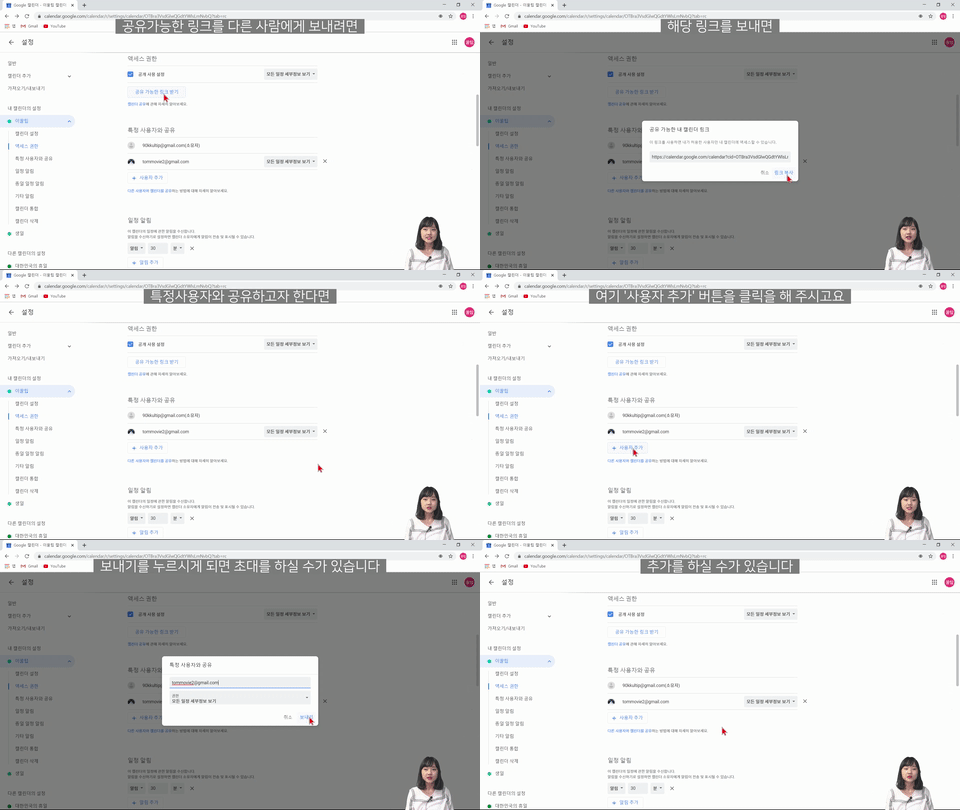
2) Sharing calendars with team members!

There's no need to relay information individually via messenger; once shared, schedules are updated continuously.


Expected Questions Q&A 💬

Q. Do I need any prior knowledge of Google Calendar?

None at all. This course provides kind and detailed explanations so that even absolute beginners to Google Calendar can easily follow along. So don't worry and just give it a try. After completing the course, you will be able to manage your work "properly" with Google Calendar.

Q. Do I need to take additional courses other than this one to utilize Google Calendar?

This course covers an overall explanation of Google Calendar and the tools you can use, so you will be able to actively utilize Google Calendar just by taking this course.

Q. Are there any requirements or prerequisites for taking this course?

Since this is a practice-oriented course, it is recommended to prepare a dual monitor or an extra device so you can separate the lecture screen from the practice screen. Additionally, as the practice sessions are based on Windows OS, we recommend taking the course in a Windows environment.


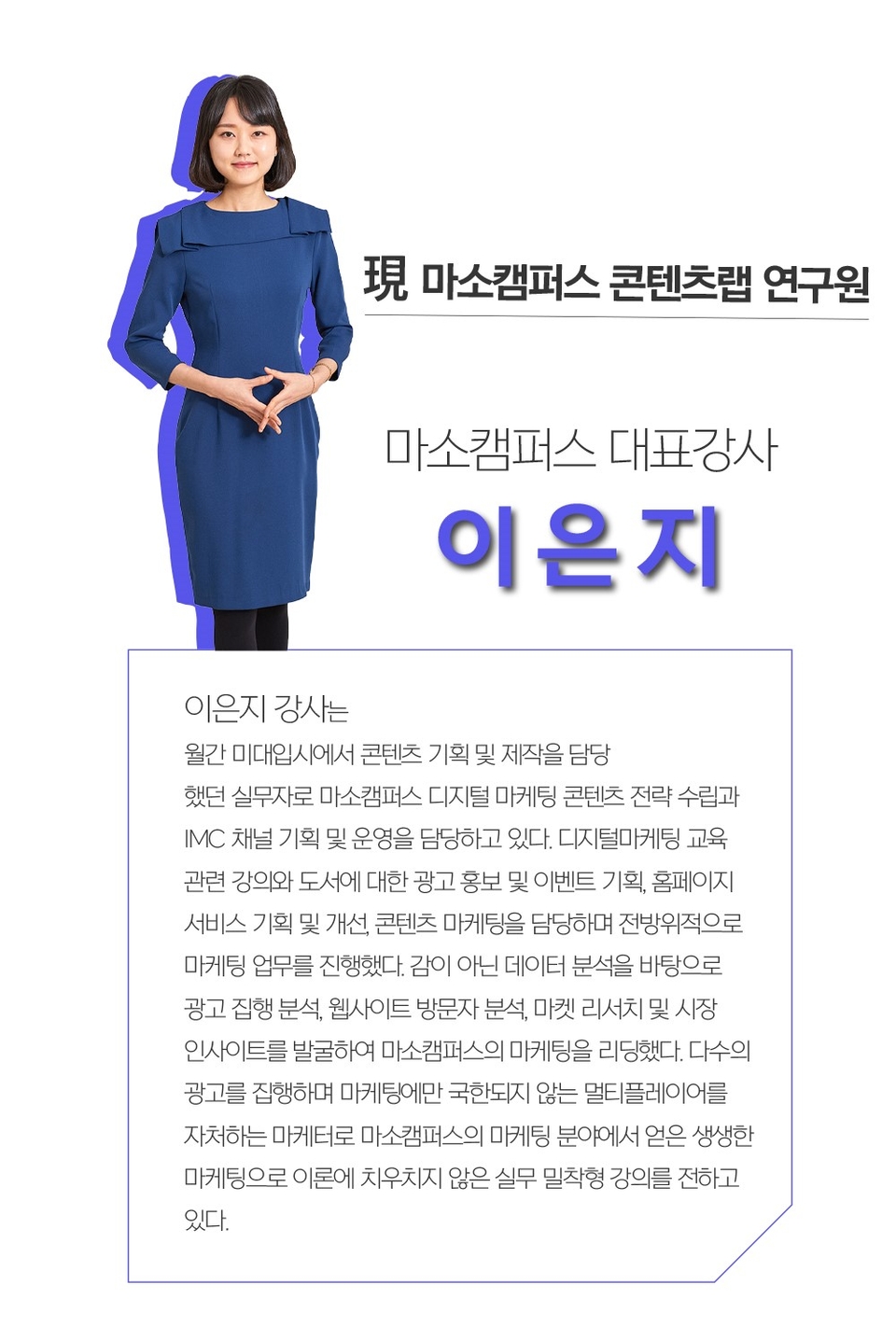
Instructor Eunji Lee from Maso Campus
will be with you ✒️


Please check before taking the course! ✅

  • Since this is a practice-oriented course, we recommend using dual monitors or an extra device so you can separate the lecture screen from your practice screen. Additionally, as the exercises are conducted based on Windows OS, we recommend taking the course in a Windows environment.
  • Lecture notes and practice files can be found in the <0. Textbook Download Center> section.

Recommended for
these people

Who is this course right for?

  • I still haven't found the tool that's right for me.

  • We need a workspace for everyone to use together.

  • I want to master only what is necessary in a short period of time.

  • I want to take a high-quality course that I can actually put into practice.

  • I want to take a high-quality, substantial course that is systematically organized rather than fragmented.

Hello
This is Masocampus

13,934

Learners

2,139

Reviews

162

Answers

4.7

Rating

120

Courses

"I will grow more than I did yesterday. And I will help those who strive to grow more than they did yesterday."


With Masocampus’s sincerity and aspirations in Actionable Content,, thông qua Nội dung có tính ứng dụng,

Since 2013, 100 million cumulative hours of courses delivered both online and offline together!

This invaluable experience and time are always the source of growth for both Masocampus and its students.


The Masocampus team always adheres to two principles for everyone’s growth.


1. Actionable Content you can definitely use after learning mà chắc chắn bạn có thể sử dụng sau khi học

2. Time-Saving Curriculum that respects participants’ time and effort tôn trọng thời gian và công sức của người tham gia


We hope you will join us on the path to growth with Maso Campus’s Actionable and Time-Saving Curriculum.

More

Curriculum

All

29 lectures ∙ (48min)

Course Materials:

Lecture resources
Published: 
Last updated: 

Reviews

All

12 reviews

4.5

12 reviews

  • n03192296950sang8018님의 프로필 이미지
    n03192296950sang8018

    Reviews 2

    Average Rating 5.0

    5

    31% enrolled

    High-quality content

    • masocampus
      Instructor

      Thank you for your valuable review😊 Miso Campus will continue to strive to provide satisfying lectures!

  • cityhunter님의 프로필 이미지
    cityhunter

    Reviews 5

    Average Rating 5.0

    5

    97% enrolled

    This course is suitable for those who are new to Google Calendar.

    • masocampus
      Instructor

      I'm glad it was helpful😊 This is a lecture that explains step by step from the beginning, so beginners can easily follow along. Thank you for your support and encouragement^^

  • 7539513700님의 프로필 이미지
    7539513700

    Reviews 1

    Average Rating 5.0

    5

    31% enrolled

    • n03192296663hill3990님의 프로필 이미지
      n03192296663hill3990

      Reviews 1

      Average Rating 5.0

      5

      31% enrolled

      • masocampus
        Instructor

        Thank you for leaving a course review 😊

    • n03192296709sund6523님의 프로필 이미지
      n03192296709sund6523

      Reviews 1

      Average Rating 5.0

      5

      100% enrolled

      Masocampus's other courses

      Check out other courses by the instructor!

      25% off for new members

      $8.80

      25%

      $8.80