C# Programming: From Fundamentals to Practical Application
Kaburi
Code-oriented course that teaches you from the basics to the applications of C# by focusing on the essentials!
Beginner
C#, .NET
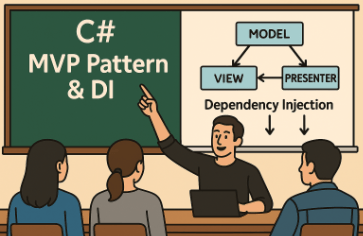
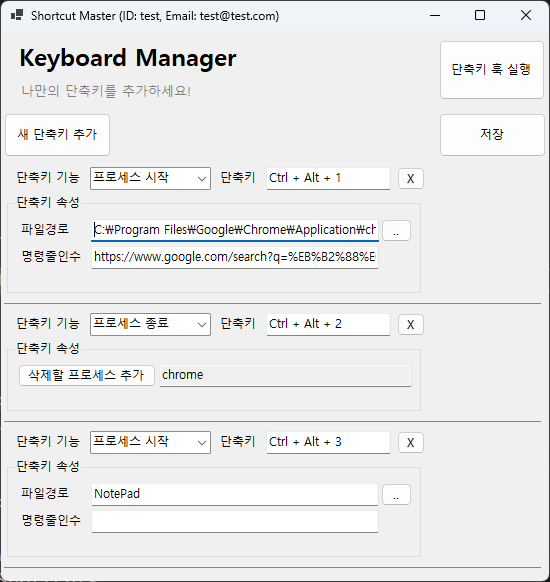
- Concepts of WinForm MVP (Model-View-Presenter) design pattern and its application in the WinForm environment - Managing dependencies between objects and reducing coupling using DI (Microsoft.Extensions.DependencyInjection) - Implementing a mechanism to connect custom shortcuts with specific functions (Commands)
67 learners
Level Intermediate
Course period Unlimited
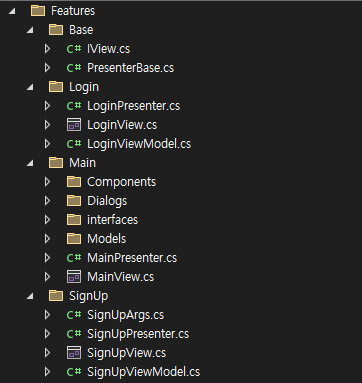
How to Implement WinForm MVP
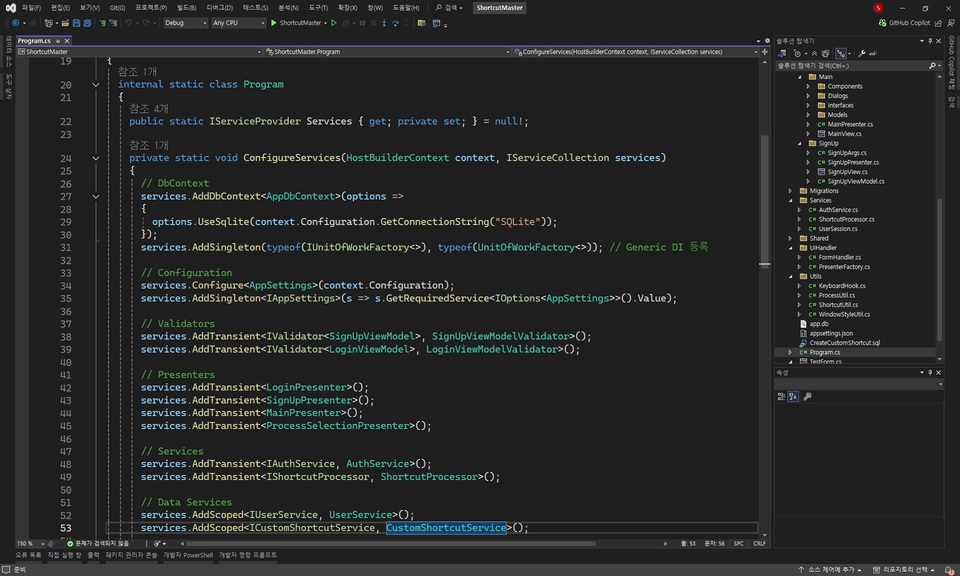
How to use MVP and Dependency Injection simultaneously
EfCore integration method using Dependency Injection
Efficient Way to Easily Build View, Presenter
Asynchronous Programming
Global Property Sharing via Dependency Injection
How to Use FluentValidator with Dependency Injection
This course focuses on fundamentally solving the hard-coded code and maintainability problems that are chronic in many projects , and achieving high-level code quality. You will learn the latest architectural patterns such as MVP, DI, and EF Core through practical and real-world examples, such as creating custom shortcuts. Through this course, you will be able to develop core competencies for designing and successfully utilizing highly scalable and reusable architectures in practice, as well as writing efficient code.
Learn systematically from A to Z how to implement the MVP (Model-View-Presenter) pattern yourself in a WinForm environment.
From creating a form to implementing core functionality, follow along step by step to make the MVP pattern your own.
We've also prepared a lot of great tips for implementing MVP!
Learn the MVP pattern and DI (Dependency Injection) through examples applicable to real projects, rather than simply memorizing theories.
Through practice, you can naturally experience the advantages of the MVP pattern and the efficiency of code management using DI. Yo!
Maximize development efficiency by mastering shortcut customization and hooking techniques.
Set up custom shortcuts and link them to specific functions to practice using them on any project.
Reduce repetitive tasks with shortcuts and create an environment where you can focus on development.
Operating System and Version (OS) : Windows11
Tools used (IDE): Visual Studio 2022
Development Framework: . NET 8 SDK (You can follow a lower framework as well. However, some of the syntax is focused on the latest syntax, so you may need to modify the source code to match it.)
PC specifications : No problem if you have an environment that can develop WinForms
We provide compressed source code for each lecture.
Basic knowledge of C# is required. You can follow along based on the content included in the lecture C# 프로그래밍 기초부터 실전 활용까지 ( https://inf.run/QxL1y ).
You need basic knowledge of custom controls. It's not difficult, but if you have trouble understanding it,
If you watch the lecture, C# WinForm 사용자 정의 컨트롤 활용. 실무 역량 키우기 ( https://inf.run/x91xC ), you will be able to follow along sufficiently.
The most important thing is to have the confidence to learn and accept new things. If you have the confidence to take on challenges, you can do anything.
Who is this course right for?
Understand MVP pattern's meaning, but not how to implement?
Those who feel that applying design patterns or architecture has instead made their code more complex
Those wanting to improve WinForms development skills
People who want to try a new coding style
Need to know before starting?
C# basics required.
Knowledge about using custom controls is needed.
Career Verified
974
Learners
85
Reviews
31
Answers
5.0
Rating
4
Courses
Clinic & Hospital Software Development Company | 2015 ~ Present
Operating a YouTube channel for C# lectures: Kaburi Coder (https://www.youtube.com/@kaburi-coder) 2022 ~
Programming Languages: C#, TypeScript, Dart, Python, VB.NET
Desktop Applications: WinForms, WPF
Mobile App Development: Flutter
Web Development: React, Next.js, Express, NestJS
Gen AI: LangChain, LangGraph
Containers and Orchestration: Docker, Kubernetes, Helm, ArgoCD ..
CI/CD: GitHub Actions
Database: MySQL, PostgreSQL, MongoDB, SQLite, etc.
Since 2015, I have gained extensive experience successfully leading various projects in the field of software development.
As a technical leader, I lead the team to maintain efficient development processes and focus on enhancing software quality and user experience by actively adopting the latest technology stacks.
Currently, I am leading the integrated development of desktop and web applications while also taking responsibility for internal employee training.
Furthermore, I am contributing to the overall success of projects by developing user-friendly applications, automating deployments, and implementing DevOps practices.
Through continuous self-development, I flexibly adapt to the changing technological landscape and approach new challenges with great passion.
All
58 lectures ∙ (5hr 35min)
Course Materials:
All
8 reviews
4.9
8 reviews
Reviews 2
∙
Average Rating 5.0
Reviews 7
∙
Average Rating 5.0
Reviews 3
∙
Average Rating 5.0
Reviews 5
∙
Average Rating 5.0
Check out other courses by the instructor!
Explore other courses in the same field!
Limited time deal ends in 4 days
$74,250.00
25%
$77.00