inflearn logo

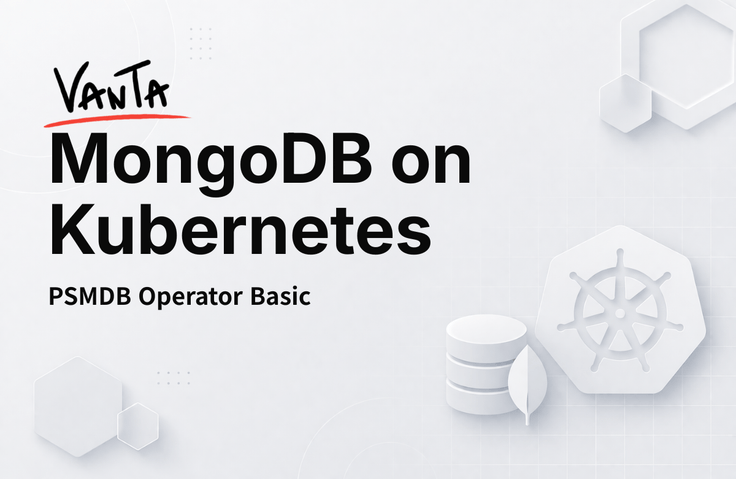
[VANTA] MongoDB on Kubernetes - Basics

Running MongoDB on Kubernetes is different from simply putting it in a container. There are many things you can only learn by dealing with storage, networking, permissions, and high availability firsthand. This course covers the entire process of configuring and operating MongoDB using the PSMDB (Percona Server for MongoDB) Operator in an AWS EKS environment. The goal is to directly build a production-ready configuration, from cluster setup to Replica Set configuration, backup, and monitoring.

3 learners are taking this course

Level Basic

Course period Unlimited

AWS
AWS
MongoDB
MongoDB
Kubernetes
Kubernetes
eks
eks
AWS
AWS
MongoDB
MongoDB
Kubernetes
Kubernetes
eks
eks

What you will gain after the course

  • You can directly configure and operate MongoDB on EKS.

  • You can learn how to declaratively manage Replica Sets through the PSMDB Operator.

  • You can understand the flow of storage, permissions (IAM/IRSA), and network configuration in a Kubernetes environment.

  • You can gain MongoDB on Kubernetes operational patterns that can be directly applied to real-world practice.

Is it possible to run MongoDB on Kubernetes?

Until just a few years ago, many people would shake their heads at the idea of running MongoDB on Kubernetes. I was one of them.

The reason was clear. Databases have state. They write data to a disk, that data must remain even if a node restarts, and connections must be maintained even if the network changes. Kubernetes was originally known for not being very good at these things.

But things are different now. As StatefulSet, PersistentVolume, and the Operator pattern have matured, running MongoDB on Kubernetes has become a realistic option. Globally, many teams are already operating this way.

The problem is that there are no practical references available in Korea. So, I created them myself.


What is VANTA?


Just as VANTA is a deep black that absorbs all light,

This course is designed with deep consideration so that you can understand database operations at their most fundamental level.

VANTA, a name that captures that depth.


Features of this course

📌 It covers the entire process of actually deploying and operating MongoDB in an AWS EKS environment. From cluster configuration to Replica Sets, storage, and backups.

📌 We will create a production-ready configuration that can be used immediately in practice using the PSMDB Operator.

📌 It's okay if you're not familiar with Kubernetes. We will cover the necessary concepts as they come up in the flow.

Recommended for these people

I know MongoDB, but Kubernetes feels overwhelming.
Recommended for DBAs who have operational experience but find it burdensome to transition to a containerized environment.

I have to manage MongoDB myself without a dedicated DBA.
If you are in an environment where you have to do everything alone, an Operator-based configuration is the most realistic choice.

I've always wanted to experience this properly at least once.
I recommend this to those who felt lost on how to start or those who want to see a configuration that actually works.

Practical experience was used as the basis to select only the core topics.

Lecture 2: Background Knowledge

💡 You will understand the background of running MongoDB on Kubernetes and what the PSMDB Operator is. We will explore why MongoDB is operated on Kubernetes and look into the PSMDB Operator, which is the core tool used in this course. This section sets the context for the subsequent hands-on practice.

Lecture 3: Setting up the AWS Practice Environment

💡 You can directly create an EKS cluster and configure the underlying infrastructure required for MongoDB operation. We will proceed from EKS cluster creation to OIDC and IRSA configuration, EBS CSI Driver installation, and StorageClass configuration. You will be able to understand the flow of how Kubernetes and AWS resources are connected.

Lesson 4: Understanding Basic Operational Behavior

💡 You can understand basic operational behaviors by installing the PSMDB Operator and configuring a Replica Set. We will install the Operator and configure the Replica Set declaratively. After configuration, we will proceed together with actual access and operational verification.

Lesson 5: Connection Management

💡 You can learn how to configure connections for secure access to MongoDB. This covers network configuration and connection methods for accessing MongoDB from the outside. We will look at how connections are actually managed in a production environment.

Lesson 6: User Management

💡 You can learn how to declaratively create MongoDB users and manage their permissions. We will cover how to create and manage MongoDB users in an Operator environment. We will also look at how this differs from traditional methods.

Lesson 7: Backup

💡 You can practice the entire workflow of backing up and restoring MongoDB data. We cover backup and recovery, which are essential in a production environment. You can personally practice everything from backup configuration to actual recovery scenarios.

Lesson 8: Monitoring

💡 We will set up a configuration to monitor the status of a MongoDB cluster using PMM. This section establishes the foundation for visually tracking what is happening during operations.

Instructor Introduction

Yu Ho-su

Park Geon-hwan

[Experience]

  • (Former) AhnLab DevOps Engineer

  • (Former) LINE+ DBA

  • (Current) Daangn Pay/Market DBA

[Activities]

  • MongoDB Online Course

  • PSMDB Operator Open Source Contribution


[Experience]

  • (Former) Bespin Global DBA

  • (Current) Daangn Market DBA

[Activities]

  • PSMDB Operator Contributor

Notes before taking the course

Hands-on Environment

  • An AWS account is required. If you do not use new account credits or the Free Tier, costs may be incurred during the process of directly creating an EKS cluster during the practice session.

Learning Materials

  • The materials required for the lecture are provided as learning materials for each session.


Prerequisites and Important Notes

  • It is recommended to have a basic understanding of core AWS services (EKS, IAM, EBS).

  • It will be easier to follow along if you have basic operational experience with MongoDB.

  • For complete Kubernetes beginners, we recommend taking a basic course first.


Recommended for
these people

Who is this course right for?

  • A DBA who wants to run MongoDB on Kubernetes but feels overwhelmed and doesn't know where to start.

  • A developer tasked with both designing and operating MongoDB in an environment without a DBA

  • Those who are familiar with Kubernetes but lack experience in connecting it to MongoDB operations.

  • Those who want to grasp the overall structure before practical application

Need to know before starting?

  • Basic understanding of core AWS services (EKS, IAM, EBS, etc.)

  • Basic experience in MongoDB operations (at the level of Replica Set concepts)

  • Basic Kubernetes concepts (Pod, Service, PVC, etc.) (You can follow along even if you're not perfect)

Hello
This is helloylake

[Experience]

  • (Former) AhnLab DevOps Engineer

  • (Former) LINE+ DBA

  • (Current) Daangn Pay/Market DBA

[Activities]

  • MongoDB Online Course

  • Open source contribution to PSMDB Operator

More

Co-instructor

Curriculum

All

22 lectures ∙ (3hr 42min)

Course Materials:

Lecture resources
Published: 
Last updated: 

Reviews

Not enough reviews.
Please write a valuable review that helps everyone!

Similar courses

Explore other courses in the same field!

Limited time deal

$41,580.00

30%

$46.20