![Successful Real iOS Design Guide - [Autolayout With Code]강의 썸네일](https://cdn.inflearn.com/public/courses/332142/cover/4c1ff99b-27a5-4c1c-b2c1-194b170e5144/332142-eng.png?w=420)
Successful Real iOS Design Guide - [Autolayout With Code]
enilv0529
A practical lecture to learn the iOS UIKit design system - You can learn the real Design Guide from an 11-year developer.
초급
iOS Autolayout, Mobile App Design, iOS
A proper course to properly handle SwiftUI! (Perfect for iOS 14)
Reviews from Early Learners
5.0
김진수
When SwiftUI was first released, I was interested in the concept after doing some tutorials, but since all of the company's apps were storyboard-based and I was able to develop them well with just storyboards, I gradually lost interest in SwiftUI. Then, by chance, I took the instructor's auto-layout lecture, and it helped me a lot. Naturally, I became interested in the instructor himself~ haha That's how I ended up taking this lecture. I thought it would be good to know about SwiftUI.. However, after taking this lecture, I thought, "I should have switched to SwiftUI a long time ago!!". I saw that the functions that I had worked hard to complete on the storyboard were completed with just a few lines of code in SwiftUI, and it gave me a lot of inspiration in terms of reusability. I will actively introduce SwiftUI to new projects in the future. (At the time of leaving the course review, I have already decided to proceed with one project using SwiftUI, despite the dissuasion of those around me. Haha) Thank you so much for the great lecture, and to get more inspiration from the instructor's teaching style and the practical know-how that he generously shares, I recently registered for the UIKit course with the intention of checking if there is anything I missed even though I am familiar with UIKit!! I will greet you again with the UIKit course review. Haha
5.0
문종원
I was new to SwiftUI, but now I feel as confident as I am with UIKit. I wish you would make a practical application course like clone coding. Thank you^^
5.0
clamp
It was a helpful lecture.!! I need to listen to it again to review.
A great opportunity to learn Apple's new paradigm, SwiftUI!!
We have prepared various examples so that you can proceed from the basics to practical projects one by one with the latest features.
You can learn SwiftUI 1.0 ~ 2.0
A perfect opportunity to learn the latest SwiftUI content for iOS 14!
SwiftUI is a revolutionary, streamlined way to build user interfaces across all Apple platforms, leveraging the power of Swift. With a declarative Swift syntax that's easy to read and write, SwiftUI seamlessly integrates with the new Xcode design tools, ensuring your code and design are perfectly synchronized.
It also automatically supports dynamic text scaling, dark mode, localization, and accessibility, so you can write the most powerful UI code from the first line of SwiftUI code .
The iOS development paradigm is shifting once again. Going forward, SwiftUI will be essential for effective development. We'll help you prepare quickly so you can develop stunning, high-quality apps.
It contains the latest SwiftUI content for iOS 14 , and also includes basic lectures for iOS 13, so you can develop according to the version.
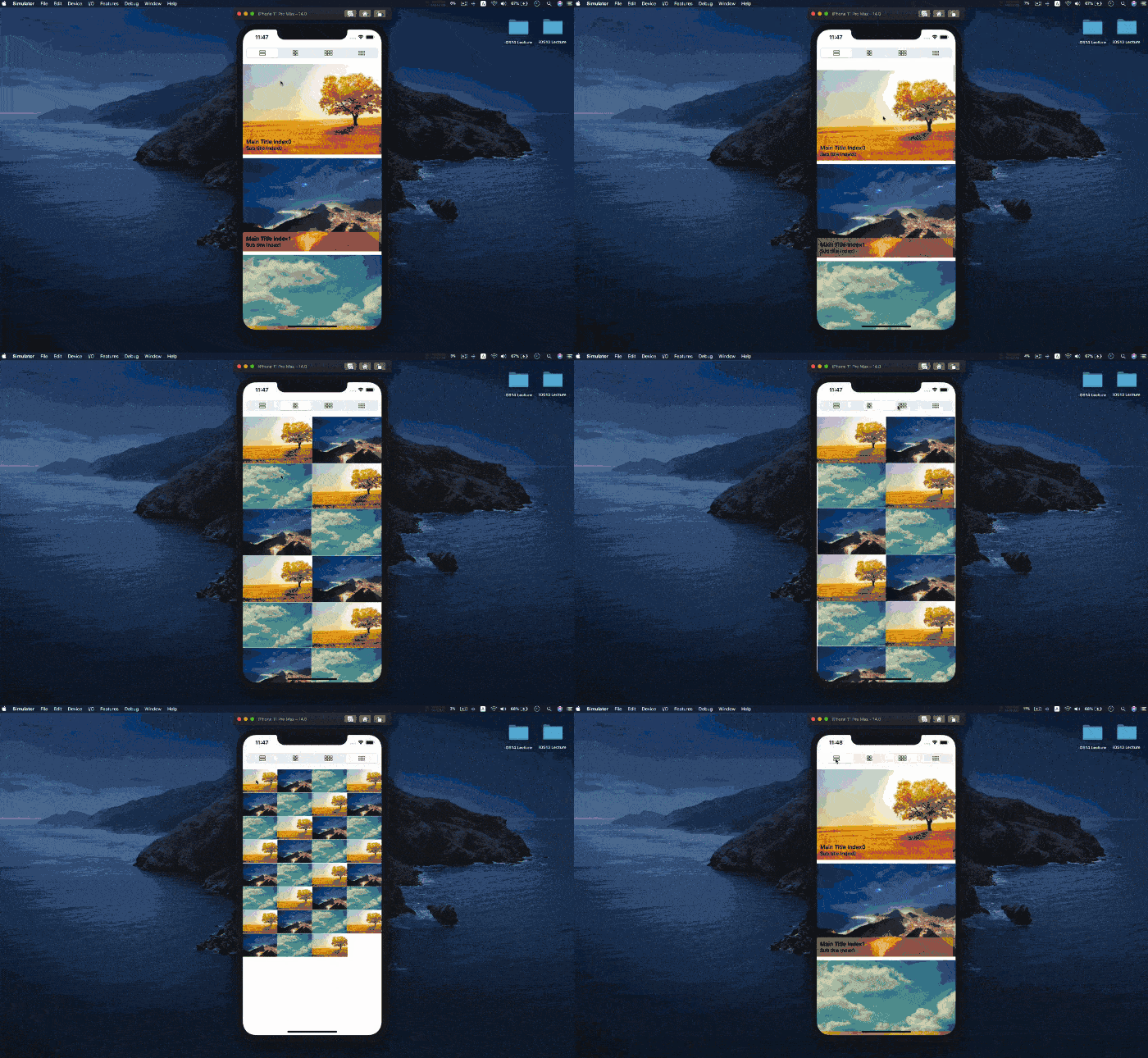
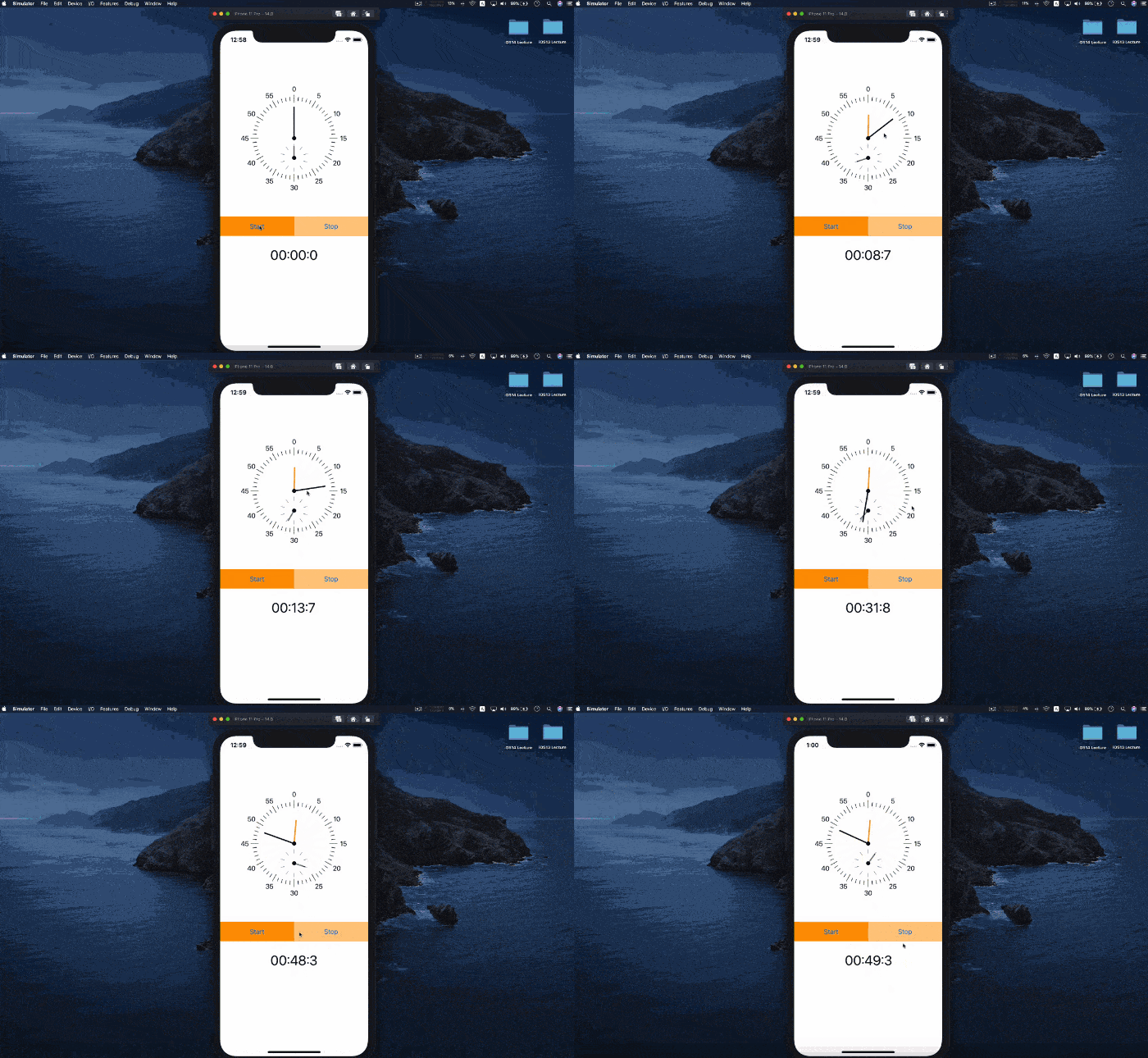
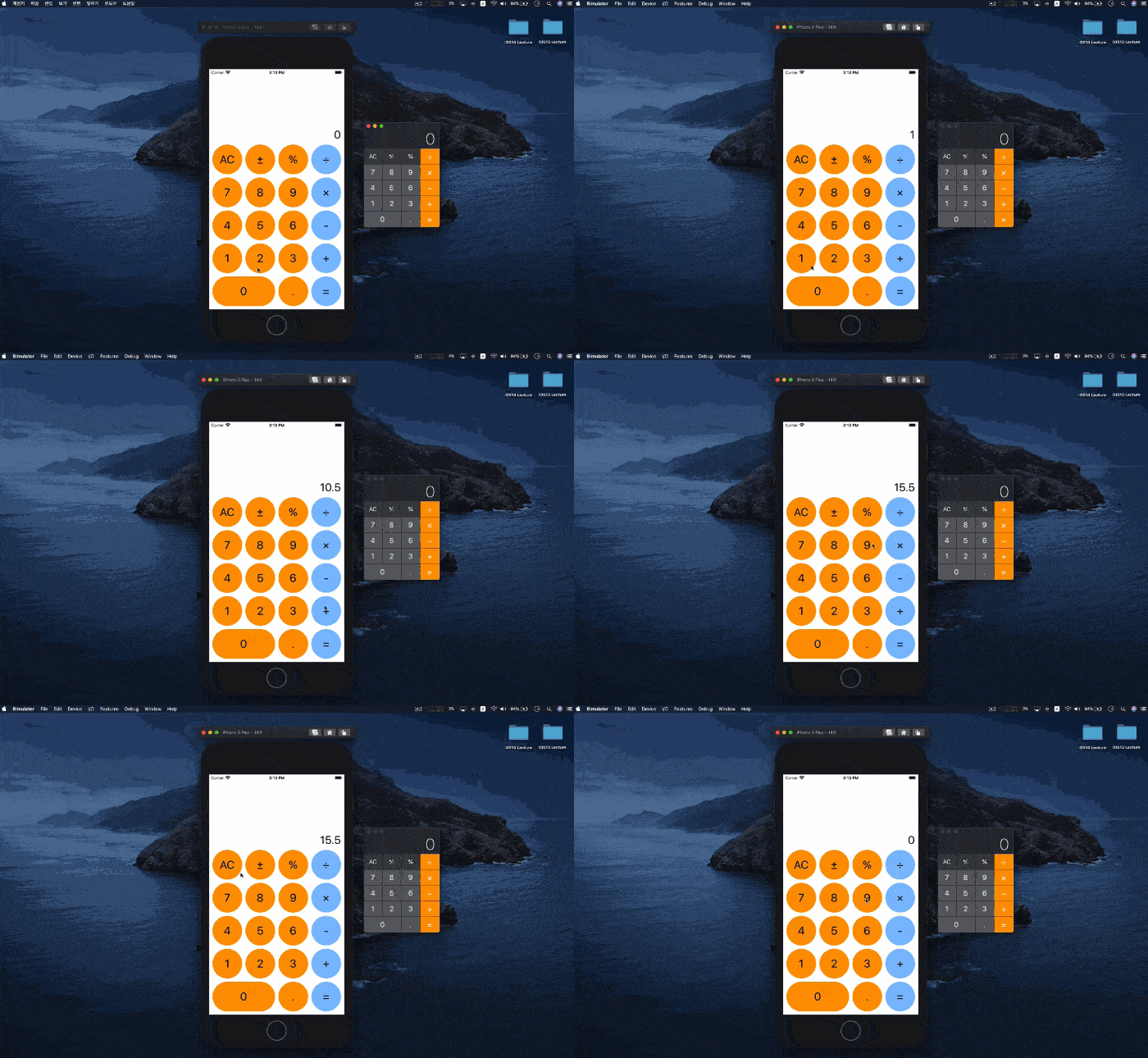
We've systematically structured the program to ensure a solid foundation with a focus on the fundamentals. We've prepared it so you can easily tackle real-world projects, utilizing a variety of gallery styles, network processing via JSON, and shape applications.
Grid View Gallery

StopWatch

Calculator

Who is this course right for?
For those new to iOS development
For those who want to proceed with a project using SwiftUI
3,061
Learners
214
Reviews
271
Answers
4.8
Rating
7
Courses
Hello.
If the course fee is a burden, please send the course name to the email address below, and we will send you a discount coupon.
apple-developer@kakao.com
It has already been 10 years since I first stepped into the world of iOS development.
Over the years, I have participated in the successful launch of over 100 projects across various environments. Through these diverse experiences, I have been able to gain deep practical know-how and insight.
I have gathered this knowledge to grow alongside developers who share the same passion as mine. I am constantly researching better methods and more efficient paths, sharing those results with you in the form of lectures.
If you are ready to join this journey of growing together, let's get started with me.
All
66 lectures ∙ (15hr 8min)
1. 1 Intro
07:54
2. 2 Stack
14:42
3. 3 Text
09:22
4. 4 Image
12:10
6. 6 Shape
13:31
7. 7 Button
16:07
8. 8 Toggle
10:56
9. 9 List ForEach
18:12
10. 10 List Section
26:25
11. 11 ViewModifier
13:08
12. 12 Alert View
10:10
13. 13 WebView Basic
25:32
15. 15 Grid
12:23
16. 16 Placeholder
07:12
18. 18 TabView
04:35
19. 19 Toggle Basic
01:43
20. 20 Toggle Custom
22:10
21. 21 TextEditor
09:26
23. 23 State
07:47
24. 24 Binding
08:32
27. 27 StateObject
11:54
28. 28 AppStoreage
05:56
29. 1 Grid View
01:44
30. 2 Grid View
28:47
31. 3 Grid View
19:50
32. Network JSON
23:08
All
26 reviews
4.5
26 reviews
Reviews 18
∙
Average Rating 4.7
5
When SwiftUI was first released, I was interested in the concept after doing some tutorials, but since all of the company's apps were storyboard-based and I was able to develop them well with just storyboards, I gradually lost interest in SwiftUI. Then, by chance, I took the instructor's auto-layout lecture, and it helped me a lot. Naturally, I became interested in the instructor himself~ haha That's how I ended up taking this lecture. I thought it would be good to know about SwiftUI.. However, after taking this lecture, I thought, "I should have switched to SwiftUI a long time ago!!". I saw that the functions that I had worked hard to complete on the storyboard were completed with just a few lines of code in SwiftUI, and it gave me a lot of inspiration in terms of reusability. I will actively introduce SwiftUI to new projects in the future. (At the time of leaving the course review, I have already decided to proceed with one project using SwiftUI, despite the dissuasion of those around me. Haha) Thank you so much for the great lecture, and to get more inspiration from the instructor's teaching style and the practical know-how that he generously shares, I recently registered for the UIKit course with the intention of checking if there is anything I missed even though I am familiar with UIKit!! I will greet you again with the UIKit course review. Haha
Reviews 7
∙
Average Rating 5.0
Reviews 8
∙
Average Rating 5.0
Reviews 2
∙
Average Rating 5.0
Reviews 1
∙
Average Rating 5.0
$68.20
Check out other courses by the instructor!
Explore other courses in the same field!