강의

멘토링

커뮤니티

BEST
Programming

/

Web Development

Creating a portfolio using GSAP's ScrollTrigger

Let's create an interactive, responsive web portfolio that reacts to scrolling using GSAP's ScrollTrigger!

(5.0) 40 reviews

355 learners

  • jyoung
실습 중심
퍼블리셔
HTML/CSS
scrolltrigger
gsap
Portfolio
Responsive Web

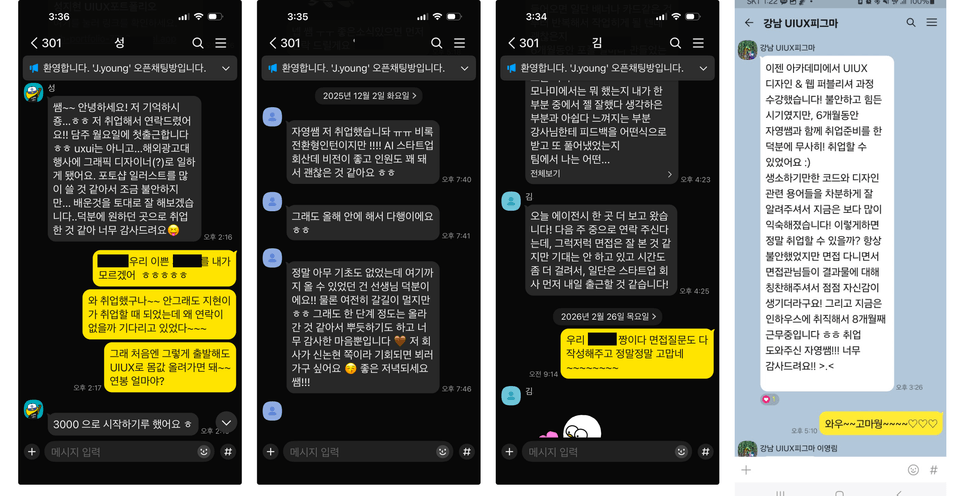
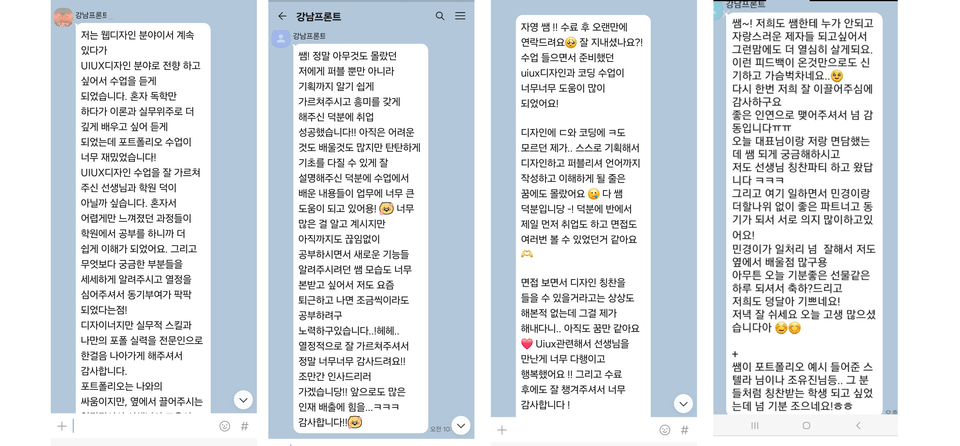
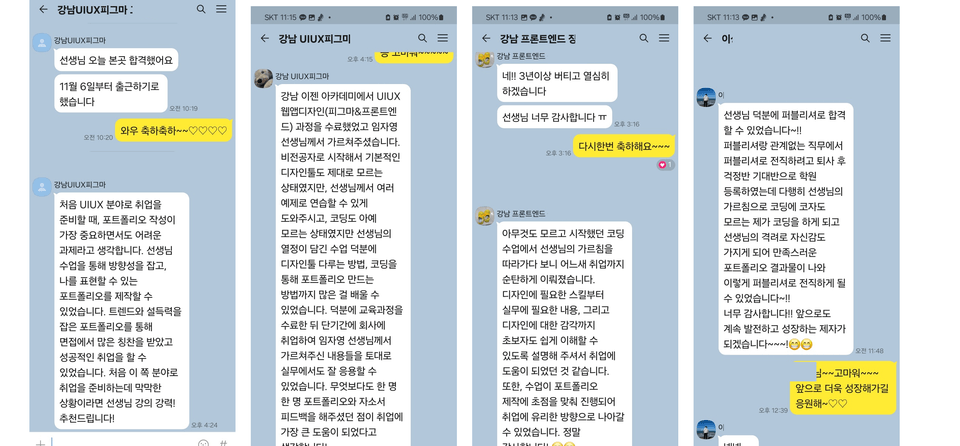
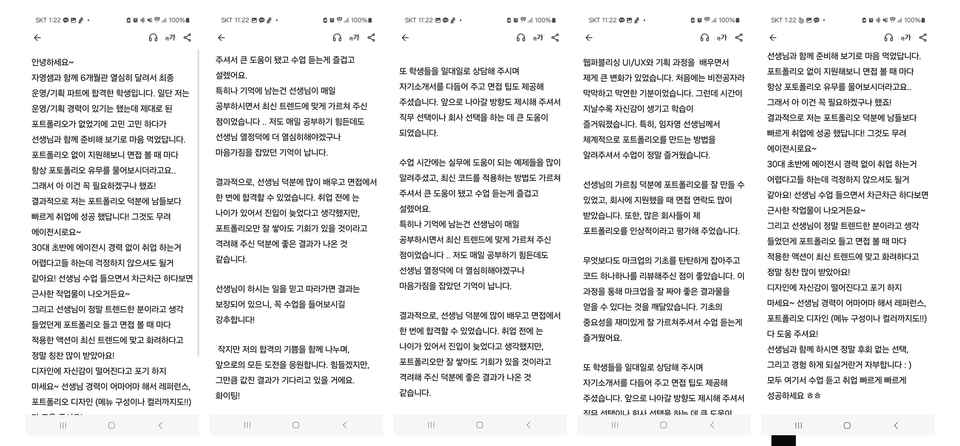
Reviews from Early Learners

What you will gain after the course

  • Tips for Creating a Portfolio to Get a Job at an Agency

  • GSAP's ScrollTrigger Animation

  • Scroll direction-aware navigation

  • Creating SVG Animations Chronologically

  • Layout creation techniques using HTML/CSS

  • Creating Scrolla Animations that React to Scroll

  • Responsive web publishing production for various devices.

  • Implementing fancy interactions through JavaScript library plugins

  • Interactive design implementation tips for creating a personal portfolio

If you want to create a portfolio that catches the eye and captivates interviewers' hearts,
pay attention! 🙋‍♂️

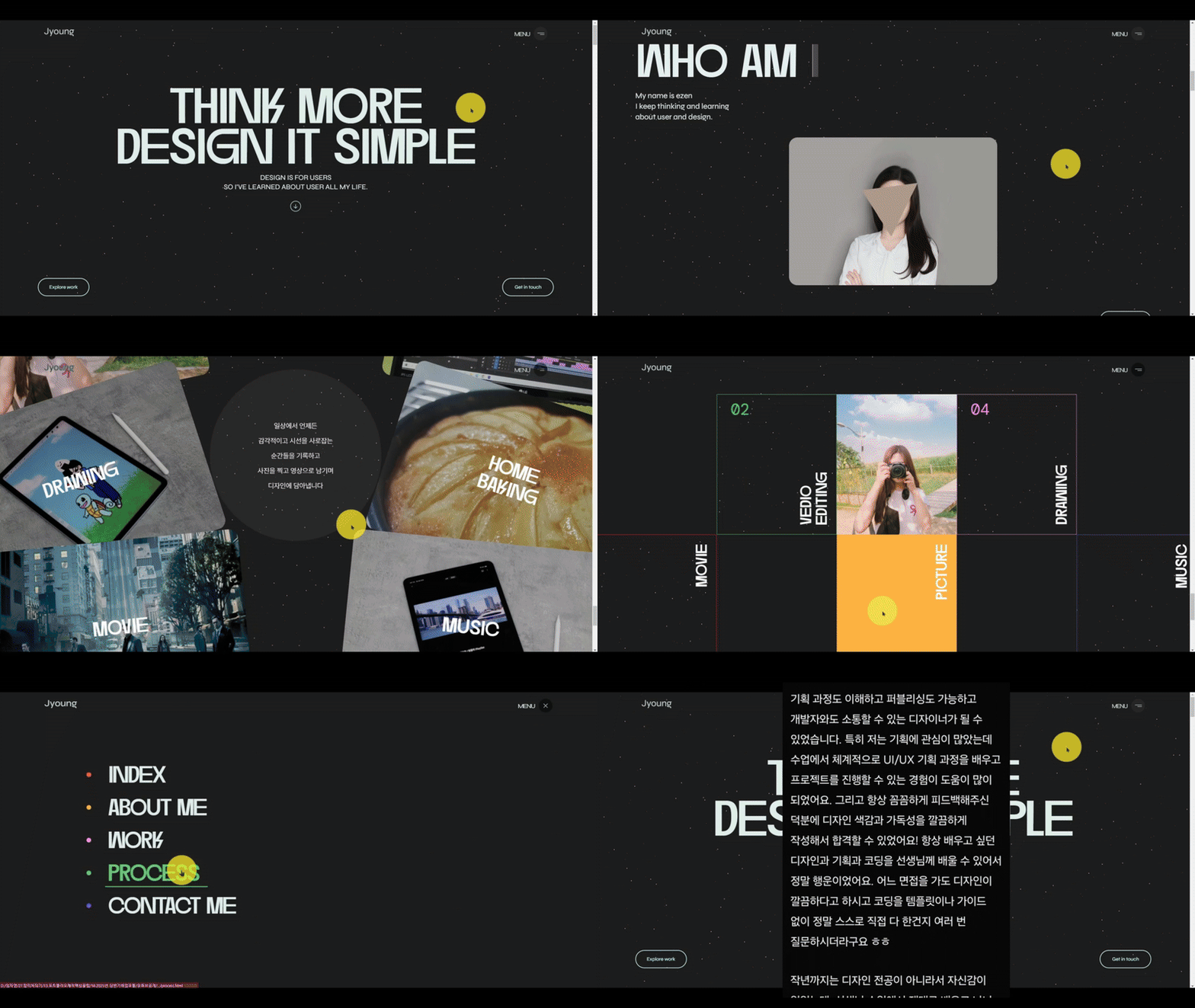
Updating February 2025 Large Corporation & Agency Success Stories

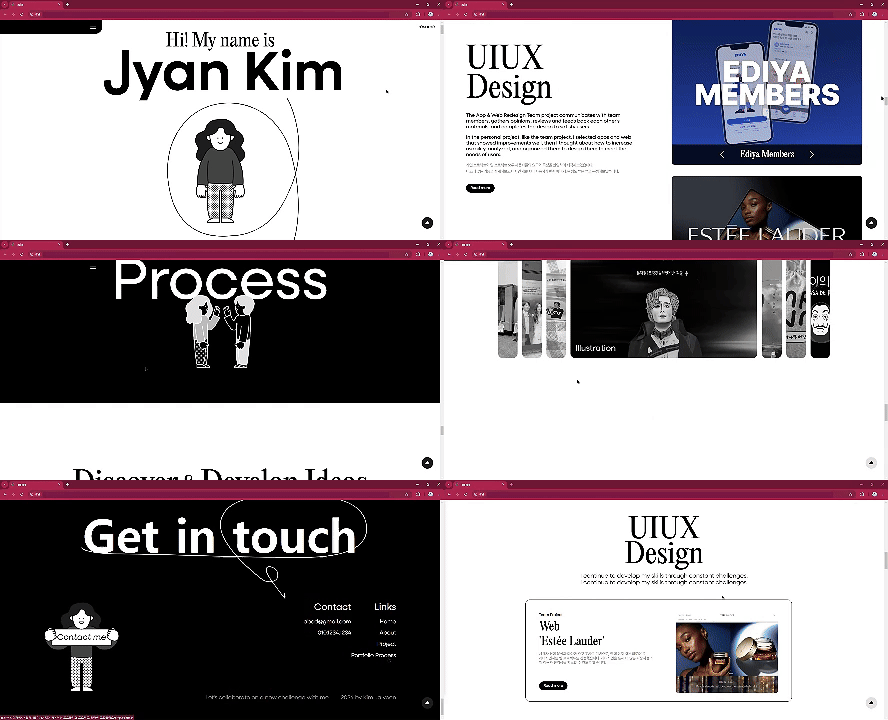
* February 2025 Agency Acceptance Portfolio Revealed
In-depth Analysis of Large Agency Acceptance Portfolio Cases (To be released as a series)

* 2024 Second Half Agency Acceptance Portfolio Revealed
In-depth analysis of large-scale agency acceptance portfolio cases!


2023년,
에이전시에 합격한 포트폴리오
사례살펴보기!

✨ Don't you want to create this kind of visual portfolio yourself?


Recommended for these people

Those who want to create a spectacular website
using GSAP's ScrollTrigger

Those who want to create a portfolio that can pass agency
selection

Those who want to implement
spectacular interactions that match
the latest 2023 trends

GSAP Scroll Trigger
Animation from
basics
to advanced applications for those who want to learn

For everyone who wants to
create a web portfolio 🌱

This course is not just a theoretical job success guide, but allows you to learn the essential elements needed for portfolio creation by examining actual portfolio examples from students who were accepted at agencies and large in-house companies in 2023, and plan a portfolio for successful employment!

You can learn not only how to create scroll animations using GSAP's ScrollTrigger, but also how to create interactive websites that catch users' attention and respond to mouse interactions. You can also improve your understanding of layout creation using HTML and CSS. We'll continuously update you with trendy portfolio creation tips too!


Learning Content 📚

🫡 This course is!

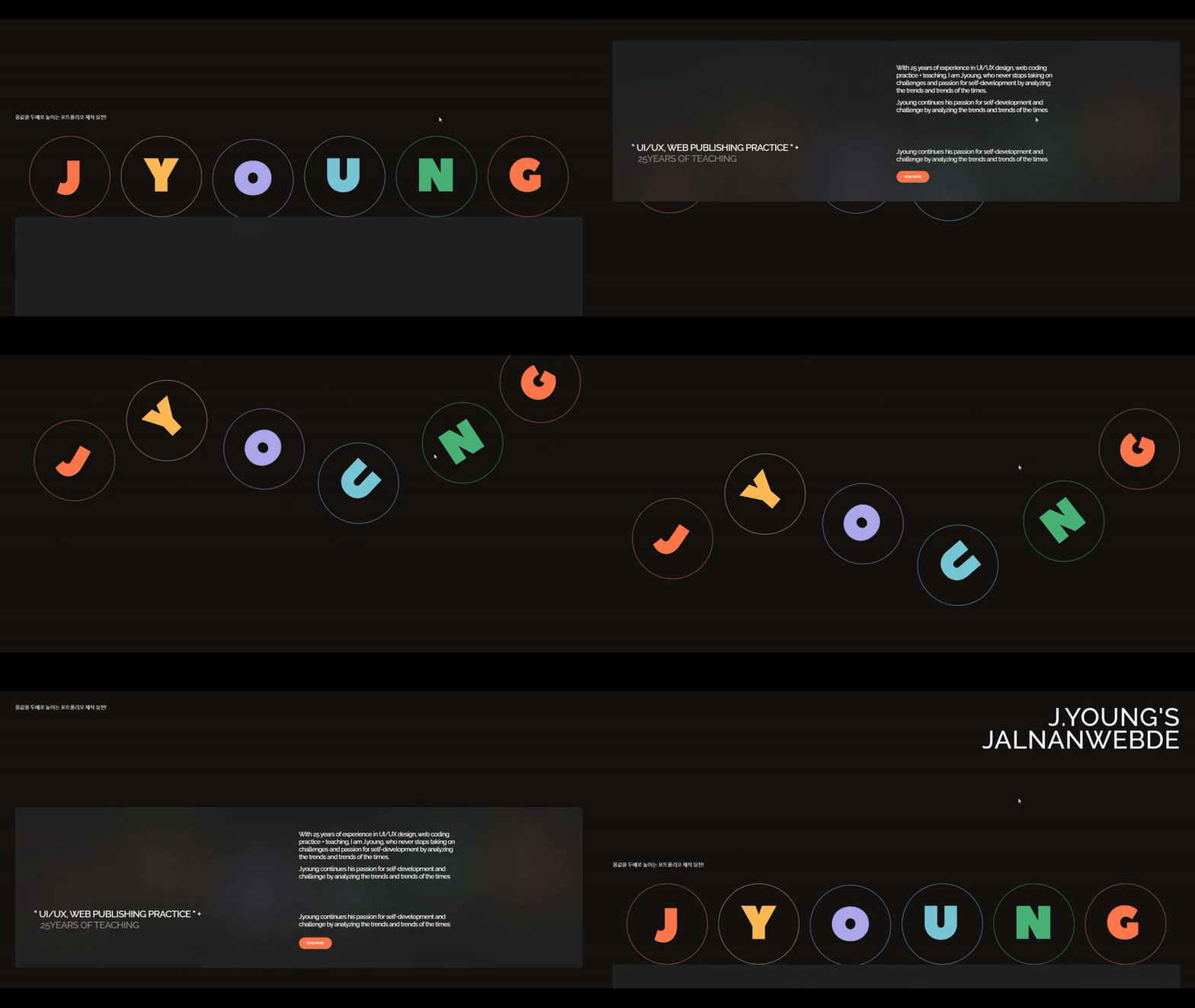
  • Let's explore how to create portfolios that impress interviewers by examining portfolio examples from students who were accepted to agencies in 2023.
  • Let's explore the essential parts needed for portfolio planning.
  • Let's learn the basics and practical applications of GSAP's ScrollTrigger, which won overseas awards in 2023 and is being hotly utilized for website creation at large-scale domestic agencies.
  • You can learn Header area Scroll Direction Events.
  • Create an event where the navigation bar detects the scroll direction, disappearing when scrolling down and appearing when scrolling up.
  • Creating Animation Using SVG
  • Creating MouseHover Effect Animation Using Splitting.js
  • Creating Text Animation Using 3D Properties
  • You can create a flowing background banner using SimplyScroll.
  • You can implement spectacular interactive web experiences using GSAP's ScrollTrigger.
  • Responsive Web(max-width: 1650px) can be created.
  • Responsive Web(max-width: 1300px) can be created.
  • Responsive Web(max-width: 800px) can be created.
  • Responsive Web(max-width: 500px) can be created.
  • This is the 1st_update video.
  • This is an image and text animation that appears in response to scrollTrigger.
  • This is the second update video.
  • I created a gallery that scrolls along the X-axis.
  • 2nd_Update Video Responsive Web
  • This is a responsive web gallery area that scrolls along the X-axis.
  • This is the 3rd update video.
  • Let's create a gallery that scrolls along the Y-axis.
  • This is the 4th update video.
  • Let's create an image that follows the mouse pointer.
  • This is the 5th update video.
  • This is an interaction where sections are fixed on the Y-axis and subsections scroll.
  • This is the 6th update video.
  • Let's create a gallery that scrolls while swaying left and right along the X-axis.
  • This is the 7th update video.
  • Let's create a character that greets you when you scroll.
  • Let's create a text animation that fills according to mouse movement.
  • Let's create a wavy text animation using Clip_path.

  • This is the 8th_1. update video.
  • This is how to create an animation that scrolls horizontally and infinitely repeats when scrolling down.
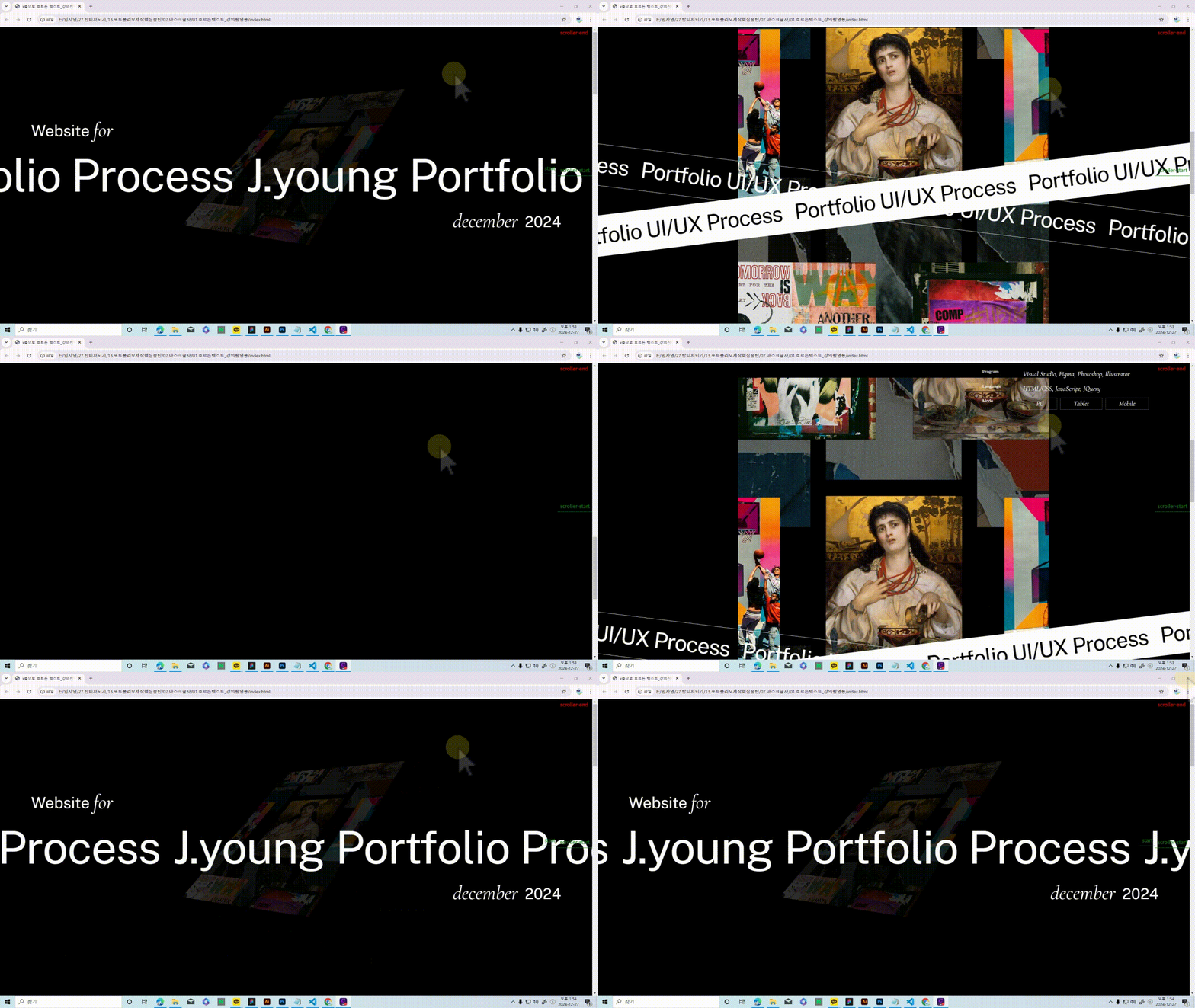
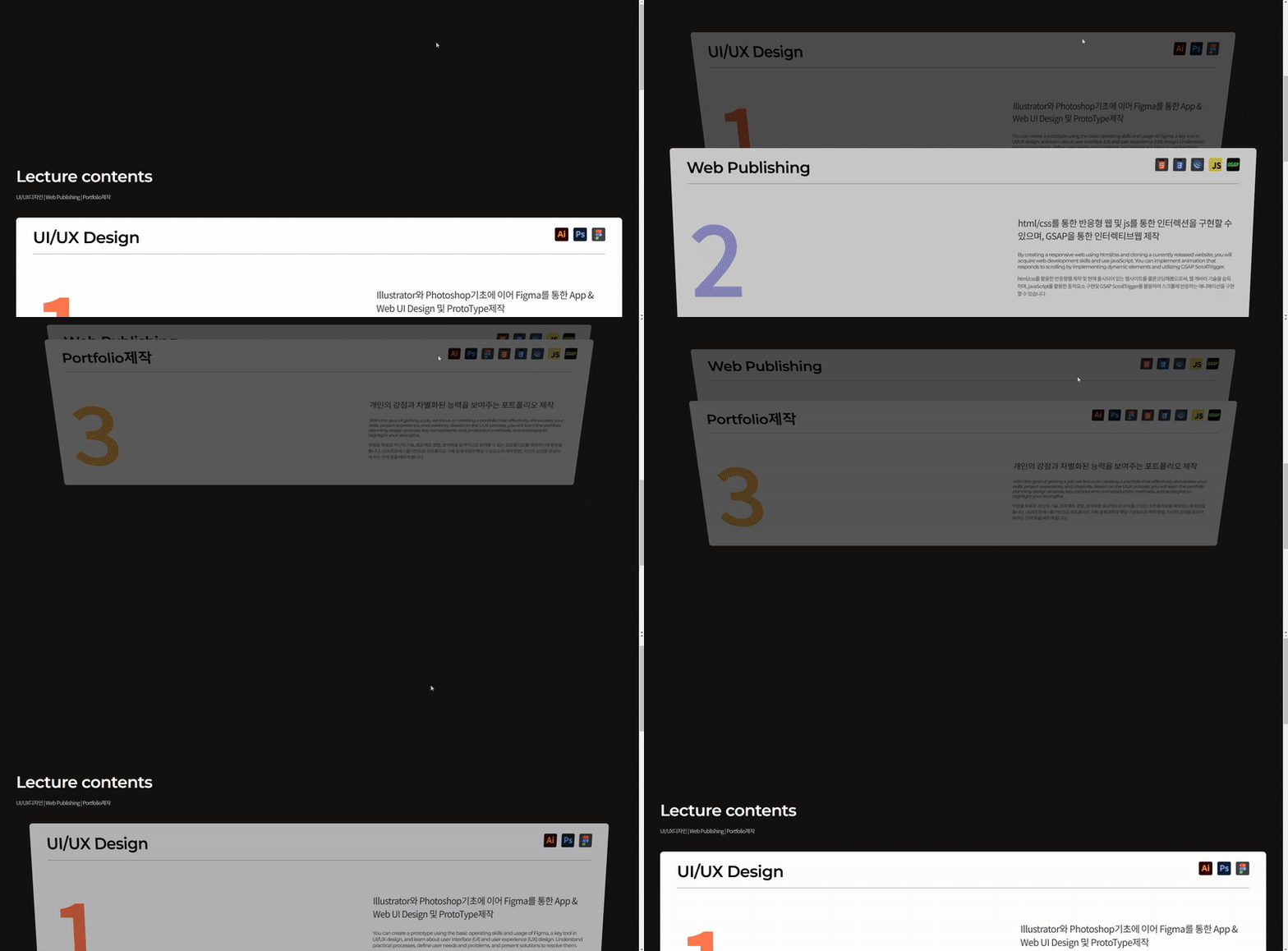
  • This is an animation I created where an image that's rotated and floating along the Z-axis comes back to its original position and unfolds when scrolling.

  • This is the 8th_2nd update video.
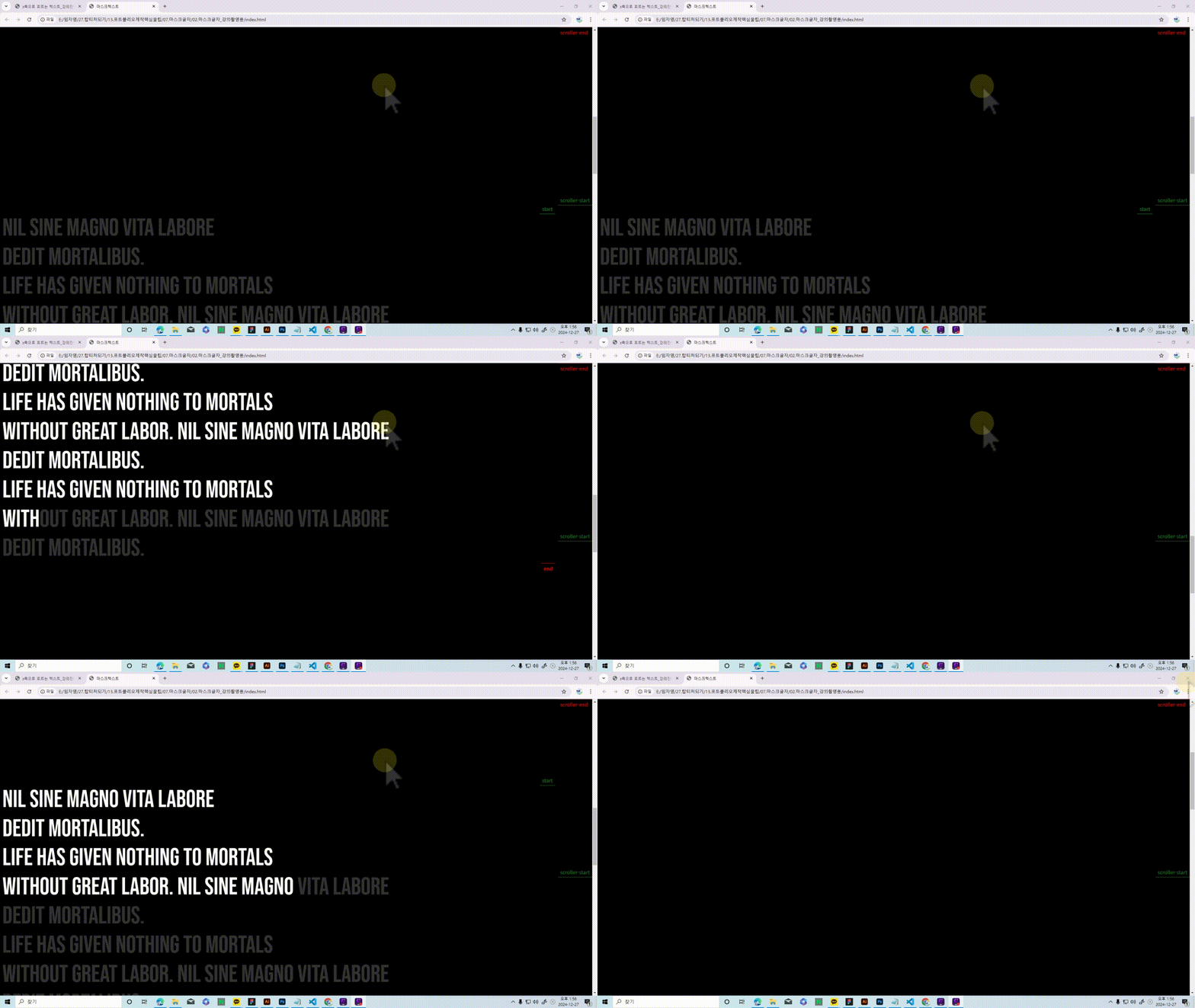
  • This is an animation where text gets filled with color when scrolling.

  • This is the 9th_1. update video.
  • 스크롤시 샤방샤방하게 진행되는 GSAP ScrollTrigger Animation입니다
  • This is the 9th_2nd update video.
  • Animation that Twists on the Z-axis Using Position: Sticky

Expected Q&A

Q. What can I learn by taking this course?

You can understand the UI/UX process and plan and create your own portfolio accordingly, and if you are currently a working professional, you can implement more trendy and interactive responsive web designs.

Q. What additional content will be updated?

1. UI/UX processes you need to know in practice and how to plan and design a portfolio based on them

2. References that can be applied to portfolio creation for getting jobs as UI/UX designers, web publishers, and frontend developers

3. Applied examples needed for trendy and interactive web development will be updated.
4. For smoother learning, if you join the Jalnan Web Design open chat room operated by J.young,
we'll share essential tips and free webinar links related to Figma, UI/UX, coding, and portfolio creation.

Open chat room name: Jalnan Web Design
Code: jyoung

Recommended for
these people

Who is this course right for?

  • For those who want to create a high-quality portfolio that can get them accepted into an agency.

  • Anyone curious about portfolio examples that got accepted into agencies.

  • For those who want to create a trendy and glamorous portfolio.

  • Anyone who wants to learn GSAP's ScrollTrigger

  • Someone who wants to create a website with flashy interactions.

  • For those who want to implement fancy interactions using HTML/CSS/jQuery rather than difficult JavaScript.

Need to know before starting?

  • HTML/CSS basics, layout creation basics, JavaScript basics

Hello
This is

8,789

Learners

354

Reviews

227

Answers

4.8

Rating

14

Courses

 안녕하세요? J.young 임자영입니다.

20여년간의 웹디자인 & 앱개발회사를 운영하며, 대학과 전문학교 및 직업훈련기관에서 UI.UX디자인,웹디자인, 웹퍼블리셔, 프론트엔드개발 강의를 하고 있습니다.

디자인이나 코딩에 대한 기초가 전혀 없는 학생들을 대상으로, 전문가(UI.UX디자이너/ 퍼블리셔/코딩하는 디자이너) 양성을 위해!!
- 기초부터 실무까지!
- 실무에서 원하는!
- 실무에서 바로 써 먹을 수 있는 포트폴리오 제작! 강의로 전문가로써 당당히 실무에 진출할 수 있도록 지도하고 있습니다.

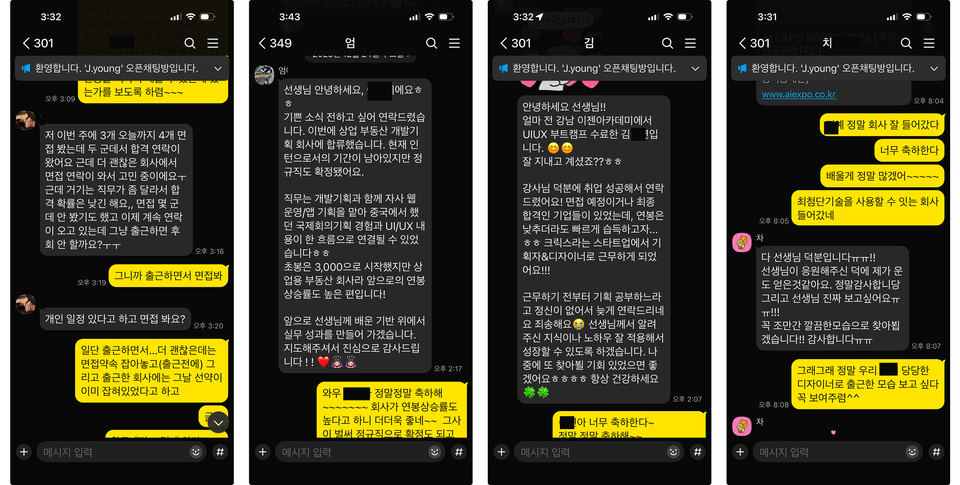
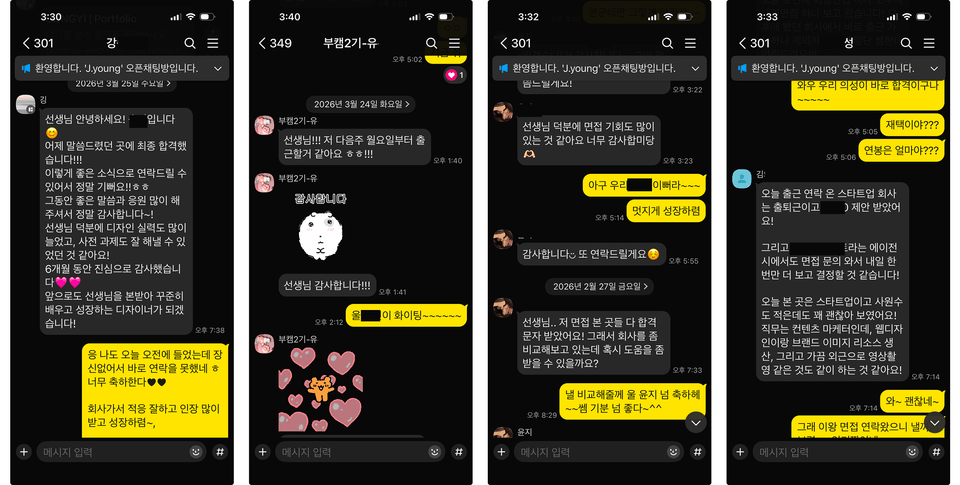
그런 만큼... 많은 제자들이 실무자로써의 그 역량을 발휘하고 있습니다.

-UI/UX디자이너, 퍼블리셔, 프론트엔드개발자가 되고 싶어도 어디서 부터
어떻게 시작할지 막막하신 분들..
- 이직을 위한 정규 코스 학원을 다니고 싶어도 직장 생활로 인해 엄두도 못 내시는 분들..
- 코딩에 '코'자도 모르시는 분! 학원이나 유튜브 등으로 HTML/CSS기초는 배웠지만 -
도통...웹 퍼블리싱 개발 구현이란 남의 이야기이신 분들....

J.young이 도와드리겠습니다.!!
또한!! 학습하시다 궁금하신 점 있으시면 댓글 남겨주시면
도움이 드릴 수 있는 답을 드리도록 최선을 다하겠습니다.

* 오픈채팅방운영

보다 원활한 학습을 위해, J.young이 운영하는 잘난웹디 오픈채팅방에 가입하시면,
피그마, UI.UX, 코딩, 포트폴리오제작 관련 핵꿀팁과 무료웨비나 링크 등을 공유해드립니다.

오픈채팅방명 : 잘난웹디
코드 : jyoung


실무경력

- 2017~현) 웹개발 Director
- 2015년~2017년(주)엘리에셀 총괄 이사
- 2003년~2015년 (주)어뮤징웨어 총괄 이사
- 2003년: 서우씨앤디 디자인실장


- 현) UIUX & 웹포트폴리오 강의 진행 중(실무 진출 90프로 이상)


감사합니다^^ 


운영중인유튜브

잘난웹디
https://www.youtube.com/channel/UCISuuIbv_SnkE6d4oDgrBWQ

Curriculum

All

75 lectures ∙ (10hr 13min)

Course Materials:

Lecture resources
Published: 
Last updated: 

Reviews

All

40 reviews

5.0

40 reviews

  • 아장님의 프로필 이미지
    아장

    Reviews 4

    Average Rating 5.0

    5

    6% enrolled

    J.young 선생님의 강의를 몇가지 들어본 수강생입니다. gsap 스크롤트리거는 인터렉션을 좋아하는 디자이너에게는 안배울 수 없는 라이브러리중 하나라고 생각합니다. 하지만 디자이너들에게는 자바스크립트가 다소 난이도가 있는데, 선생님께서 최대한 쉽게 설명해주셨습니다. 인프런에서 gsap 강의를 하시는 분이 몇분 계시지만 저는 이 강의가 가장 마음에 들었던 이유는 디자이너에게 친숙하다는 점입니다. 특히 트렌디한 시안을 토대로 배우다보니 학습 욕구가 더욱 뿜뿜 상승했습니다 ㅎㅎ 👉코딩에 관심이 있는 디자이너분들에게는 무조건 추천드립니다. 👉포트폴리오를 이번에 새로 만드시는 분들에게는 꼭 한번 들어보시면 도움될거라 생각하구요. 👉단순 관심이 있어서 듣는 분들에게는 실무에 응용이 무조건 될거라 생각합니다. 좋은 강의 만들어주셔서 정말 감사합니다.💕 무엇보다도 질문드리면 최대한 빠르게 관심기울어주셔서 감사합니다.

    • J.영
      Instructor

      아장님~ 진심어린 수강평 넘 감사드립니다. 저도 디자이너 출신이라...우선은 디자인적으로 맘에 들어야 강의도 하고 싶은 욕심이 나는건 어쩔 수 없는 현상인듯요~~ 디자인이 예쁘면...만들어보고 싶은 욕구와 의욕이 마구 생기지요.. 진심어린 수강평 정말 다시한번 감사드립니다^^ 즐건 주말 보내세요^^ J.young드림

  • 김지영님의 프로필 이미지
    김지영

    Reviews 3

    Average Rating 5.0

    5

    31% enrolled

    • 주희님의 프로필 이미지
      주희

      Reviews 1

      Average Rating 5.0

      5

      15% enrolled

      • 하나님의 프로필 이미지
        하나

        Reviews 1

        Average Rating 5.0

        5

        30% enrolled

        • 조병민님의 프로필 이미지
          조병민

          Reviews 1

          Average Rating 5.0

          5

          100% enrolled

          웹 퍼블리셔로 취업을 준비하면서 항상 고민했던 게 바로 ‘어떻게 하면 남들과 차별화된 포트폴리오를 만들 수 있을까?’였어요. 요즘 트렌드인 인터랙션 효과를 꼭 넣고 싶었는데, 독학으로는 도저히 감도 안 잡히고... 유튜브 뒤져봐도 뭔가 하나씩 빠진 느낌이라 한참 헤매고 있었습니다. 그러다가 J.young 선생님의 이 강의를 듣게 됐는데, 진짜 인생 강의라고 말하고 싶어요! ScrollTrigger를 활용한 애니메이션을 단순히 따라만 하게 하는 게 아니라, 실제 포트폴리오에서 어떻게 응용해야 하는지 ‘감’을 잡을 수 있게 도와주셨어요. 예제도 정말 트렌디해서 강의 따라 만들면서도 ‘와 이거 내 포폴에 바로 써야지!’ 하는 생각이 절로 들더라구요. 특히 강사님이 초보자 눈높이에 맞춰 하나하나 설명해주시니까, 저 같은 코알못(?)도 부담 없이 끝까지 완강할 수 있었습니다. 중간중간 막힐 때는 커뮤니티에서 질문 올리면 답변도 친절하게 주셔서 너무 감사했어요. 덕분에 저만의 포트폴리오에 멋진 인터랙션을 하나하나 적용해가면서, ‘아 나도 이런 거 할 수 있구나!’ 하는 자신감까지 얻었네요. 지금은 완전 밋밋하던 제 포트폴리오가 생동감 넘치고, 보는 사람들의 시선을 확 끌어당길 수 있는 웹사이트로 바뀌었어요. 이런 강의, 진짜 나만 알고 싶을 정도로 최고입니다! 강사님, 좋은 강의 정말 감사드리고요, 다음 강의도 기대할게요 😊💖

          $51.70

          jyoung's other courses

          Check out other courses by the instructor!

          Similar courses

          Explore other courses in the same field!