
inflearn logo

Practical n8n Automation with Claude Code

[Let's Build!] Have you ever given up because you were tired of connecting nodes? "Create a daily morning briefing on Slack" — that's all it takes. Claude Code designs it, and the n8n server runs it 24/7 for you. [Let's Operate!] If adopting n8n was easy but managing it felt overwhelming, this lecture is the answer. "Organize everything according to the conventions" — dozens of workflows are tidied up at once. Creation, organization, monitoring, and backup—operate everything using natural language.

(4.6) 51 reviews

1,032 learners

Level Basic

Course period Unlimited

Business Productivity
n8n
n8n
AI Agent
AI Agent
claude
claude
Business Productivity
n8n
n8n
AI Agent
AI Agent
claude
claude

News

4 articles

  • datapopcorn님의 프로필 이미지

    ・

    Edited

    "You’re trying to do too much. Just try doing one thing."

    That was feedback from my senior when I was a junior. Quite a bit of time has passed since then, but I still haven’t been able to follow that advice.

    I want to analyze data, do 3D printing, create content, and build apps and web services.
    And now I’m actually doing all of them. Of course, I can’t say I’m particularly good at any of them. But isn’t it enough if I’m having fun and feeling happy?

    My senior was probably right back then. There simply wasn’t enough time to do everything alone. But after bringing AI into my work, the math changed. I can edit by telling it what to change, delegate repetitive tasks, and build a first version even without knowing how to code. Instead of cutting down on the things I want to do, it became possible to expand what one person can accomplish.

    That said, there’s a gap between watching something in a video and trying it out directly in your own work. Most people get stuck when setting things up for the first time or turning an example into something of their own. I’m holding offline meetups so we can get through that moment together.

    Waguwagu Club
    It’s a meetup where people like me—people who want to do many things and don’t want to give up even one of them—come together to create.
    We won’t tell you to choose and focus.

    Starting October 19, we’ll meet every Monday through Thursday from 7 p.m. to 10 p.m. at FASTFIVE Gangnam 3, with one topic each day.

    Monday: (Video Automation) Edit and upload videos you filmed but have been putting off, using your voice.
    Tuesday: (Browser Use) An introduction to AI browsers—put an employee in your browser.
    Wednesday: (Vibe Coding) Build the first version of an app you’ve wished existed through vibe coding / (Admin Night) A night to finally get through those postponed emails and documents together
    Thursday: (OpenAI Dots, Muse.ai, GrokBot) Get started with AI assistants and entrust one small task to one

    This is a good fit for people who:
    - Have taken quite a few AI courses but still don’t have anything they’ve actually made for their own work
    - Are job seekers who need work they can show, rather than simply saying, "I know how to use ChatGPT"
    - Are employees or solo business owners who have kept putting off the things they want to do while handling everything from their main work to promotion and operations alone

    Each session is limited to 10 people, so we’ll look at anything you’re stuck on together right there.
    This isn’t a meetup where we promise to complete something amazing in three hours.
    The goal is to finish one small result using your own material and leave with a process you can follow on your own next time.

    Each session costs 100,000 won, and the first cohort is 90,000 won if you apply by October 18.
    Wednesday’s Admin Night is free, and the 30,000-won deposit will be fully refunded when you attend.

    If you’ve ever been told that you’re trying to do too much, you’ll probably fit right in.
    If you’re not sure which day is right for you, feel free to ask.

    Schedule and registration: https://datapopcorn.ai/waguwaguclub
    1:1 inquiries: https://open.kakao.com/me/datapopcorn


    0
  • datapopcorn님의 프로필 이미지

    Hello to all Inflearn students.

    We invite you to the n8n meetup in Gangnam, Seoul!

    We will meet on the evening of Friday, September 4th, in Gangnam to discuss automation and networking.


    At this meetup,

    • Sharing the latest n8n news and insights from n8n Fest 2026

    • Live demo of native CLI / MCP support

    • Corporate n8n adoption and operation case studies

    will be shared together.

    This is a place for university students, office workers, and practitioners who have used n8n at least once to share their workflows and challenges. Create new connections with people who are solving the same problems!


    🗓 Friday, September 4, 2026, 19:00–22:00

    📍 Gangnam-gu, Seoul

    🎟 Free / 40 people (Approval-based)

    Application Link: https://luma.com/n8n-seoul-meetup-260904
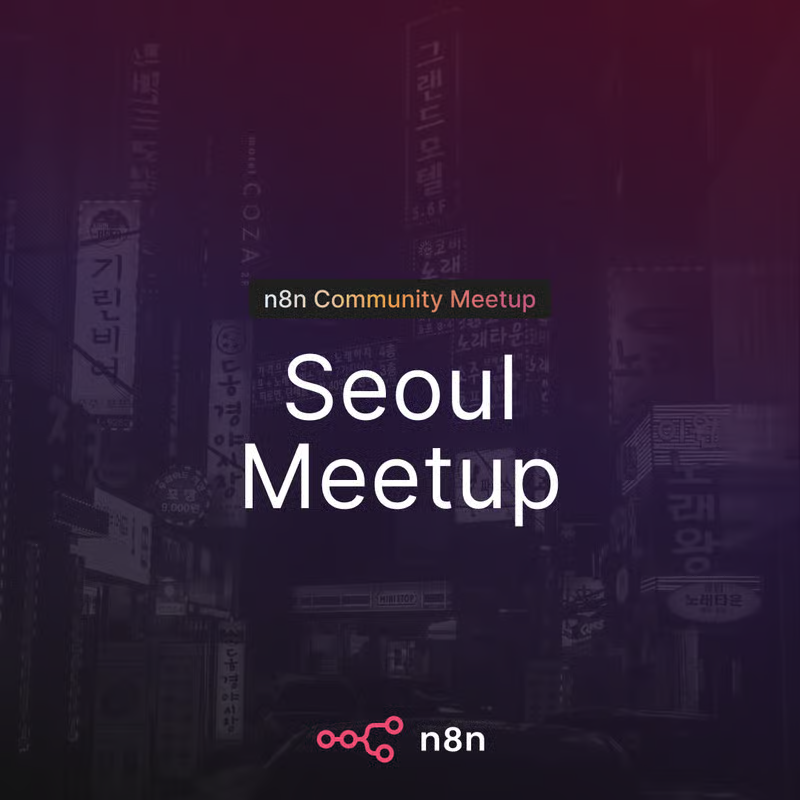
    image.png
    0
  • datapopcorn님의 프로필 이미지

    Hello, students.

    Google Antigravity, which we use as the IDE in our course, was automatically updated to 2.0 on May 19th. I am providing this notice in advance as some of you may find that "the IDE screen looks strange" or "code editing is not working."

    The cause is that starting from version 2.0, the "Agent App" and the "IDE (Code Editor) App" have been separated. Your data has not been deleted, so please do not panic and proceed with one of the two methods below that is more convenient for you.


    What has changed?
    Previously, Antigravity was a single app combining "IDE + Agent," but from version 2.0 onwards, the structure has been separated.
    - Antigravity 2.0 (Desktop App) — Focused on Agent Orchestration
    - Antigravity IDE — Code Editor (Separated into a standalone app)
    - Antigravity CLI — New Go-based CLI (Existing Gemini CLI will be discontinued on June 18, 2026)
    - Antigravity SDK — For building custom agents
    - Native Voice Support — Voice commands based on Gemini audio models

    As a result, after 2.0 is automatically installed, you may find that existing IDE features and installed extensions are not visible. Your data has not been deleted; rather, they are not being recognized because the app structure and folder locations have changed. You can restore them by following the procedures below.
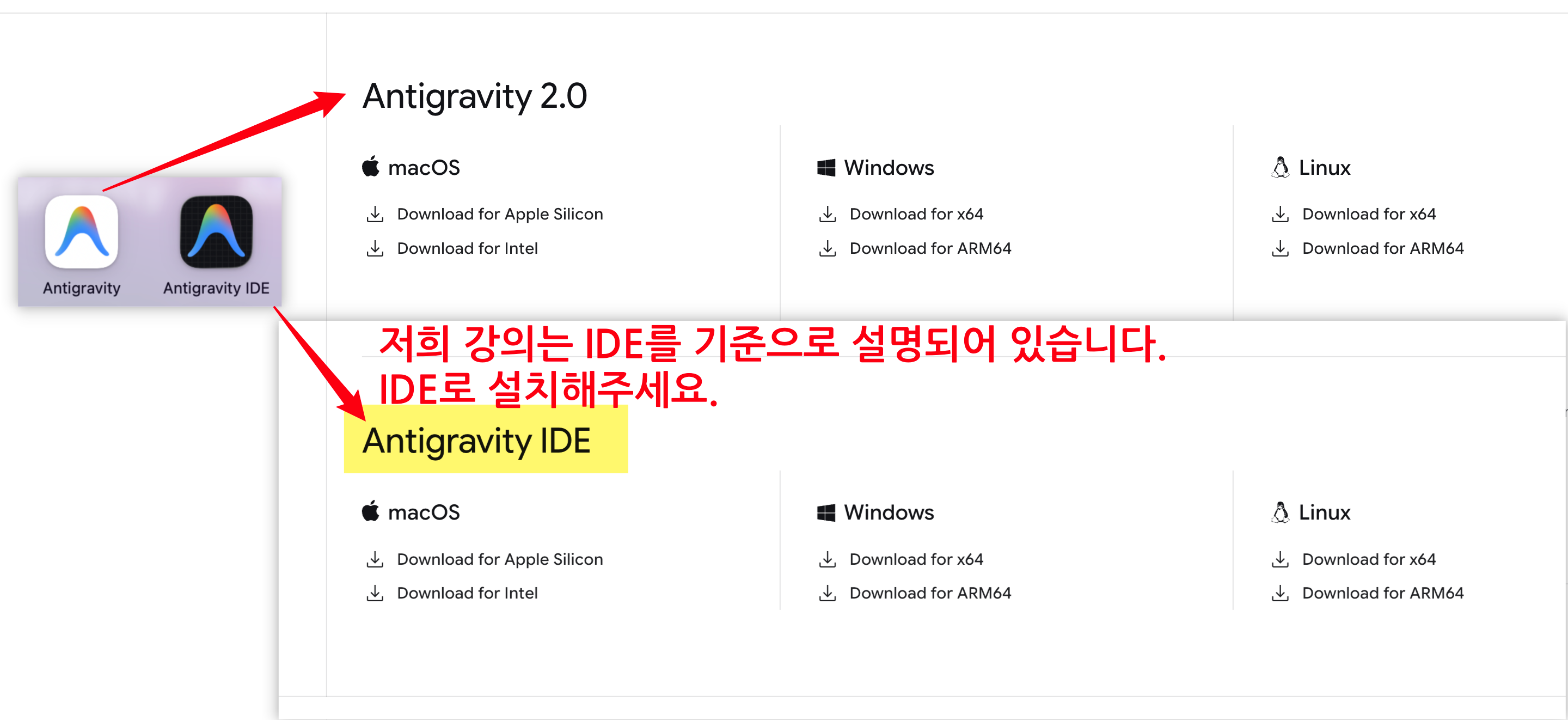
     

    image.png


    Method ① Install the new Antigravity IDE (separate app)

    Recommended for those who want to adapt to the new 2.0 structure while also receiving new features.

    1. Official download page Download and install Antigravity IDE (separate app) from the

    2. After running, complete the login and initial setup wizard.

    3. Open the lecture practice folder and proceed as usual


    Method ② Rollback to version 1.x — "Revert"

    Recommended for those who want to maintain their existing environment as it is.

    Common Steps

    1. Completely uninstall Antigravity 2.0 currently installed

    2. Download the 1.x old version installation file from the official download page


      (If you have a previously downloaded installation file, you may use that instead)

    3. Disconnect from the internet — Block the automatic update to 2.0 immediately after installation.

    4. Reinstalling Version 1.x


    Windows — Turn off automatic updates

    1. Top menu File > Preferences > Settings (or Ctrl + ,)

    2. Type update in the search bar

    3. Update: Mode → select none

    4. Update: Enable Windows Background Updates Uncheck chọn


    5. Completely close the app and restart it → Reconnect to the internet


    macOS — Turn off automatic updates

    1. Top menu Antigravity > Settings (or ⌘ + ,)

    2. Type update in the search bar

    3. Select Update: Mode → none


      (macOS does not have the Windows Background Updates option, so you only need to change this one item)

    4. Completely close the app (⌘ + Q) and then restart it → Reconnect to the internet) rồi khởi động lại → Kết nối lại internet


    ⚠ If you don't turn off automatic updates, it will upgrade to 2.0 again when you connect to the internet. Please make sure to check steps 7 and 8 before connecting to the internet.


    📌 Course Progress

    Either way, you can follow along with the lecture practice in the same way. If you get stuck on anything, please leave a message on the Q&A board.

    0
  • datapopcorn님의 프로필 이미지

    Introducing the 2026 renewal version of the n8n Cheat Sheet created by Data Popcorn.

    We have organized and compiled only the most frequently searched core information from practical experience into a single-page reference.


    ✅ Key Contents Included

    - Core concepts and essential shortcuts

    - Expressions & Credentials Management

    - Error Handling & Security Enhancement Strategies

    - Advanced Docker & Community Node Utilization

    - Node Icon Reference


    If you get stuck while automating your work, don't panic—just open this Cheat Sheet.


    Go to view 🔗

    https://wikidocs.net/290950

    0

$93.50